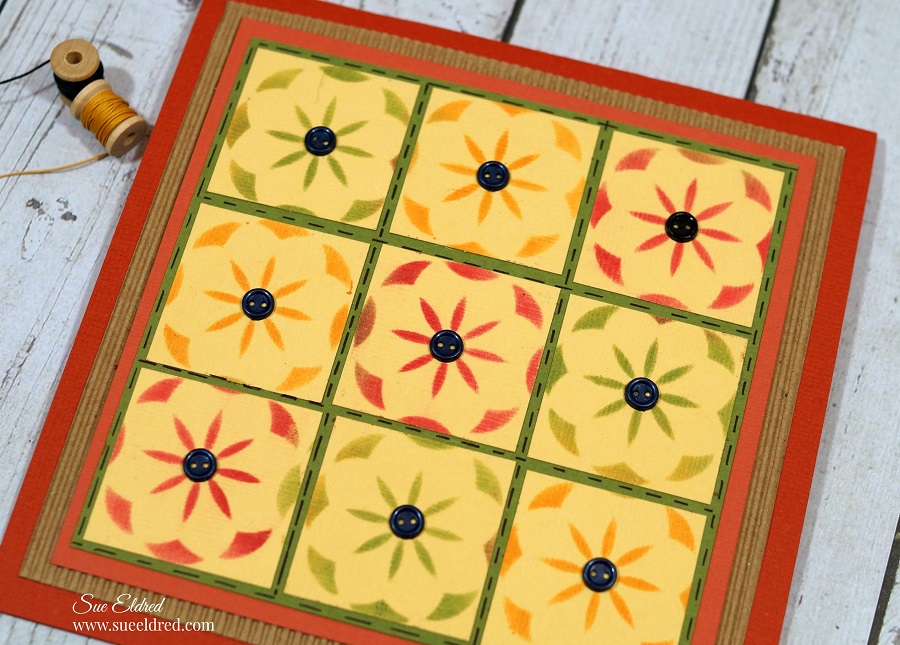
Fall Quilt Card…stenciling with ink

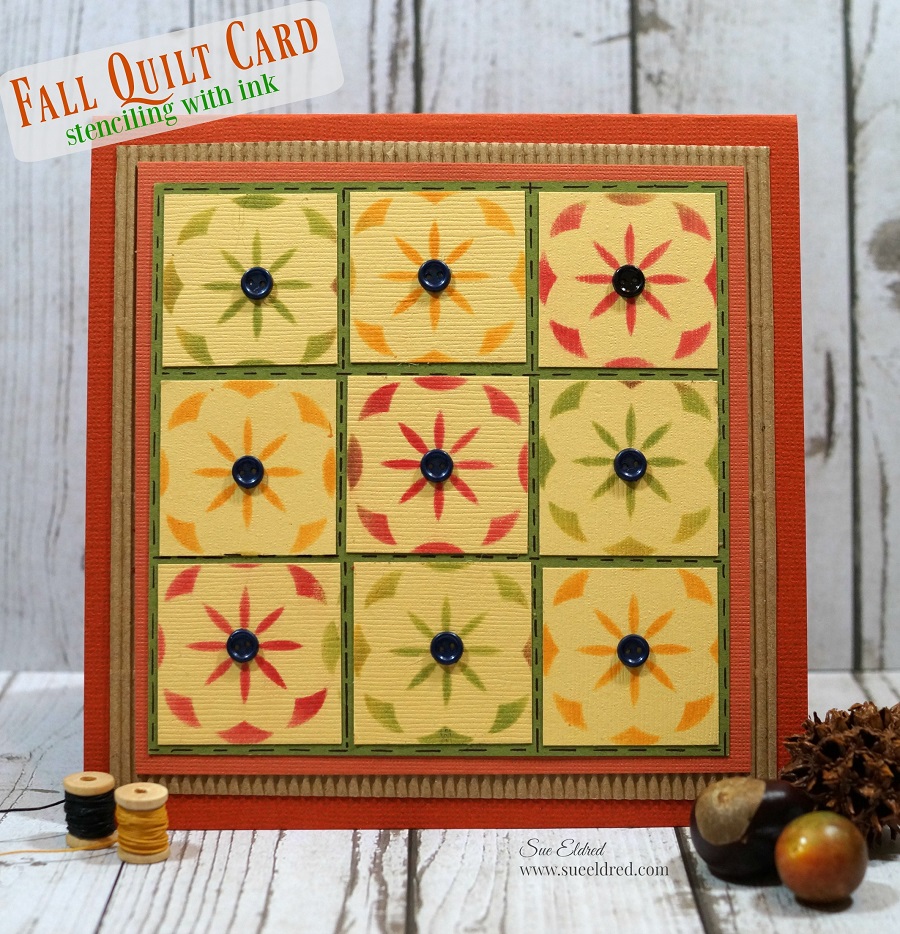
Fall Quilt Card…stenciling with ink

a quick and easy fall card.
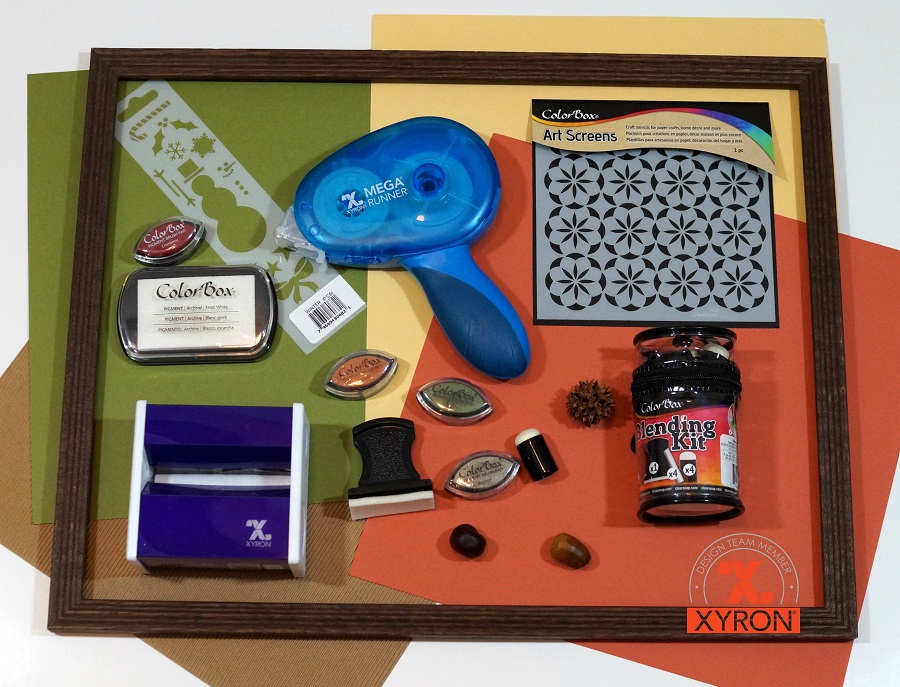
This week the Xyron® Design Team partnered up with Clearsnap® the maker of Colorbox® inkpads and more for some fun projects.

Here’s what I used:                  (*affiliate link)

Directions:

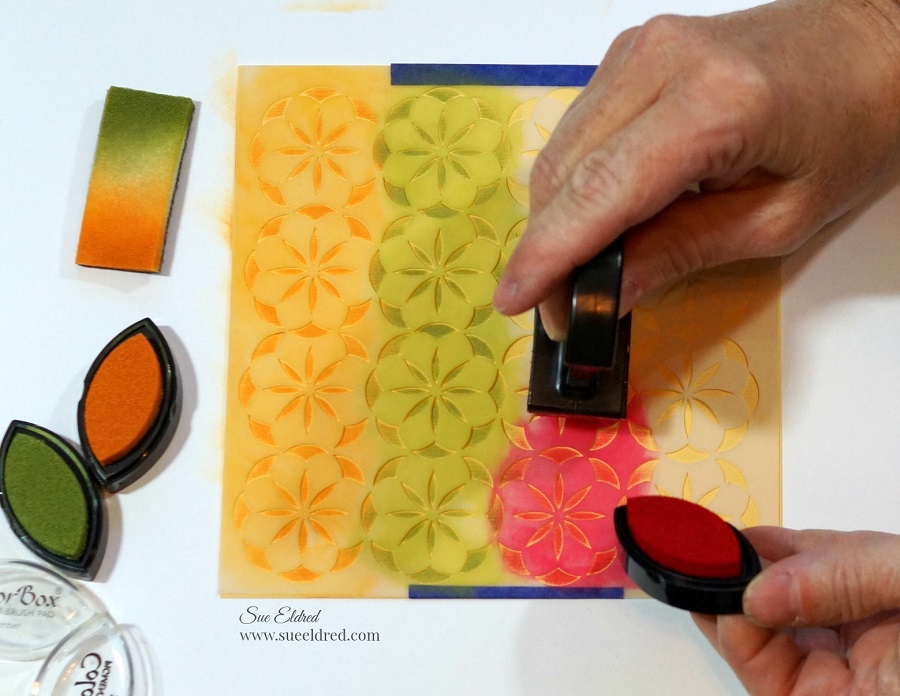
Place the stencil onto yellow cardstock and secured it with removable painters tape.
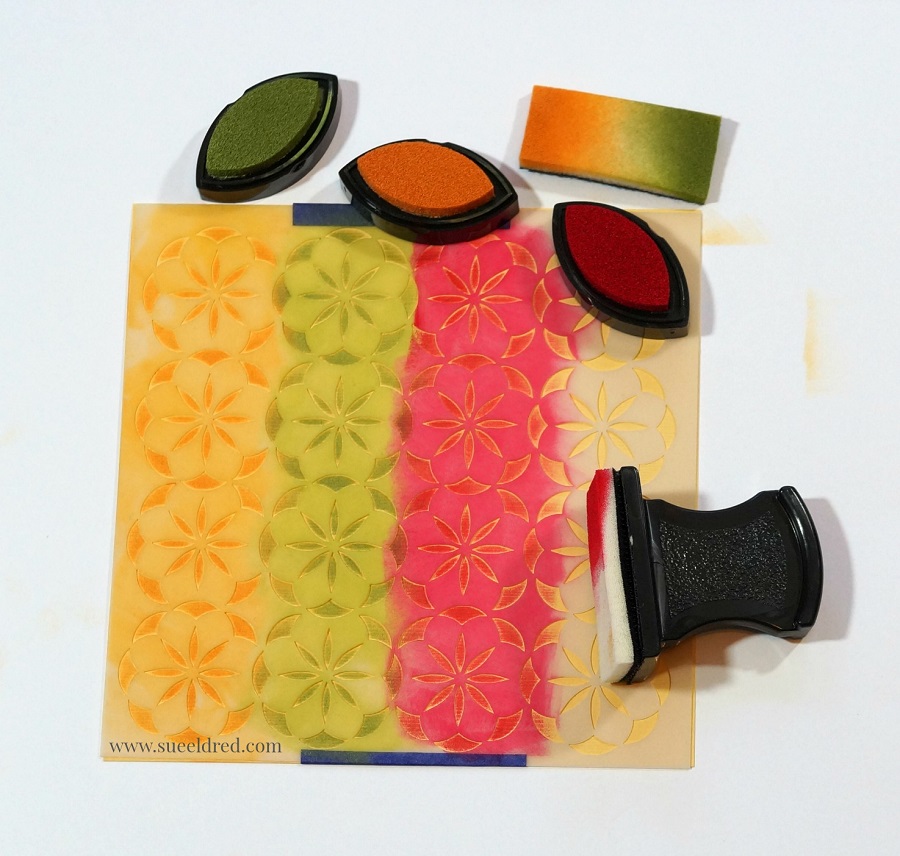
Ink the cardstock using the blending tool and Amber, Turtle and Cranberry Colorbox Inks.
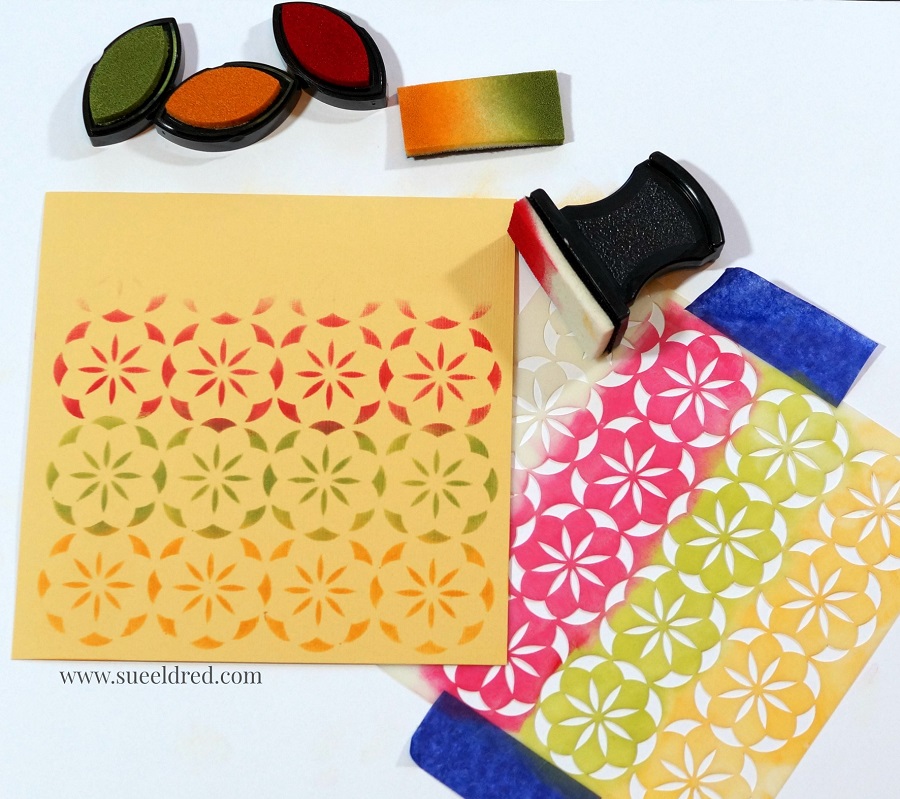
The Art Screen stencil cleans up easily with water.
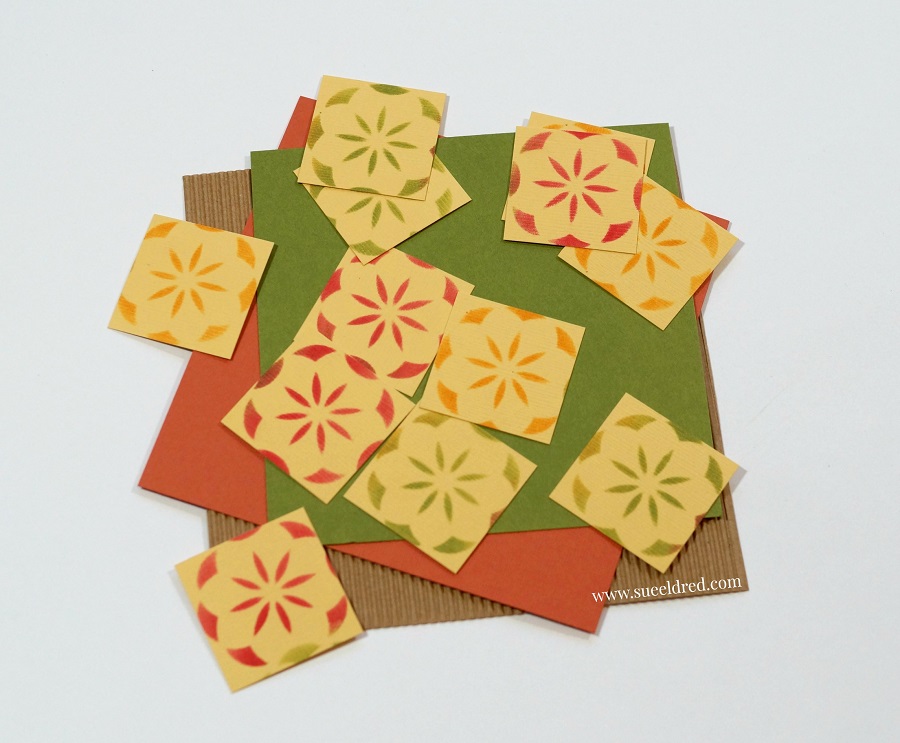
Cut the stenciled cardstock into small squares.    (Mine were slightly smaller than 1 inch.)
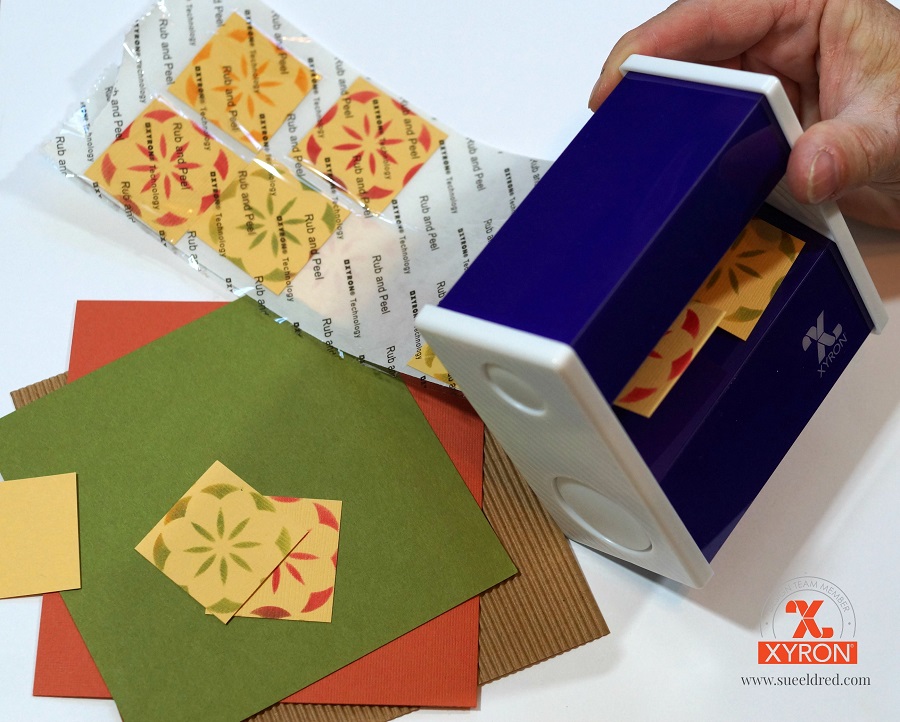
Place the squares through the Xyron 3″ Sticker Maker* for the perfect little sticker.
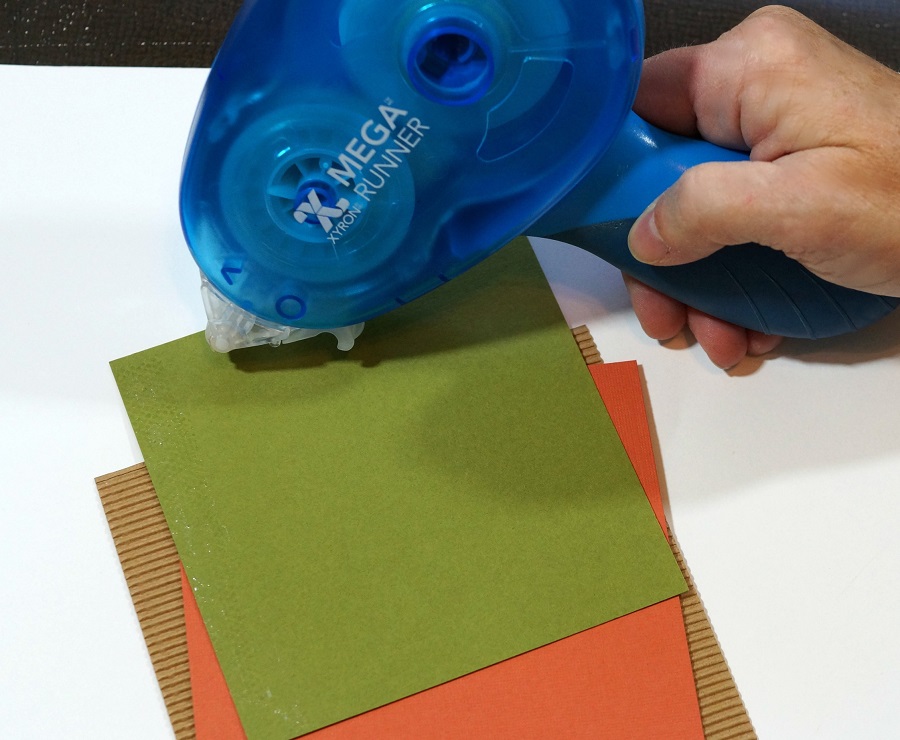
Adhere all the card layers using the Xyron Mega Runner*.

For added detail…draw in small stitch lines using a fine point marker and glue teeny tiny buttons into the center of each square..
“This is a sponsored post.  As a member of the Xyron Design Team I have been provided product and compensation in exchange for my creative ideas.  The views and opinions are my own.

*Disclosure:  This blog uses affiliate links.  If you choose to make a purchase using one of the links, I receive a small commission (at no additional cost to you) that helps offset the costs of maintaining this blog.  Thanks for your support!

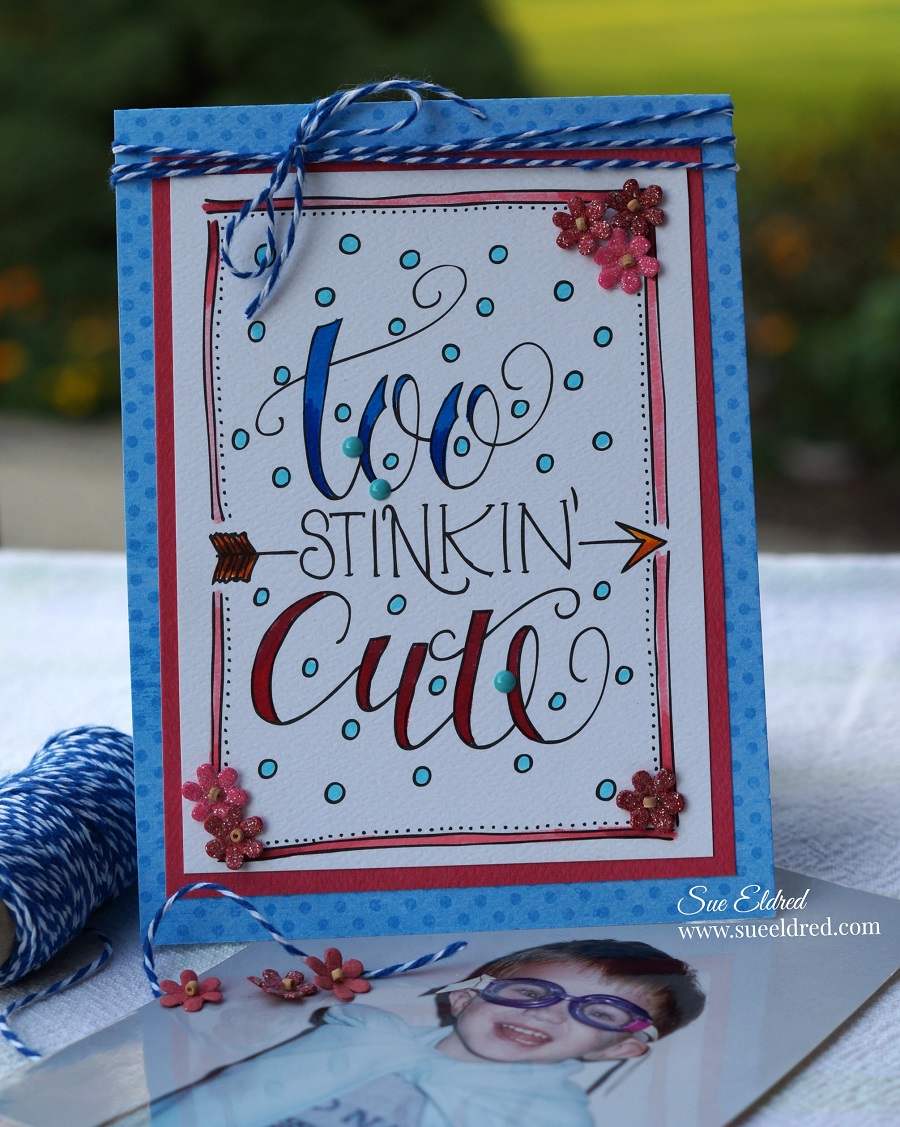
Too Stinkin Cute with Xyron and Derwent Markers

Clean and Simple Card made with Xyron and Derwent Markers.

You know that look on a kids face when he knows he being “super cute”.

This Super Hero picture of my son taken when he was 3 is one of my all time favorites.

He knew he was being “so stinkin cute”!

I always love getting new things to play with and try.

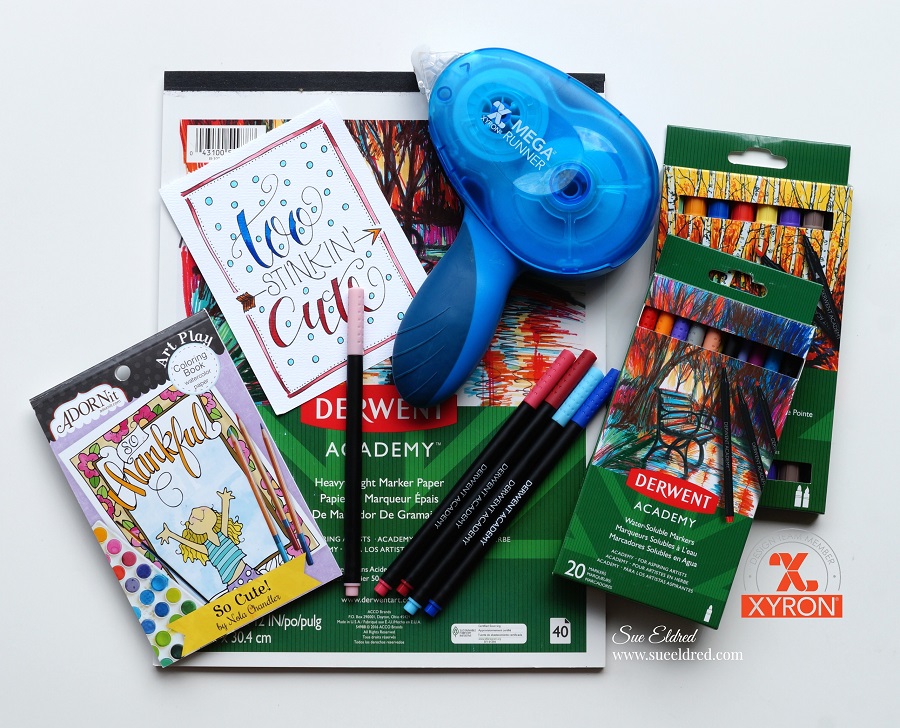
This month the Xyron Design Team was sent Derwent Markers and Paper to play with.

To Make my Card…

I used a small coloring sheet from a mini coloring book for adults as my card base.

I simply colored in the words with my Derwent Markers for a quick and easy layered card.

But… Because I’m a perfectionist and my coloring skills are adequate at best,

I embellished my card with a few small flowers, twine and enamel dots.

(No mistakes… just more opportunities for embellishments.)

Here’s what else I used to make my Clean and Simple Card:

“This is a sponsored post.  As a member of the Xyron Design Team I have been provided product and compensation in exchange for my creative ideas.  The views and opinions are my own.

*Disclosure:  This blog uses affiliate links.  If you choose to make a purchase using one of the links, I receive a small commission (at no additional cost to you) that helps offset the costs of maintaining this blog.  Thanks for your support!
So many reasons to Laminate…

Laminating with Xyron…

When Xyron sent me the Double Sided Lamination Refill Cartridge* to use in my

Xyron Creative Station* you might say I got a little carried away.

There are so many uses and things to laminate I couldn’t stop at just one project.

My favorite project and one of the easiest was using the laminating as an overlay…

I cranked the handle of my Xyron Creative Station* with the Laminate Cartridge* inserted

and actually laminated nothing.                              (*affiliate link)

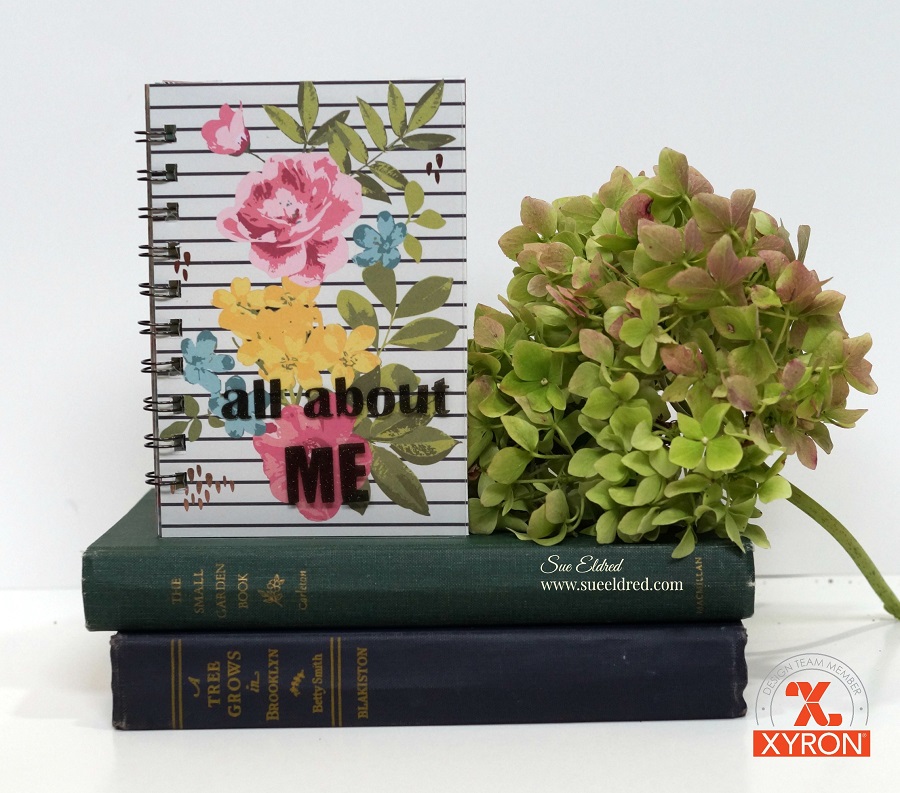
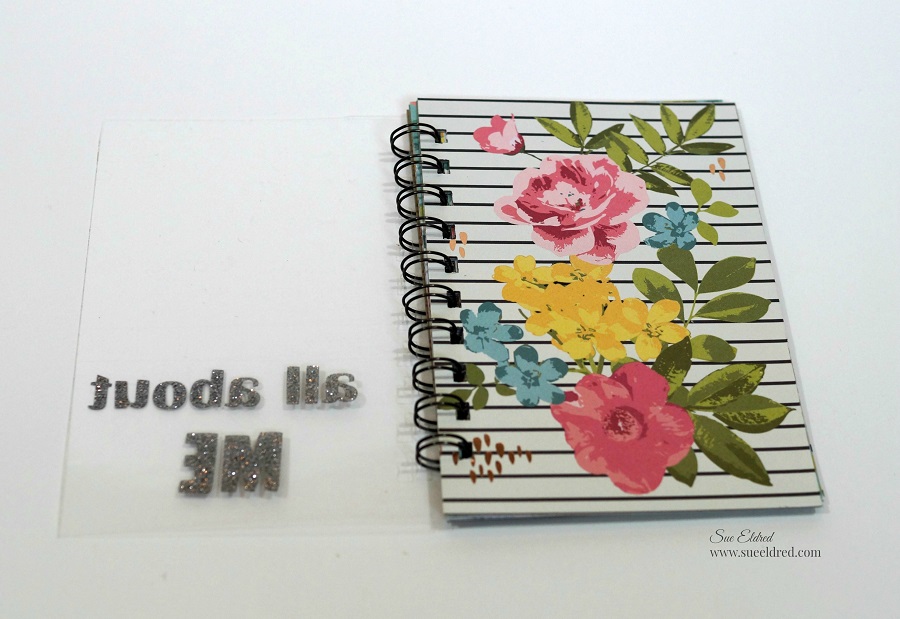
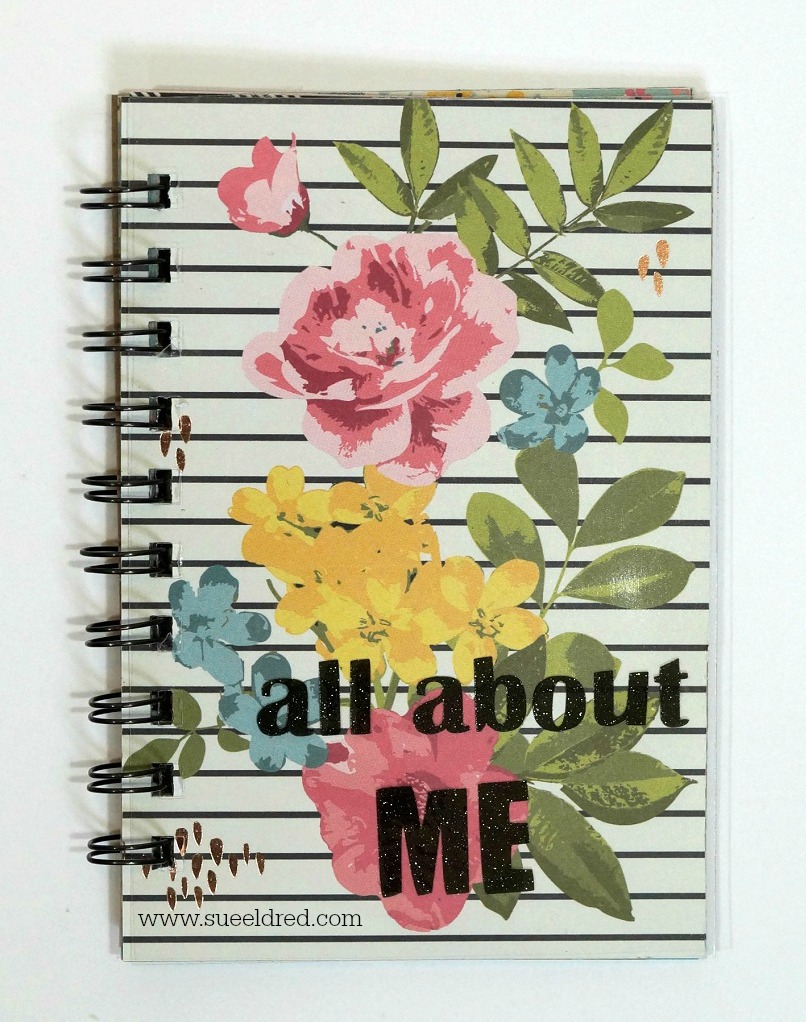
I wanted a clear sheet of laminate to use as an overlay on my “all about ME” mini album*

I added glitter vinyl letters on top my laminated sheet before putting the album together.  

After creating the overlay, I inserted the Xyron Permanent Adhesive Refill Cartridge*

back into the Xyron Creative Station*  to add adhesive on the paper used to cover my album.

Complete coverage and no wrinkling!

I also wanted to make a bookmark using freshly pressed flowers.

I grabbed a few blooms from the garden and stuck them into a heavy book overnight.

Ideally, you’re supposed to leave them alone for 2-3 weeks.

Since I’m an impatient crafter,

I found online that you can speed up the process with a low temp iron.

I used craft glue to lightly and gently glue the flowers onto cream cardstock.

Insert the cardstock in the Creative Station with the Laminating Cartridge.

Laminate, trim, punch a small hole for twine and your ready to read.

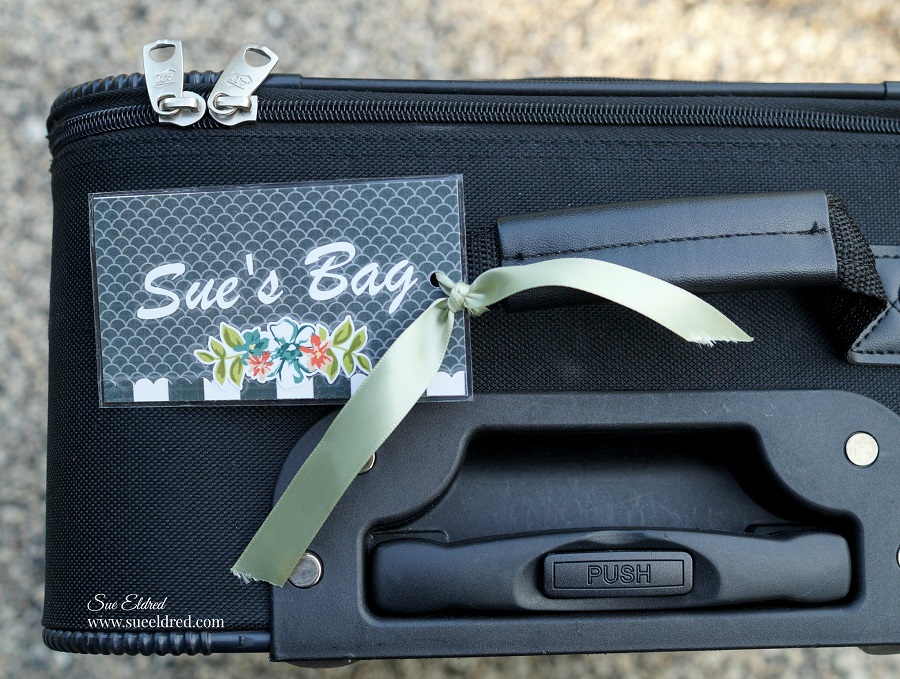
Almost every one in the airport has a black suitcase.  (am I right?)

I’m getting ready for vacation in a few weeks and I want my bag to stand out for easy

recognition.   I created a small 3″ x 4″ decorated name tag and added my business card

to the back of the tag.  Then I laminated it.  (so easy)

Technically, this could almost be chalked up to a craft fail…

There’s always the question floating around my house, is the dishwasher clean or dirty?

To solve the problem, I decided to create laminated signs to put on the front of the dishwasher

and added magnets to the back.  Smart?  Right?

I forgot that magnets do not stick to stainless steel dishwashers.

My Mom worked at a middle school for several years before she retired.

One of her jobs, among many others, was laminating things for the teachers.

When we went through her things this summer, we found…

  • Laminated Brochures
  • Laminated Maps
  • Laminated Ticket Stubs
  • Laminated Cartoon Strips
  • Laminated Newspaper Clippings
  • Laminated Recipes

I guess Mom liked laminating too.

“This is a sponsored post.  As a member of the Xyron Design Team I have been provided product and compensation in exchange for my creative ideas.  The views and opinions are my own.

*Disclosure:  This blog uses affiliate links.  If you choose to make a purchase using one of the links, I receive a small commission (at no additional cost to you) that helps offset the costs of maintaining this blog.  Thanks for your support!
“The Family Tree”

The Family Tree…

In the backyard of my childhood home stands a ginormous Silver Maple tree.

That gigantic tree has been the backdrop for tons of family pictures during it’s 40 plus years.

I’d always thought of it as “my tree” because I was the one who drug it up from the woods

and had planted it.  Up until recently, possibly last year, I found out that it wasn’t my tree.

Dad told me that my tree didn’t make it and he had replaced it with this one.   (Sigh!)

One of my favorite pictures was this one taken on Thanksgiving Day 2006.

The guys were out in the yard playing catch with the football and I asked my sister-in-law

to snap a family picture.  The guys lifted my youngest up in the tree, football still in hand.

As we get my parents house ready to sell, it dawned on me that I need to get another

family picture by “my tree” while we still have the chance.

This past week-end, we had one last large family get-together at the home

and took one enormous family picture around that old tree.  (35 in all with only 3 missing.)

We also took this one of my family…Just as we were, sweaty and all.

It was a beautiful evening spent celebrating family.

It was also a little bittersweet as I know Mom and Dad would have loved it.

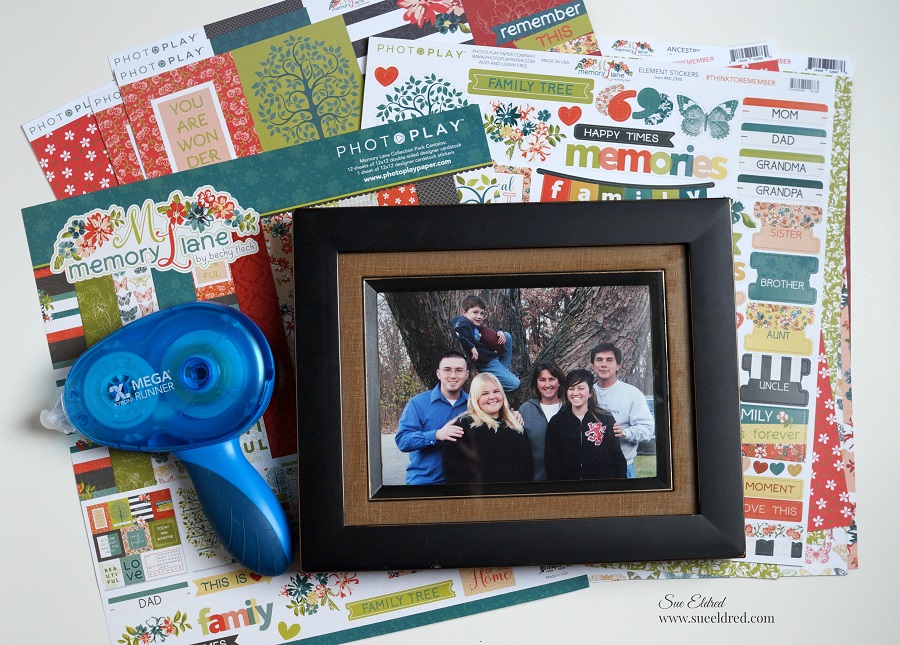
For my Xyron Design Team project this week, the team got the opportunity to pick any

collection we wanted from Photoplay Paper.

The moment I saw the Memory Lane Collection I knew it was perfect for my pictures.

I received the collection which included 12 sheets of beautiful double-sided paper and a full

sheet of beautiful cardstock stickers and a package of the ephemera cardstock die cuts.

Everything went together smoothly with the help of my trusty Xyron Mega Runner*.

“This is a sponsored post.  As a member of the Xyron Design Team I have been provided product and compensation in exchange for my creative ideas.  The views and opinions are my own.

*Disclosure:  This blog uses affiliate links.  If you choose to make a purchase using one of the links, I receive a small commission (at no additional cost to you) that helps offset the costs of maintaining this blog.  Thanks for your support!

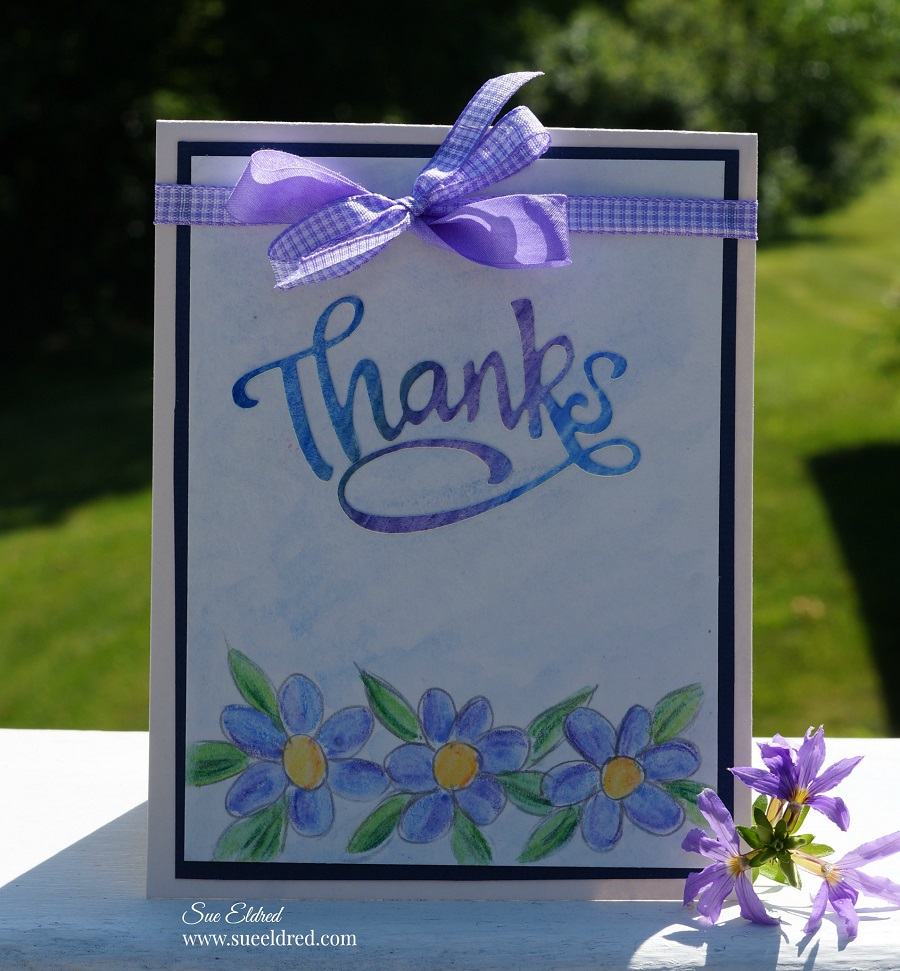
Simple Water Colored Posies

Simple Water Colored Posies Card

My love of water color started in my High School Art class.

Unfortunately for me, I’m not very good at drawing.

Except simple little objects.

For my Xyron Design Team project this week…

Derwent Academy sent us some awesome goodies to play with.

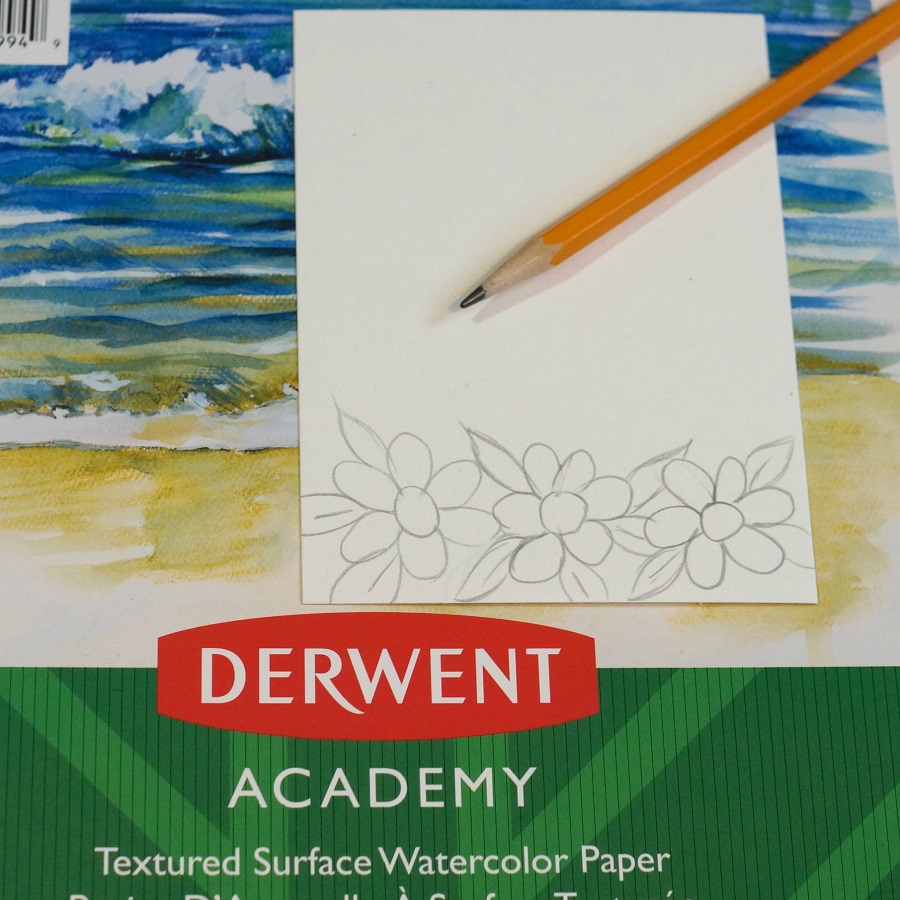
For my card…I cut the watercolor paper to 3 ¾” x 5″ and drew simple little flowers

on the bottom.  (Can’t get much easier than this.)

I colored in my flowers and leaves using the water color pencils.

I used the lighter pencil first and then added a little shading with the darker pencil.

You don’t have to fill the entire image.

Use a wet paint brush and go over pencil marks to blend the colors.

For my Words…I took a small piece of the water color paper and did a scribble background

with the blues and purple water color pencils.

Blend the colors together with a wet paintbrush.

After the paper was completely dry, I inserted it into my Xyron 3″ Sticker Maker*.

The Xyron Sticker Maker* is great to use when cutting out small dies.

It adds complete adhesive and makes the perfect little word sticker.

I used my Xyron Creative Station* to add adhesive to the back of my layers.

That way, I don’t have to worry about any warpage on my watercolored layer.

A simple bow finishes off this simple watercolored card.

“This is a sponsored post.  As a member of the Xyron Design Team I have been provided product and compensation in exchange for my creative ideas.  The views and opinions are my own.

*Disclosure:  This blog uses affiliate links.  If you choose to make a purchase using one of the links, I receive a small commission (at no additional cost to you) that helps offset the costs of maintaining this blog.  Thanks for your support!

Cheery Little Birthday Card

A Cherry Little Birthday Card

Who doesn’t love receiving a Cheery Little Birthday Card?

I know I do.

This week the Xyron Design Team is all about Lawn Fawn…

and I had a blast.  I loved using their dies to make this fun card.

Here’s what I used:                     (*affiliate link)

*Disclosure:  This blog uses affiliate links.  If you choose to make a purchase using one of the links, I receive a small commission (at no additional cost to you) that helps offset the costs of maintaining this blog.  Thanks for your support!

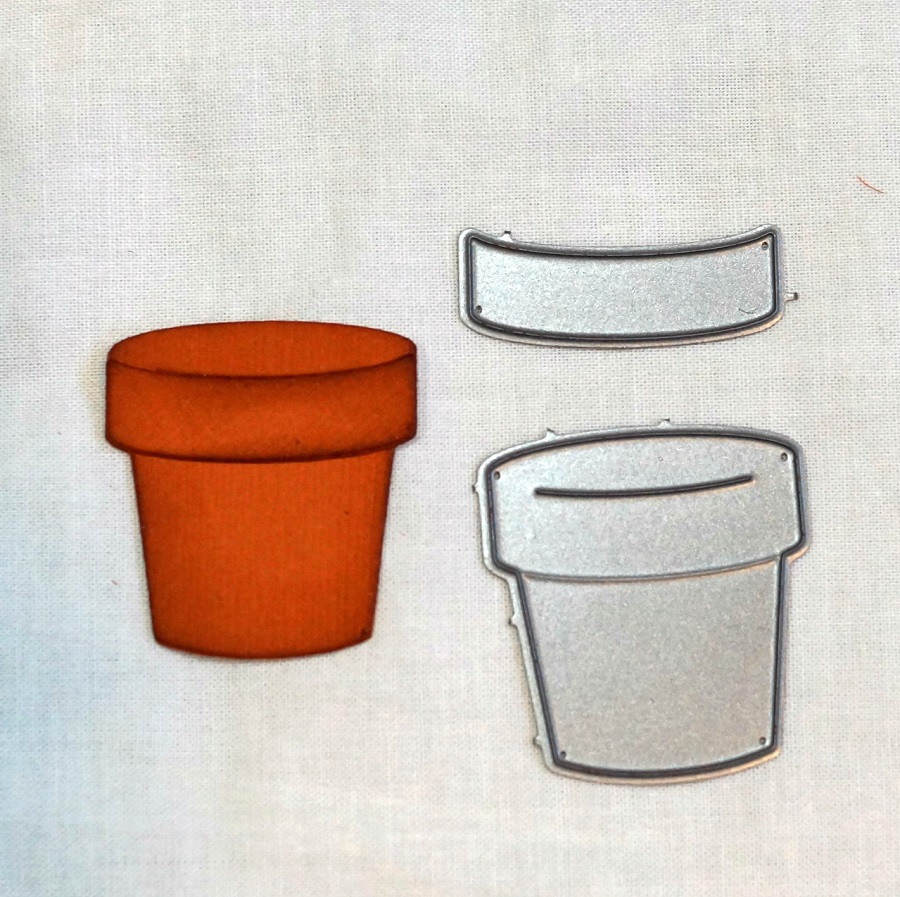
  • When working with small dies, I like to run the paper through my Xyron 3″ Sticker Maker*.
  • Rub and peel the top cover off the paper.

  • Run the paper and die through your die cutter for the perfect little sticker.
  • Just the perfect amount of adhesive and so easy to use.

  • Look how cute this terra cotta pot turned out.
  • Ink the edges of the paper pieces with Vintage Photo Ink* for a realistic looking pot.
The card was so easy to put together using the Xyron Sticker Maker* for all my little pieces.

A really fun card to make.

A special thank you to Lawn Fawn for sending the dies and paper used on this project.

“This is a sponsored post.  As a member of the Xyron Design Team I have been provided product and compensation in exchange for my creative ideas.  The views and opinions are my own.

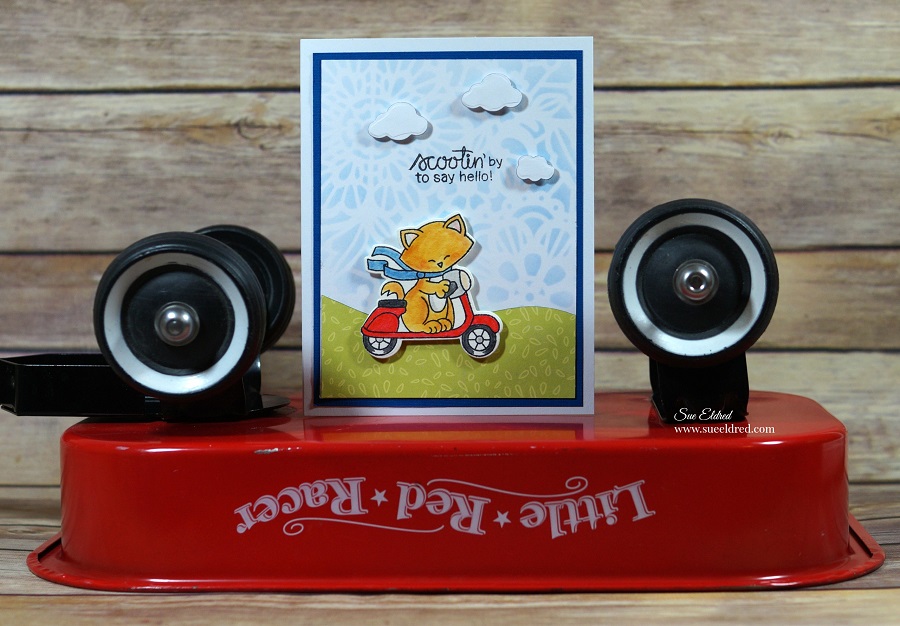
Scootin by with Newton’s Nook and Xyron

Scootin’ by to say hello!

This week the Xyron Design Team teamed up with Newton’s Nook for some fun inspiration.

And…a great chance to win some goodies for you.  (see below)

Click on each of the links below to leave your comments all week for a chance to win a Xyron Mega Runner and a $25 Newton’s Gift Card.

XYRON FACEBOOK

NEWTON’S NOOK BLOG


For my project, I picked out this cute little Newton Scoots by” stamp set and matching dies.

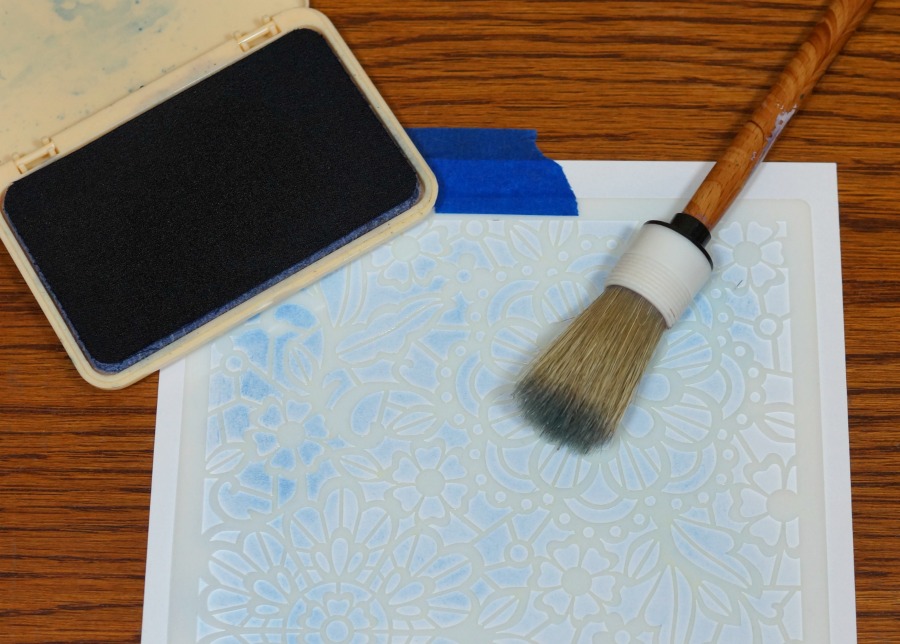
I also picked out the Floral Lace Stencil* to use on the background.

I used my stencil brush and a light blue dye inkpad to create the subtle background.

Using my Xyron Creative Station* made quick work in putting all my layers together.

I’ll be honest…this was the first time I’ve used a stamp and matching die set.

I love how clean it looks.  Super Easy to use.  No messy fussy cutting needed!

“This is a sponsored post.  As a member of the Xyron Design Team I have been provided product and compensation in exchange for my creative ideas.  The views and opinions are my own.

*Disclosure:  This blog uses affiliate links.  If you choose to make a purchase using one of the links, I receive a small commission (at no additional cost to you) that helps offset the costs of maintaining this blog.  Thanks for your support!

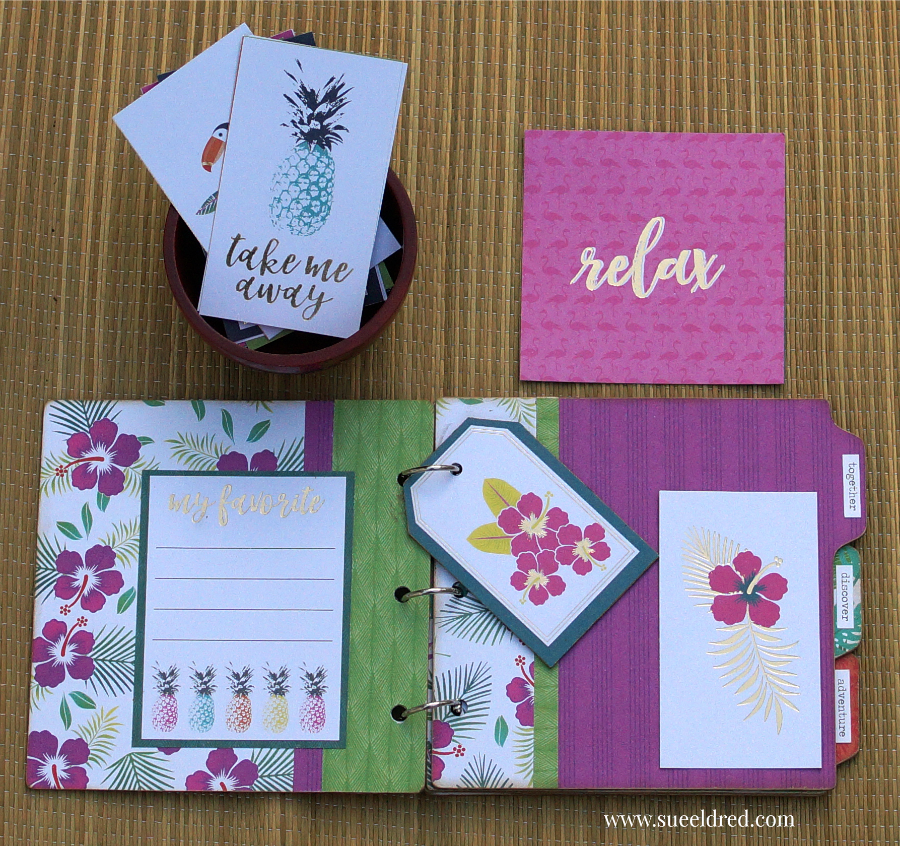
Tropical Vacation Mini Album

Who’s ready for a Tropical Vacation?  

Many, many years ago, I met my sweetie while visiting the island of Oahu.

Twelve years ago we went back.  (I’m thinking we’re long overdue.)

I need a tropical vacation!

This week, the Xyron Design Team teamed up with Die Cuts with a View.

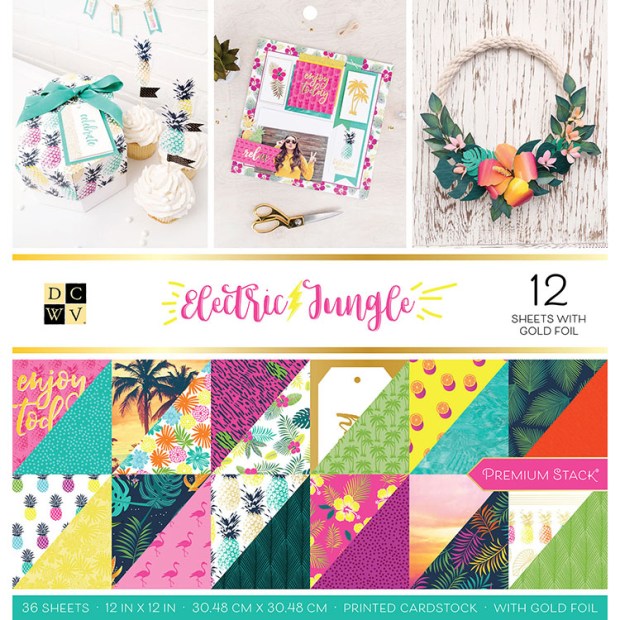
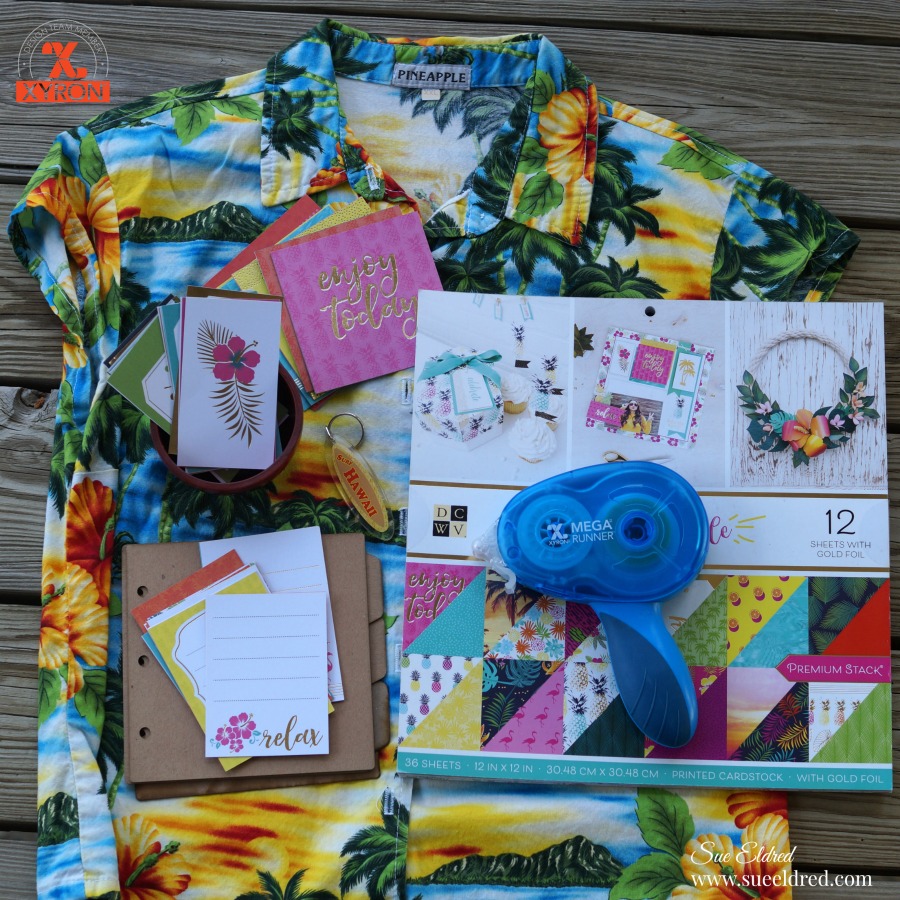
I received the Electric Jungle Paper Pad, a bright and colorful collection.  

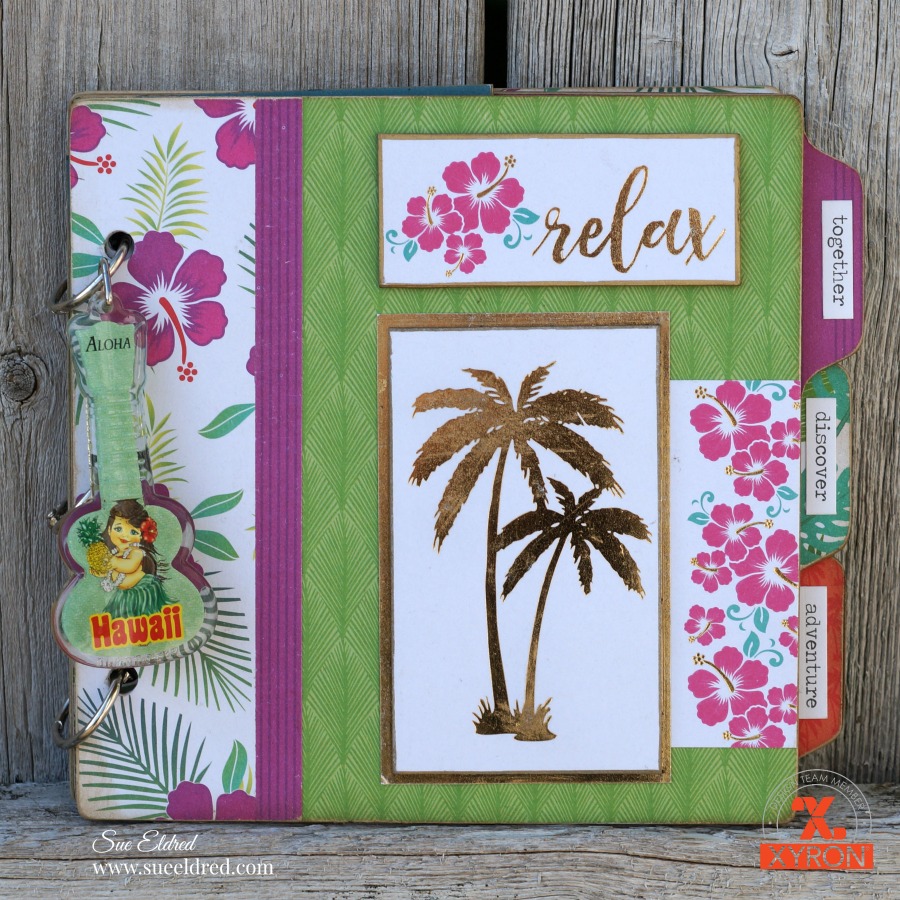
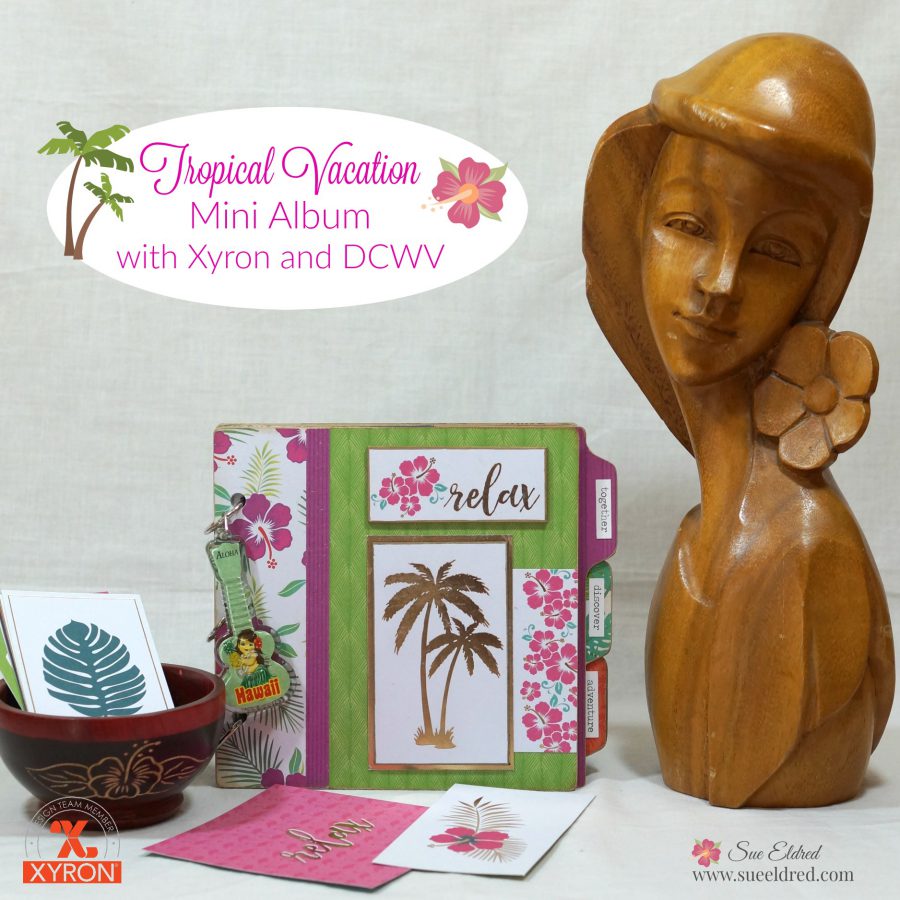
For my project, I decided to make a mini album.  I’m not sure if I’ll use the really old, kind of old

or wait until I get new pictures to place inside the album.  (hint, hint!)

Tropical Vacation Mini Album Supplies Used:                     (*affiliate links)

*Disclosure:  This blog uses affiliate links.  If you choose to make a purchase using one of the links, I receive a small commission (at no additional cost to you) that helps offset the costs of maintaining this blog.  Thanks for your support!

  • Cut paper to fit the pages of the chipboard album.
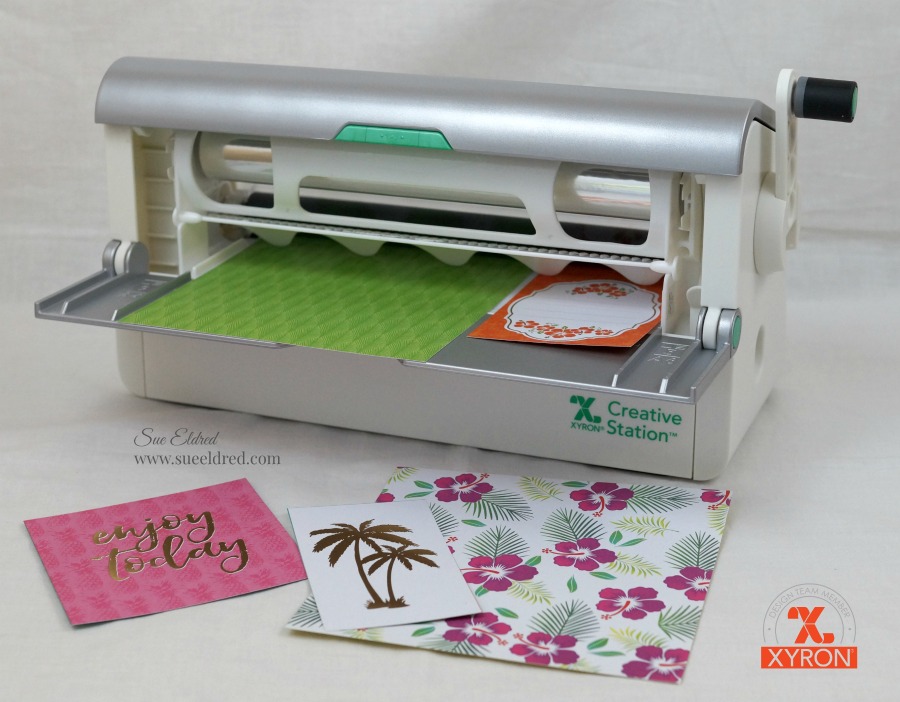
  • Lay decorative scrapbook paper (design side up) on the  *Xyron Creative Station, 9″ crank the handle to run the paper through the machine.  As it moves through the Xyron Creative Station it adds adhesive to the back side of the paper.
  • Easy to use and it doesn’t need any electricity.
  • I like using the Xyron Creative Station* when making mini books because you get complete coverage, no wrinkling, no bubbles!

  • Once the pages are covered with the paper, use a craft knife and cutting mat to trim around the edges of the chipboard.
  • Use the XYRON Adhesive Eraser* to remove any extra adhesive from the edges.
  • Gently sand away rough cut edges on the paper using a extra fine sanding block.
  • Because the chipboard is tan and the core of the paper is white, I inked the edges of the pages with a light tan ink and a ink blending tool.
  • I created thick tags by using a tag cut from the paper pad and adhering it onto a small piece of chipboard.  I used a gold calligraphy paint marker to create a gold border around the edge of the tag.
  • The “Palm Tree” and “Relax” on the front of the mini album both have chipboard underneath to create added dimension.

“This is a sponsored post.  As a member of the Xyron Design Team I have been provided product and compensation in exchange for my creative ideas.  The views and opinions are my own.

And the Xyron Mega Runner Winner is?

Congratulations goes to Kasey S from Virginia.

She’s the winner of the Xyron Mega Runner.

Thank  You Everyone who left a comment.

Look for more chances to win in the future.

Crazy 8 Sale On Now!

*Disclosure:  This blog uses affiliate links.  If you choose to make a purchase using one of the links, I receive a small commission (at no additional cost to you) that helps offset the costs of maintaining this blog.  Thanks for your support!

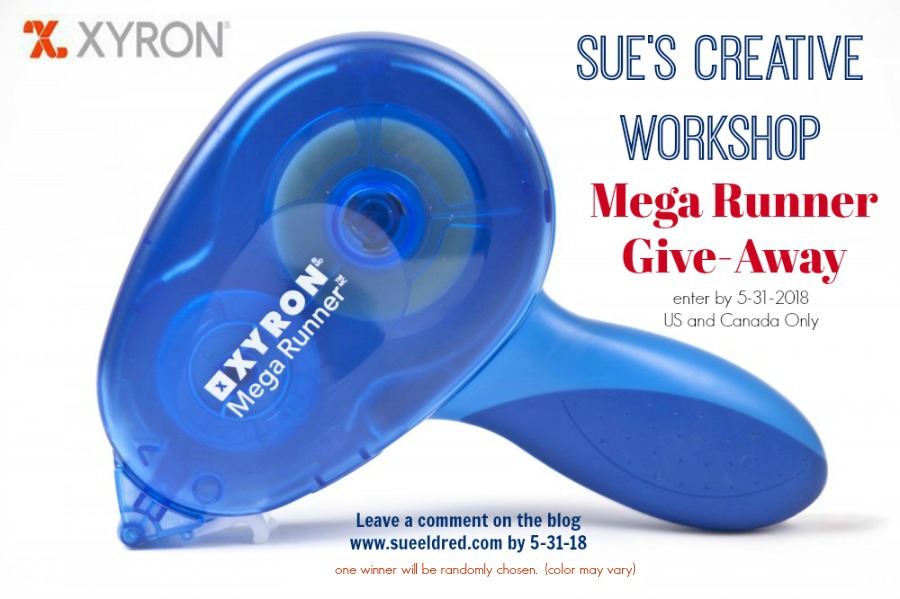
Who wants to win a Xyron Mega Runner?

It’s Giveaway Time…

Just a couple more days to enter for your chance to win a Xyron Mega Runner.

I’m making it super simple to enter.

All you need to do is leave a comment on my blog mentioning the Xyron Mega Runner

by May 31, 2018 and you’ll be entered for a change to win.  (US and Canada only)

One winner will be randomly chosen.  Color of the Mega Runner may vary.

Shop Your Fav Brands at Scrapbook.com

*Disclosure:  This blog uses ads and affiliate links.  If you choose to make a purchase using one of the links, I receive a small commission (at no additional cost to you) that helps offset the costs of maintaining this blog.  Thanks for your support!