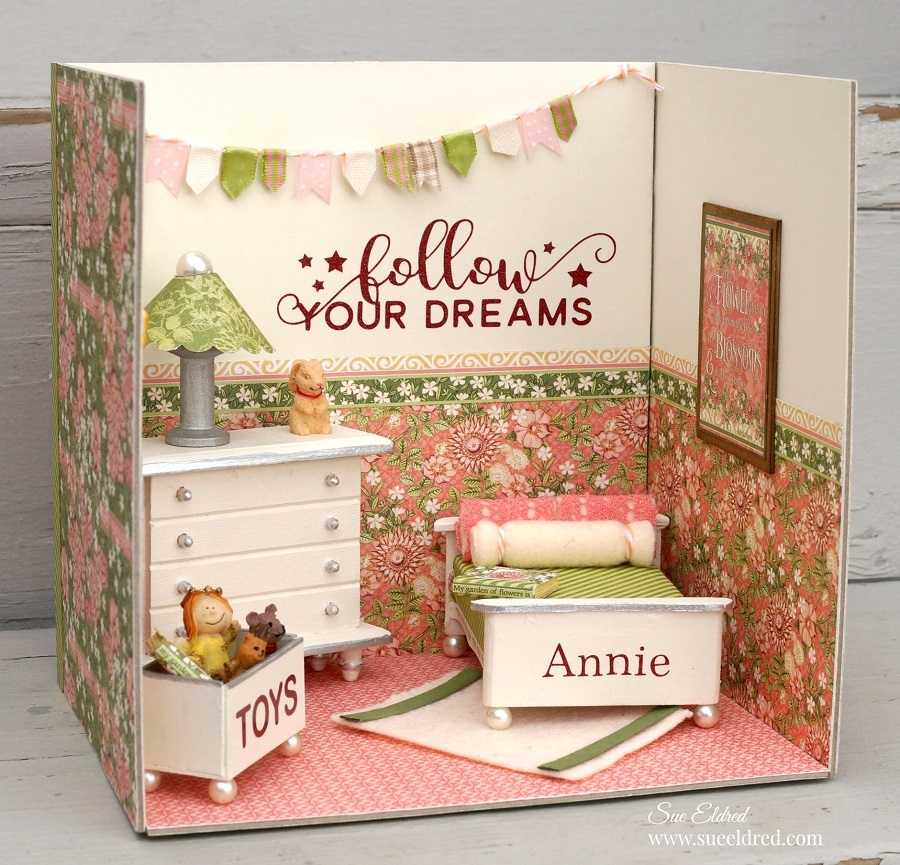
Annie’s Sweet Dreams Bedroom

Annie’s Sweet Dream Bedroom

I love working with miniatures and creating little rooms.

I guess…I’m creating the doll house I always imagined as a kid.

For this room, I wanted to create a “mini makeover” for Annie’s Bedroom.

This little room won me third place in the 2019 Fave Crafts Best Blogger Contest.

And now, I can finally share it all with you.

“This is a sponsored post.  I have been provided product and compensation in exchange for my creative ideas.  The views and opinions are my own.”

Annie’s Sweet Dreams Bedroom Products Used:                 (*Affiliate Links)

*Disclosure:  This blog uses affiliate links.  If you choose to make a purchase using one of the links, I receive a small commission (at no additional cost to you) that helps offset the costs of maintaining this blog.  Thanks for your support!

How to make Annie’s Sweet Dreams Bedroom…
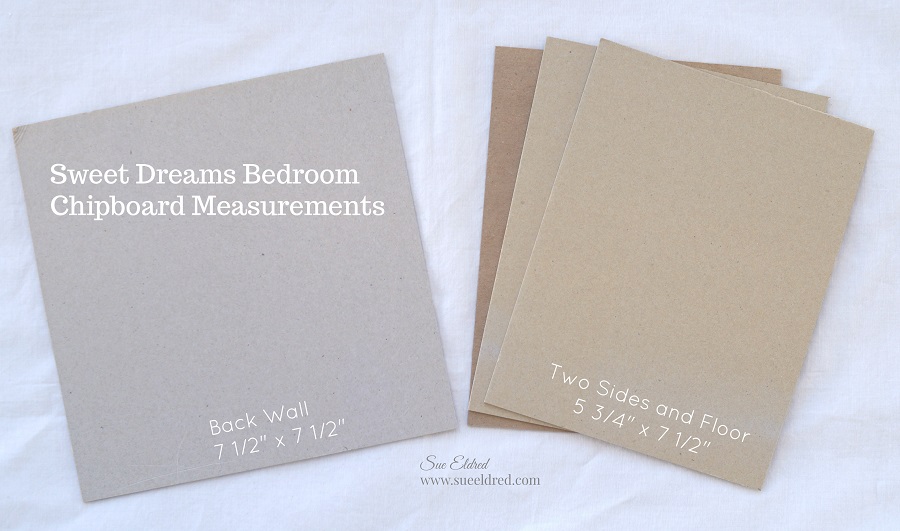
The Bedroom measures 7 1/2″ wide, 7 1/2″ tall and 5 1/2″ deep. 

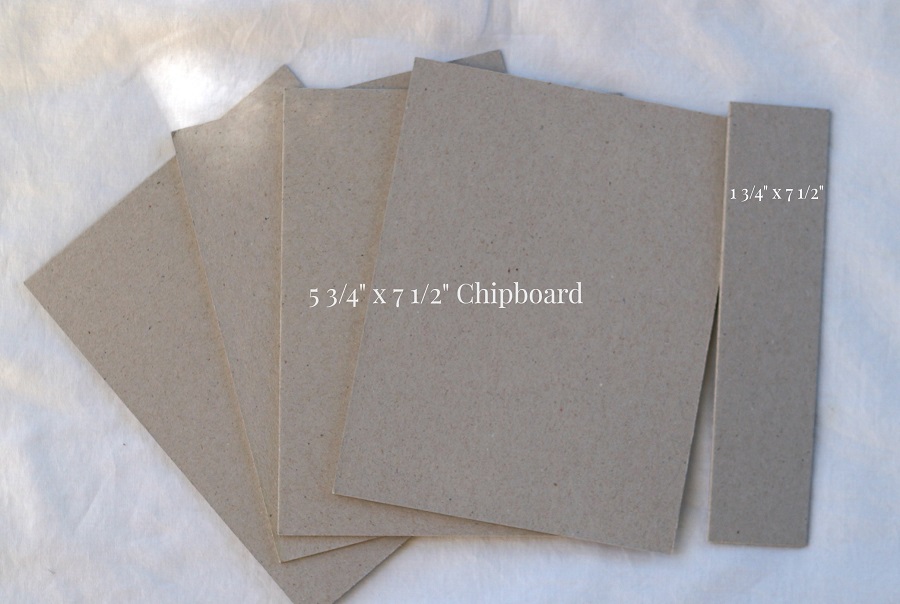
  • Cut 3 pieces of chipboard 5 3/4″ x 7 1/2″.
  • Cut 1 piece of chipboard 7 1/2″ x 7 1/2″ to use as the back wall.

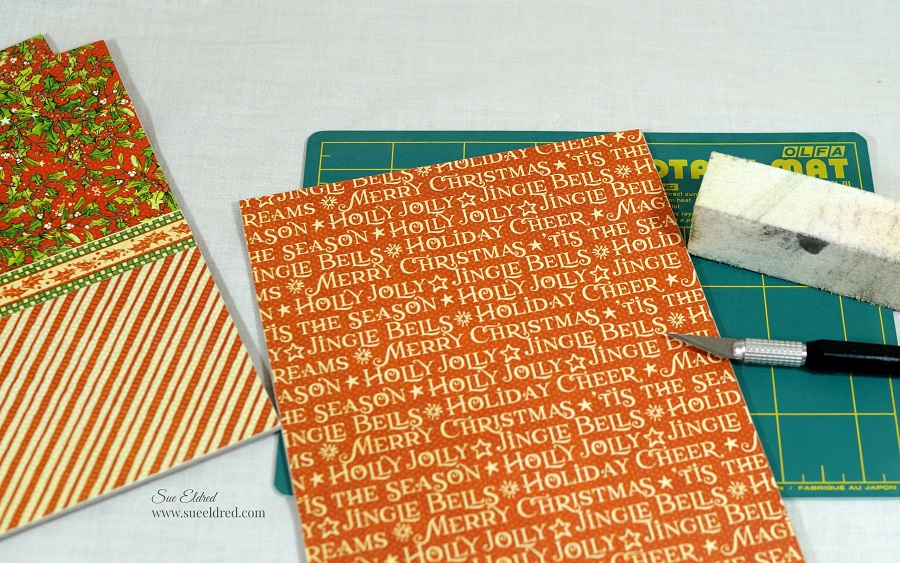
  • Cut decorative scrapbook paper from the Graphic 45 Garden Goddess 8×8 Paper Pad* to use on the floor, walls and outside walls of the room.  I like to cut my paper slightly wider than I need so I can trim the edges with a craft knife.
  • I used both cardstock and scrapbook paper to cover my walls.  For my walls…cut both papers into 3 3/4″ strips.
  • I cut a small strip of paper from the paper pad for a decorative border.
  • I ran each of my strips through the Xyron Creative Station*.
  • Adhere paper to the chipboard.
  • Cover back of the chipboard with coordinating scrapbook paper.

The Xyron Creative Station* is perfect for projects like this.  I wanted complete adhesive coverage on every corner and edge of the paper.  (No wrinkles, no bubbles, easy to use.)
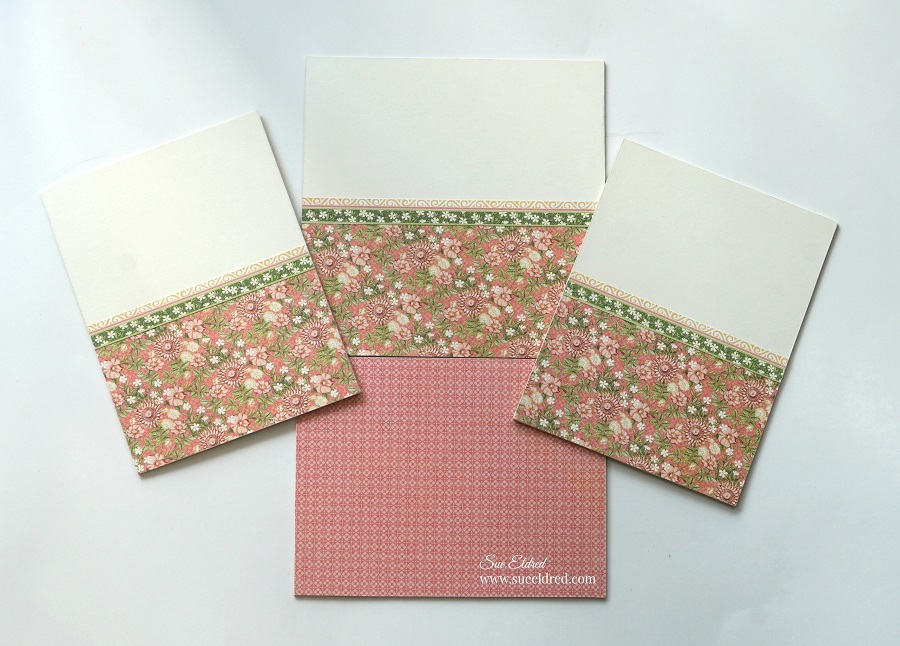
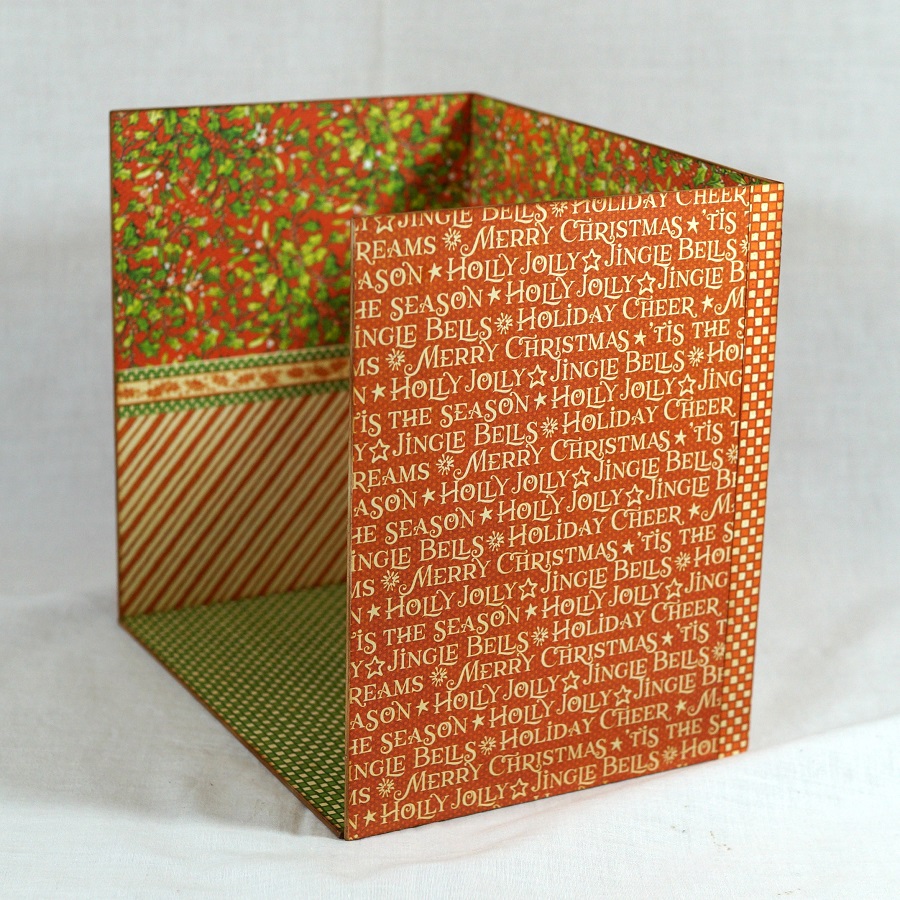
Finished Inside Walls

For the Mural on the Wall…

  • I used an SVG file and my Silhouette Cameo Wireless Cutting Machine* to cut and create the words “follow your dreams” using StyleTechCraft Dark Red Ultra Metallic Glitter Vinyl.
  • Using the weeding tool, I carefully removed the negative spaces in and around the letters.
  • Place a piece of Vinyl Transfer Tape* over the letters.
  • Apply words onto the back wall.
  • Remove transfer tape.

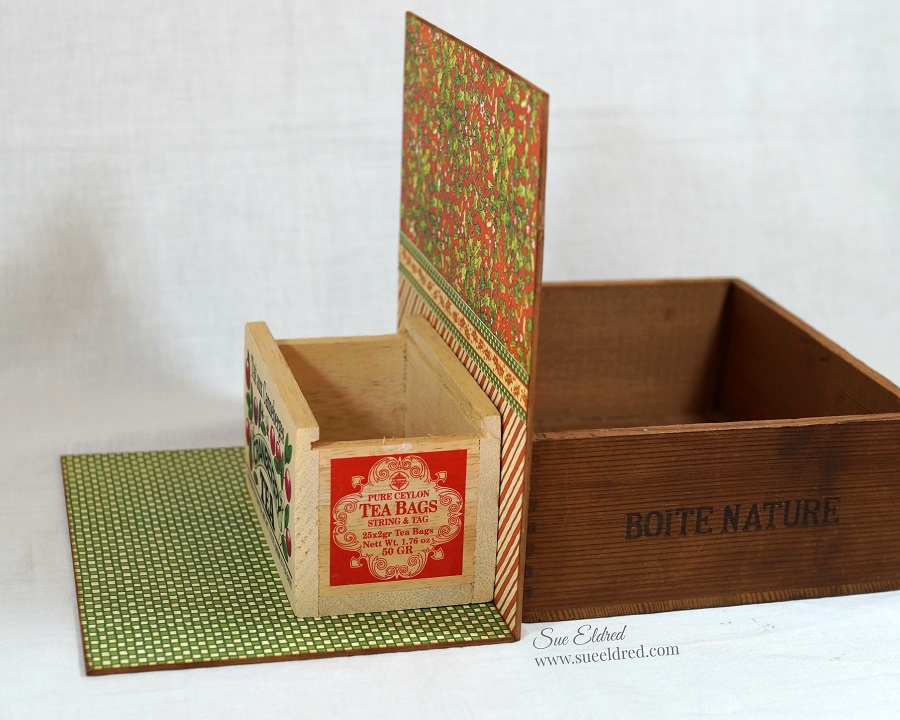
  • Glue the walls together using a good craft glue. I like to use Beacon 3 in 1 Glue*.  I used wood boxes to hold my wall up while the glue dried.

  •  I added small strips of paper on the back corners for added support.
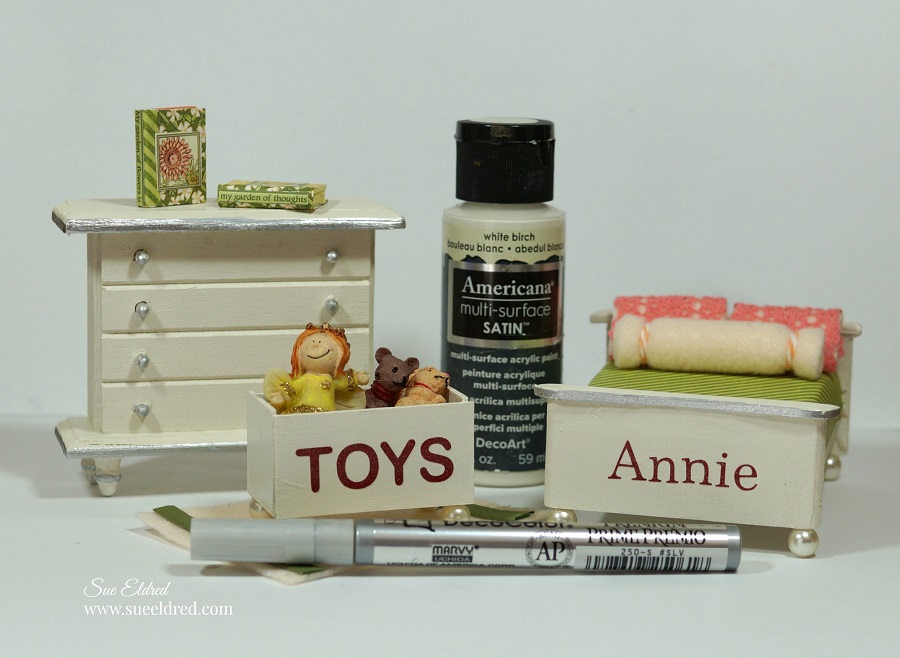
  • To make a mini lamp shade…punch a 3″ scallop circle.
  • Trace around a button in the center of the circle.
  • Cut out the small circle as shown in the above picture.
  • Glue ends of the circle together to form shade.
  • Glue shade onto a small painted wood spool.

  • Cut small pieces of ribbon and glue them onto a piece of twine to create a small ribbon banner to hang onto the wall.
  • Glue Banner onto back wall.
  • The Deflecto Ribbon Dispenser* is great for organizing my ribbon spools.
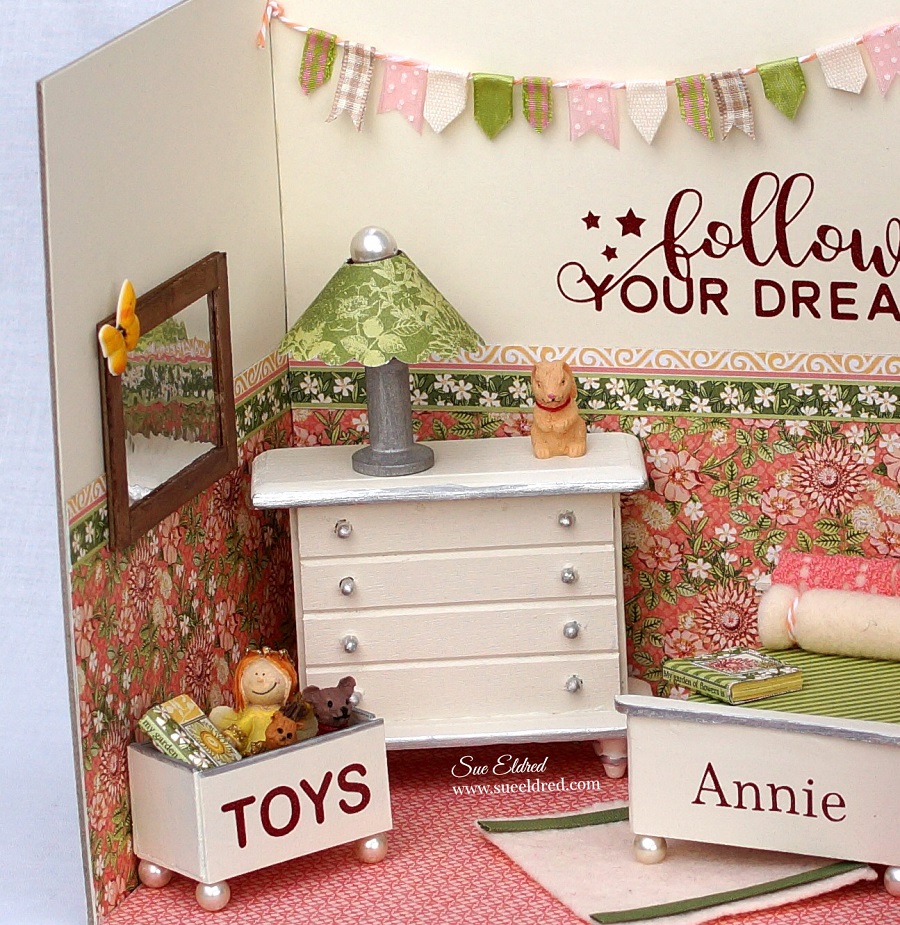
  • The mirror was made using a small piece of StyleTechCraft Chrome Metallic Vinyl* I placed onto a small piece of chipboard.
  • Cut 1/4″ strips of chipboard and paint brown.
  • To create a wood look, ink to the edges of the chipboard with vintage photo distress ink. 
  • Glue strip onto the front of the Chrome Metallic Vinyl* to create the frame.
  • I used small Christmas ornaments for the toys.
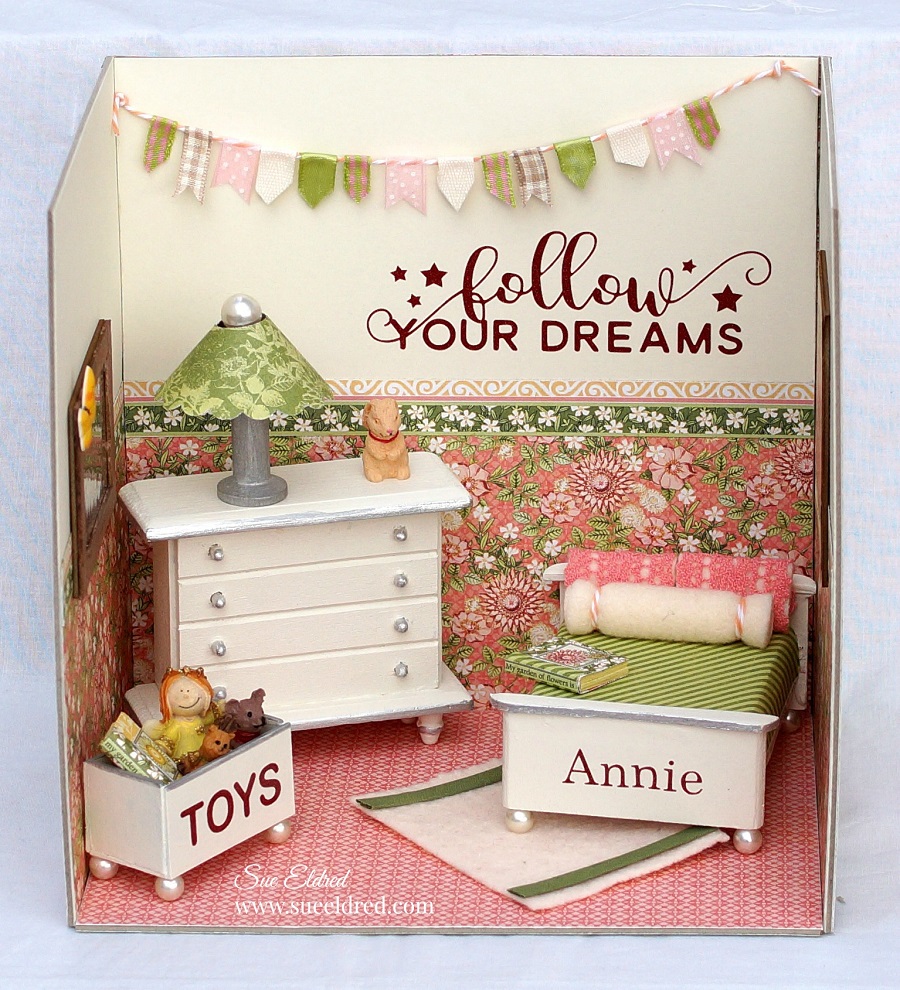
Creating Annie’s Sweet Dreams Bedroom was a labor of love.

With a little imagination and some basic construction, it’s really not hard to do.

Easter Tags with Xyron and Photoplay Paper

Even when the kids are all grown up you’re never too old to have fun.

This year I’m trying something new.

After the Easter Egg Hunt with the little ones,

I plan on having another Easter Egg Hunt for the Big Kids and Grown Ups.

(We’re all just big kids at heart.)

For the Easter Egg Hunt…

I decided to whip up a few quick tags to go along with some of the prizes using my

Xyron Creative Station* and Xyron Mega Runner*, a few sheets of paper from

Photoplay Paper’s Easter Blessings Collection along with a few simple embellishments.

*Disclosure:  This blog uses ads and affiliate links.  If you choose to make a purchase using one of the links, I receive a small commission (at no additional cost to you) that helps offset the costs of maintaining this blog.  Thanks for your support!

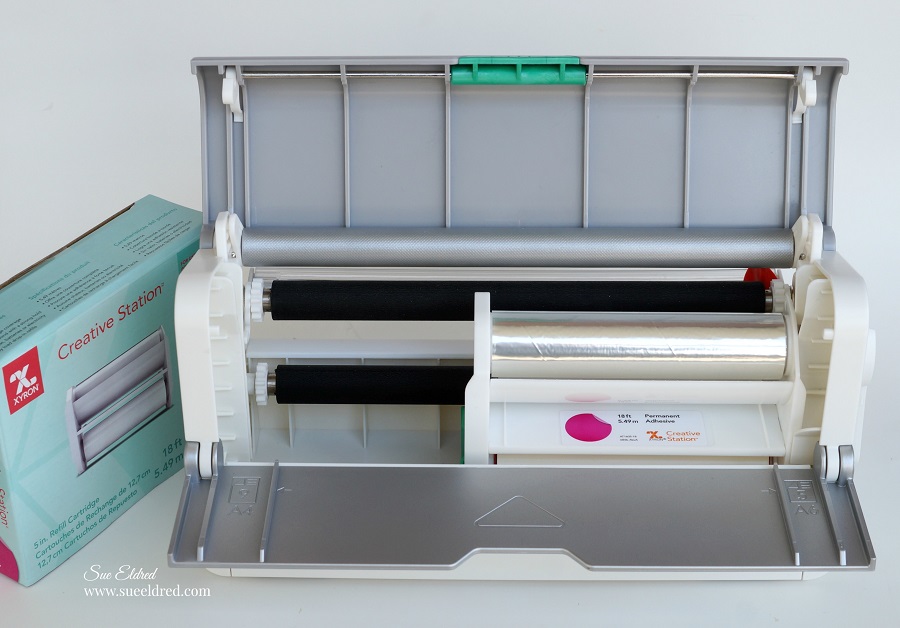
When I want to make quick work of any project, I grab my Xyron Creative Station*.

Did you know that you can interchange the Xyron 9” Creative Station Permanent Adhesive

Refill* with the Xyron 5” Creative Station Permanent Adhesive Refill*?

Being able to use both sizes of cartridges with the Xyron Creative Station* is super convenient

when working on both big and medium sized projects.

Just lay your paper design side up onto the  Xyron Creative Station* crank the handle to run

the paper through the machine.  As it moves through the Xyron Creative Station* it adds

adhesive to the back side of the paper.  Easy to use and it doesn’t need electricity.

To make the tag…

I layered and trimmed the 3″ x 4″ element cards from the scrapbook paper and embellished it

with a thin strip of paper and prima flower*Tie tag with a simple sheer ribbon onto the bag.

I added a few enamel dots from Waffleflower on the tag and a little “small talk” sticker from

Tim Holtz idea-ology.

With a little more candy for the plastic eggs and I’ll be ready for fun.

“This is a sponsored post.  As a member of the Xyron Makers Program I have been provided product in exchange for my creative ideas.  The views and opinions are my own.

Creating a Mini Album with Xyron

Creating a Mini Album using the Xyron Creative Station…

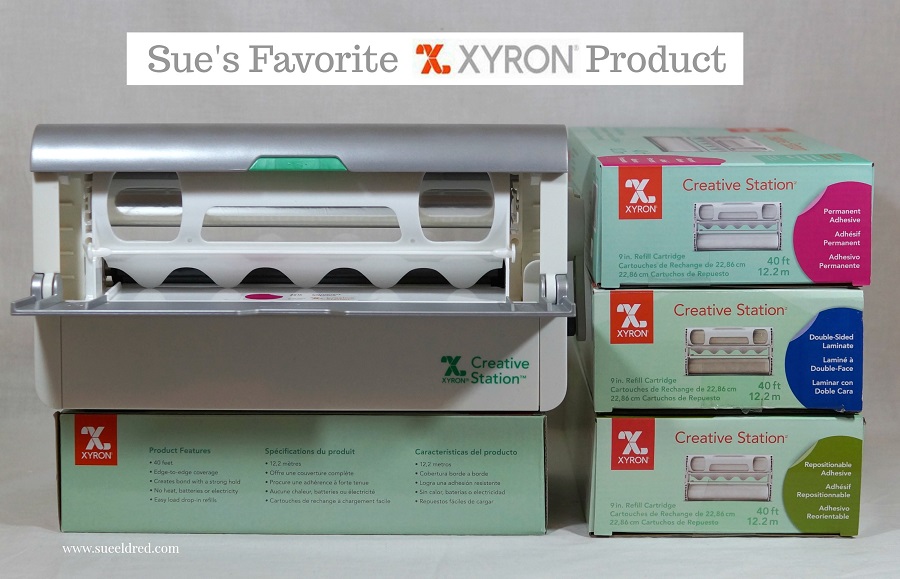
This week the Xyron Design Team was asked to post about our favorite Xyron Product.

With so many wonderful Xyron items to choose from it was a hard decision.  

 When it comes to making Mini Albums, Tags and Altered Home Décor pieces,

the Xyron Creative Station* is hands down my favorite product to use.
When I go to the effort to create, I don’t want my projects falling apart.

With the Xyron Creative Station* you get complete coverage, no gluing, no wrinkling,

no bubbles!  There are so many refill cartridge options available in both the 9″ and 5″ sizes.

*Disclosure:  This blog post uses affiliate links.  If you choose to make a purchase using one of the links, I receive a small commission (at no additional cost to you) that helps offset the costs of maintaining this blog.  Thanks for your support!

To make my Mini Albums…

  • I use chipboard or mat board for the base of my Mini Album and cut it to my preferred size.
  • I cut decorative scrapbook paper to fit onto the base.
  • Put the paper design side up on the  *Xyron Creative Station, 9″ crank the handle to run the paper through the machine.  As it moves through the Xyron Creative Station it adds adhesive to the back side of the paper.  Easy to use and it doesn’t need any electricity.
  • Line up the paper onto the chipboard.

  • Create extra pages for the inside of the Mini Album using cardstock or coordinating scrapbook paper.
  • Bind the album together using a Book Binding Machine*.
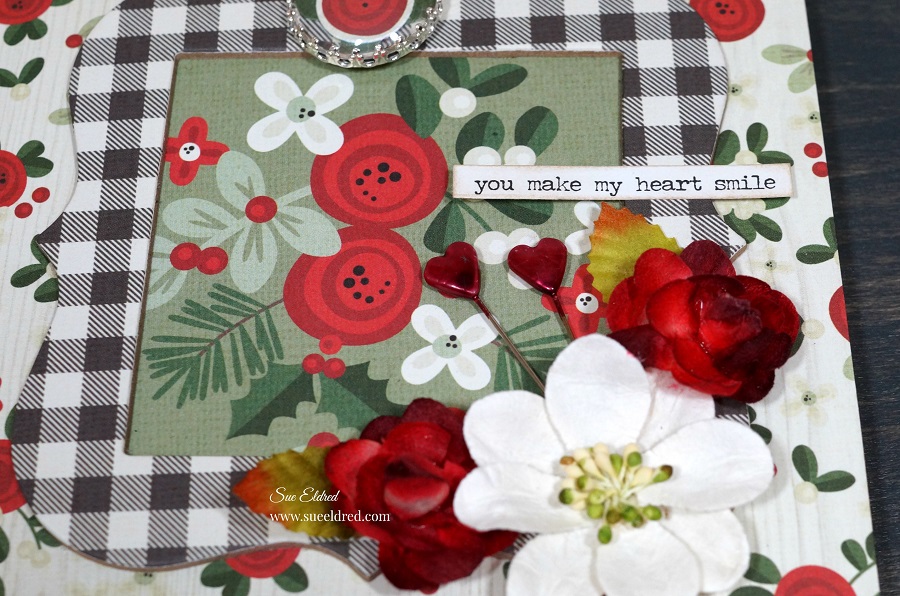
  • Embellish the front of the album with frames, flowers, charms, stickers and ribbon.

  • I created a frame for the cover using chipboard and scrapbook paper and cutting it out using a steel rule die.
  • You can run the frame through the Xyron Creative Station* also.
  • The Creative Station makes quick work of putting my Mini Album together.

The paper used on my Mini Album was from Simple Stories Merry & Bright Collection*

 “This is a sponsored post.  As a member of the Xyron Design Team I have been provided product and compensation in exchange for my creative ideas.  The views and opinions are my own.

Shop Your Fav Brands at Scrapbook.com

Wild Whisper Christmas

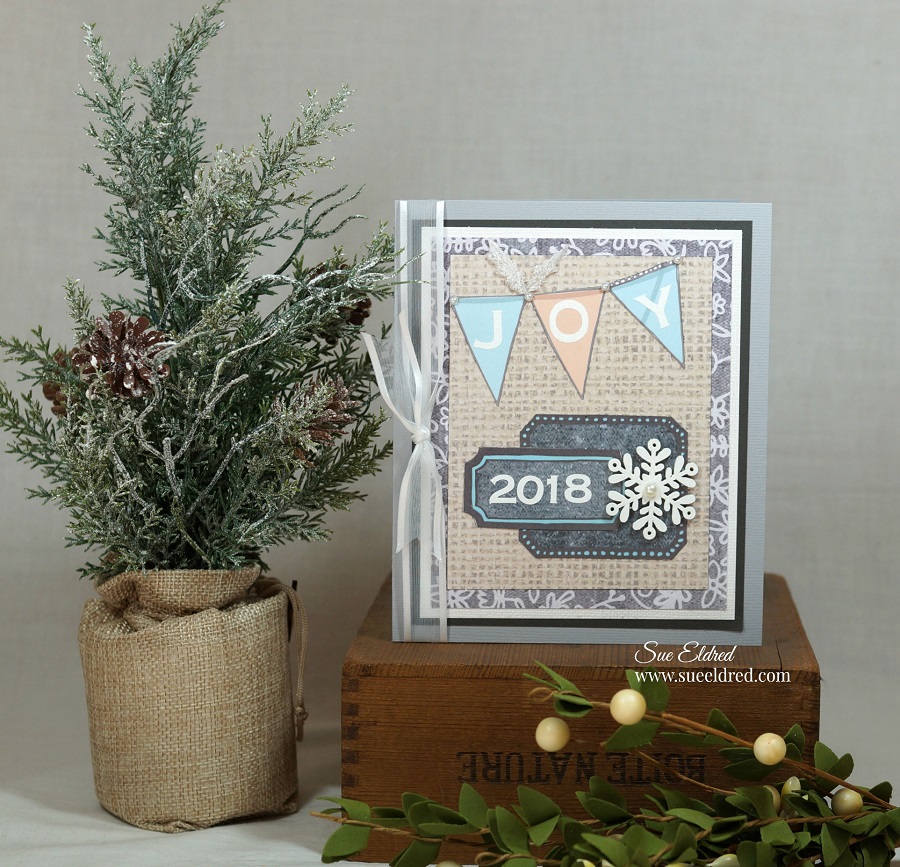
Making a Christmas Card from non-Christmas paper.

You don’t always need traditional Christmas paper and embellishments to make

a Christmas card.

One of the perks of being on the Xyron Design Team is receiving product from partnering

companies like Wild Whisper.

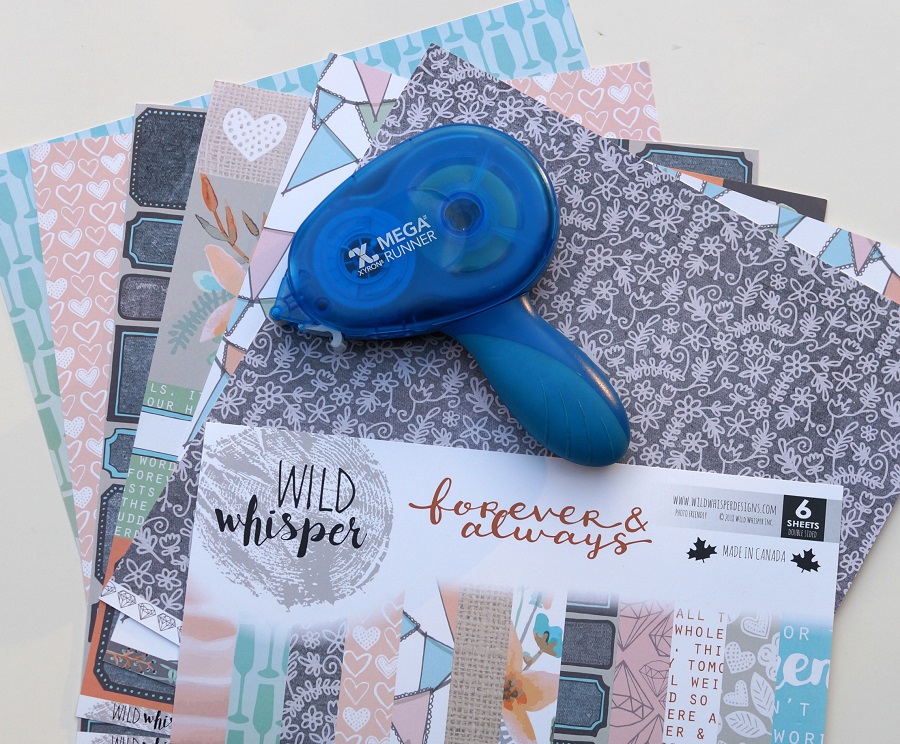
I recently received Wild Whisper’s “forever & always” collection…

a soft mix of paper including backgrounds of banners and labels.

I considered making an everyday type project, but, since I’m currently in full blown

“Christmas Crazy”, a Christmas card was in order.

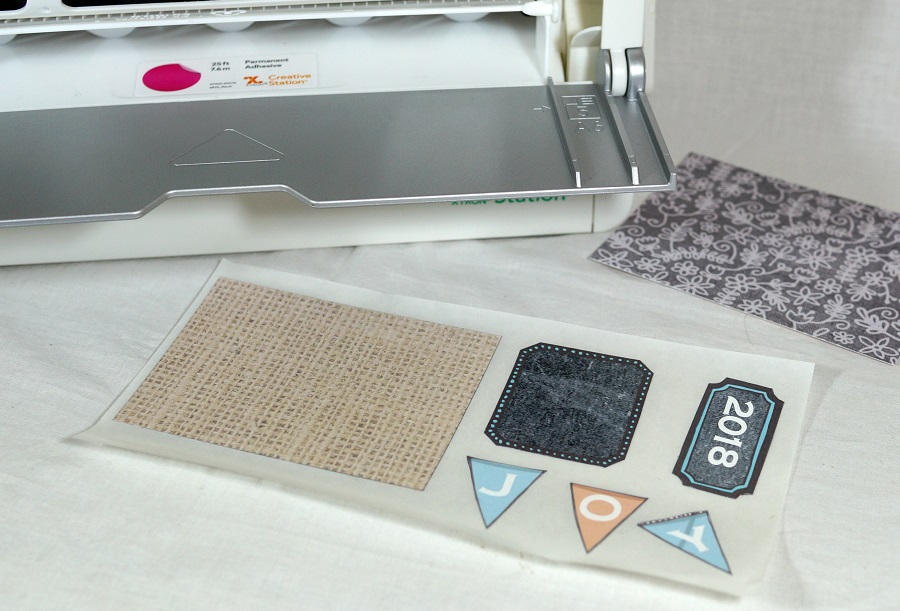
I cut out a few banners and labels from the background paper.

I added letter and number stickers to create my holiday embellishments.

My Xyron Creative Station* made quick work of putting the layers together.

I added a  small wood snowflake, sheer white ribbon and adhesive pearl rhinestones

to finish off the card.  I like the non-traditional soft peach and blue.   (It’s not my usual red.)

“This is a sponsored post.  As a member of the Xyron Design Team I have been provided product and compensation in exchange for my creative ideas.  The views and opinions are my own.

 *Disclosure:  This blog uses affiliate links.  If you choose to make a purchase using one of the links, I receive a small commission (at no additional cost to you) that helps offset the costs of maintaining this blog.  Thanks for your support!

Shop Your Fav Brands at Scrapbook.com

Christmas Magic Mini Tag Album

How to Create a Christmas Magic Mini Tag Album…

I decided to create a mini tag album using the left over paper and stickers from my

Creating A Miniature “Christmas Magic” Room with Graphic 45 and Xyron  project.

It’s a cute way to show off a few of your favorite holiday photos.  (It  also makes a nice gift.)

How to make a Christmas Magic Mini Tag Album                                 (*amazon affiliate link)

  • Create a chipboard tag by running two pieces of  Graphic 45 Christmas Magic* paper through the Xyron Creative Station*.  Cover both sides of the chipboard with the paper.
  • Cut Chipboard using a Tag die-cut to use as the front and back cover of the album.
  • Accent the edges of the covers using a Gold DecoColor Paint Pen*.
  • Create small tags by placing a sticker on a small piece of chipboard.  Add a coordinating piece of paper onto the back of the small tag.  Trim around tags.
  • Cut extra tag pages using the die-cut and Christmas Magic paper.

  • Embellish the cover with stickers, ribbon, wood snowflake, jingle bell and additional tags.
  • Add a medium sized book ring to hold the album together.

 Graphic 45 Christmas Magic 12×12 Collection Pack*

If you haven’t seen my Christmas Magic Mini Room you can see the full tutorial here.

Products Used:

XYRON 9″ Creative Station*                Graphic 45 Christmas Magic Collection Pack*

Shop Your Fav Brands at Scrapbook.com

*Disclosure:  This blog uses ads and affiliate links.  If you choose to make a purchase using one of the links, I receive a small commission (at no additional cost to you) that helps offset the costs of maintaining this blog.  Thanks for your support!

Shop Amazon Scrapbooking Supplies*

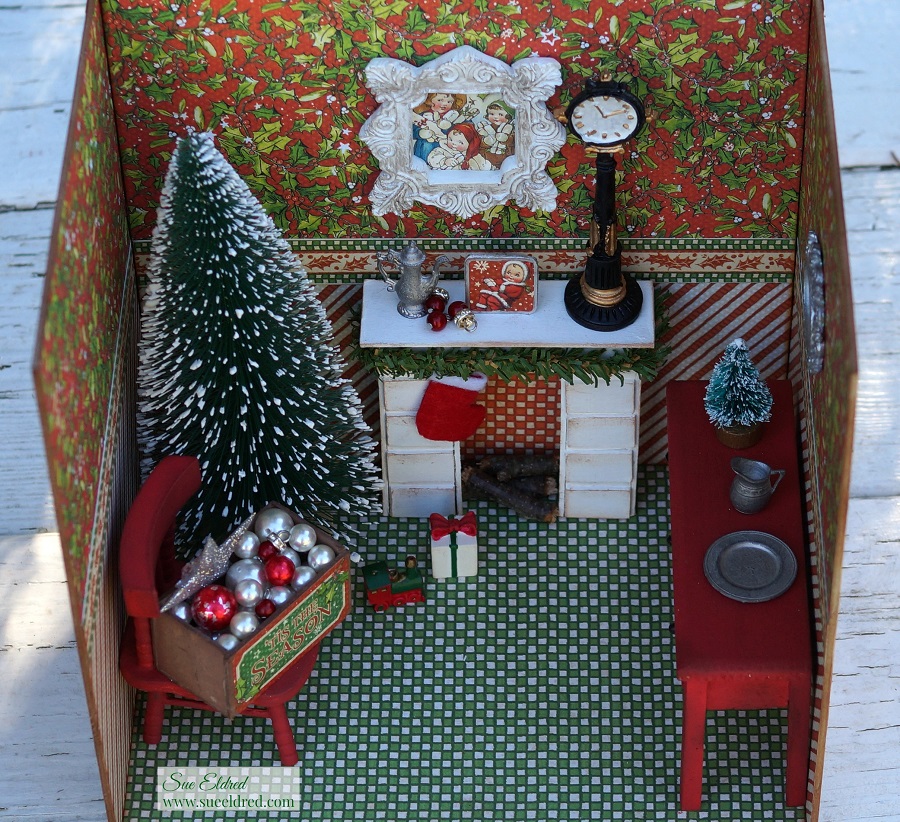
Creating A Miniature “Christmas Magic” Room with Graphic 45 and Xyron

How to Create A Miniature Christmas Room…

Graphic 45 Christmas Magic…Decorating the tree.

I knew as soon as I started working with Xyron that one day I would make a miniature room.

When I got the opportunity to work with Graphic 45’s “Christmas Magic” Collection,

I knew the time had come.  (Graphic 45 and Xyron are the perfect combination.)

Here’s What I used to make my Miniature Christmas Magic Room:            (*affiliate link)

*Disclosure:  This blog uses affiliate links.  If you choose to make a purchase using one of the links, I receive a small commission (at no additional cost to you) that helps offset the costs of maintaining this blog.  Thanks for your support!

How to make a miniature Christmas Magic Room…

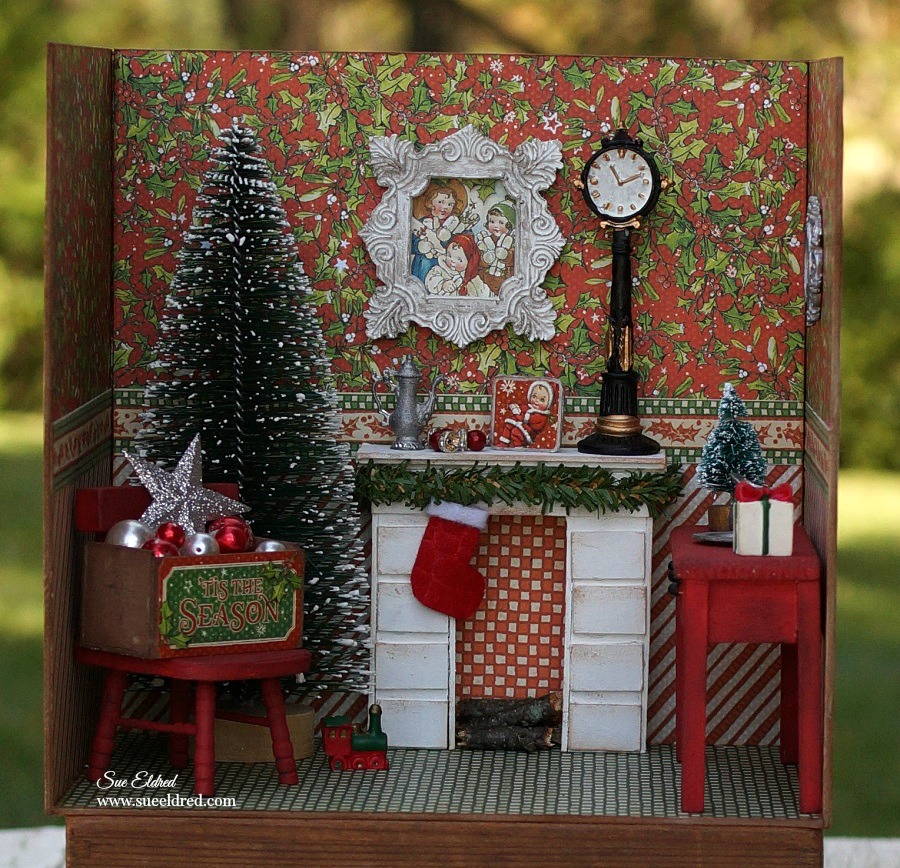
  • My Christmas Room is 7 1/2″ wide, 7 1/2″ tall and 5 1/2″ deep.  I used 5 3/4″ x 7 1/2″ chipboard pieces.  (that’s what I had on hand)  You could use a 7 1/2″ x 7 1/2″ piece of chipboard for the back wall instead of piecing it together like I did.

  • I cut paper for my walls into 3 3/4″ strips.
  • I cut a small strip of paper for my decorative border.
  • I ran each of my strips through the Xyron Creative Station*.
  • Adhere paper to the chipboard.

The Creative Station is perfect for projects like this.  I wanted complete adhesive coverage on every corner and edge of the paper.  (No wrinkles, no bubbles, easy to use.)

  • I cut my paper slightly wider than I need so I can trim the edges with a craft knife.
  • Gently sand edges with a extra fine sanding block for the perfect edge.

  • Glue the walls together using a good craft glue.  I used wood boxes to hold my wall up while the glue dried.  (If you have a better idea I’d love to hear it.)

  • I covered the back of my room with coordinating paper and added small strips of paper on the back corners for added support.

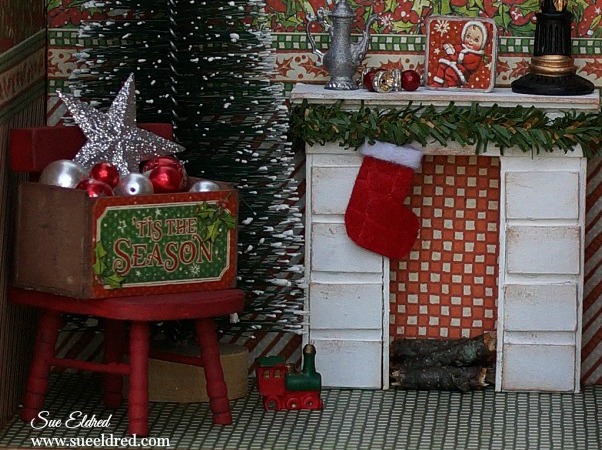
  • I made a small fireplace out of chipboard.  (I needed a place to hang my stocking)
  • Paint the fireplace with white paint.  Give it a vintage feel by rubbing a little ink on the edges.

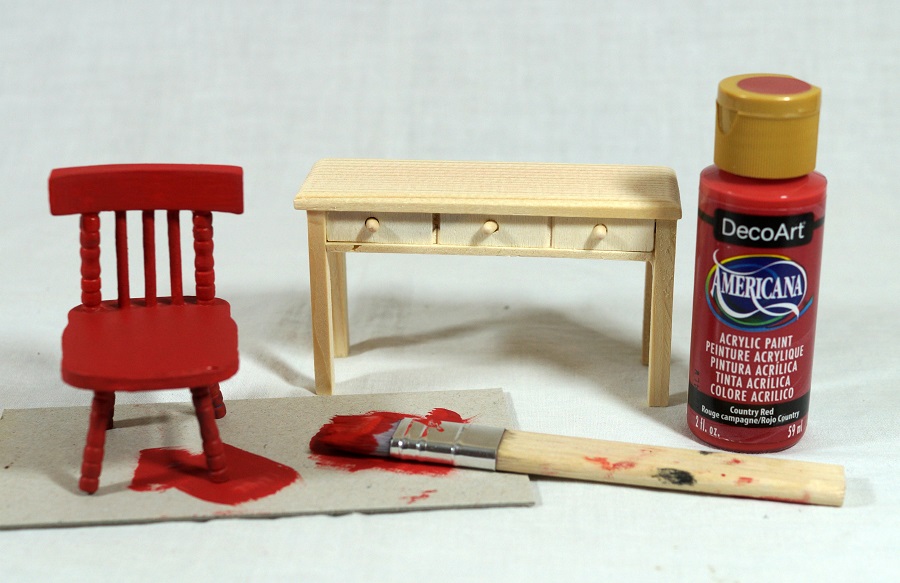
  • I purchased inexpensive unfinished doll furniture at the Dollar Tree* and painted it red.
  • For a vintage look add ink to the edges of the furniture.

  • I used stickers from the collection kit to make little framed art.

  • I made a small little crate to hold my “ornaments” out of chipboard and painted it brown.  I added a small “tis the season” sticker on the front.

  • I created a small picture using a sticker and chipboard and a small felt stocking to add to the mantel.

I have spent way to much time rearranging the furniture and playing with it.

It was a real labor of love.  (and I loved every minute of it)

“This is a sponsored post.  As a member of the Xyron Design Team I have been provided product and compensation in exchange for my creative ideas.  The views and opinions are my own.

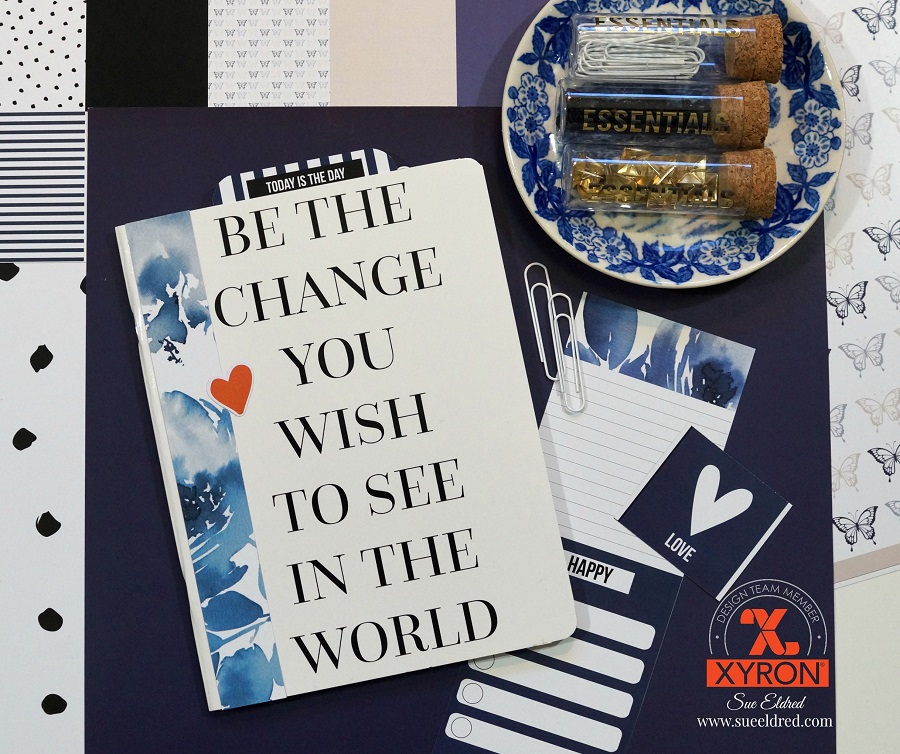
“Be the Change” Journal

Be the CHANGE you wish to see in the World

A little motivational pickup to start your day…

made using this sweet and simple 6″ x 8″ Teresa Collins notebook.

This week the Xyron Design Team has partnered with the lovely Teresa Collins .

I’ve been a fan and follower of Teresa’s Blog and Instagram for years.

(I almost feel like I know her and her family.)

For my design team project…

I was really torn between embellishing the front cover of the notebook or keeping it simple.

I decided to keep it simple.

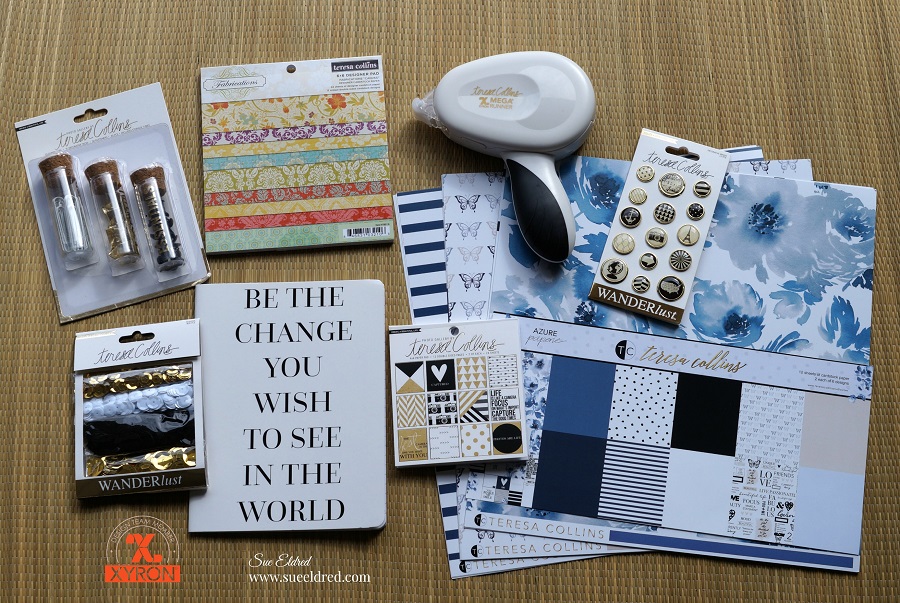
Xyron and Teresa Collins Products Used:                       (*affiliate link)

FYI…Teresa’s new paper line and planner products with be available at Hobby Lobby.

*Disclosure:  This blog uses affiliate links.  If you choose to make a purchase using one of the links, I receive a small commission (at no additional cost to you) that helps offset the costs of maintaining this blog.  Thanks for your support!

I used both the Xyron Creative Station* and the Teresa Collins Mega Runner*

to quickly put my notebook together.

For die cuts and smaller pieces I like to run those through the Creative Station*.

To use the *Xyron Creative Station* crank the handle to run the paper through the

machine.  As it moves through the Xyron Creative Station it adds adhesive to the back side

of the paper.  Easy to use and it doesn’t need any electricity.

       You get complete coverage, no gluing, no wrinkling, no bubbles!

I used the Teresa Collins Mega Runner by Xyron* for the inside pages.

I think this notebook would make a great scrapbook or journal.

A special thanks to Xyron and Teresa Collins for providing the wonderful products used.

“This is a sponsored post.  As a member of the Xyron Design Team I have been provided product and compensation in exchange for my creative ideas.  The views and opinions are my own.

So many reasons to Laminate…

Laminating with Xyron…

When Xyron sent me the Double Sided Lamination Refill Cartridge* to use in my

Xyron Creative Station* you might say I got a little carried away.

There are so many uses and things to laminate I couldn’t stop at just one project.

My favorite project and one of the easiest was using the laminating as an overlay…

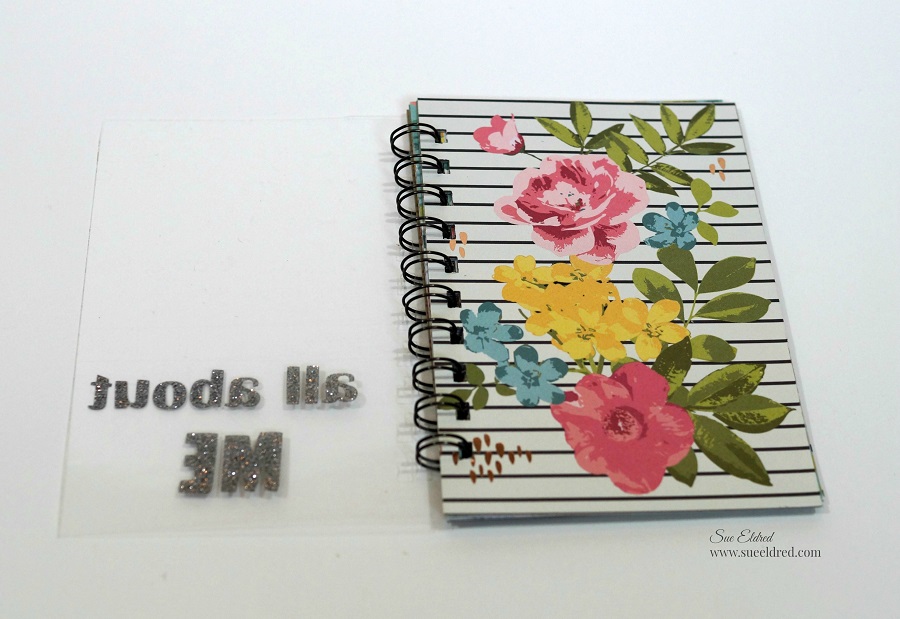
I cranked the handle of my Xyron Creative Station* with the Laminate Cartridge* inserted

and actually laminated nothing.                              (*affiliate link)

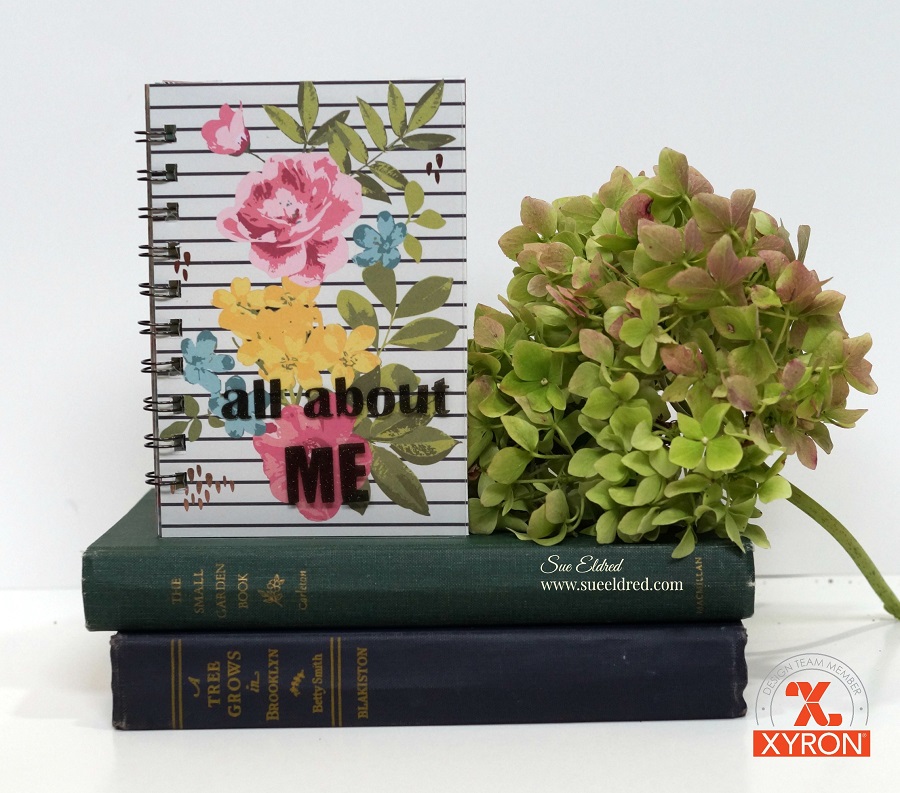
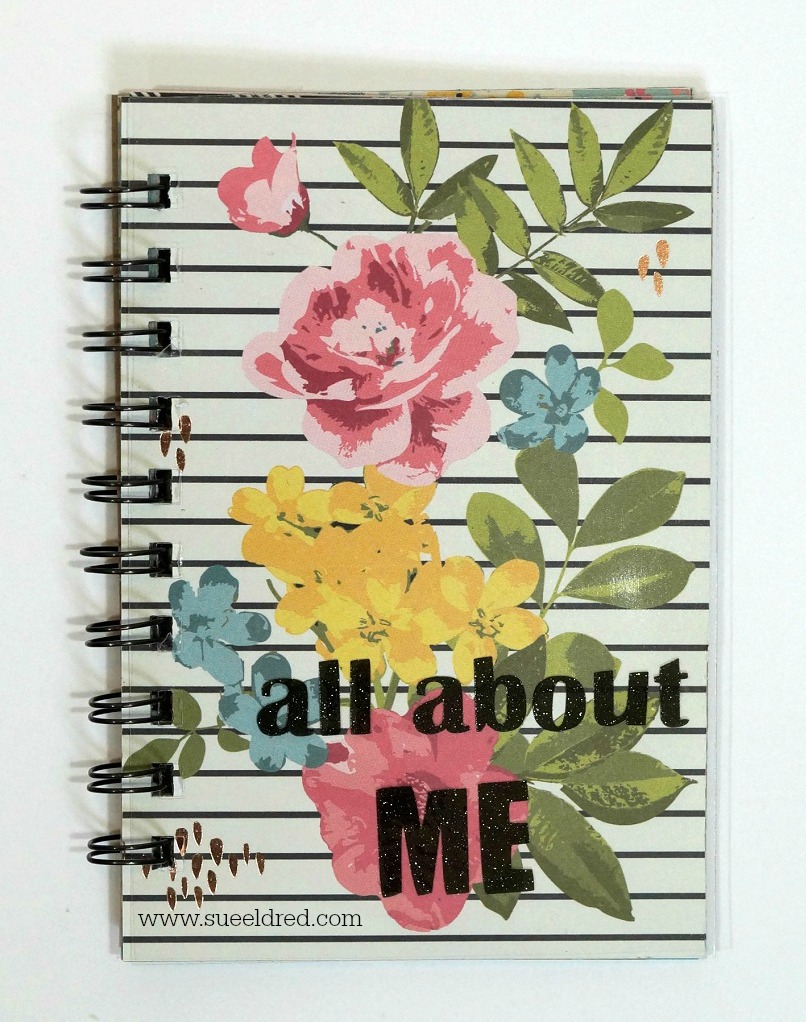
I wanted a clear sheet of laminate to use as an overlay on my “all about ME” mini album*

I added glitter vinyl letters on top my laminated sheet before putting the album together.  

After creating the overlay, I inserted the Xyron Permanent Adhesive Refill Cartridge*

back into the Xyron Creative Station*  to add adhesive on the paper used to cover my album.

Complete coverage and no wrinkling!

I also wanted to make a bookmark using freshly pressed flowers.

I grabbed a few blooms from the garden and stuck them into a heavy book overnight.

Ideally, you’re supposed to leave them alone for 2-3 weeks.

Since I’m an impatient crafter,

I found online that you can speed up the process with a low temp iron.

I used craft glue to lightly and gently glue the flowers onto cream cardstock.

Insert the cardstock in the Creative Station with the Laminating Cartridge.

Laminate, trim, punch a small hole for twine and your ready to read.

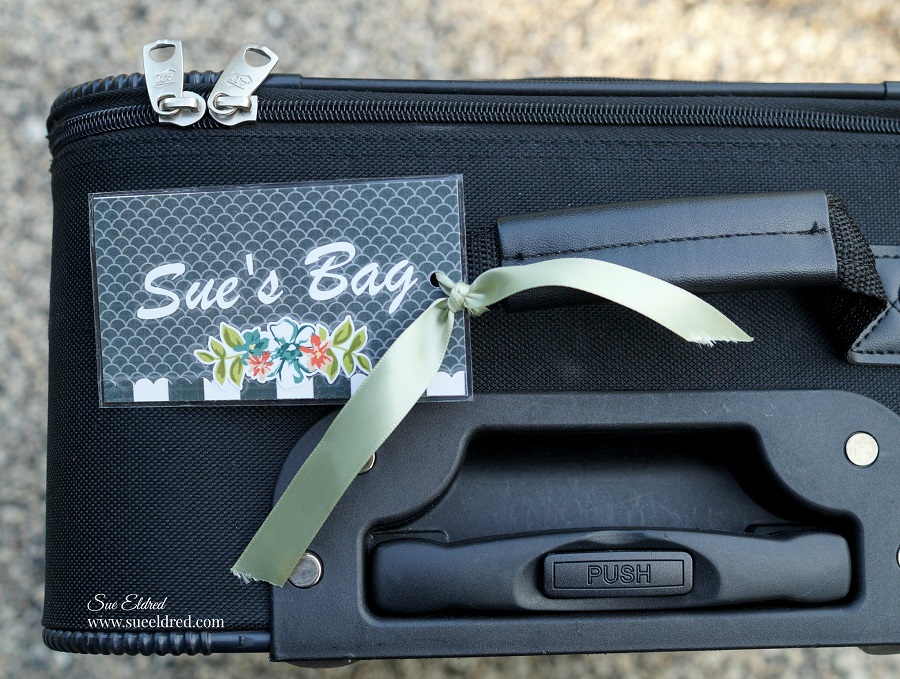
Almost every one in the airport has a black suitcase.  (am I right?)

I’m getting ready for vacation in a few weeks and I want my bag to stand out for easy

recognition.   I created a small 3″ x 4″ decorated name tag and added my business card

to the back of the tag.  Then I laminated it.  (so easy)

Technically, this could almost be chalked up to a craft fail…

There’s always the question floating around my house, is the dishwasher clean or dirty?

To solve the problem, I decided to create laminated signs to put on the front of the dishwasher

and added magnets to the back.  Smart?  Right?

I forgot that magnets do not stick to stainless steel dishwashers.

My Mom worked at a middle school for several years before she retired.

One of her jobs, among many others, was laminating things for the teachers.

When we went through her things this summer, we found…

  • Laminated Brochures
  • Laminated Maps
  • Laminated Ticket Stubs
  • Laminated Cartoon Strips
  • Laminated Newspaper Clippings
  • Laminated Recipes

I guess Mom liked laminating too.

“This is a sponsored post.  As a member of the Xyron Design Team I have been provided product and compensation in exchange for my creative ideas.  The views and opinions are my own.

*Disclosure:  This blog uses affiliate links.  If you choose to make a purchase using one of the links, I receive a small commission (at no additional cost to you) that helps offset the costs of maintaining this blog.  Thanks for your support!

Simple Water Colored Posies

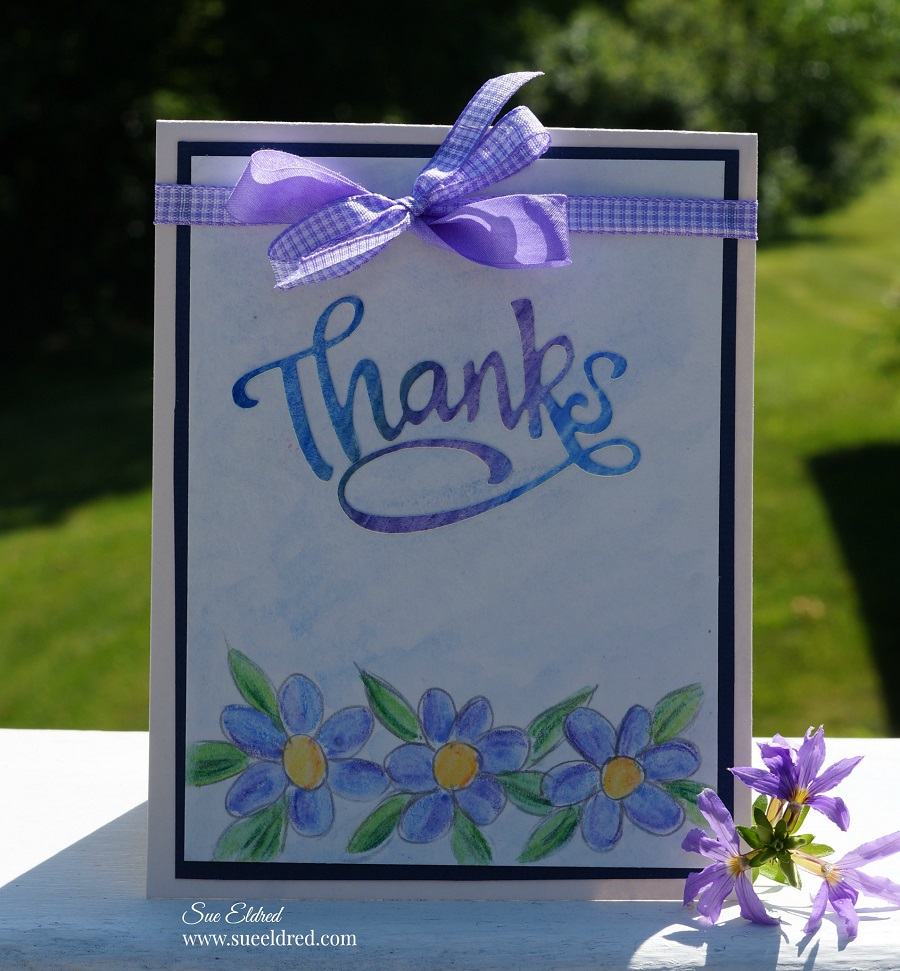
Simple Water Colored Posies Card

My love of water color started in my High School Art class.

Unfortunately for me, I’m not very good at drawing.

Except simple little objects.

For my Xyron Design Team project this week…

Derwent Academy sent us some awesome goodies to play with.

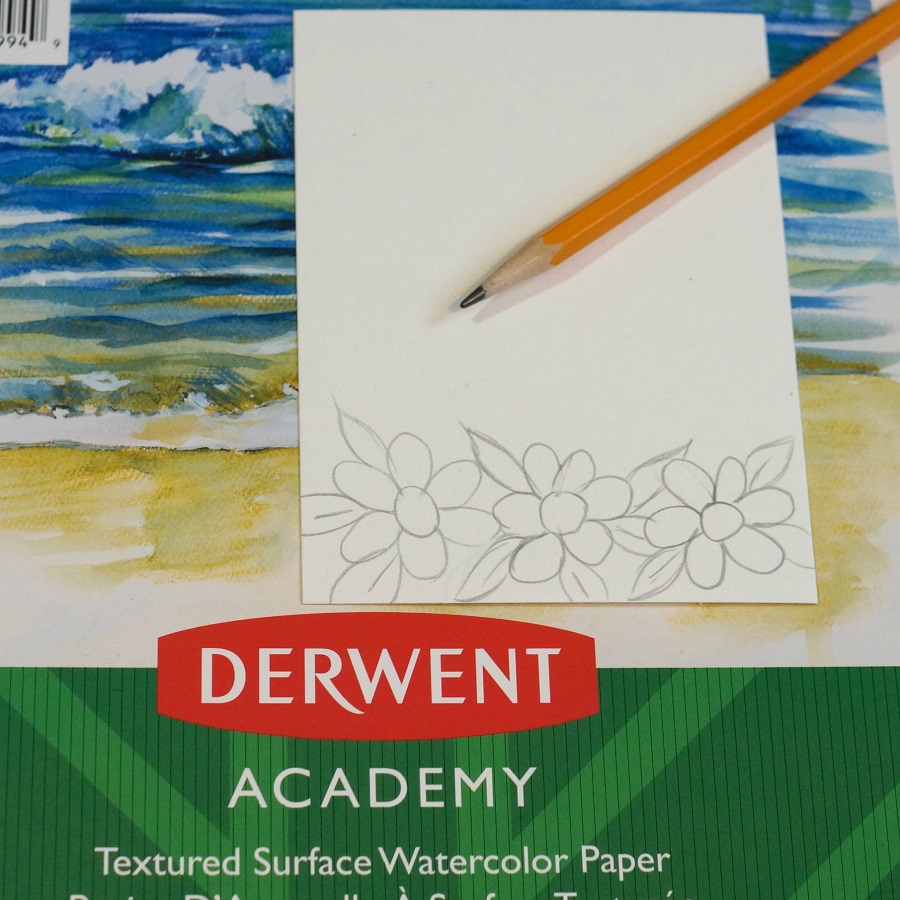
For my card…I cut the watercolor paper to 3 ¾” x 5″ and drew simple little flowers

on the bottom.  (Can’t get much easier than this.)

I colored in my flowers and leaves using the water color pencils.

I used the lighter pencil first and then added a little shading with the darker pencil.

You don’t have to fill the entire image.

Use a wet paint brush and go over pencil marks to blend the colors.

For my Words…I took a small piece of the water color paper and did a scribble background

with the blues and purple water color pencils.

Blend the colors together with a wet paintbrush.

After the paper was completely dry, I inserted it into my Xyron 3″ Sticker Maker*.

The Xyron Sticker Maker* is great to use when cutting out small dies.

It adds complete adhesive and makes the perfect little word sticker.

I used my Xyron Creative Station* to add adhesive to the back of my layers.

That way, I don’t have to worry about any warpage on my watercolored layer.

A simple bow finishes off this simple watercolored card.

“This is a sponsored post.  As a member of the Xyron Design Team I have been provided product and compensation in exchange for my creative ideas.  The views and opinions are my own.

*Disclosure:  This blog uses affiliate links.  If you choose to make a purchase using one of the links, I receive a small commission (at no additional cost to you) that helps offset the costs of maintaining this blog.  Thanks for your support!

Scootin by with Newton’s Nook and Xyron

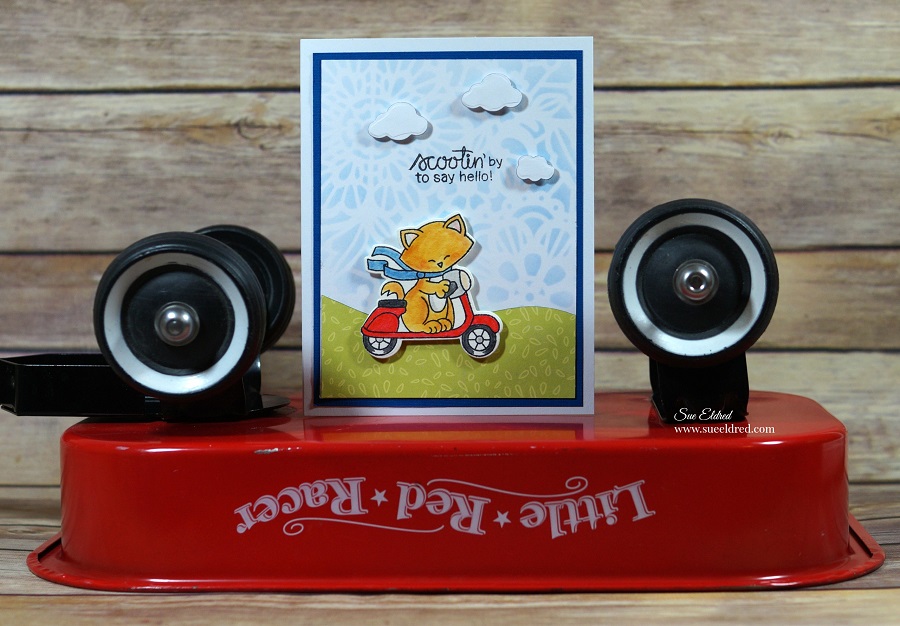
Scootin’ by to say hello!

This week the Xyron Design Team teamed up with Newton’s Nook for some fun inspiration.

And…a great chance to win some goodies for you.  (see below)

Click on each of the links below to leave your comments all week for a chance to win a Xyron Mega Runner and a $25 Newton’s Gift Card.

XYRON FACEBOOK

NEWTON’S NOOK BLOG


For my project, I picked out this cute little Newton Scoots by” stamp set and matching dies.

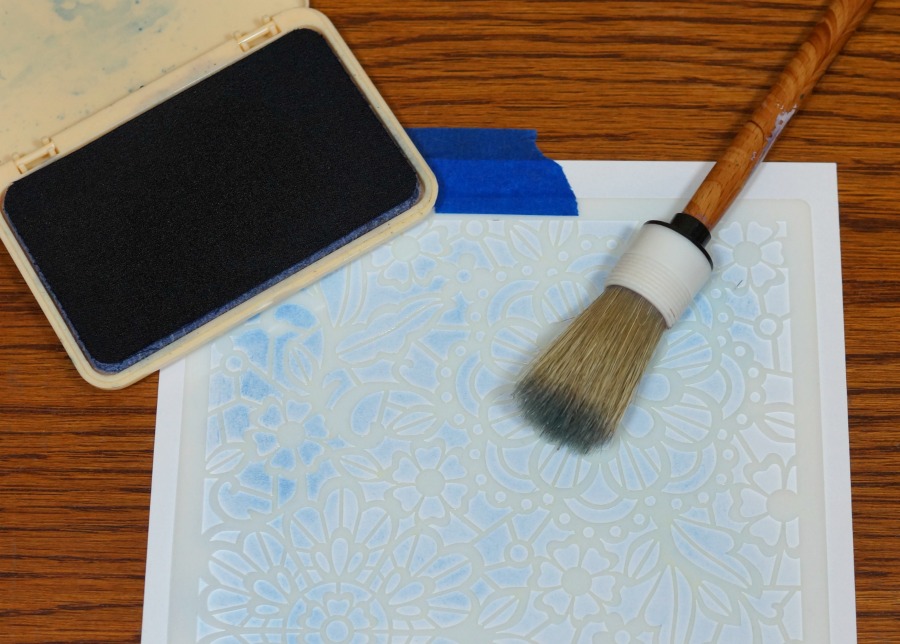
I also picked out the Floral Lace Stencil* to use on the background.

I used my stencil brush and a light blue dye inkpad to create the subtle background.

Using my Xyron Creative Station* made quick work in putting all my layers together.

I’ll be honest…this was the first time I’ve used a stamp and matching die set.

I love how clean it looks.  Super Easy to use.  No messy fussy cutting needed!

“This is a sponsored post.  As a member of the Xyron Design Team I have been provided product and compensation in exchange for my creative ideas.  The views and opinions are my own.

*Disclosure:  This blog uses affiliate links.  If you choose to make a purchase using one of the links, I receive a small commission (at no additional cost to you) that helps offset the costs of maintaining this blog.  Thanks for your support!