Hey, it’s a Pumpkin Pie Card

I’ll take a slice of pumpkin, please. 

My favorite Fall Pie hands down is a good slice of Pumpkin Pie with lots of whipped cream.

My grandma used to make the Pumpkin pies every year for Thanksgiving.

And because my husband would carry on about how it was the very best pumpkin pie,

she would bake an extra pie for him and drop it off at his work.

It was our little secret because she never wanted to be accused of having any favorites.

My pumpkin pie card was made with the “Hey, Pumpkin” stamp and die set from The Maker’s Movement.

Supplies Used:         (*affiliate link)

*Disclosure:  This blog uses ads and affiliate links.  If you choose to make a purchase using one of the links, I receive a small commission (at no additional cost to you) that helps offset the costs of maintaining this blog.  Thanks for your support!

Directions:

  • Cut out the “our fall favorites” journal card from the scrapbook paper sheet.
  • Use mini maker die cut machine and the scalloped heart-shaped die to cut out the pieces for the pie out of cream and burnt orange cardstock.
  • Cut a white swirl using the small swirl die and the white cardstock.

Tip…I like to run the small pieces of cardstock through the Xyron Create-A-Sticker* before I die cut them.  It makes it so much easier to adhere the small pieces onto the card.

  • Put the finished pie pieces together, and using the small “v ” shaped die, cut a small pie-shaped piece out of the pie.
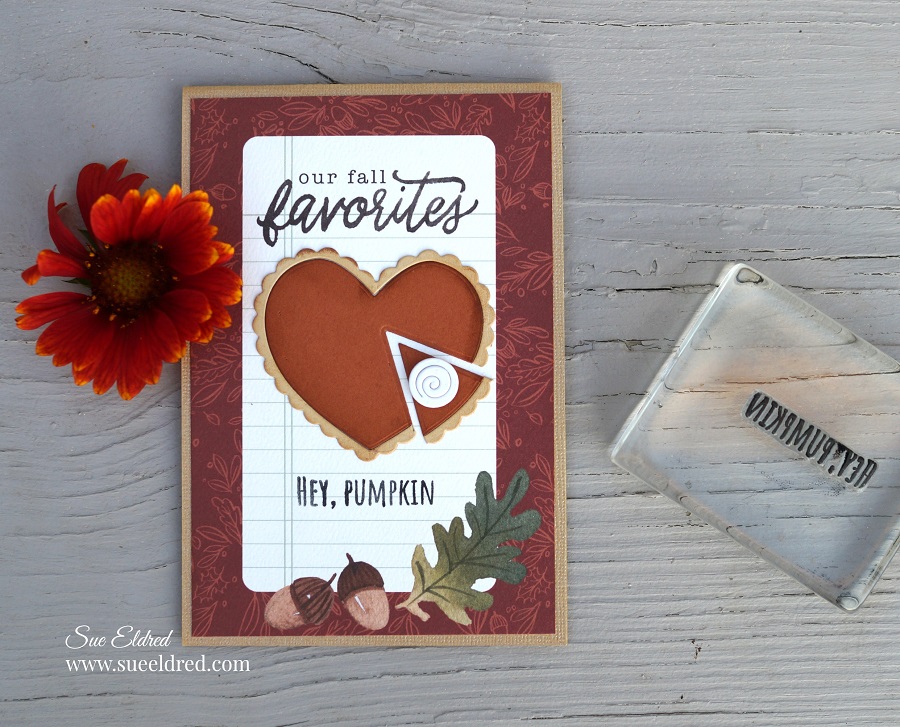
  • Adhere the pie pieces onto the “our fall favorites” journaling card.  I added a small thin foam mounting square to add the whipped cream onto the pie.
  • Stamp the words “Hey, Pumpkin” onto the bottom of the card.
  • Layer the card onto a piece of gold textured card.

Disclosure:  This is a sponsored post for Maker’s Movement.  I have been provided product and compensation in exchange for my creative ideas.  The view and opinions are my own.
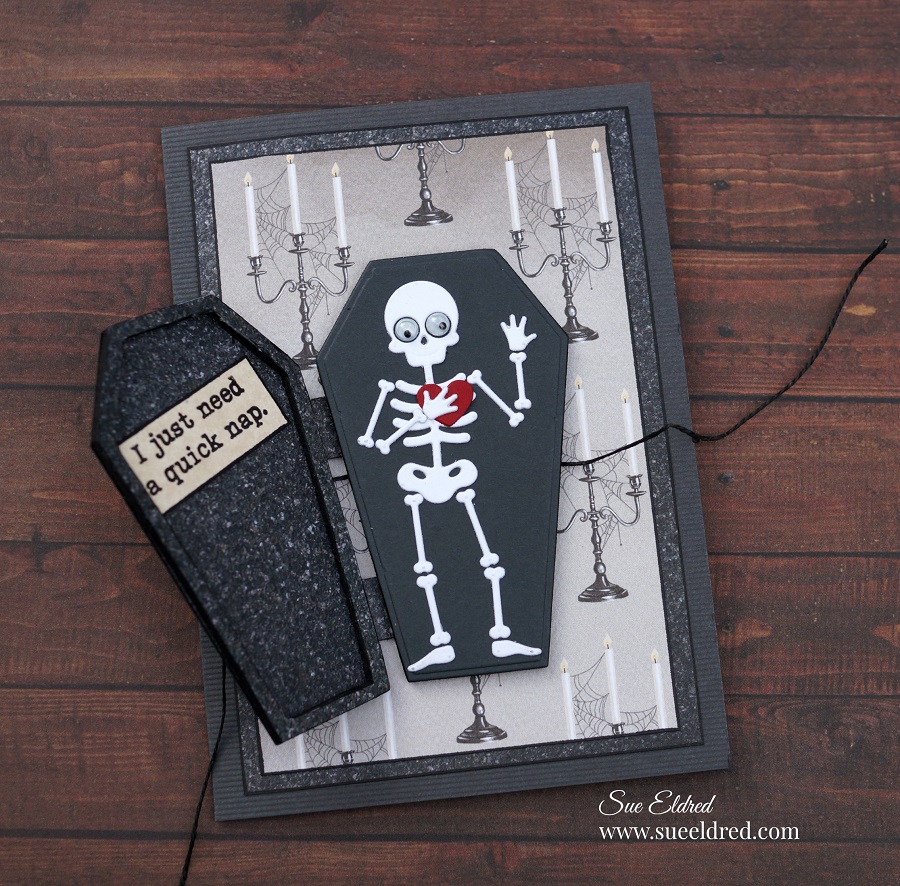
Spooky Scary Halloween Card

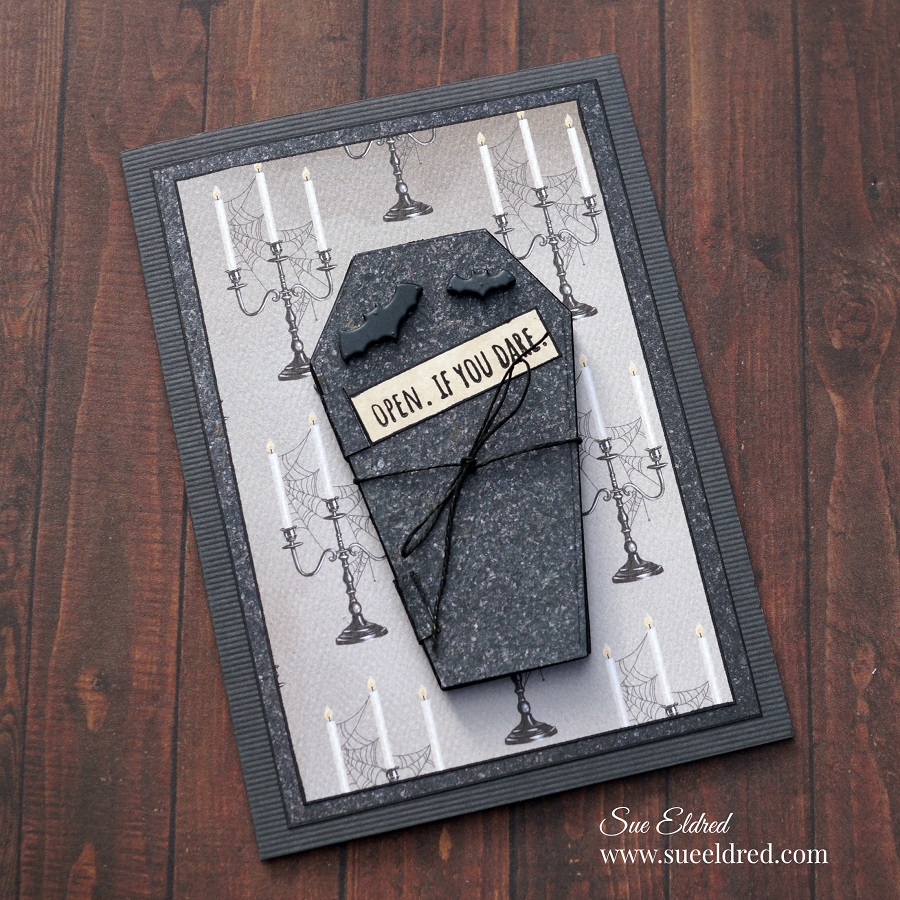
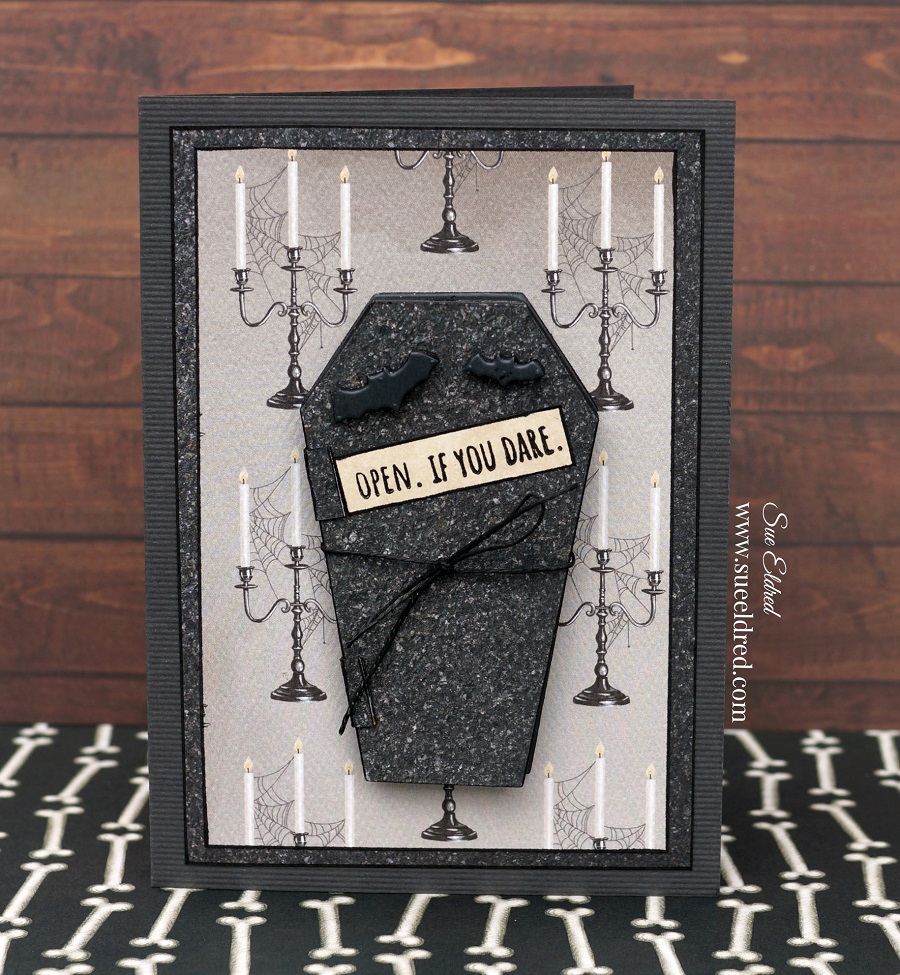
Open if You Dare!

Here’s a spooky card for all you Halloween Lovers.

If you love a card with dimension, this card has a lot of spooky goodness.

The Spooky Scary Halloween Card was made using the “Spooky Scary” stamp and die set* from

The Maker’s Movement.

Disclosure:  This is a sponsored post.  I have been provided product and compensation in exchange for my creative ideas.  The view and opinions are my own.

Materials Used:            (*affiliate link)

*Disclosure:  This blog uses affiliate links.  If you choose to make a purchase using one of the links, I receive a small commission (at no additional cost to you) that helps offset the costs of maintaining this blog.  Thanks for your support!

My process for making cards sometimes changes as I sit down to create.  I was getting into this

one and decided to forgo all the step-by-step pictures.  Instead, I will give you lots of details.

Here’s one tip I highly suggest.  (Especially with the skeleton die.)

Run the white cardstock through the Xyron Create-A-Sticker Machine* before cutting out the

skeleton die.  The Xyron Create-A-Sticker Machine* puts adhesive on the back of the

cardstock, making the skeleton pieces stickers.  By making stickers, adhering the skeleton

to the coffin was so much easier than using liquid glue.

  • I cut a piece of double-sided adhesive foam large enough to cut the casket shape.  I adhered a piece of gray cardstock to one side of the foam before die-cutting.
  • To cut the casket shape.  Place the casket die on the foam and run it through the Crossover II Die-Cutting Machine.  Because the foam is so thick, you may want to run it back and forth a couple of times to make sure the die cuts entirely through the foam.
  • Another good tip…Use a black chisel tip paint marker* to color the sides of the craft foam.

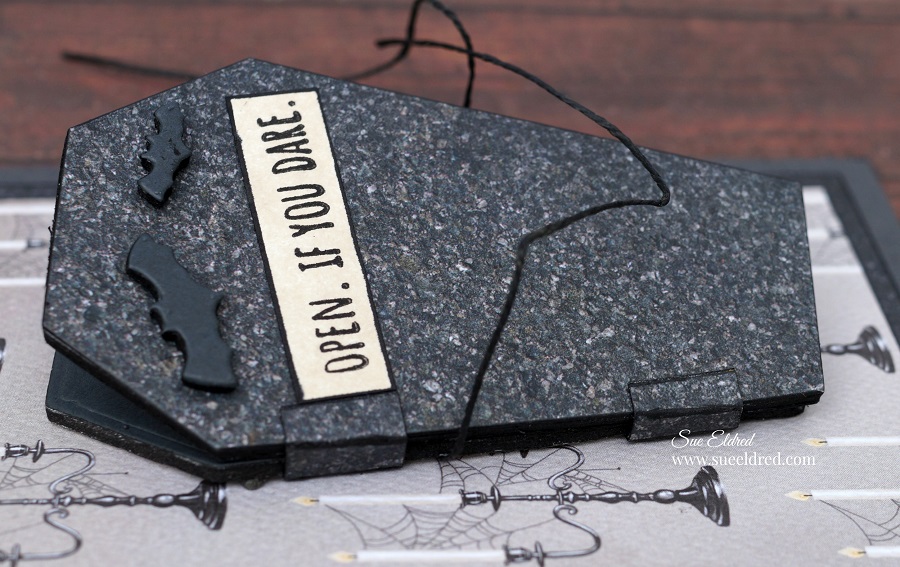
  • The lid of the casket was made by sticking two pieces of black patterned scrapbook paper together and die-cutting the scrapbook paper with the casket die. (I used the Xyron Sticker Maker)
  • Adhere a piece of scrapbook paper onto a piece of adhesive foam.
  • Using the casket outline die, cut a casket outline from the foam. Stick the casket outline on the inside of the lid.
  • Fold two small pieces of paper to use as the hinges. Glue only the top and bottom of the hinges. Not on the side of the casket.

  • Before sticking the casket onto the layered card base, attach a thin black string onto the back of the casket.
  • If you don’t have black string, put a little black paint between your thumb and index finger and run the string through the paint.  Voila, black string.
  • Tie string around the casket to keep the lid closed.

Save

Save

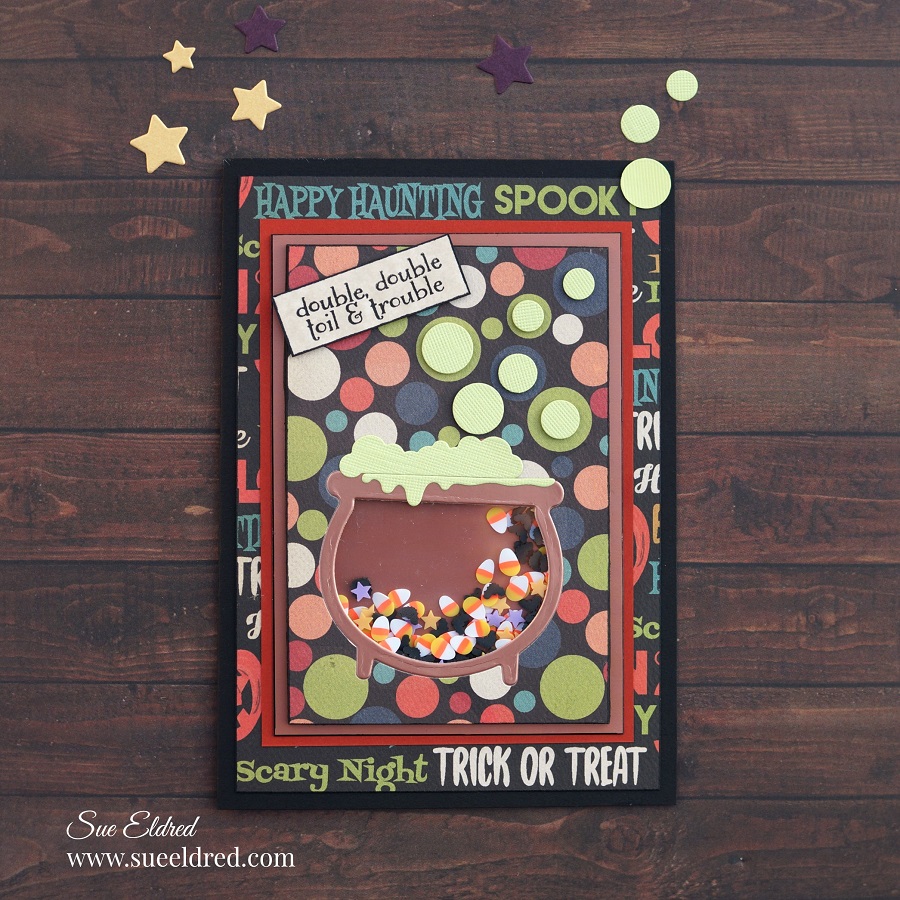
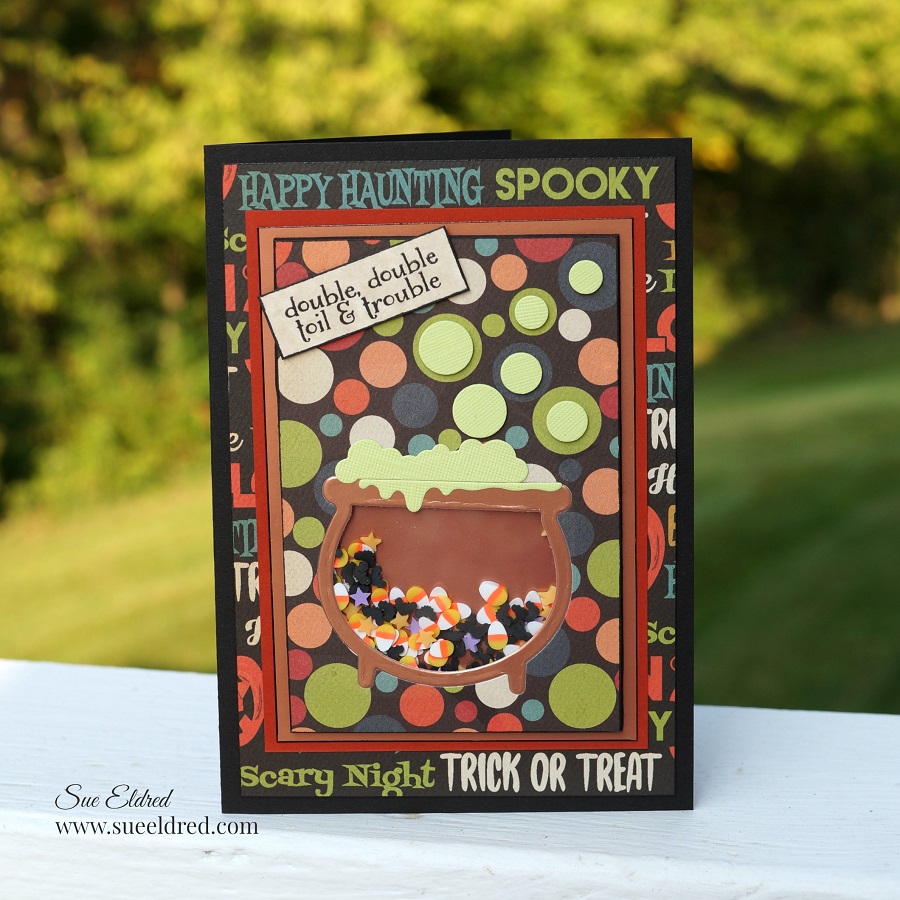
Toil & Trouble Halloween Shaker Card

Double, Double Toil & Trouble

I’m mixing up a little Halloween fun in the cauldron with this cute little shaker card.

The shaker card uses the “Witch, please” stamp and die set from the Maker’s Movement.

Disclosure:  This is a sponsored post.  I have been provided product and compensation in exchange for my creative ideas.  The view and opinions are my own.

Materials Used:            (*affiliate link)

*Disclosure:  This blog uses affiliate links.  If you choose to make a purchase using one of the links, I receive a small commission (at no additional cost to you) that helps offset the costs of maintaining this blog.  Thanks for your support!

How to Make a Toil and Trouble Halloween Shaker Card….

There are several different ways to make a shaker card.  (This is how I decided to make this one.)

Directions:

  • Cut a piece of double-sided adhesive craft foam approx. 3-1/4″ x 4-3/4″.
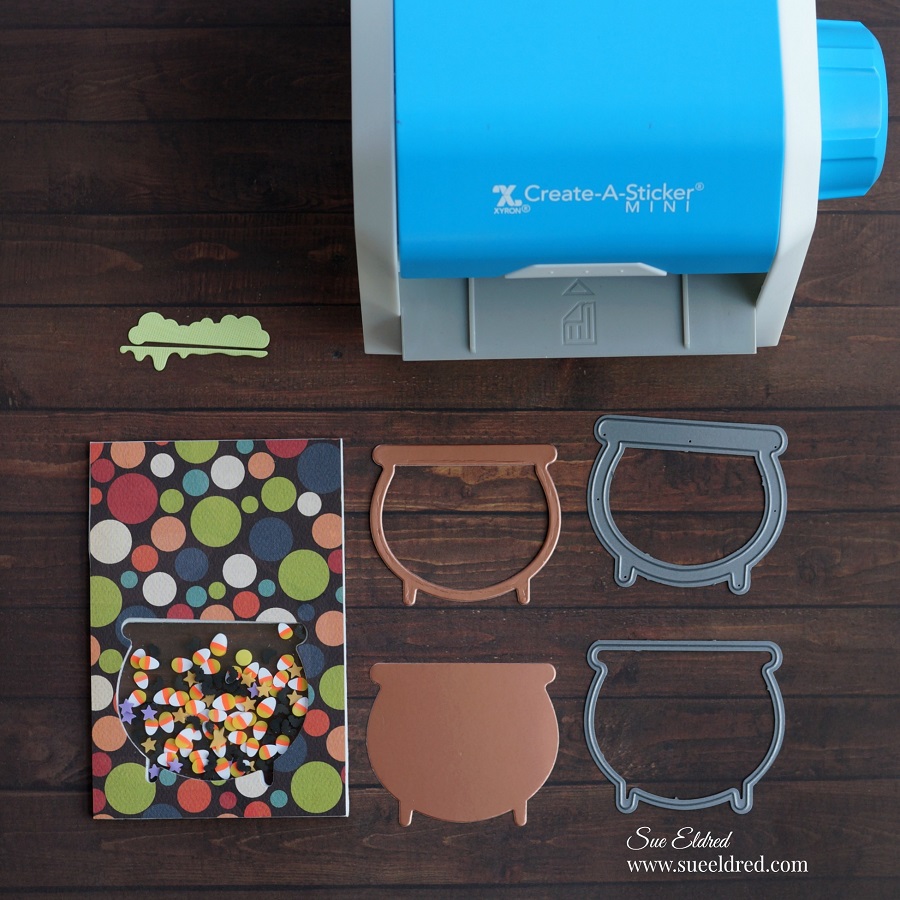
  • Using the caldron outline die, die-cut the caldron shape into the craft foam.
  • Cut a piece of scrapbook paper approx. 4″ x 5-1/2″.  Die-cut the cauldron shape into the scrapbook paper.
  • Cut a small piece of acetate to cover the opening of the caldron.
  • Remove protective coating off the acetate.
  • Remove the protective liner off the double-sided adhesive craft foam.
  • Stick the acetate over the opening.

  • Line up and stick the cauldron opening of the scrapbook paper over the cauldron opening of the craft foam and acetate.
  • Trim the excess paper using a cutting mat and craft knife.

  • Turn the craft foam over and fill the cauldron with Spooky Shaker Sprinkles.  Make sure not to overfill, you want to leave enough room for the sprinkles to shake.
  • Cut a second piece of acetate to cover the cauldron opening.
  • Pull back the protective liner on the craft foam and place the acetate over the opening.

  • This is a little pro tip…I used a black calligraphy paint pen marker to color the sides of my craft foam.  The white core would have just made the foam stand out and not in a good way.  I like to use a black marker to cover the edges of my darker colored paper that would have a white or light core.

  • When using small or thin die-cut shapes, I like to run the paper through the Xyron Create-A-Sticker Maker* before cutting out the shapes.  (It makes it so much easier to apply.)
  • Cut a cauldron outline from glossy copper cardstock and stick onto the acetate.
  • Cut the boiling pot shapes out of light green cardstock and stick on the top of the cauldron.

  • Die-cut small bubbles from the die set and mount using thin black adhesive 3D foam squares* over the various circles of the scrapbook paper.
  • Stamp words in black ink onto a small piece of aged parchment card-stock.  Mount onto the front of the card using thin black foam squares.
  • Remove the protective liner from the back of the craft foam and stick onto a glossy card-stock layer.
  • Add the additional layers onto a black card.

Save

Save

Save

Save

Save

Save

Fall Leaves Thank You Card

The Fall Leaves Thank You card…

is an easy to make card, with die-cut embossed leaves that were colorfully distressed with ink.

How to Make the Fall Leaves Thank You Card…

Materials Used:        (*affiliate links)

*Disclosure:  This blog uses affiliate links.  If you choose to make a purchase using one of the links, I receive a small commission (at no additional cost to you) that helps offset the costs of maintaining this blog.  Thanks for your support!

Directions:

  • Place the leaf dies on the cream-colored cardstock and layered on the cutting plates included with the Mini Maker.  Crank the handle of the Mini Maker to run the cutting plates through the machine.  The machine cuts and embosses the leaves as it goes through the Mini Maker.
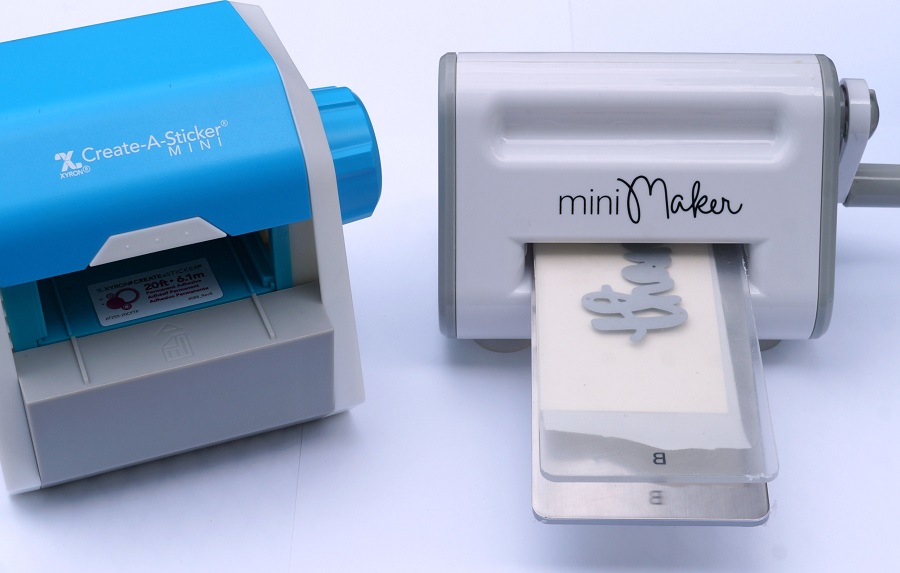
  • To create a “thanks” word sticker, place a piece of cream card stock through the Xyron Create-A-Sticker Mini*.  The Xyron Create-A-Sticker Mini* puts an even coat of adhesive on the entire backside of the cardstock.  Place the cardstock with the “thanks” die through the Mini Maker to cut out the word.

FYI…The Mini Maker is perfect to use when working with small dies, and space is an issue.

  • Using the Ink Blending Tool, ink the leaves with the various colors of distress inks to create beautiful Fall colors.

  • Layer and overlap the leaves on a piece of fall scrapbook paper.
  • The top layer has a scalloped edge created using a border die from the Borders 1 Die Set from The Maker’s Movement.
  • Apply previously made thanks word sticker on top of the leaves.
  • Tie a piece of twine around the top of the card and add a small acorn embellishment.
  • Add three enamel dots on the bottom right corner of the card.
  • Finished Card Size 5 1/4″ x 6″.

The Fall Leaves Thank You card was created for and sponsored by The Maker’s Movement.  I have been provided product and compensation in exchange for my creative ideas.  The view and opinions are my own.

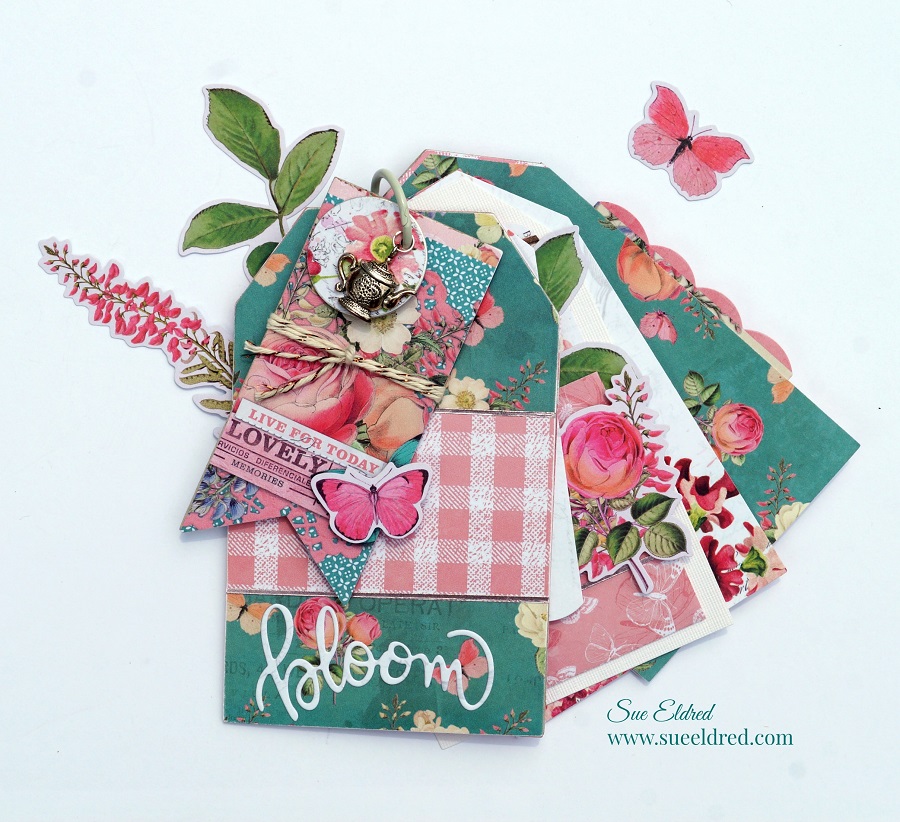
Simple Vintage Garden Tag Album

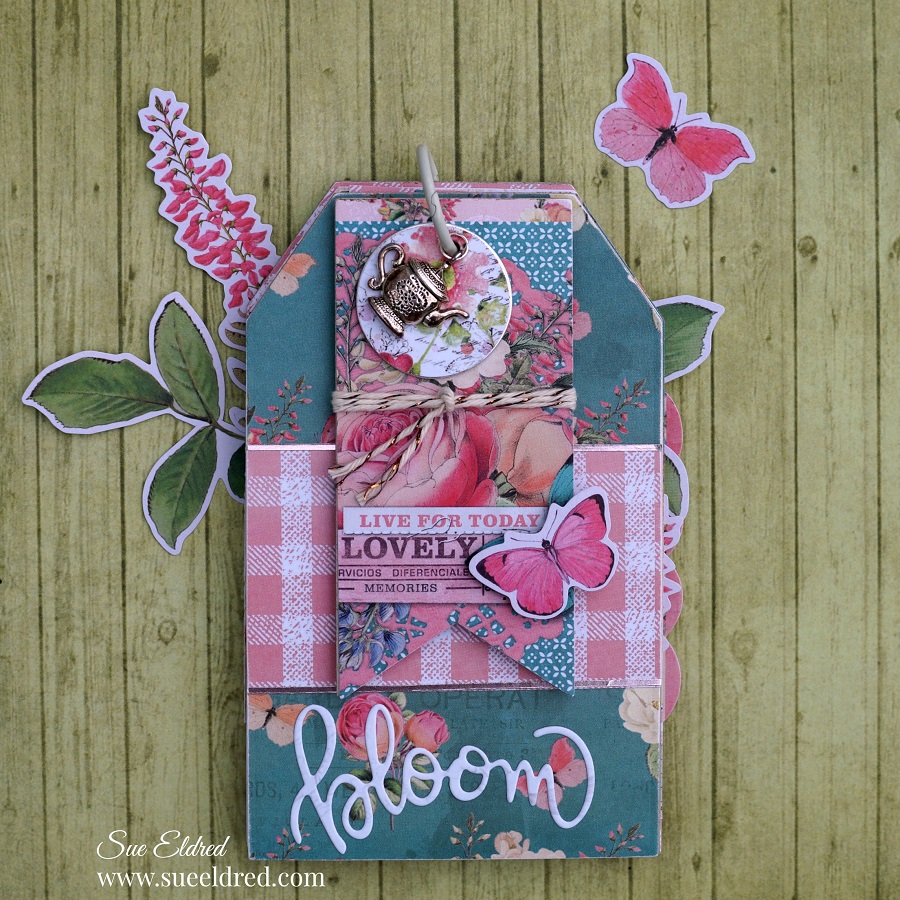
How to make a Simple Vintage Garden Tag Album.

In keeping with the pretty in pink theme, I created

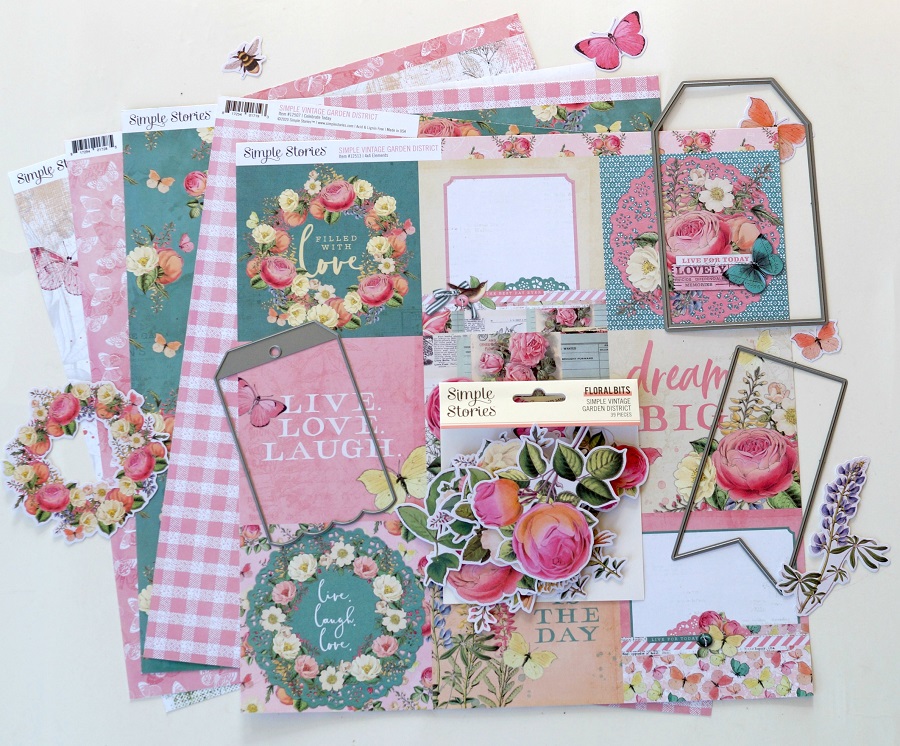
a sweet little tag album made with the Simple Vintage Garden District Collection

from Simple Stories and several tags dies from The Maker’s Movement.

(To say I love this collection would be an understatement.)

*FTC Disclosure… “This is a sponsored post for The Maker’s Movement.  I have been provided product and compensation in exchange for my creative ideas.  The views and opinions are my own.”

Here’s what I used:                        (*affiliate link)


*Disclosure:  This blog uses ads and affiliate links.  If you choose to make a purchase using one of the links, I receive a small commission (at no additional cost to you) that helps offset the costs of maintaining this blog.  Thanks for your support!

Directions:

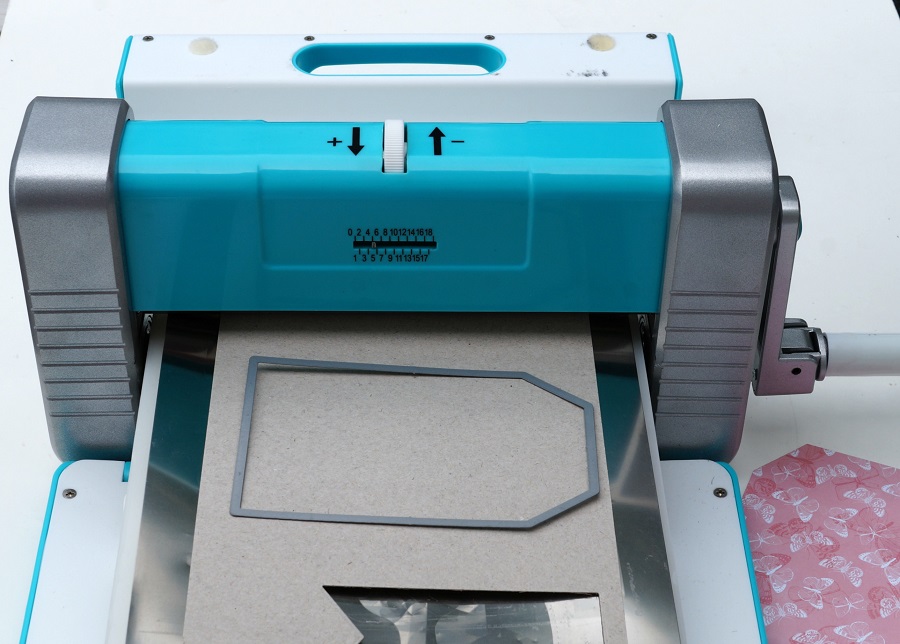
  • Cut two large tags out of thin chipboard using the Crossover II Die Cut Machine for the front and back cover of the tag album.
  • You may need to run it through the roller twice before picking it up the tag to make sure it cut all the way through.
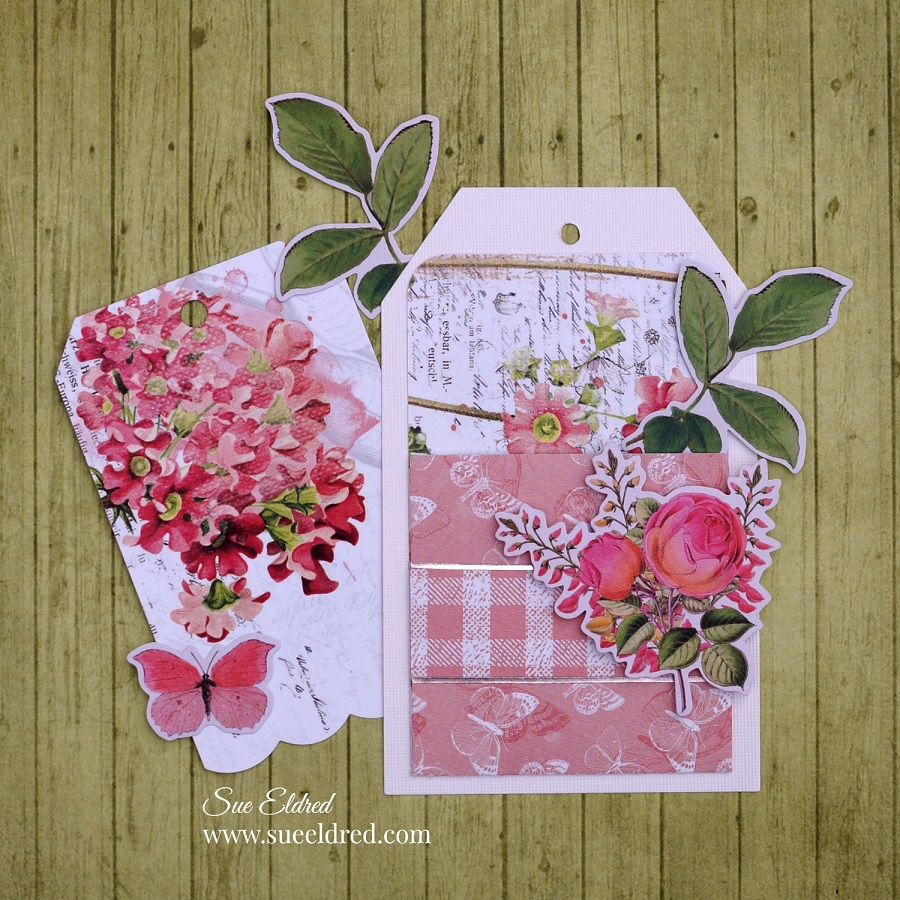
  • Cut additional tags using decorative scrapbook paper for the inside pages.

The Crossover II Fabric & Paper Cutting System* has adjustable rollers and pressure settings.  It adjusts for multiple layers and allows you to be able to cut a variety of thicknesses.  It can cut fabric, faux leather, craft foam, chipboard, felt and, several other materials.
  • You will need to use four tags for the front and back of the tag album cover.
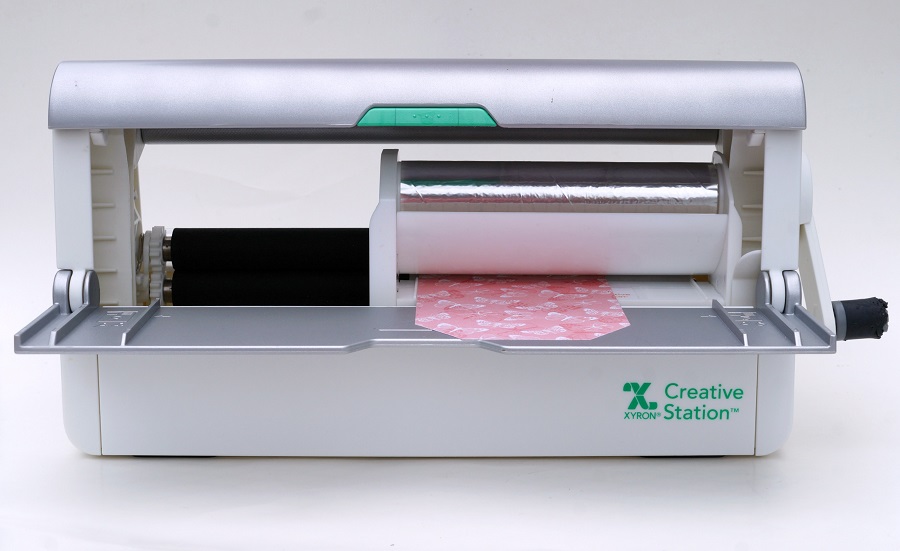
  • Place the tag design side up on the Xyron Creative Station* crank the handle to run the tag through the machine.  As it moves through the Xyron Creative Station it adds adhesive to the back of the tag.
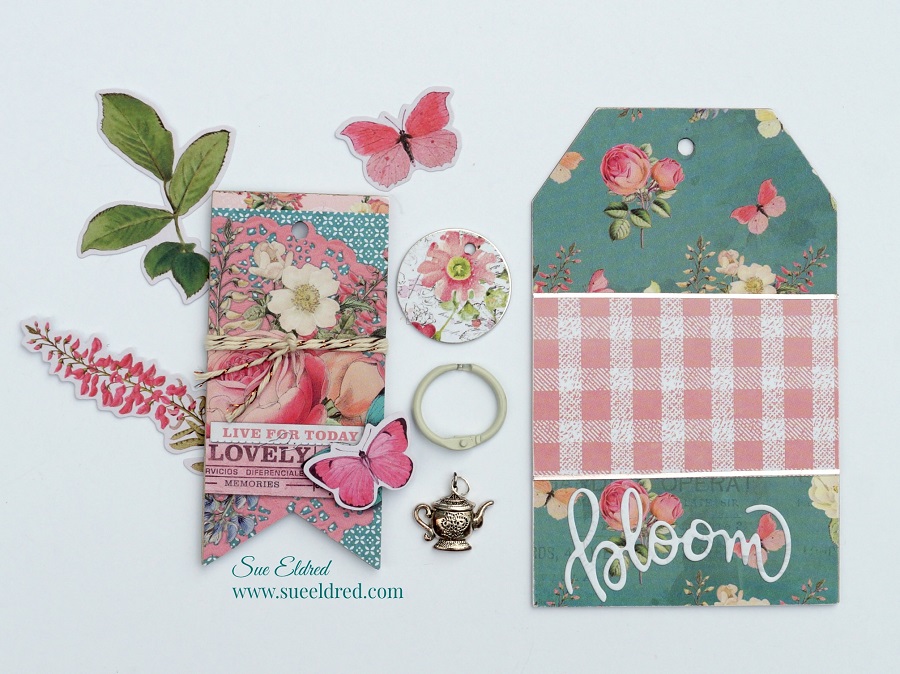
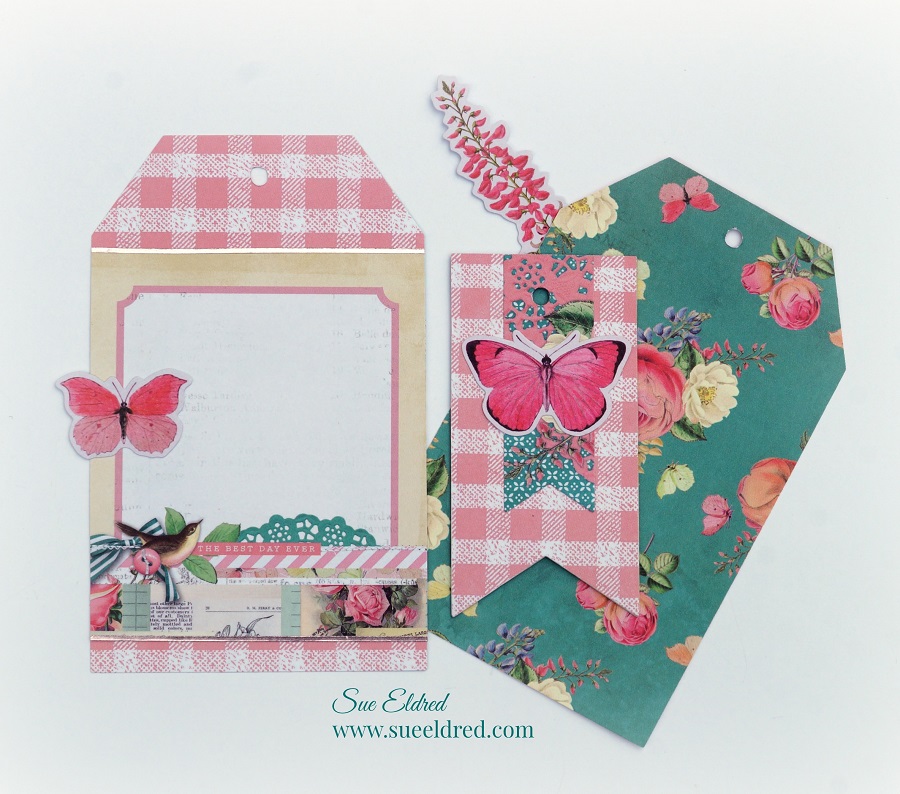
  • Remove tag from the protective liners and adhere to the front and back of each chipboard tag.

(FYI…I used the 5″ Permanent Adhesive Refill Cartridge* in the Xyron Creative Station.)

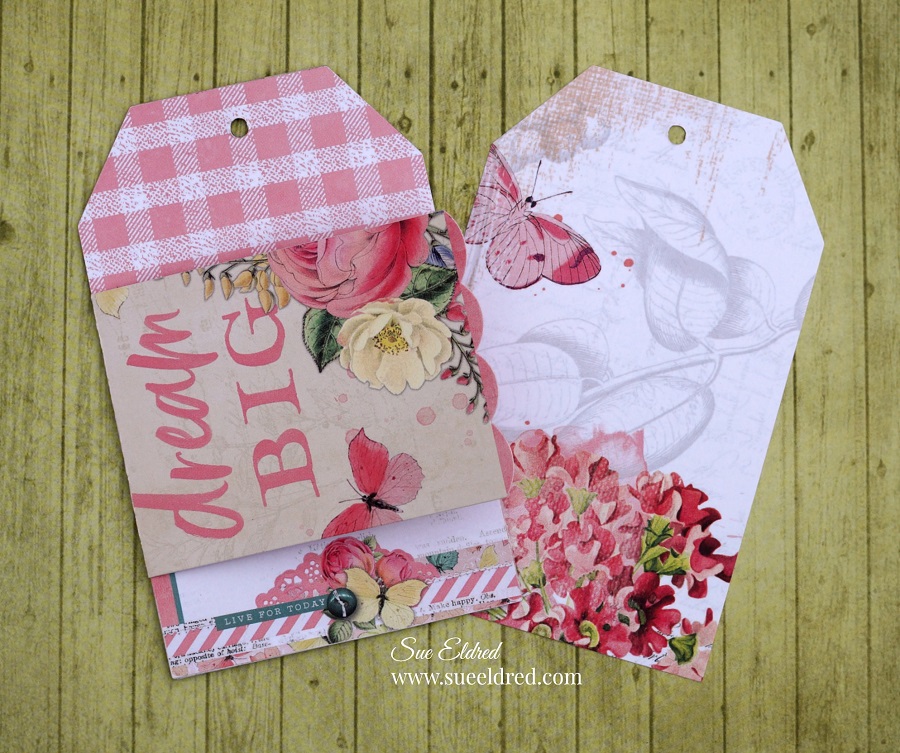
I used a lot of dimensions to create the front cover.

  • Cut a small banner from thin chipboard, cover it with decorative scrapbook paper the same way as the front and back covers.
  • Cover the small metal rimmed tag with circles cut from scrapbook paper.
  • Use twine to tie around the banner and a small teapot charm to hang from the book ring.
  • Create a “bloom” word sticker using the Xyron Creative Station and a small piece of off white scrapbook paper.  Use the bloom word die from the “In Full Bloom” stamp and die set and cut it using the adhesive paper.

  • Decorate and embellish the inside pages using pieces from the ephemera set, and banners.

  • This page was created using the Library Pocket Die Set and the Nested Square Tags Die Set.

Fill your tag album full of fun memories and use it as a sweet gift for someone special.

Save

Message in a Bottle Shaker Tags

In continuing with the Beach Theme for July…

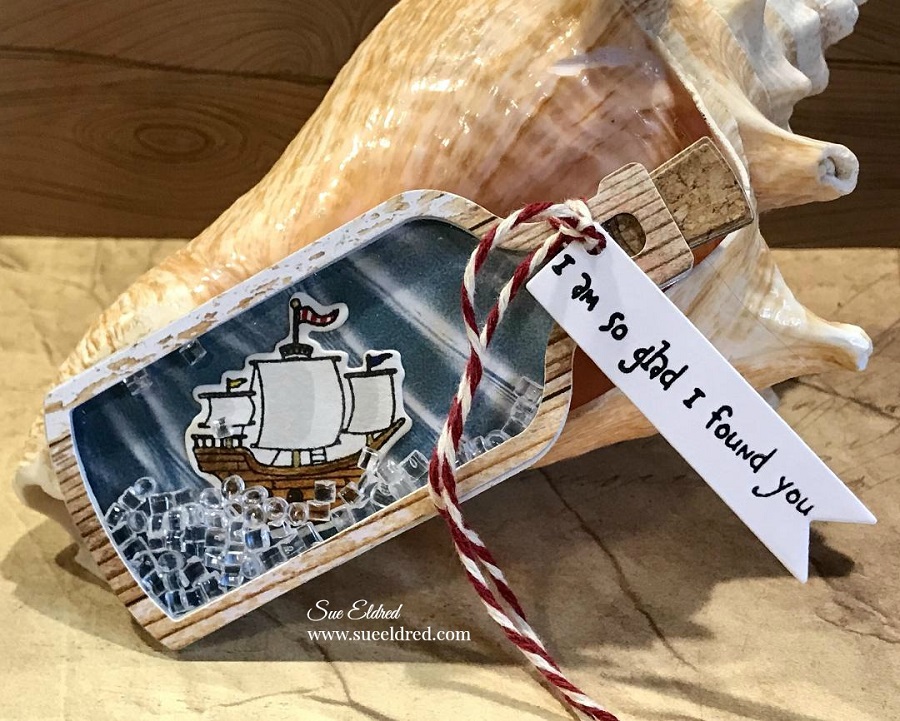
I’ve got a couple of cute projects using the Message in a Bottle Stamp and Die Set from

The Maker’s Movement to share with you.

MSD222 Message in a Bottle Stamp and Die Set  

*FTC Disclosure… “This is a sponsored post for The Maker’s Movement.  I have been provided product and compensation in exchange for my creative ideas.  The views and opinions are my own.”

Message in a Bottle Pirate Ship Shaker Tag Directions:

  • Stamp the ship on white watercolor cardstock.
  • Color the ship with Tombow Art Markers.

*Disclosure:  This blog uses ads and affiliate links.  If you choose to make a purchase using one of the links, I receive a small commission (at no additional cost to you) that helps offset the costs of maintaining this blog.  Thanks for your support!

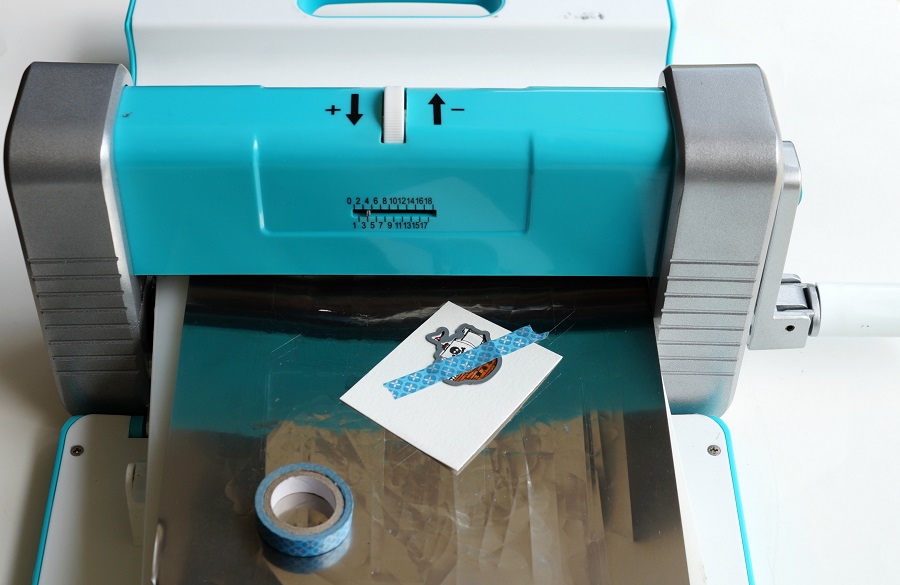
  • Align the ship die over the ship image.  Place a piece of washi tape or removable tape over the die to keep it in place.  Run the die through the Crossover II Die Cutting Machine* to cut out the image.

Aren’t these the cutest little ships?

You can add a skull and crossbones to the sail, or a sweet little heart. (included in the set)

You will need to cut out several pieces to create the Message in a Bottle Shaker Tag.

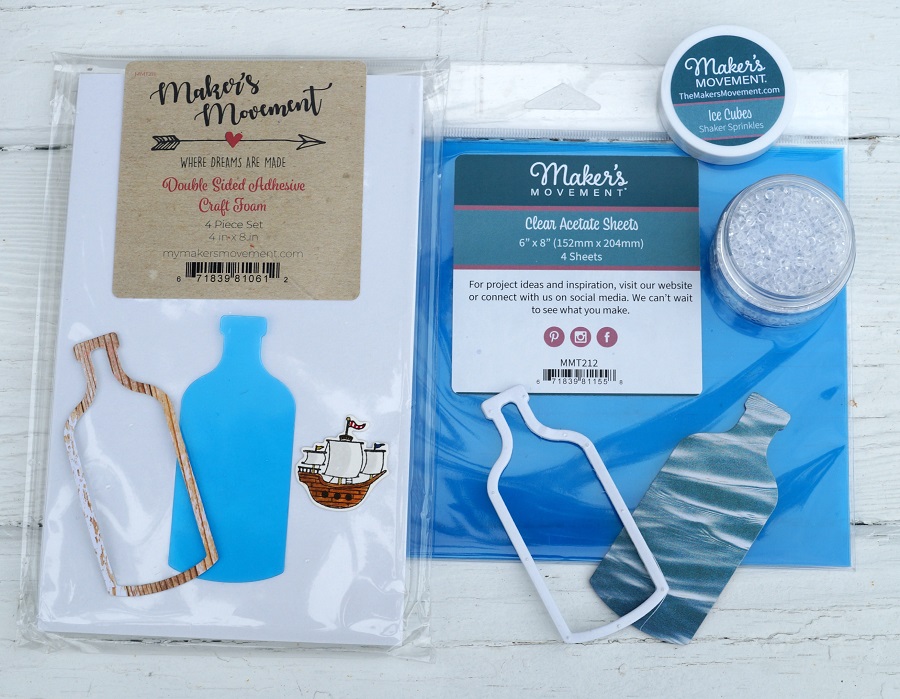
  • Cut a bottle shape out of clear acetate and a wavy-look scrapbook paper.
  • Place a small piece of distressed woodgrain look scrapbook paper into the Xyron Create-A-Sticker, Sticker Maker* to add adhesive to the backside of the woodgrain paper. Die-cut the woodgrain paper using the Bottle Frame Die. Creating a paper bottle frame sticker makes it easier to use when it comes time to place on the acetate.
  • Cut a second Bottle Frame using the double-sided adhesive foam sheet.

  • Remove one side of the protective blue coating from the acetate bottle.
  • Align and stick bottle frame sticker onto the acetate.
  • Remove the second side of the protective blue coating from the acetate.
  • Use a dryer sheet and rub on the blue wavy bottle die-cut to eliminate static created from the acetate.
  • Align and stick craft foam bottle frame onto the blue bottle die-cut.
  • Adhere die-cut ship in the center of the bottle.

I found a paper that replicated the look of cork.  I used that paper and cut several layers using the cork shaped die and glued them together to create a thick dimensional cork. I made the cork the same thickness of the foam.

  • Cut a piece off the top of the craft foam bottle to make room to place the cork.
  • Add Ice Cube Sprinkles (from the mixed drinks shaker sprinkles) into the well of the bottle frame.
  • Remove the protective coating of the craft foam frame and carefully place the acetate frame over the bottle.

  • Stamp your message on a piece of white cardstock and cut out using the banner die.
  • Punch a small hole at the end. Tie the banner die cut around the neck of the bottle with a piece of red and white twine.

If you’re not into Pirates and Pirate Ships…

the Message in a Bottle Die also makes a perfect Congratulations tag.

Use it for a Wedding, Anniversary, New Home, or Retirement.

Crafting Beach Vibes

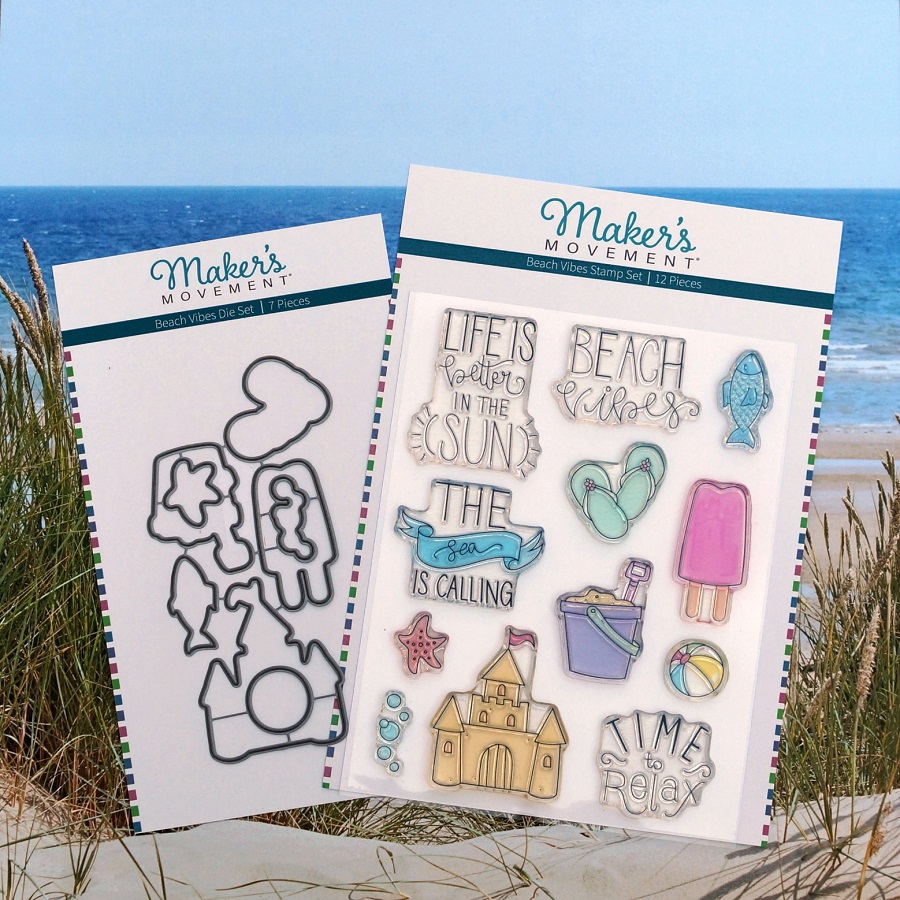
A few fun projects using the Beach Vibes stamp and die sets from The Maker’s Movement.

(If I can’t get to the beach, I might as well bring the beach to me.)

I am really loving the Beach Vibes Stamp and Die Set.  So many cute images to use.

*FTC Disclosure… “This is a sponsored post for The Maker’s Movement.  I have been provided product and compensation in exchange for my creative ideas.  The views and opinions are my own.”

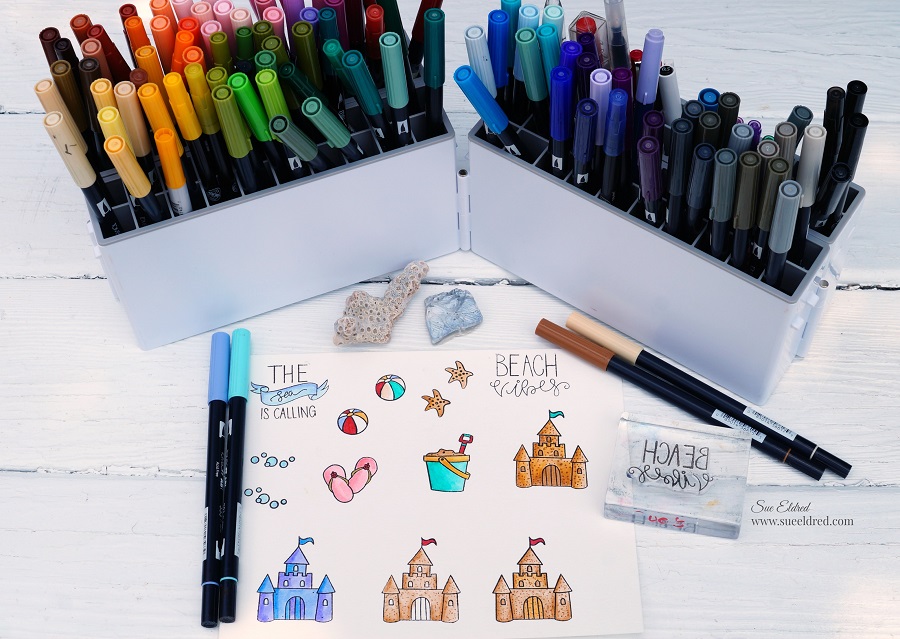
Before I ever start creating my projects…

I stamp the images onto watercolor paper* and practice coloring.

It’s a great way to decide the best marker color to use.

Using watercolor paper* makes it easy to blend the markers.

Tip…I start with the darker colored marker and finish coloring the image with a complimentary lighter-colored marker, blending the colors as I go.

FIY…I have my markers stored in the Expandable Marker Accordion* from Deflecto.

Beach Vibes Frame

Using the Crossover II Die Cutting Machine*, I was able to easily line up the coordinating die

to the colored image to cut out.  I added a few extra dots to my colored image before mounting

the Sandcastle to the corner of the frame.

Tip…I used blue painters’ tape and masked part of the “beach vibes” stamp and stamped the words one at a time.

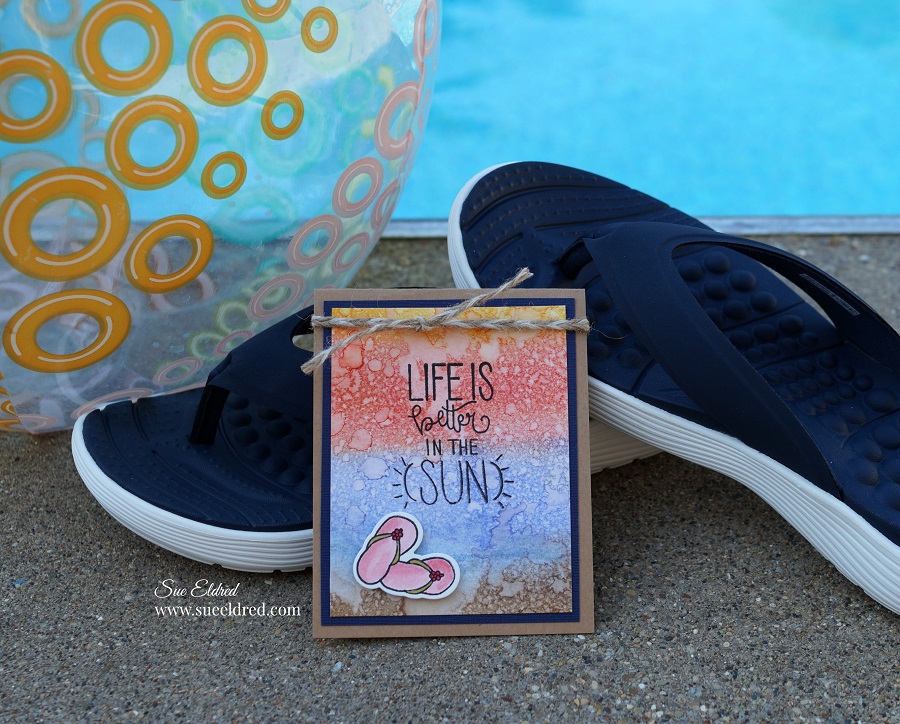
Life is Better in the Sun…

I may complain a little bit when it gets super humid, but I would trade the snow and cold for a warm summer day anytime.

Tip…The background on this card is super simple to create.  Using an ink blending tool and several colors of dye ink, rub the ink onto the watercolor paper.  Spray the paper with water and dry the paper with a hairdryer.  (Easy Peasy)

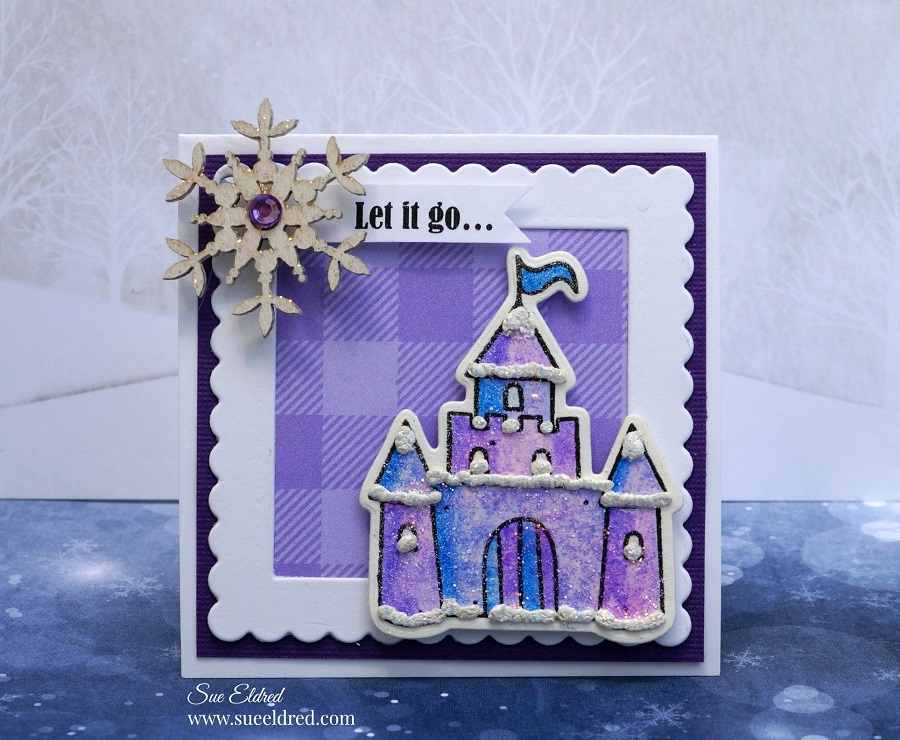
The Sandcastle stamp also makes a perfect Ice Castle for a cute little princess. 

  • I stamped the Sandcastle on watercolor paper*.  I had fun coloring the castle in purples and blues and blending the colors.
  • I added a thin layer of white liquid applique* to the castle to look like snow. I let the liquid applique dry before heating it with a Heat Tool* to raise it.
  • To make the castle extra frosty, I painted the castle with Clear Glitter Glue*.
  • I framed the Ice Castle with a white scallop frame cut from the MOD287 Nested Square Frame Set.  (It makes a perfect little gift tag.)

*Disclosure:  This blog uses ads and affiliate links.  If you choose to make a purchase using one of the links, I receive a small commission (at no additional cost to you) that helps offset the costs of maintaining this blog.  Thanks for your support!

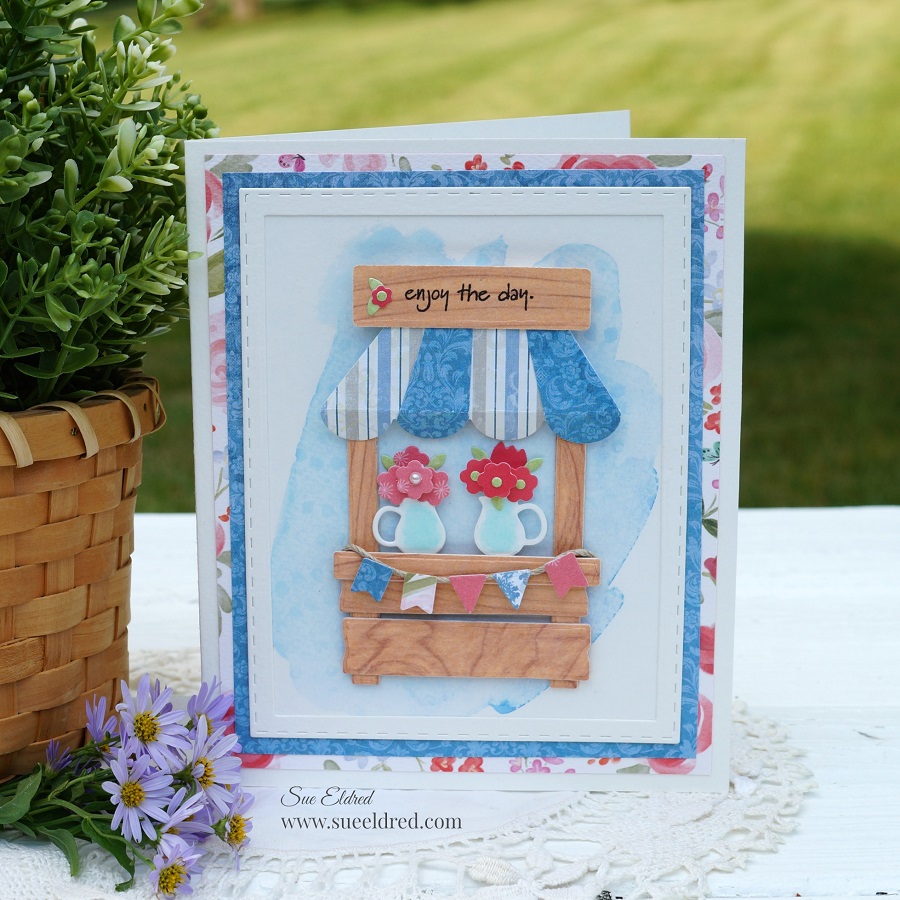
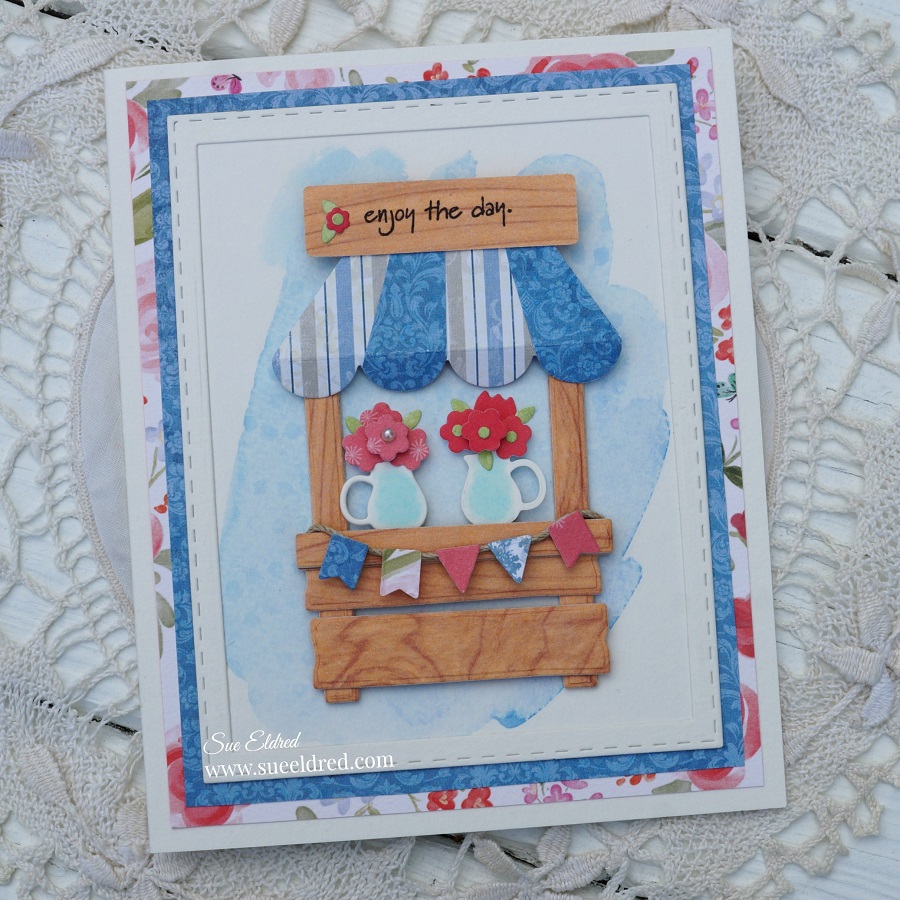
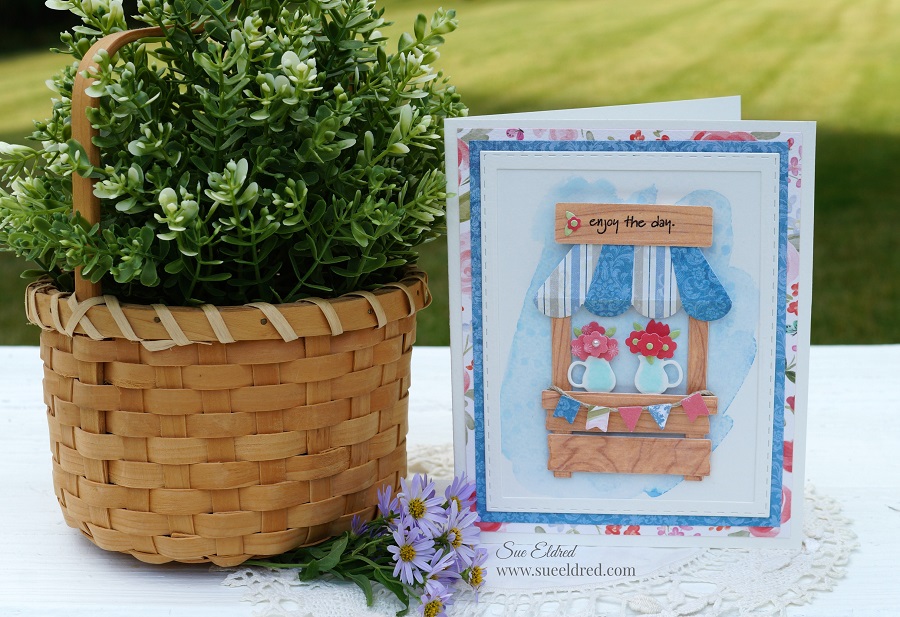
Sweet Summer Flower Stand Card

Sweet Summer Flower Stand Card

It’s always a good day when I get to buy flowers.  

I stopped by the Garden Center this morning to pick up a few more.  (can you have too many?)

I LOVE FLOWERS!

I was so excited when I got the opportunity to make a sample for Maker’s Movement using

the new Lemonade Stand Stamp and Die Set.  It is so versatile. 

It makes a cute little Lemonade Stand, Flower Stand, and Fall Cider Stand.  

*FTC Disclosure… “This is a sponsored post for The Maker’s Movement.  I have been provided product and compensation in exchange for my creative ideas.  The views and opinions are my own.”

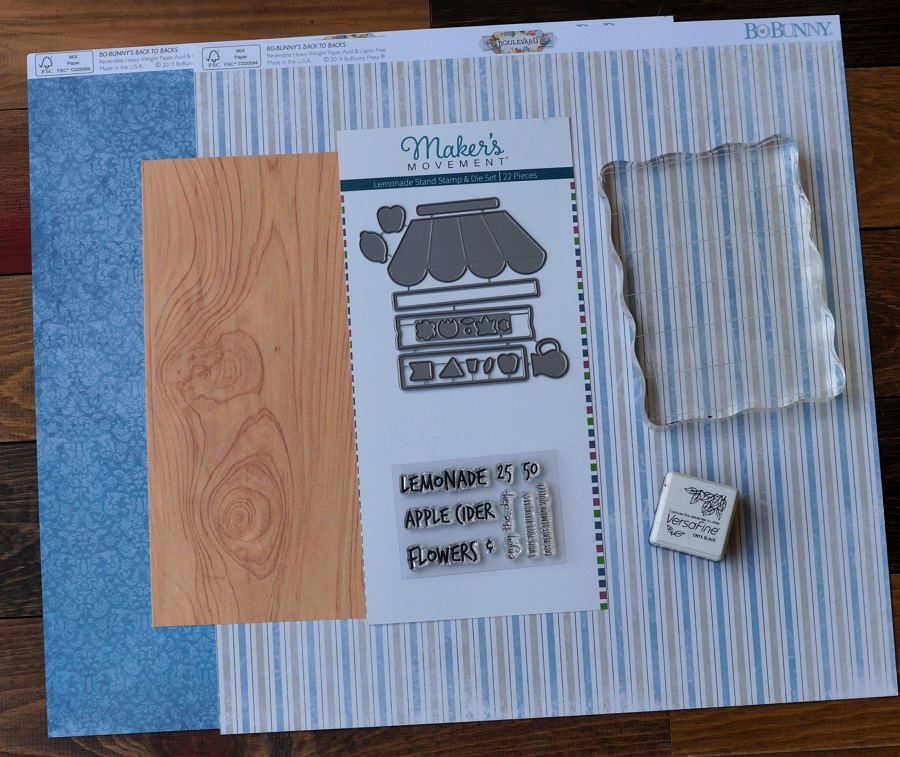
Here’s what I used to make the Sweet Summer Flower Stand:            (*affiliate link)

*Disclosure:  This blog uses ads and affiliate links.  If you choose to make a purchase using one of the links, I receive a small commission (at no additional cost to you) that helps offset the costs of maintaining this blog.  Thanks for your support!

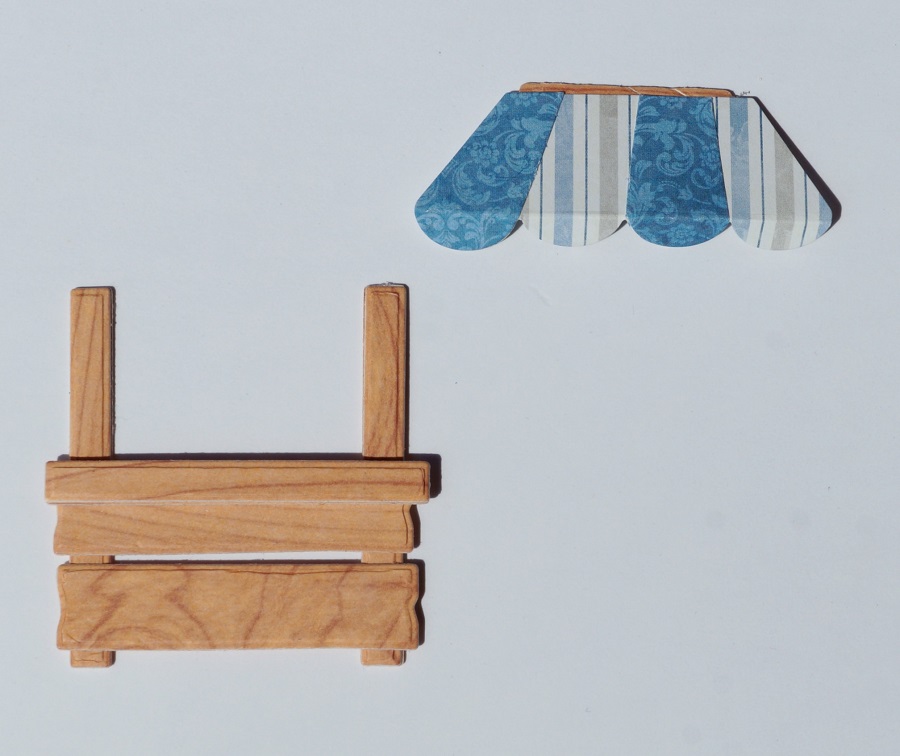
Building the Flower Stand

  • When clearing out my mom’s paper collection, I found this woodgrain cardstock.  I never knew what to use it for until I made this card.  Now I wish I could tell you where to find it.
  • The flower stand die has three sizes of dies to use as the board to build the stand.
  • I adhered two pieces of paper together to create thickness.  Run paper and dies through the Crossover II die-cutting machine to cut the shape.
  • I used basic building construction to make my stand.
  • For the awning, I die-cut two pieces.  (one striped, one blue floral)  Cut two sections from the blue floral and adhere to the striped awning piece.

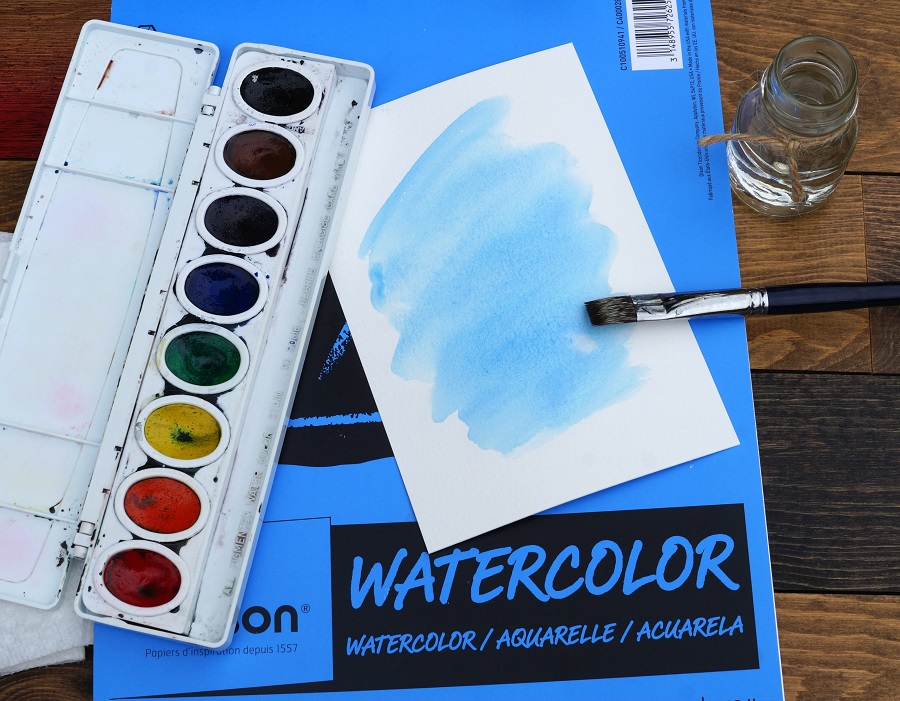
Super Simple Watercolor Background

  • The key to the background is to use watercolor paper.
  • A simple swish with a wet brush and blue watercolor paint to create the background.

Lots of Dimension and Details

  • What makes this card special is all the little details.
  • I used a lot of foam dots behind the various pieces to create a lot of dimension.
  • I doubled up the foam dots under the awning and sign.

I loved the way the card turned out.   I will be making a Cider Stand for fall soon.

Shop Now!

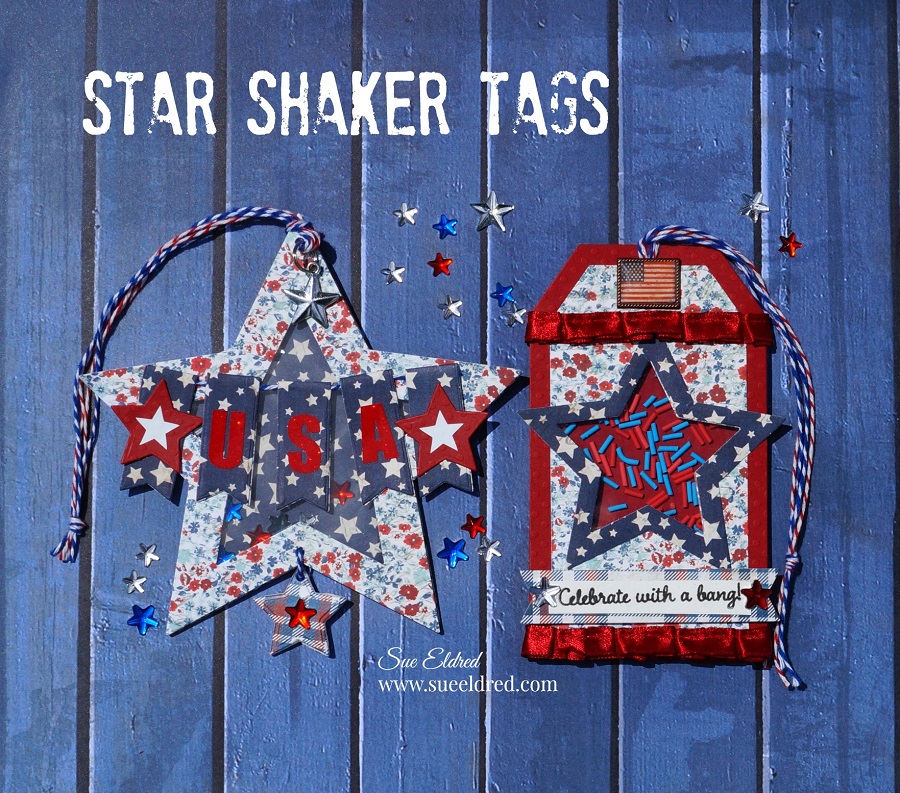
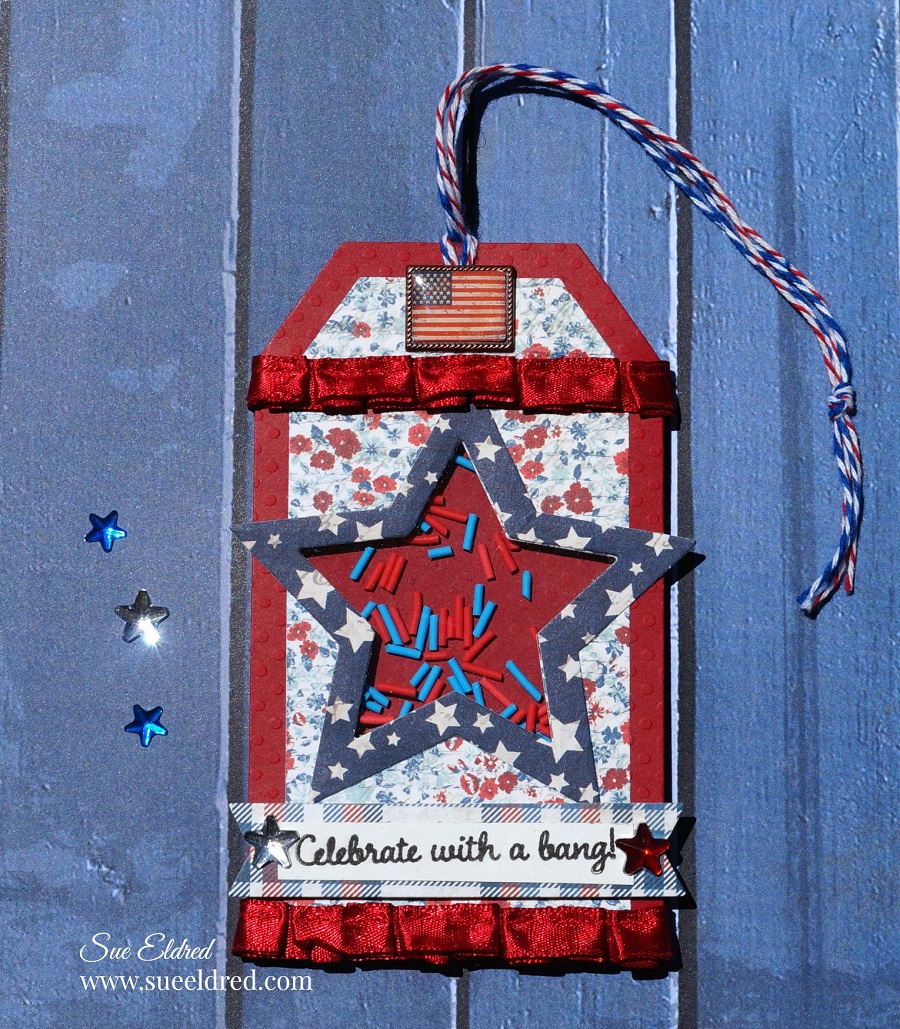
Red, White and Blue Star Shaker Tags

Star Shaker Tags

I love making cards and tags that move and shake.

Generally, making Shaker Tags are fun and easy to make.

But I sometimes tend to make things harder than they need to be?

That was the case with the Star-shaped Shaker Tag.

After working on it and getting frustrated because the vision I had wasn’t quite working out,

I set it aside and went for a simpler version.

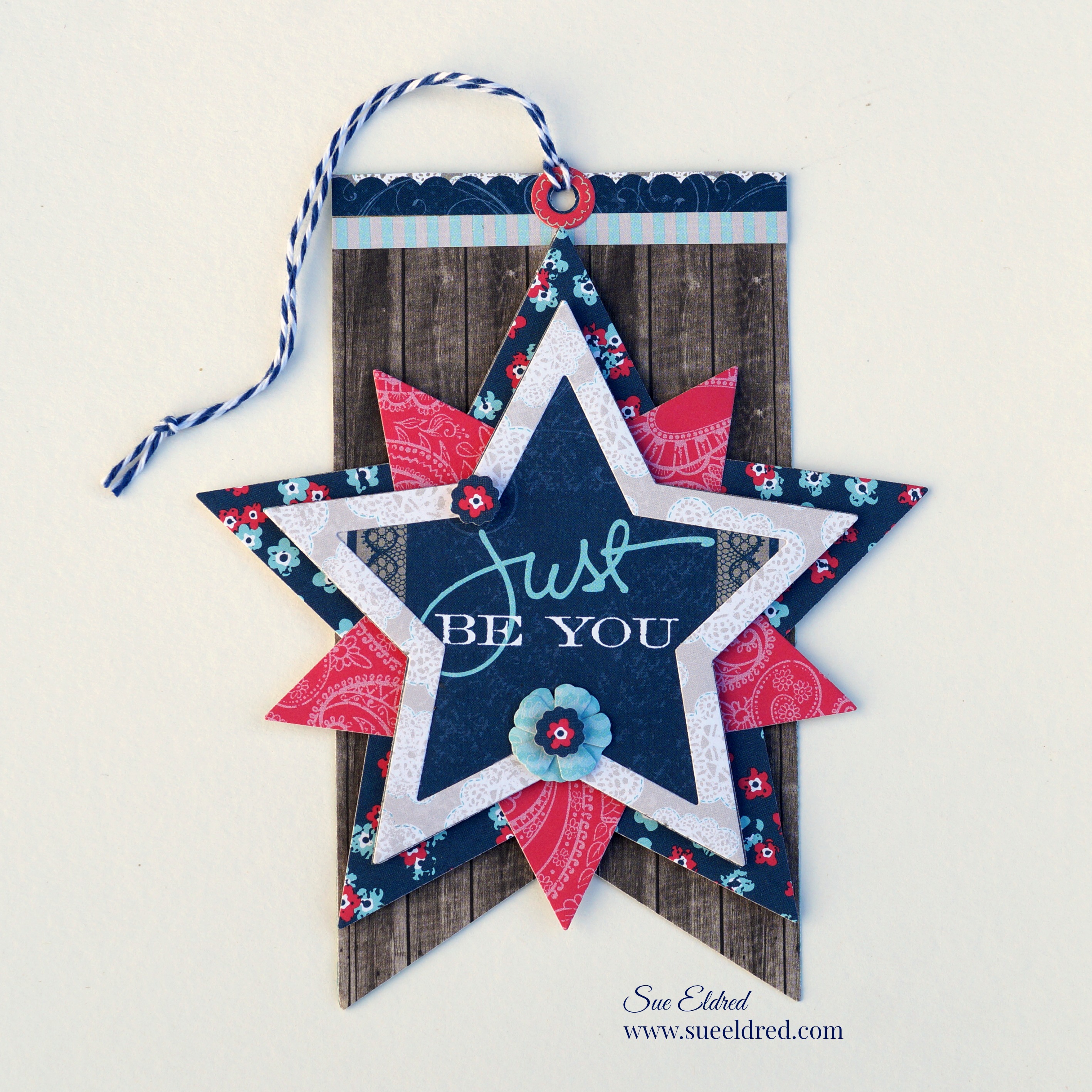
As you can see, I did finish the Star Tag and like how both of them turned out.

How to Make a Star Shaker Tag for the 4th of July

The Maker’s Movement Products Used:         (*affiliate link)

  • MOD284 Nested Stars Dies
  • MOD282 Large Nested Tags
  • MOD276 Mini File Folder Die Set (banner)
  • Crossover Fabric & Paper Cutting System*
  • MMT211 Double Sided Adhesive Craft Foam
  • MMT212 Clear Acetate Sheets
  • Rainbow Shaker Sprinkles
  • MOS204 Home for the Holidays Stamp Set

*FTC Disclosure… “This is a sponsored post for The Maker’s Movement.  I have been provided product and compensation in exchange for my creative ideas.  The views and opinions are my own.”

Additional Products Used:            (*affiliate link)

*Disclosure:  This blog uses ads and affiliate links.  If you choose to make a purchase using one of the links, I receive a small commission (at no additional cost to you) that helps offset the costs of maintaining this blog.  Thanks for your support!

Directions: 

  • Cut two tags using the Nested Tag Die Set.  The larger out of red cardstock and the smaller out of red, white, and blue floral print.

  • Adhere the tags together using the tape runner.
  • Die-cut both layers with the star die. Once happy with the placement, put a small piece of removable painters tape* over the star to keep it from moving when it is die-cut.
  • Lay banner die onto the tag to help figure the correct placement for the star hole.
  • Place the tag and die onto the Crossover II Die-Cutting System*
  • .Place clear acrylic protective plate over the dies and crank the handle to run the die through the machine.

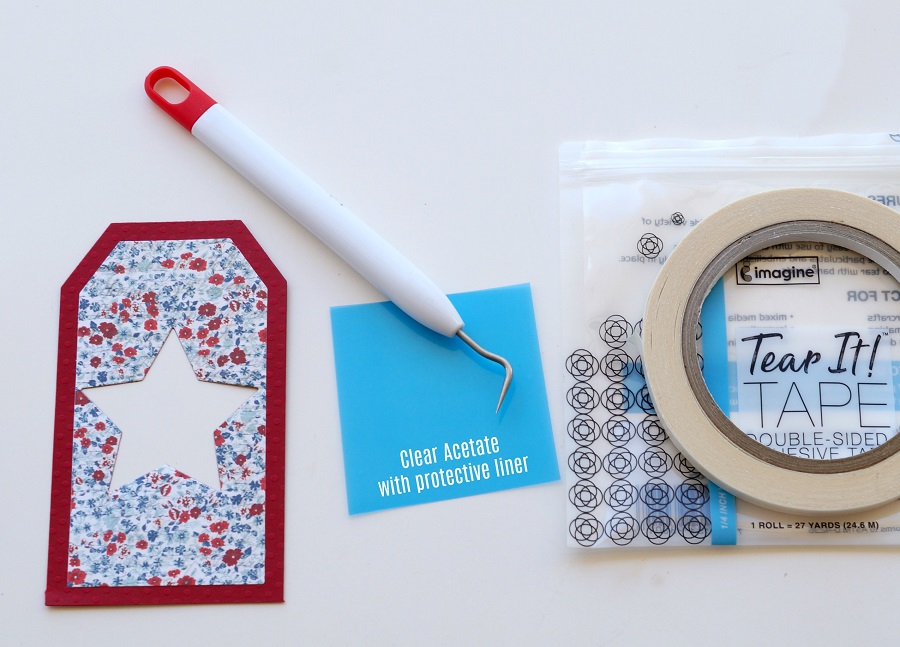
  • Cut a small piece of acetate to fit over the star opening.  The acetate comes with a protective liner on both sides.  You will need to remove both sides before adhering it to the tag.

  • Pick out Red and Blue Shaker Sprinkles, from the Rainbow Sprinkles, to use for the inside of the shaker tag.

  1. On the back of the die-cut tag, place tear it tape adhesive around the opening of the star.
  2. Remove protective liner off the tape.  Place acetate over the star opening.
  3. Cut a second red tag.  Place strips of adhesive craft foam around the star to make a well around the star.  Add additional strips around the bottom and top.
  4. Add red and blue sprinkles in the well around the star.  Remove protective liner off the back of the foam strips and adhere to the second red tag.

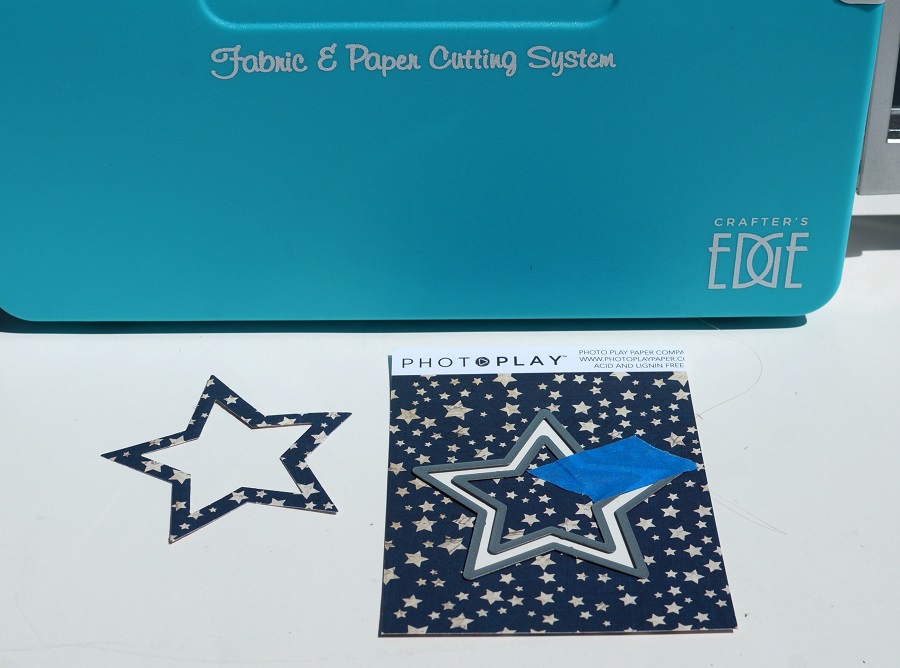
  • Center two star together, place a piece of removable painters tape* on the dies to keep them from moving.  (The smaller star is the same size as star opening.)  Run the dies through the Crossover II die-cutting machine to create a star frame.

  • Adhere star frame over the star opening.
  • Cut a banner out of plaid paper.
  • Stamp “Celebrate with a bang!” (from the Home for the Holidays stamp set) Trim down to fit onto the plaid banner.
  • Glue pleated ribbon around the bottom and top of the tag.
  • Punch hole in the top of the tag.  The Crop-A-Dile Punch* easily goes through all the layers.
  • Tie twine together and loop through the hole.
  • Glue small star and flag embellishments onto the tag.

Close up of the Star Shaker Tag

  • I used the largest of the Nested Star Die for the outline of the star.
  • What made the process a little more difficult for me was that I also cut a foam star the same size.  I had problems getting the foam star to line up and had to set it aside momentarily.
  • A small star cut out of foam and scrapbook paper was used as the dangler on the tag.
  • I cut several banners to use on the front of the tag.
  • You can find the small banner instructions here.

Here’s another tag that I made for The Maker’s Movement using the Nested Star Dies. 

Save

Save

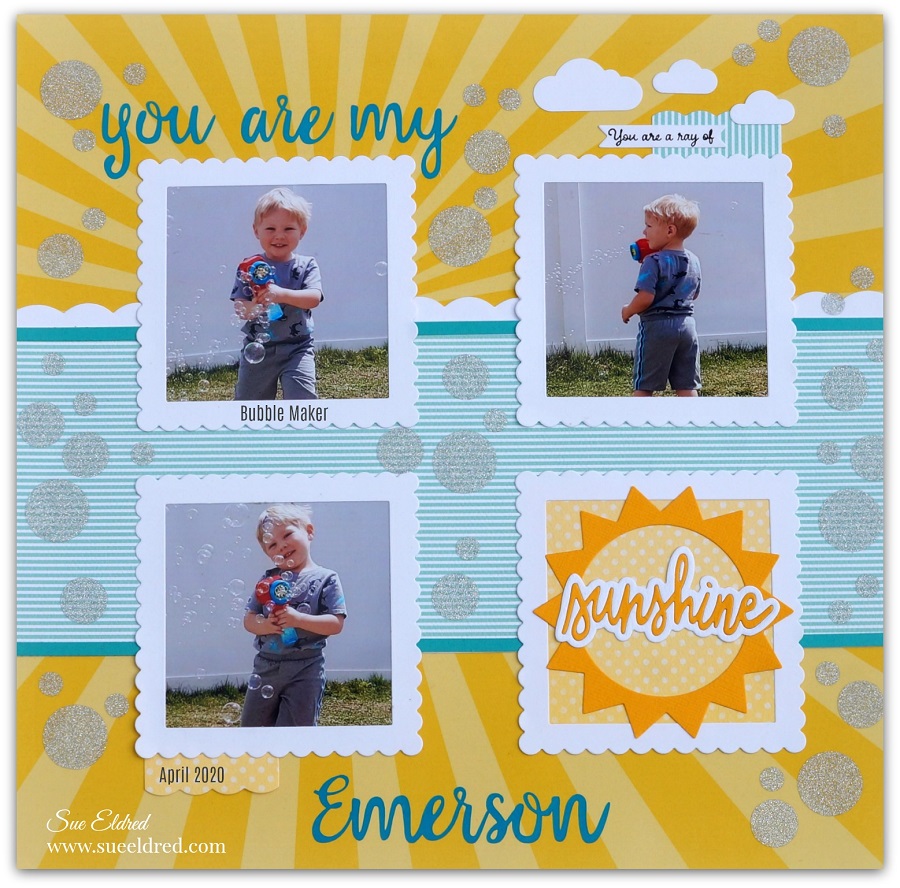
You are my Sunshine…

You are my Sunshine…I remember this song sung to me and several other little ones

throughout the years.  I’ve sung it myself to all my kids and grandsons.

Did you know you can change the word “sunshine” to almost anything.

My youngest son’s favorite version was you are my airplane?   (try it)

This layout features my youngest “bubble-making” grandson Emerson.

I created the You are my Sunshine Scrapbook Layout using the Hello Sunshine Stamp and Die Set from The Makers Movement.  This set is perfect for Card Makers and Scrapbookers.

Products Used:                (*affiliate link)

*FTC Disclosure… “This is a sponsored post for The Maker’s Movement.  I have been provided product and compensation in exchange for my creative ideas.  The views and opinions are my own.”

  • To mimic the puffy clouds and the scalloped frames.  I created a scallop border for my striped layer using the scallop edge cut from the bottom of the largest Nested Square Tags.  If you place them strategically, you won’t see any seams.
  • Adhere the scallops to the back side of the striped paper.

The Sunshine Die Cut makes the perfect embellishment for my page.

  • I used my Silhouette Electronic Die Cutting Machine and adhesive Craft Vinyl to create the words “You are my, and the name Emerson.
  • For the bubbles, I cut several sizes of small circles using Transparent Glitter Vinyl and the Silhouette.

StyletechCraft products brought to you by ATSM Craft

The Hello Sunshine Stamp and Die Set is great for making handmade cards.

Add a Sweet Little Face for an even Cuter Card.

*Disclosure:  This blog uses ads and affiliate links.  If you choose to make a purchase using one of the links, I receive a small commission (at no additional cost to you) that helps offset the costs of maintaining this blog.  Thanks for your support!