Back to School Mini Essentials Card

Back to School Mini Essentials Card

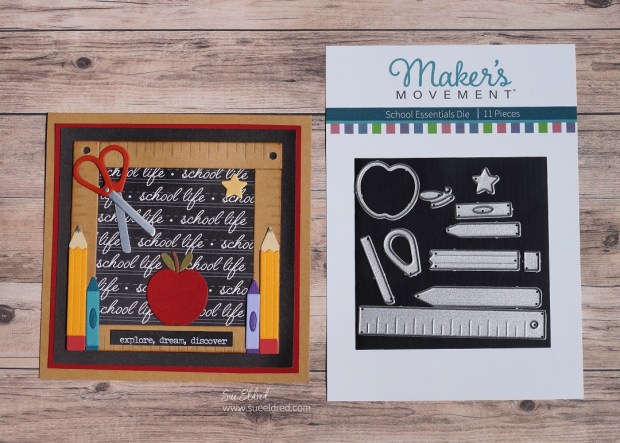
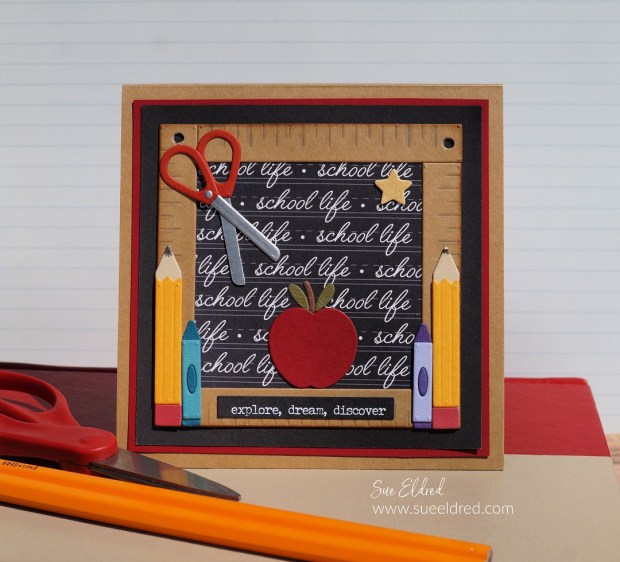
Start their year off right with a card made with Back to School Mini Essentials.

Perfect for both Students and Teachers.

The mini essentials would make great embellishments for a scrapbook page.

The small ruler frame would look great with this year’s back to school picture.

Maker's Movement

Disclosure:  This is a sponsored post for The Maker’s Movement.  I have been provided product and compensation in exchange for my creative ideas.  The view and opinions are my own. 

Back to School with Mini Essentials Card

Die-Cutting Tips…

  • For better results with dies that have grooves, use thick or double-layered cardstock.
  • I adhered two pieces of cardstock together using the Xyron Create-A-Sticker Mini*.
  • I also added a second layer of adhesive to the cardstock before cutting the pieces out using the Mini Maker Die Cutting Machine.
  • You will want to run it through and then back again to make sure that all layers have been cut.
  • Each little die-cut piece becomes a sticker which makes it easy to put all the parts together.

Back to School Mini Essentials Card

This is a great way to use up small scraps of cardstock.

Products Used:    (*affiliate link)

*Disclosure:  This blog uses ads and affiliate links.  If you choose to make a purchase using one of the links, I receive a small commission (at no additional cost to you) that helps offset the costs of maintaining this blog.  Thanks for your support!

Back Pack to School Card

This was a fun card to make.

I combined the “Backpack to School Die Set” with the “School Essentials Die Set”

to make this sweet pink “girly” back to school card.

The greeting “I hope you have an amazing day” from the Food Truck Stamp Set says it all.
Back Pack to School Card

How to Make the Backpack Card:

  • Die-cut the backpack pieces out of the floral/green plaid paper using the Mini Maker Die Cutting Machine.
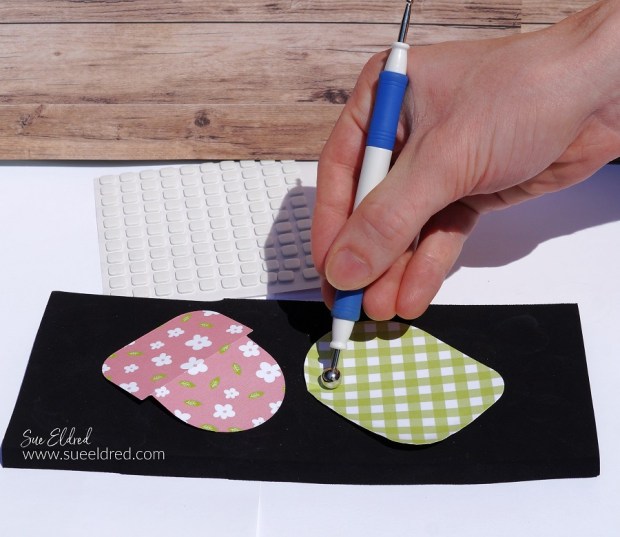
  • To shape the die-cut pieces, place the shape on the molding mat* and press down with the large-ball stylus*. Move the stylus around in small circular motions to soften the paper. The die-cut shape will begin to curl, giving it dimension.
  • Use the light gray marker on the edges of the paper to cover the white paper core and give the pieces a shadowing.
  • Assemble the backpack using small thin foam squares.
  • Die-cut and assemble pencils and the ruler using pencils from the School Essentials Die Set.
  • Die-Cut a white cardstock frame using the Round Rectangle Die Set.
  • Tuck the small floral bits into the backpack along with a ruler and pencils and adhere them in place.
  • Assemble the card using coordinating paper layers.

Shop Tombow

Back Pack to School Card

Tuck the card in her backpack and help make her day amazing.

Products Used:     (*affiliate links)

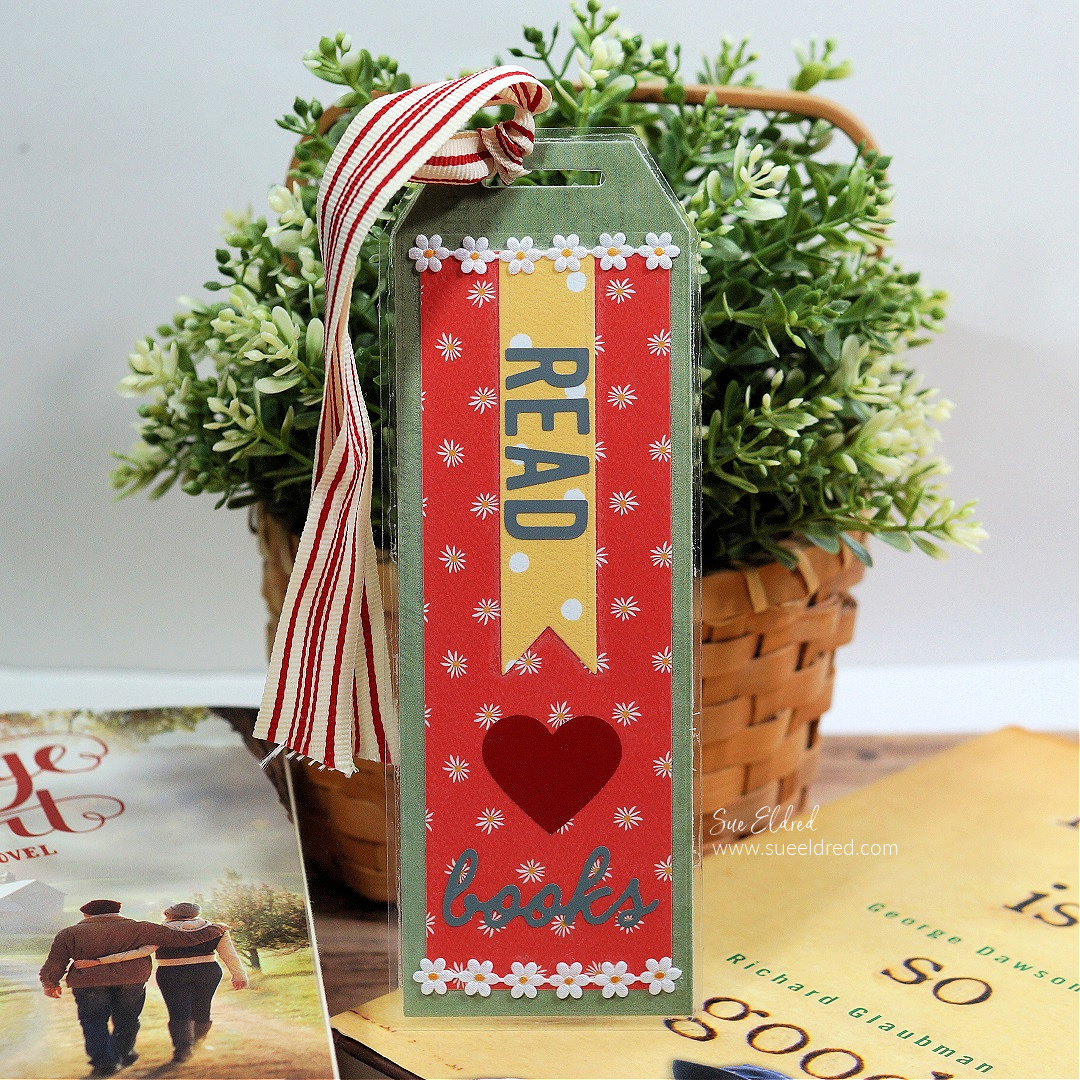
Book Marks for Book Lovers and Readers

Bookmarks for Book Lovers and Readers

Creating Bookmarks for Book Lovers and Readers…

Besides crafting, reading is one of my favorite hobbies.

Sitting and reading is a luxury for me.  Never enough time.

Bookmarks for Book Lovers and Readers

Just one more page…

I love getting lost in a good book. My problem is once I start reading,

I can’t seem to put the book down until I finish reading it.

Forget about work, dinner, or dishes.

Bookmarks for Book Lovers and Readers

Combining my two hobbies…

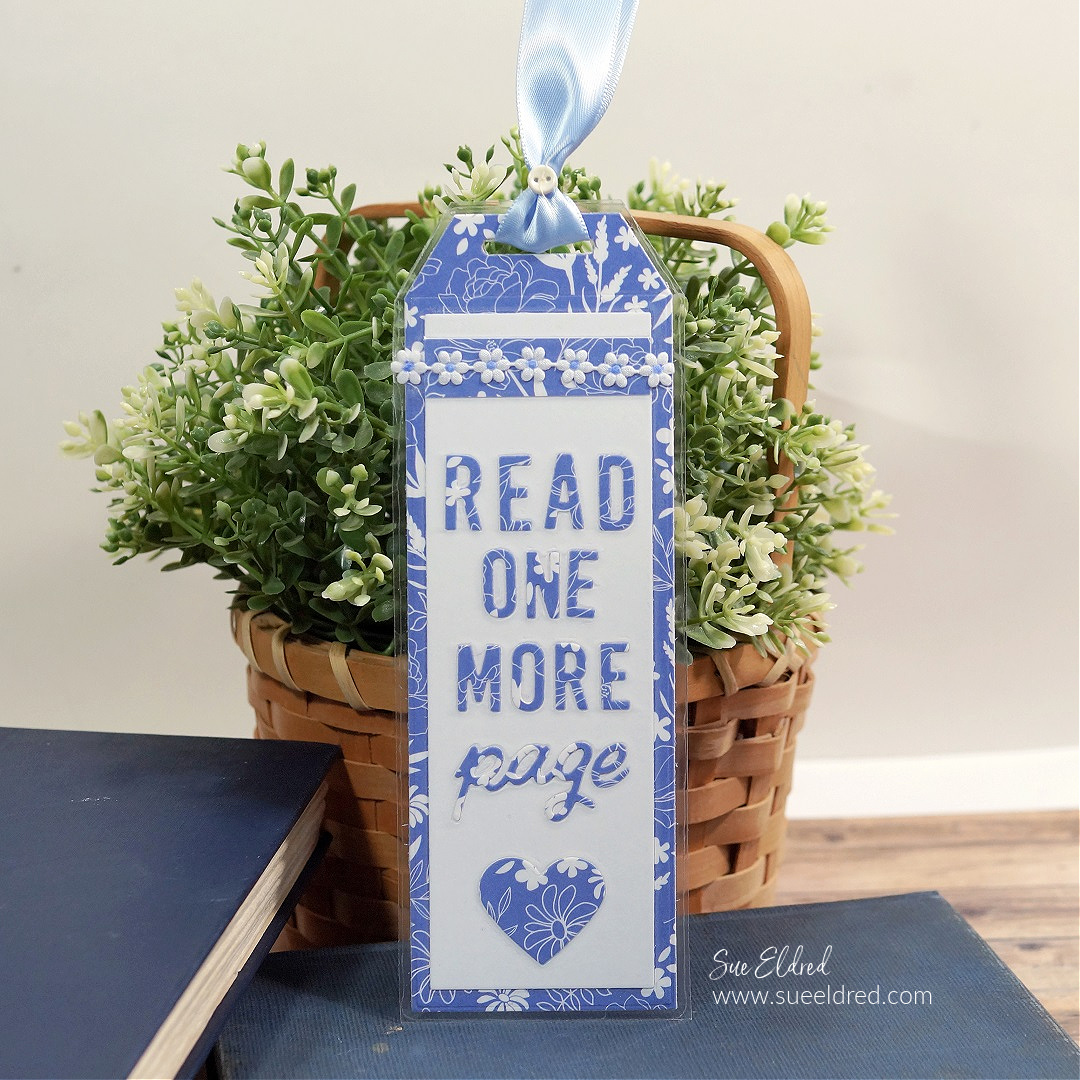
I created bookmarks using the New Bookmark Die Set from The Maker’s Movement.


Disclosure:  This is a sponsored post for The Maker’s Movement.  I have been provided product and compensation in exchange for my creative ideas.  The view and opinions are my own. 

Bookmarks for Book Lovers and Readers

Materials Used:      (*affiliate links)

*Disclosure:  This blog uses ads and affiliate links.  If you choose to make a purchase using one of the links, I receive a small commission (at no additional cost to you) that helps offset the costs of maintaining this blog.  Thanks for your support!

Bookmarks for Book Lovers and Readers

Directions:

  • Cut out the layers of the bookmark using the bookmark die. 
  • Adhere them together using a tape runner*.
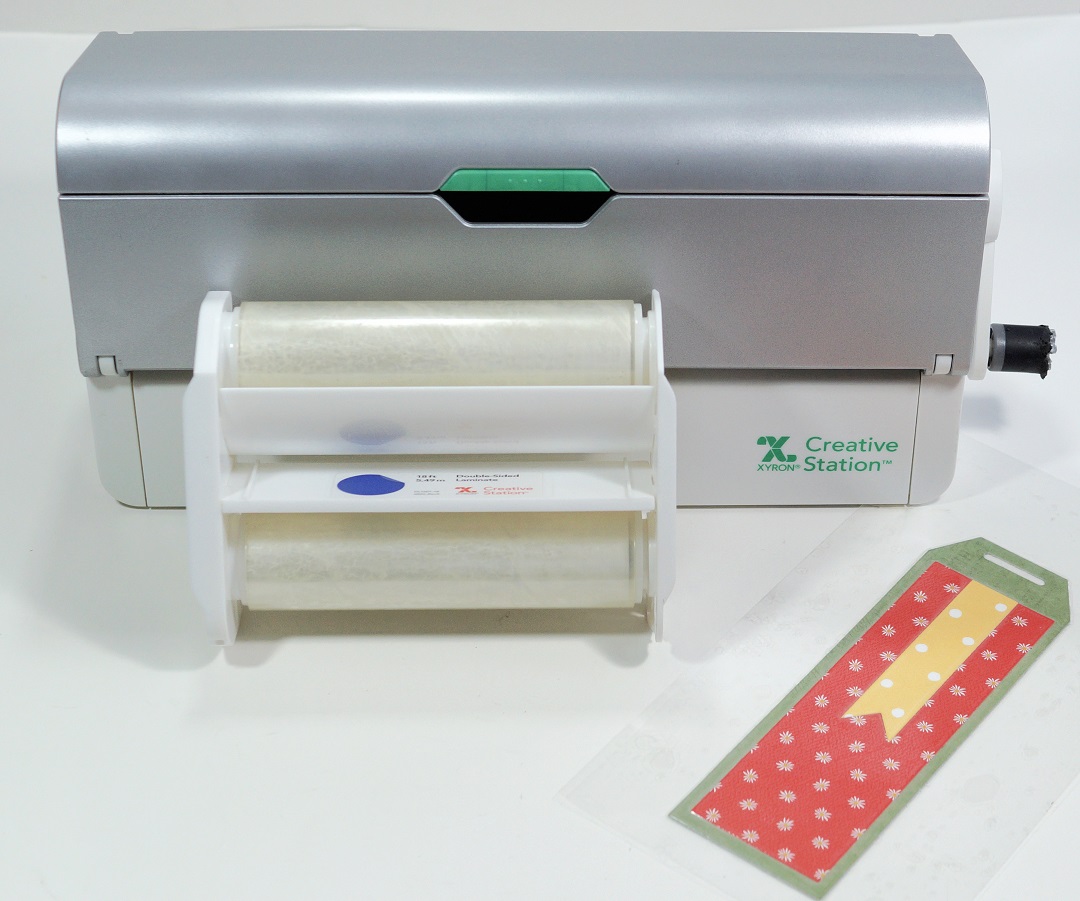
  • Using the Xyron Creative Station* with a double-sided Laminating cartridge, place the bookmark base in the machine.  Crank the handle to run it through the machine. The Creative Station adds clear laminating onto both sides of the bookmark.

Bookmarks for Book Lovers and Readers

  • Trim the bookmark with scissors leaving a 1/8″ border of lamination.
  • Reopen the top slot of the book mark with scissors or a craft knife.

Bookmarks for Book Lovers and Readers

To make the letters on the blue bookmark… place a piece of scrapbook paper through the Xyron Creative Station* with a permanent adhesive cartridge* to add adhesive to the back of the scrapbook paper. Once the letters were die-cut, they became little letter stickers.

Bookmarks for Book Lovers and Readers

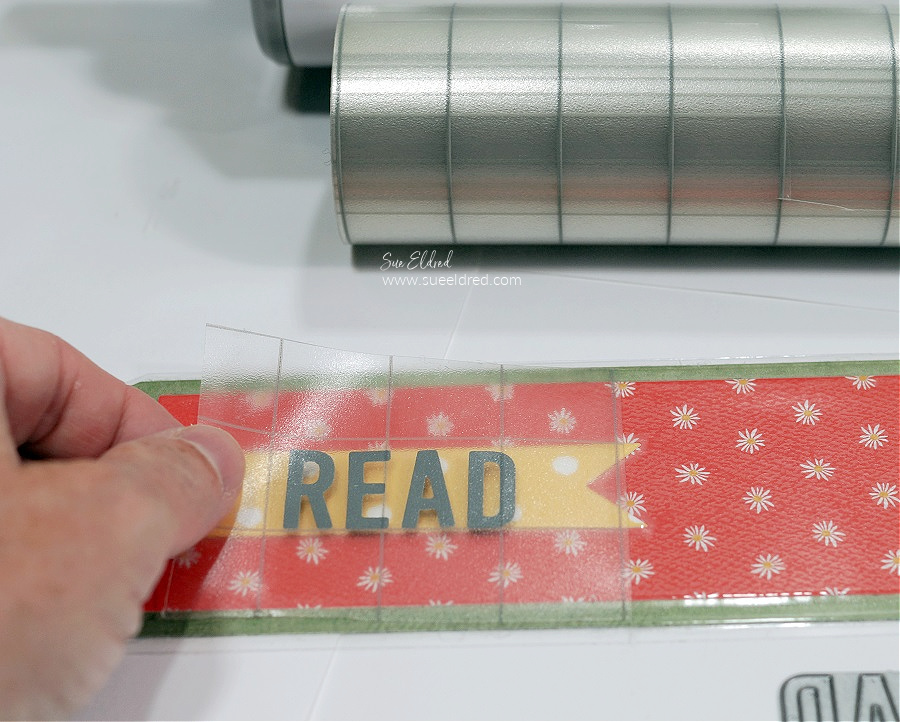
  • Place the vinyl onto the bookmark, and rub over the transfer paper to make sure the vinyl sticks to the lamination.  (You can use a vinyl scraper tool.)

Bookmarks for Book Lovers and Readers

Add ribbon and trim to create the perfect bookmark for your favorite book lover.

A Card for the Perfect Lazy Day.

Lazy Days Card

A card to celebrate the perfect Lazy Summer Day.

We just got back from vacation last weekend.

It feels like it’s taken me all week to get back to normal.

If it wasn’t so cool and then rainy this week, I would be that bear on a floatie.

If you asked me to describe the perfect summer day, it would most definitely include

floating in the pool with a drink in my hand.

Maker's Movement

Disclosure:  This is a sponsored post for The Maker’s Movement.  I have been provided product and compensation in exchange for my creative ideas.  The view and opinions are my own. 

Lazy Summer Days Card

Materials Used to make the Lazy Summer Day Card:    (*affiliate links)

*Disclosure:  This blog uses ads and affiliate links.  If you choose to make a purchase using one of the links, I receive a small commission (at no additional cost to you) that helps offset the costs of maintaining this blog.  Thanks for your support!

Lazy Days Card

Directions:

  • Stamp the bear image on tan cardstock with the Versa Fine Black Inkpad*.
  • .Align the bear die with the stamped image.  Place a small piece of washi tape (or a removable tape) to hold the die in place while die-cutting.  
  • Run the stamped image and die through the Mini Maker Die-Cutting Machine to cut out the bear image.

Lazy Days Card

I thought plaid swim shorts were needed for this “cool” bear. 

  • Stamp the swim trunks onto a small piece of plaid paper and run it through the Xyron Create-A-Sticker Mini* to add adhesive onto the back. 
  • Cut the swim trunks out and stick directly onto the die-cut bear. (it’s so easy to add personality)

Lazy Summer Days Card

  • Use the Tombow Art Markers to add rosy cheeks, shadows, and definition to the stamped image.

Shop Tombow

Lazy Summer Days Card

Additional Card Details:

  • I thought the “Sea Shore” paper looked like a pool liner, so I added it as the base to my card.
  • The white frame on the card was die-cut using the Round Rectangle Die Set.
  • The Sun was die-cut using the center of the pool float.
  • I stamped the words “feelin’ hot” onto white cardstock and cut it out using the smallest of the nested banner die.
  • I used thin foam mounting squares under the clouds, banner, bear, and drink to add dimension to the card.
  • The finished card measures 4 ¾” x 6″.

Simple Masking and Background Techniques for Stamping

Simple Masking and Background Techniques for Stamping-Sue's Creative Workshop www.sueeldred.com 9974

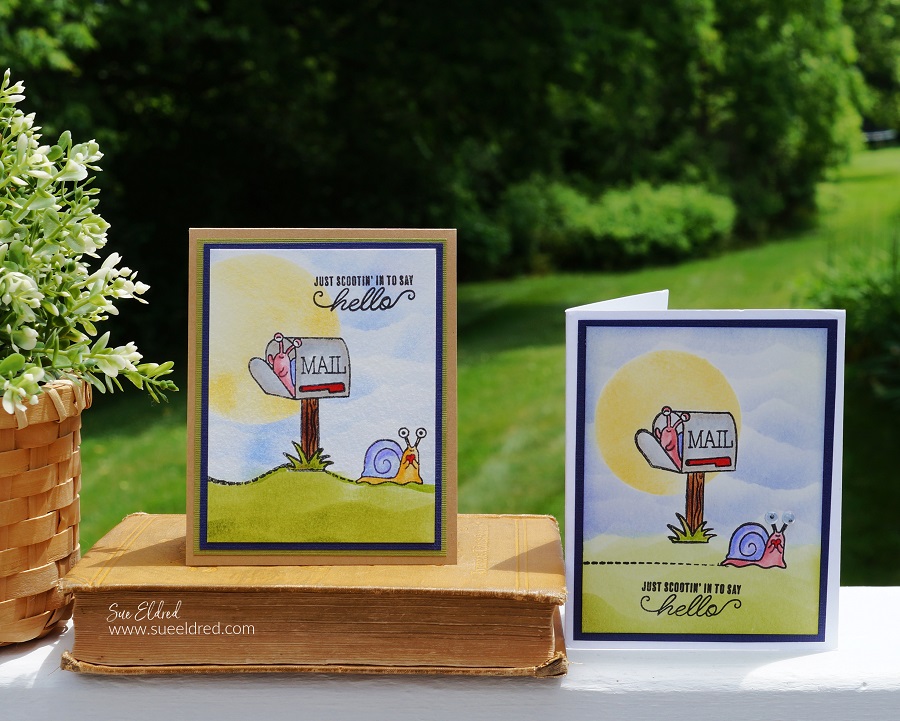
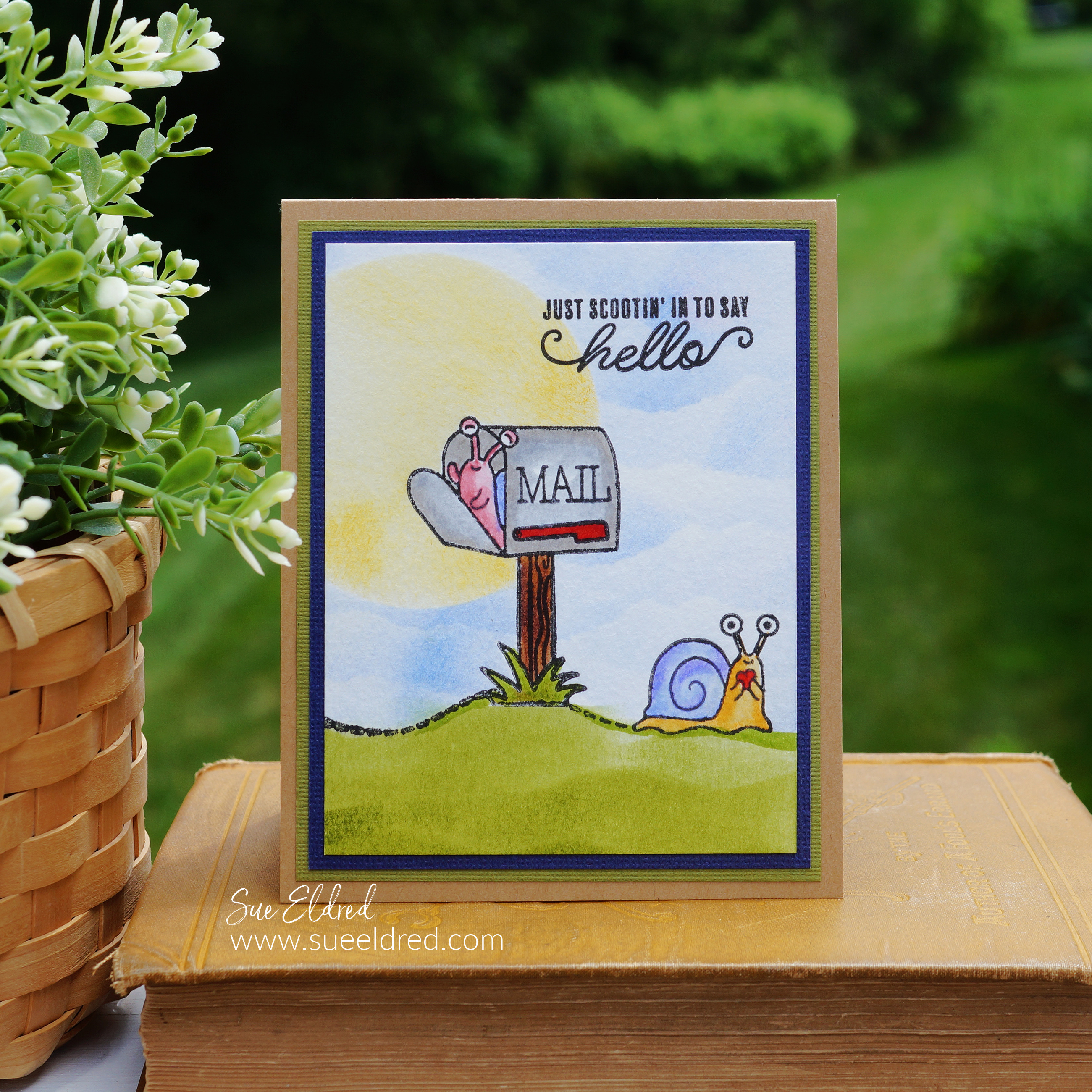
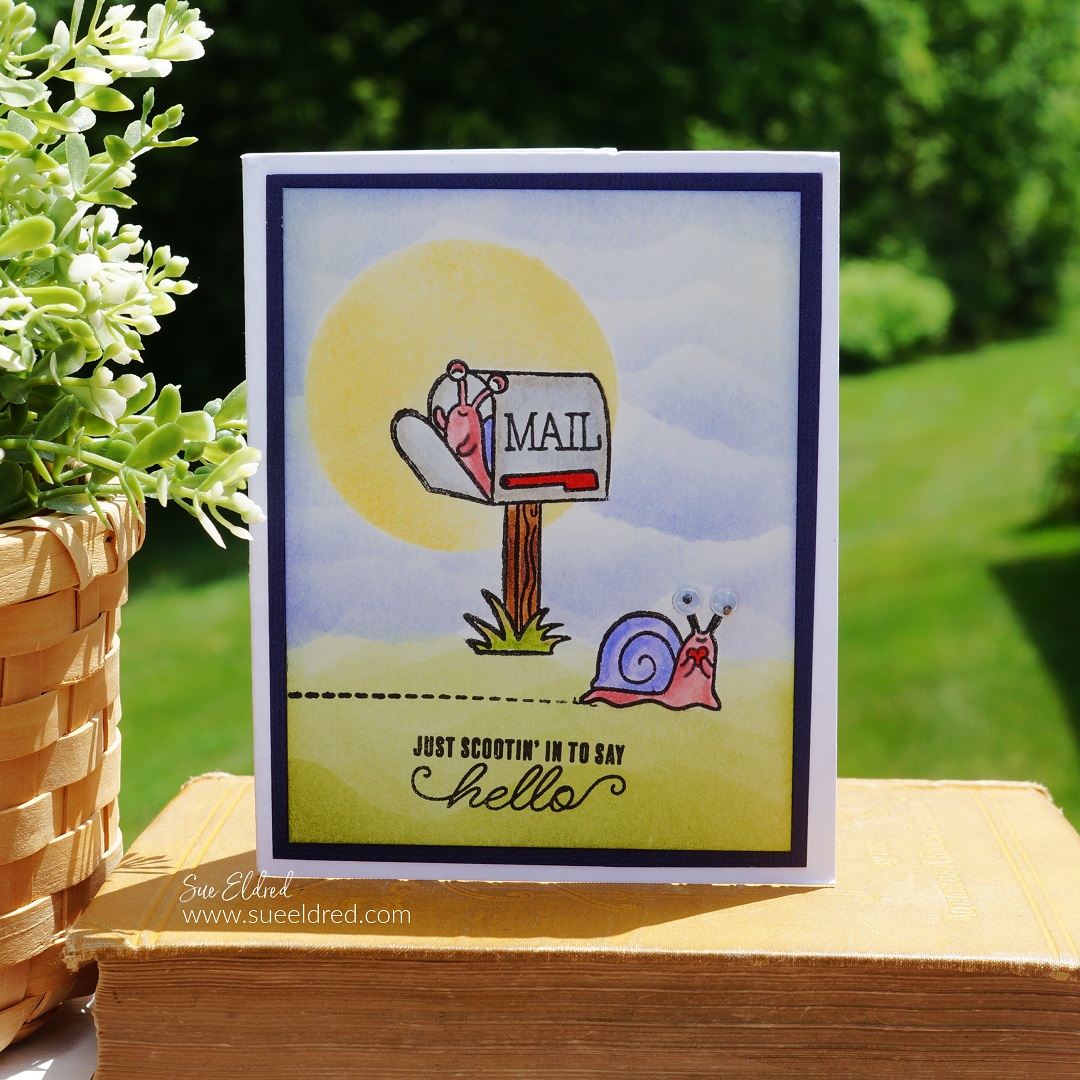
Just Scootin’ in to say Hello…

Don’t you just love getting “snail mail”?

It’s so nice when I open my mailbox and see something other than a bill or advertisement.

Snail Mail Stamped Card

The Snail Mail card was made using the Snail Mail Stamp Set from The Maker’s Movement. 

I used simple masking and background techniques that anyone can do to make the card a little more fun.

(see below for complete instructions)

Maker's Movement

Disclosure:  This is a sponsored post for The Maker’s Movement.  I have been provided product and compensation in exchange for my creative ideas.  The view and opinions are my own.   

Simple Masking and Background Techniques for Stamping

Directions:

*Disclosure:  This blog uses ads and affiliate links.  If you choose to make a purchase using one of the links, I receive a small commission (at no additional cost to you) that helps offset the costs of maintaining this blog.  Thanks for your support!

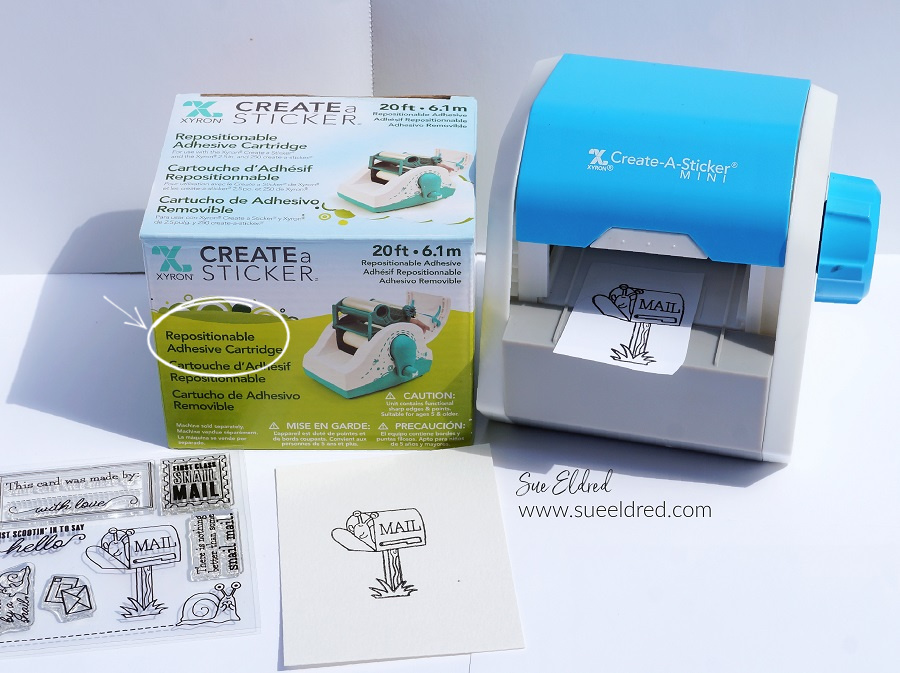
Xyron Create a Sticker Machine Mini

Creating a Mask for your stamped images…

To keep your image crisp and clean while creating your background you’ll want to create a mask.

  • Without re-inking, the “mailbox” stamp, stamp the image onto a piece of scrap paper. This lighter impression keeps the ink to a minimum and prevents it from getting onto your fingers when working with the mask.
  • Place the stamped copy into the Xyron Create-A-Sticker Mini* with a Repositionable Cartridge* design side up.
  • Turn the knob of the machine to run the paper through it.  As it goes through the machine it adds a layer of repositionable adhesive to the paper.

Creating Masks for Stamping Cards

  • Cut nice and tight around the stamped image – this cut-out now becomes your “mask”.
  • Remove the protective backing and place the mask directly over the stamped image.

Simple Masking and Background Techniques for Stamping

Masking the Sun…

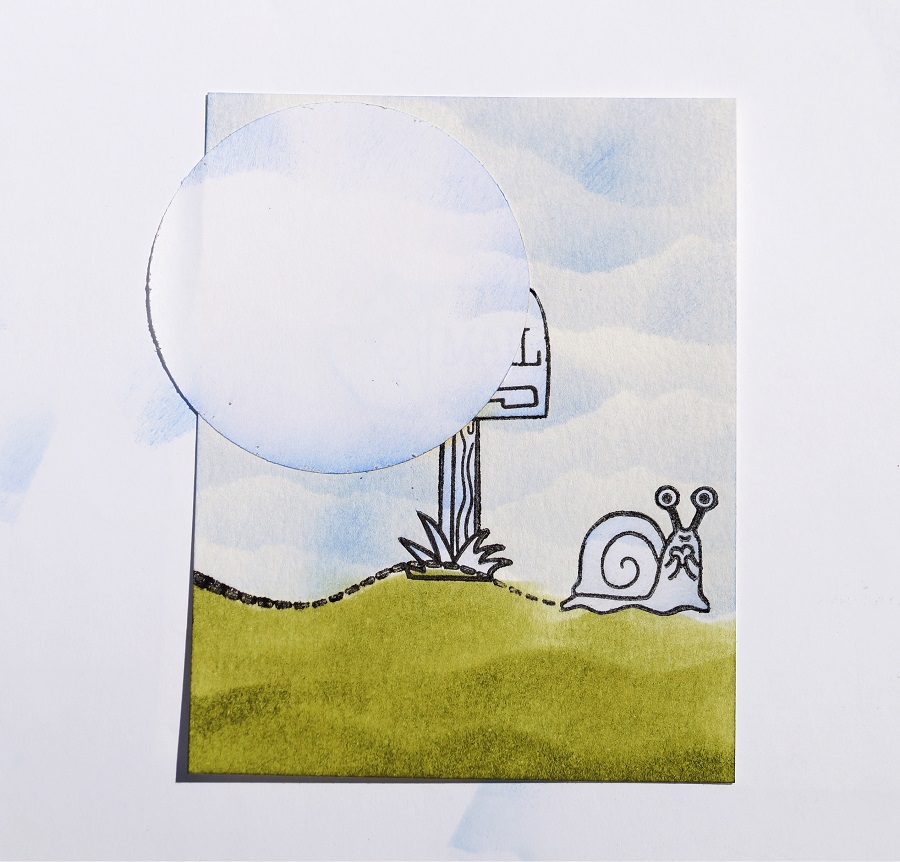
  • Punch or cut a circle from scrap paper.  (set aside the punched circle to use as a mask)
  • Use the open circle cutout as a template to create the sun.  Place the circle cutout over the masked/stamped mailbox.   Using a yellowish/golden inkpad and an Ink Blending Tool*, gently rub the ink onto the paper.  Be careful not to let the paper slip.
  • Take the punched circle and place it in the Xyron Create-A-Sticker Mini* (with repositionable cartridge) to make a mask that will fit over your “inked sun”.
  • Place mask over the Sun.

Simple Masking and Background Techniques for Stamping and Cardmaking.

Creating the Grass Background…

  • Stamp the “snail with dotted lines” in black ink over the base of the mailbox image.  You can leave the dotted line straight, or you can easily position the dotted line of the stamp to make it curvy.
  • Stamp a second snail to create a mask.  (You will only need to cut out the snail, not the dotted lines.)
  • Place the snail mask over the stamped snail image.
  • Use scissors to cut a wavy line on a piece of scrap paper to create your “grass background template”.
  • Starting at the top of the “curvy line”, use an Ink Blending Tool* and green ink and rub the ink down on the paper.  Continue moving the template down the paper and adding more grass lines.

Simple Masking and Background Techniques for Stamping and Cardmaking

Creating the cloudy sky background…

  • As a reminder…you should have masks on the Sun, Mailbox, and Snail.
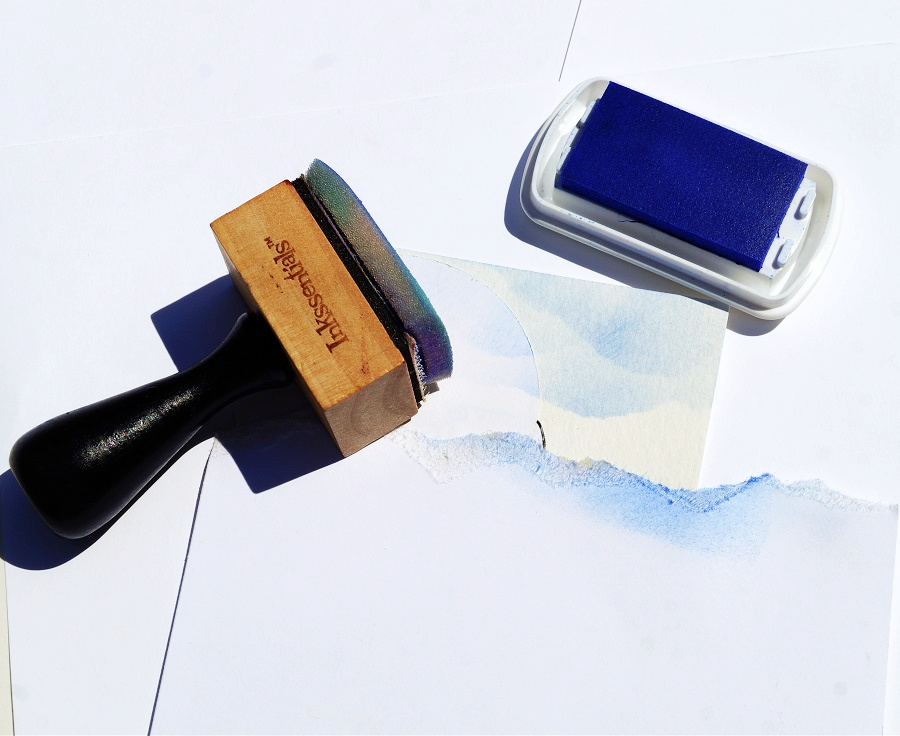
  • To make light and fluffy clouds, you’ll need a piece of scrap paper with a torn edge.
  • Place the torn edge at the top of the stamped watercolor paper.  Gently rub blue ink onto the paper with the Ink Blending Tool*.
  • Adjust the torn paper slightly and move down the paper and ink to create more clouds.  Continue inking clouds until you reach the grass line.

Simple Masking and Background Techniques for Stamping

  • Remove the masks from the sun, mailbox, and snail.

Simple Masking and Background Techniques for Stamping

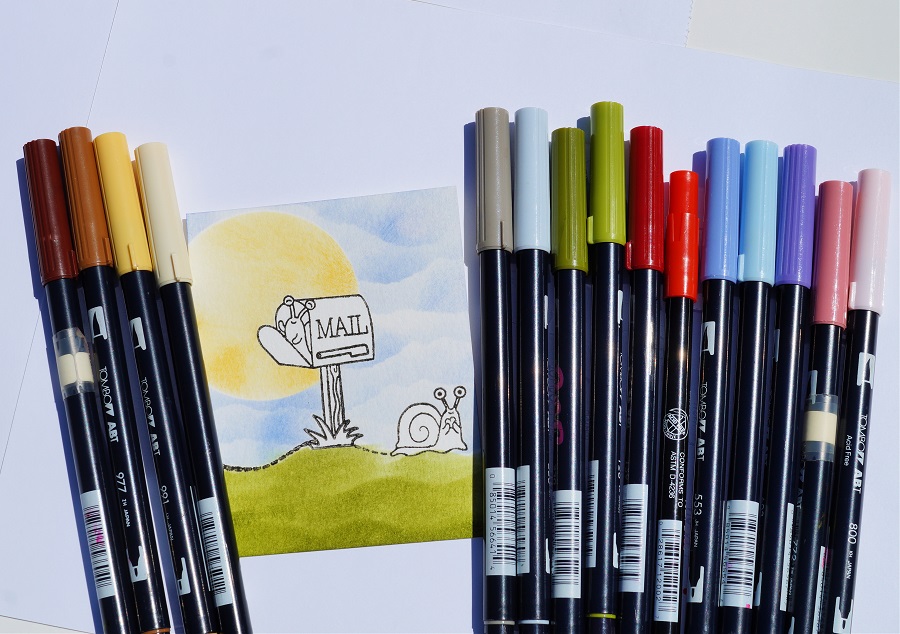
  • I used a variety of light and dark Tombow Dual Brush Art Markers to color in my image.
  • Because I use Watercolor Paper* and stamped the image with the Versa Fine Black Inkpad* I can easily blend the markers without the outline ink bleeding.

Shop Tombow

Simple Masking and Background Techniques for Stamping Cards and Envelopes

Decorated Envelopes for the Win!

I rarely decorate my envelopes.

I thought this card called for a little extra fun on the outside.

Simple Masking and Background Techniques for Stamping

And for a little extra fun, I added googly eyes to the snail on this card.

Mini Donut Box Gift Card Holder

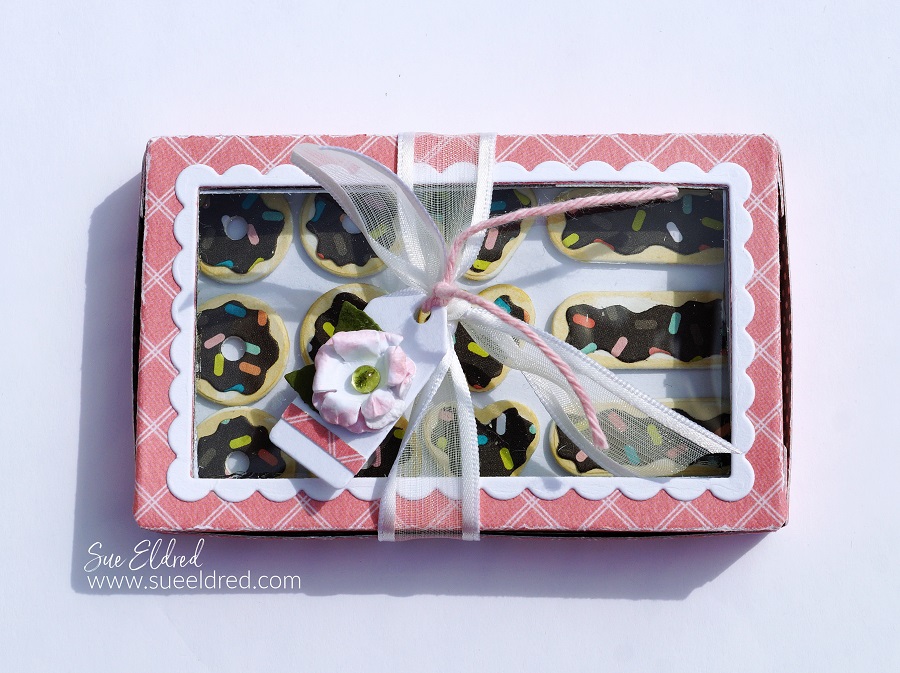
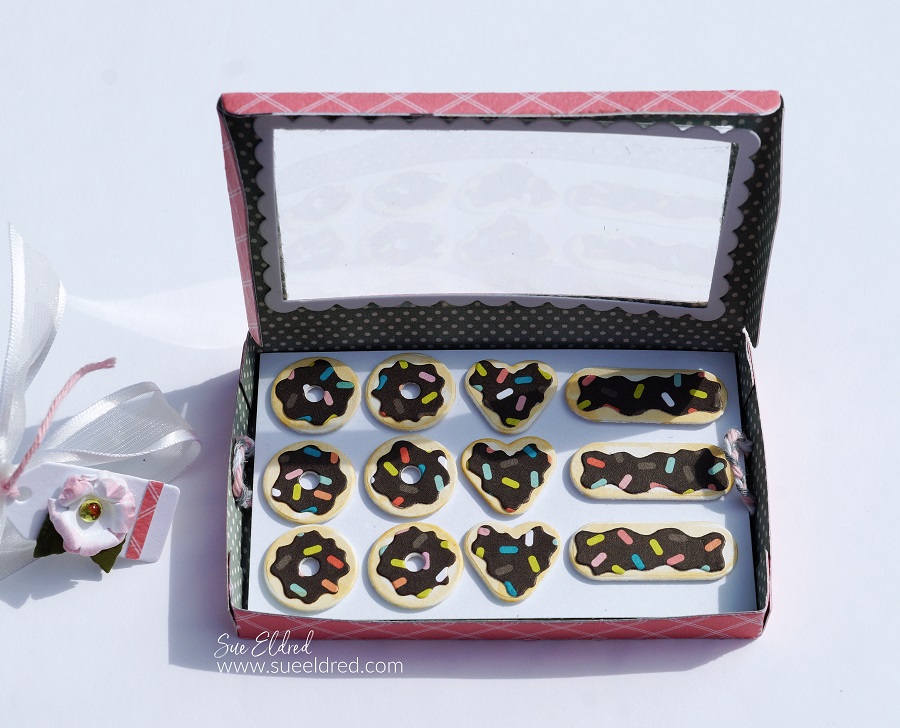
How to Make a Mini Donut Box Gift Card Holder.

How to Make a Sweet Mini Donut Box Gift Card Holder

using the Donut Box Die Set from The Maker’s Movement.

The perfect gift card/money holder for that special someone with a sweet tooth.

Maker's Movement

Disclosure:  This is a sponsored post  for the Maker’s Movement.  I have been provided product and compensation in exchange for my creative ideas.  The view and opinions are my own.   

How to Make a Mini Donut Box Gift Card Holder.

Materials Used:             (*affiliate links)

Shop Tombow

*Disclosure:  This blog uses ads and affiliate links.  If you choose to make a purchase using one of the links, I receive a small commission (at no additional cost to you) that helps offset the costs of maintaining this blog.  Thanks for your support!
Mini Donut Box Gift Box Holder

Directions:

  • Cut the Donut Box using the Crossover II Die-Cut Machine and the Donut Box Die Set.
  • Cut two scalloped rectangles using the Donut Box Die Set.  I like to run the paper through the Xyron Create-A Sticker Mini to add adhesive to the back of it before die-cutting.  It makes the scalloped rectangle a sticker which makes it so much easier to adhere to the box.
  • Remove the protective coating off of the acetate and adhere to the backside of the box opening.
  • Remove the backing off the “rectangle sticker” and place one on the front of the opening and the second onto the back of the opening.
  • Cut a small piece of acetate slightly larger than the opening on the Donut Box.
  • Gently fold Donut Box on the score lines.  Glue the side tabs together to form the box.

How to Make a Mini Donut Box Gift Card Holder

  • Cut the donuts out of cardstock.
  • Use the light tan Tombow Maker* around the edges of the Donuts to give them a “baked” look.

How to Make a Mini Donut Box Gift Card Holder

  • Place the “sprinkles” paper into the Xyron Create-A-Sticker Mini* design side up.
  • Turn the knob of the machine to run the paper through it.  As it goes through the machine it adds a layer of adhesive to the paper.

How to Make a Mini Donut Box Gift Card Holder

  • Cut the “icing for the donuts” out of the “sprinkles” paper and place it onto the cardstock donuts.
  • Cut a small 2 1/4″ x 3 1/2″ rectangle tray to fit inside the donut box.
  • Add thin 3D foam squares to the back of the donuts and stick them onto the tray.
  • I added two braided loops and taped them under the tray with regular tape.  I cut a second 2 1/4″ x 3 1/2″ piece of decorative scrapbook paper and adhered it under the donut box tray with the thin 3D foam squares.

How to Make a Mini Donut Box Gift Card Holder.

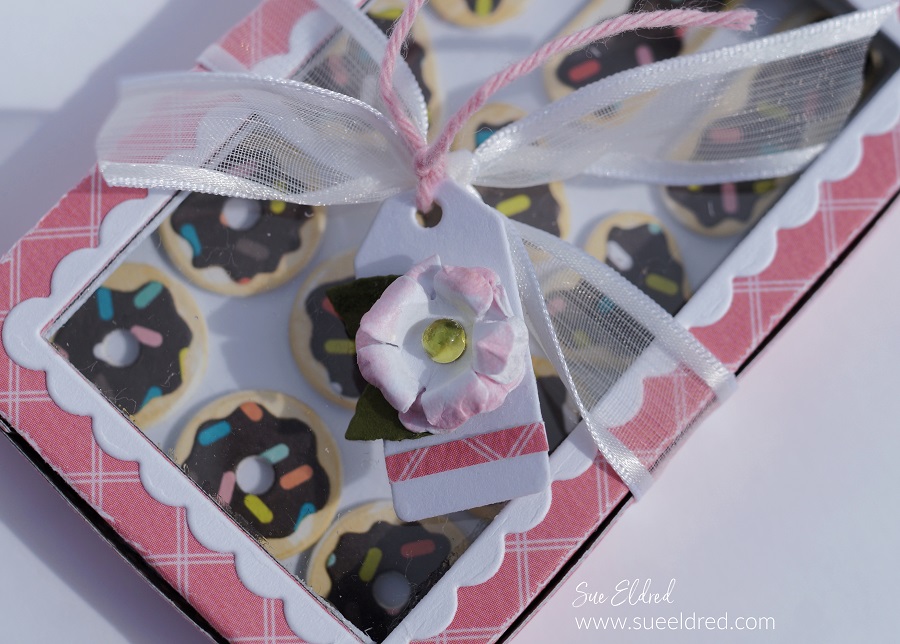
  • Cut a small tag using the tag die that comes with the Donut Box Die Set.
  • Cut two small flowers and two leaves using the Petite Flowers Die Set.  Add pink to the edges of the flowers using the #800 Pink Tombow Marker.
  • Carefully scrunch the flower with your fingers to give the flower shape.
  • Glue the flowers and leaves together onto the tag.

How to Make a Mini Donut Box

The Donuts look good enough to eat.

How to Make a Mini Donut Box Gift Card Holder.

Hide a gift card to your favorite donut shop or money under the donut tray for a sweet little surprise.

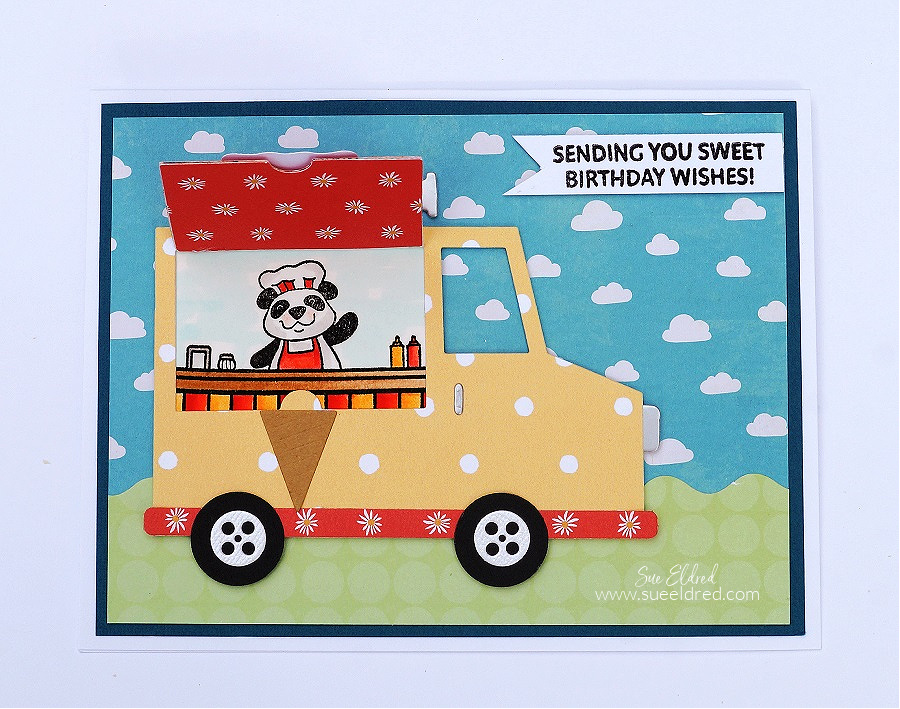
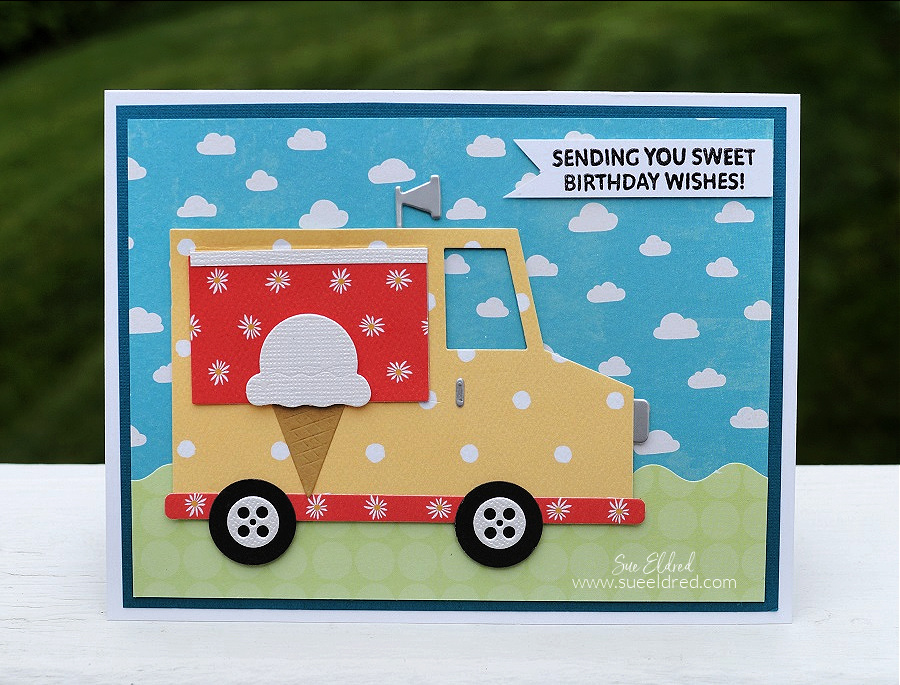
Ice Cream Truck Birthday Card

Ice Cream Truck Birthday Card

Ice Cream Truck Birthday Card

“Sending you Sweet Birthday Wishes” using the Food Truck Stamp and Die Sets from

The Maker’s Movement. This versatile set can be an Ice Cream Truck, Taco Truck,

and even a Donut Truck.

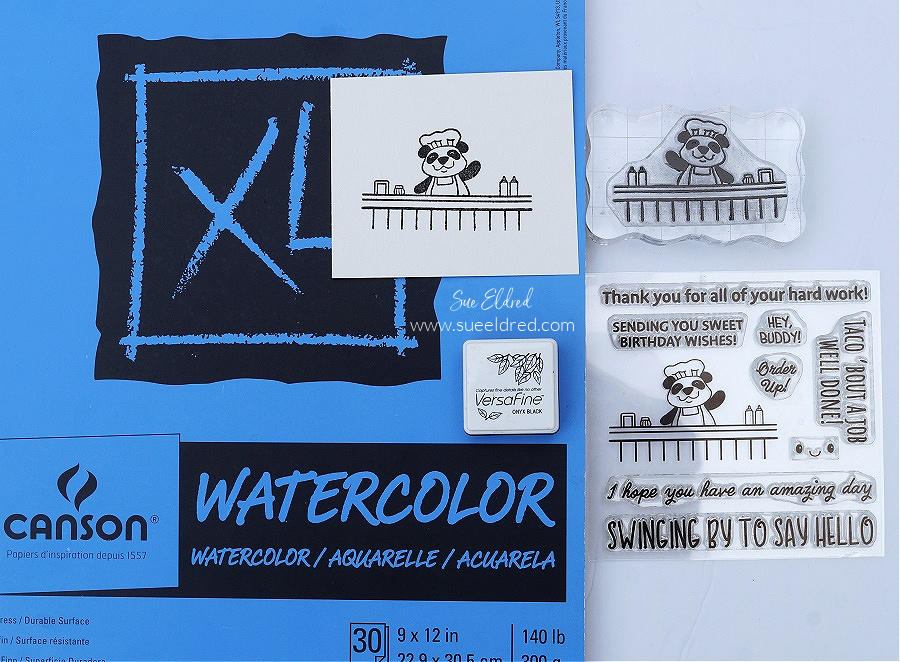
Food Truck Stamp Set from The Maker's Movement

  • Stamp the “panda stamp” on white watercolor paper using a black permanent ink pad.

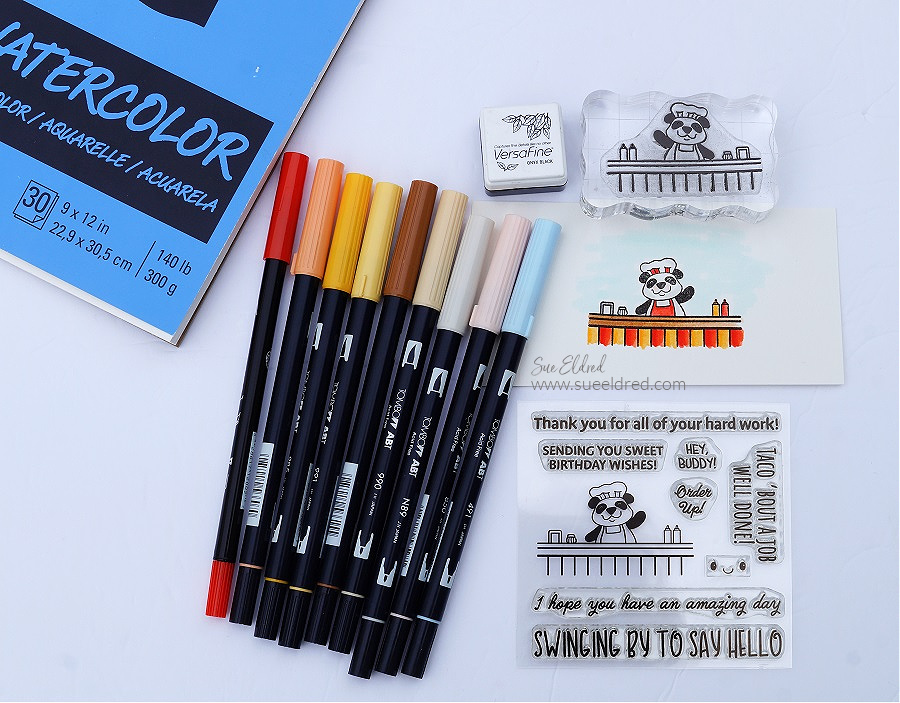
Materials Used:    (*affiliate link)

Shop Tombow

*Disclosure:  This blog uses ads and affiliate links.  If you choose to make a purchase using one of the links, I receive a small commission (at no additional cost to you) that helps offset the costs of maintaining this blog.  Thanks for your support!

Food Truck Stamp Set from The Maker's Movement

  • I used a variety of light and dark Tombow Dual Brush Art Markers to color in my image.  Because I use watercolor paper and stamped the image with permanent black ink I can easily blend the markers without the outline ink bleeding.

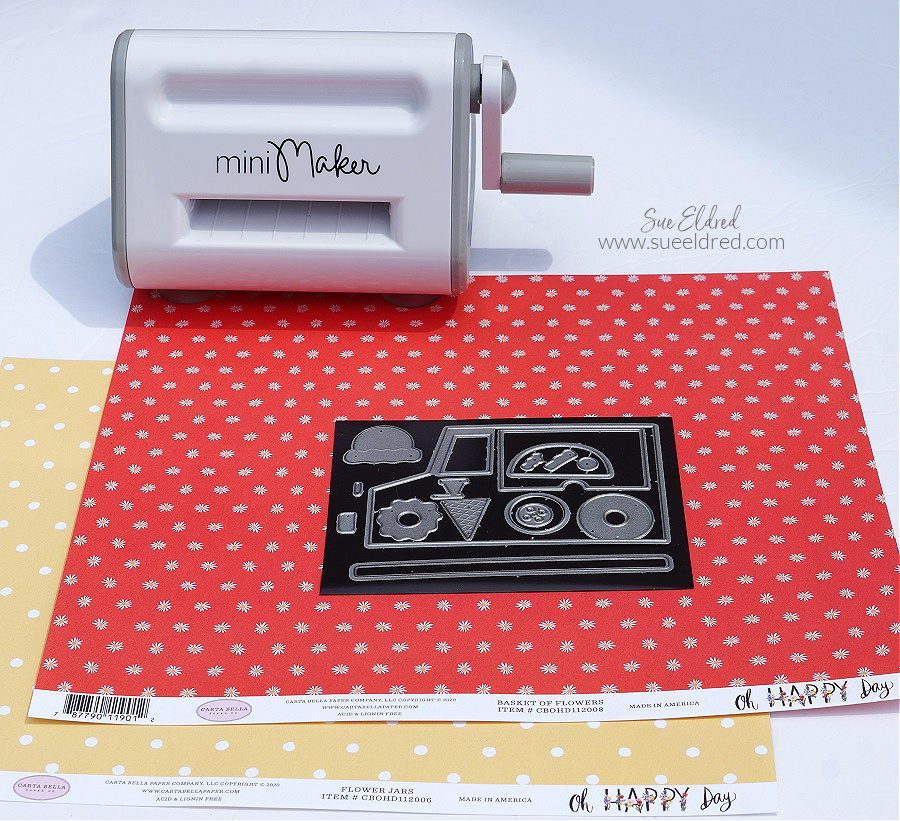
Mini Maker Die Cutting Machine

Die Cut the pieces of the “Food Truck” using the Mini Maker Die Cutting Machine

and decorative scrapbook paper.  The Mini Maker is great for die-cutting small pieces

and takes up less space on your table than those bigger machines.

Ice Cream Truck Birthday Card

The Food Truck Die Set comes with so many little details that make putting this card together

a lot of fun.  The “window die” cuts out a flap on the food truck that lifts to reveal the panda

ready to take your order.

Maker's Movement

Disclosure:  This is a sponsored post  for the Maker’s Movement.  I have been provided product and compensation in exchange for my creative ideas.  The view and opinions are my own.   

A Coffee Gift Card Holder for Mom

a Coffee Card for Mom

How to make a “coffee-themed” gift card holder for Mom for Mother’s Day.

Do you have a Mom who’s a coffee lover?

Make her a cute “coffee-themed” card perfect for adding a gift card to her favorite store

or coffee place.

A Coffee Themed Gift Card Holder for Mom.

Materials Used:     (*affiliate link)


*Disclosure:  This blog uses affiliate links.  If you choose to make a purchase using one of the links, I receive a small commission (at no additional cost to you) that helps offset the costs of maintaining this blog.  Thanks for your support!

A Coffee Themed Card for Mom

Directions:

  • Die-cut the pieces from the Coffee Die Set out of scrapbook paper using the Crossover II Die-Cutting Machine.
  • Assemble the die-cut pieces on a layered card front.
  • For the base of the gift card holder, I cut a piece of cardstock 5 1/4″ x 9 3/4″.  Score lengthwise every 3 1/4″.
  • Adhere a 3″ x 5″ piece of green polka dot paper onto the middle panel.
  • On the third panel, cut down the side approx. 2 1/2″.  Cutaway the remaining section of the panel on a diagonal to create a flap.
  • Adhere the bottom and the short side of the flap to the middle panel to create a pocket.
  • Decorate the pocket with a flower that was “fussy cut” from the floral paper.  Add a small strip to edge the pocket.

Die-Cutting letters using the Crossover II.

Directions Continued:

  • For the letters on the front of the card, I used gold foiled paper.  To make the letters stickers, I ran the gold foiled paper through the Xyron Creative Station*.  As you run the paper through the machine it adds a complete layer of adhesive to the back of the paper.
  • Die-Cut the letters to spell “MOM” using the Alphabet Die Set and the
  • Die-cut the gold foiled paper (with adhesive added to the back) using the alphabet die and the Crossover II Die-Cutting System*.
  • Remove the backing off the back of the letters and stick them onto the front of the card.
  • Tie gold thread around the front of the card and tie it with a knot.

LETTER ALIGNING TIP…If you’re a perfectionist like I am and want to align the letters as straight as possible. Use Gridded Transfer Paper* to help you line up the letters. Place the front of the foiled letters on the adhesive side of the transfer paper, remove the backing off of the foiled paper and transfer the letters onto the front of the card.

A coffee themed card for Mom

Now all you need to do is add a gift card for her favorite store or coffee place along with a sweet note.

Maker's Movement

Disclosure:  This is a sponsored post for the Maker’s Movement.  I have been provided product and compensation in exchange for my creative ideas.  The view and opinions are my own.   

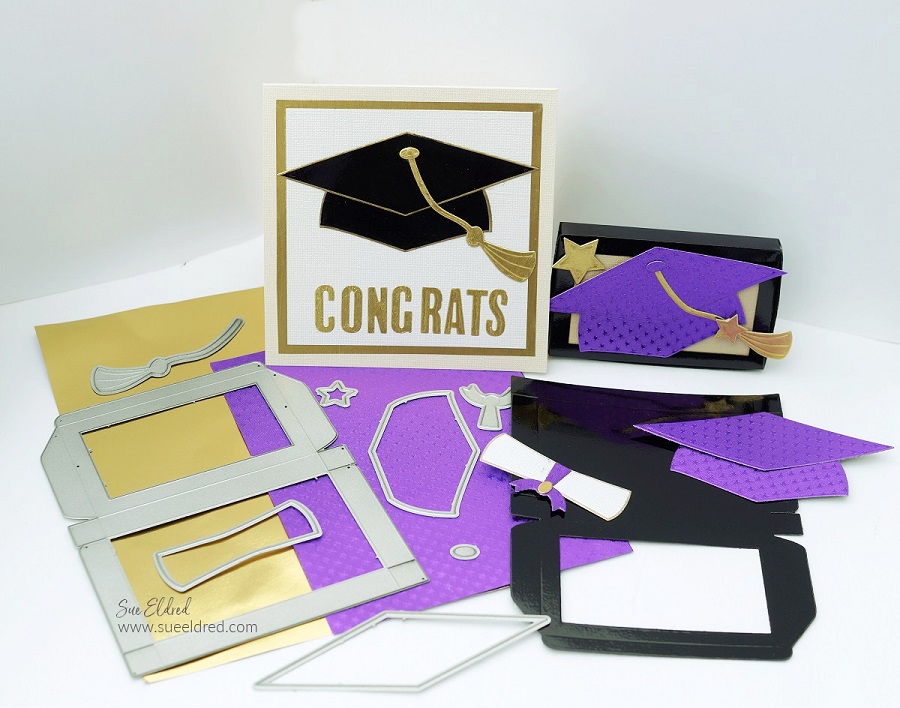
DIY Graduation Card and Gift Card Holder

Graduation Card and Gift Card Holder-Sue's Creative Workshop www.sueeldred.com 7576

DIY Graduation Cap Card and Gift Card Holder

How to make personalized graduation cards for the special people in your life.

Graduation Card and Gift Card Holder-Sue's Creative Workshop www.sueeldred.com 7743

For the Graduation Card and Card Holder

I used The Maker’s Movement NEW Graduation Cap Die Set and the NEW Donut Box Gift Card Holder Die Set.

If you are a Card maker/Paper Crafter, make sure to check out all NEW RELEASE Stamp & Die Sets now available. So many cute sets!  (and I promise, I will have more on the donut box later)

Disclosure:  This is a sponsored post  for the Maker’s Movement.  I have been provided product and compensation in exchange for my creative ideas.  The view and opinions are my own.   

Additional Materials Used:                (*affiliate link)

*Disclosure:  This blog uses affiliate links.  If you choose to make a purchase using one of the links, I receive a small commission (at no additional cost to you) that helps offset the costs of maintaining this blog.  Thanks for your support!

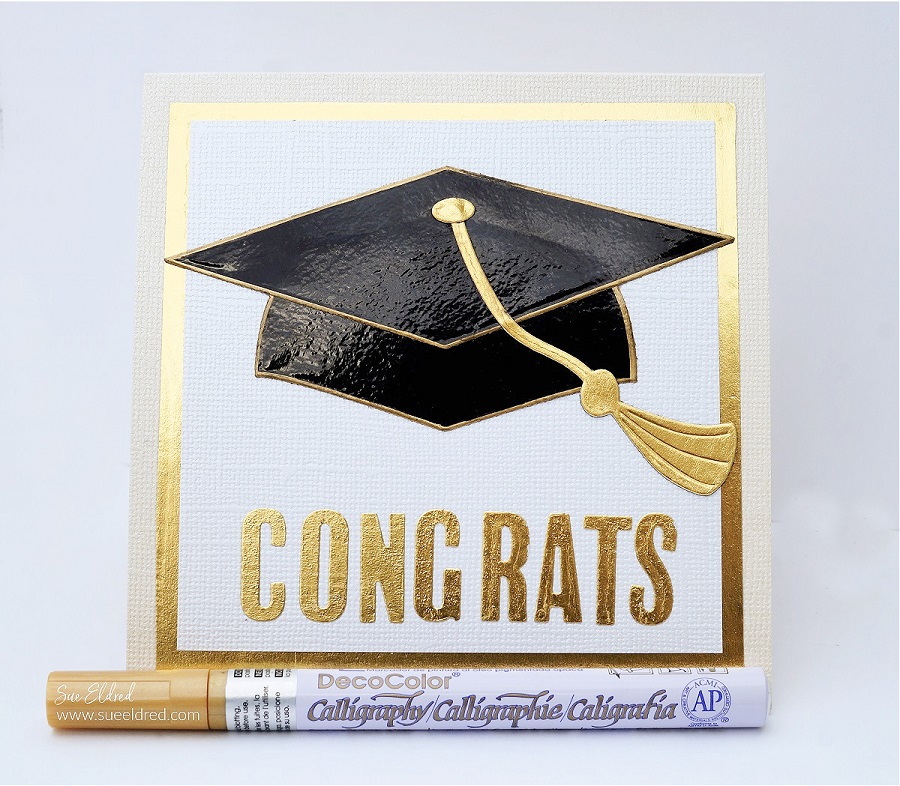
Graduation Hat Card-Sue's Creative Workshop www.sueeldred.com 7720

Directions:

  • The pieces for the Graduation Cap were die-cut out of Black Glossy Cardstock* and edged in gold using a Gold Chisel Tip Calligraphy Pen*.
  • The gold layer for the card is Rinea Foiled Paper which was adhered to the card base using a Tape Runner*.  
  • The tassel and button on the cap were made using the gold foiled paper adhered to cardstock and then die-cut.
Graduation Hat-Xyron Creative Station-Sue's Creative Workshop www.sueeldred.com 7696
  • I used the Xyron Creative Station* to add adhesive to the back of the foiled paper.
  • This picture is when I used the Xyron Creative Station* to add adhesive to the purple foiled paper for the gift cardholder.  
  • I also added adhesive to the gold foiled paper used to create the letters on the front of the card.
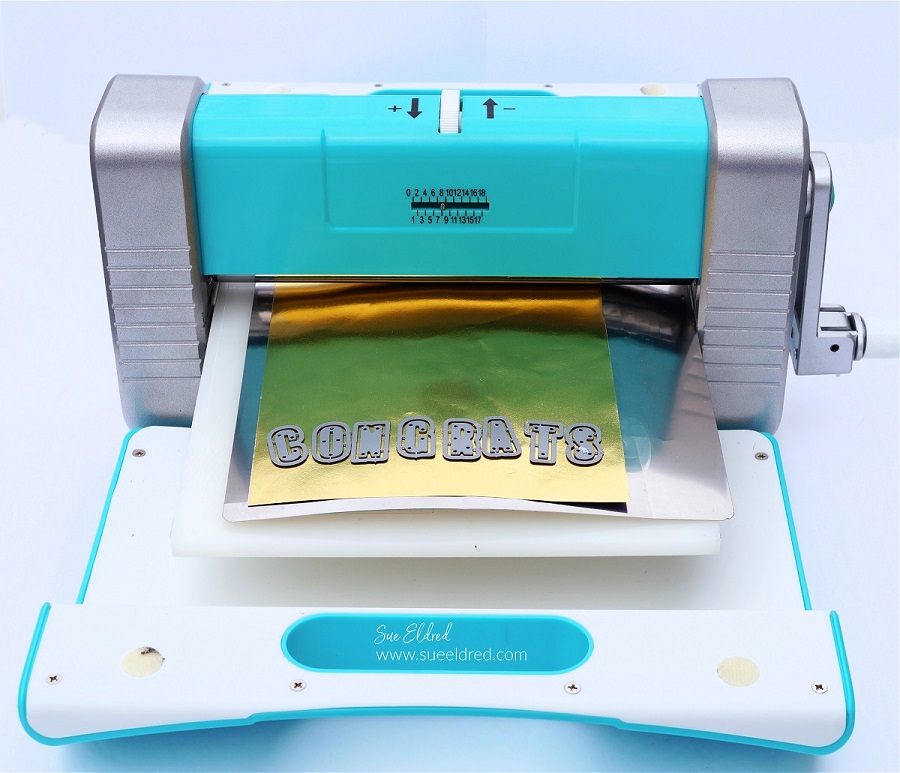
Graduation Hat Card-Crossover II Diecutting Machine-Sue's Creative Workshop www.sueeldred.com 7769
  • Die-cut the gold foiled paper (with adhesive added to the back) using the alphabet die and Crossover II Die-Cutting System*.
  • The adhesive on the back of the foil makes the letters stickers and easy to adhere. 

LETTER ALIGNING TIP…If you’re a perfectionist like I am and want to align the letters as straight as possible. Use Gridded Transfer Paper* to help you line up the letters. Place the front of the foiled letters on the adhesive side of the transfer paper, remove the backing off of the foiled paper and transfer the letters onto the front of the card.

Graduation Hat Gift Card Holder-Sue's Creative Workshop www.sueeldred.com 7603

To Make the Graduation Cap Gift Card Holder:

  • To make my gift card personal, I chose to make my graduation cap purple to honor the school colors of this year’s graduate.
  • Add adhesive to the back of the foiled paper using the Xyron Creative Station*.  (see previous picture)
  • Die-cut the pieces of the graduation cap using the Crossover II Die-Cutting System*.
  • Die-cut the base of the gift card holder out of black glossy cardstock and the New Donut Box Die.
  • Fold the box on the score lines and adhere to side tabs to create the box.  
  • Adhere a small piece of paper on the inside of the box to finish creating the lid.  
  • Adhere the Graduation Cap pieces onto the top of the box.  If you would like a little dimension, add 3D Adhesive Foam Squares to the back of the cap before adding it to the box.
Graduation Hat Gift Card Holder-Sue's Creative Workshop www.sueeldred.com 7646
  • Add a little personality on the inside of the box with graduation-themed scrapbook paper.  
  • Insert candy, gift card, or cash for a graduation gift they’re sure to love.

Vintage Inspired Library Pocket Collage

Library Pocket Collage-Sue's Creative Workshop www.sueeldred.com 3614

Framed Vintage Inspired Library Pocket Floral Collage

Lately, my style has leaned towards “Clean and Simple”.

But sometimes I like to get inky and create a project with a vintage feel.

The Framed Library Pocket Floral Collage uses the Library Card Die Set from

the Maker’s Movement and beautiful papers from Kaisercraft’s Flower Shoppe Collection.

Maker's Movement

Disclosure:  This is a sponsored post for the Maker’s Movement.  I have been provided product and compensation in exchange for my creative ideas.  The view and opinions are my own.

Library Pocket Collage-Sue's Creative Workshop www.sueeldred.com 3331

Materials Used:    (*Affiliate Link)

*Disclosure:  This blog uses affiliate links.  If you choose to make a purchase using one of the links, I receive a small commission (at no additional cost to you) that helps offset the costs of maintaining this blog.  Thanks for your support!

A few project details:

  • I cut a thin frame out of woodgrain scrapbook paper and the nested rectangle dies. 
  • I used a combination of ribbon and trims to wrap around the library pocket.
  • I filled the library pocket with floral bits & pieces.  Some popped up with 3D foam squares, others backed with thin mat board scraps.  
  • The edges of the pieces were lightly inked using an ink applicator and Vintage Photo Distress Ink.

A soft and delicate Vintage-Inspired Collage for Spring.

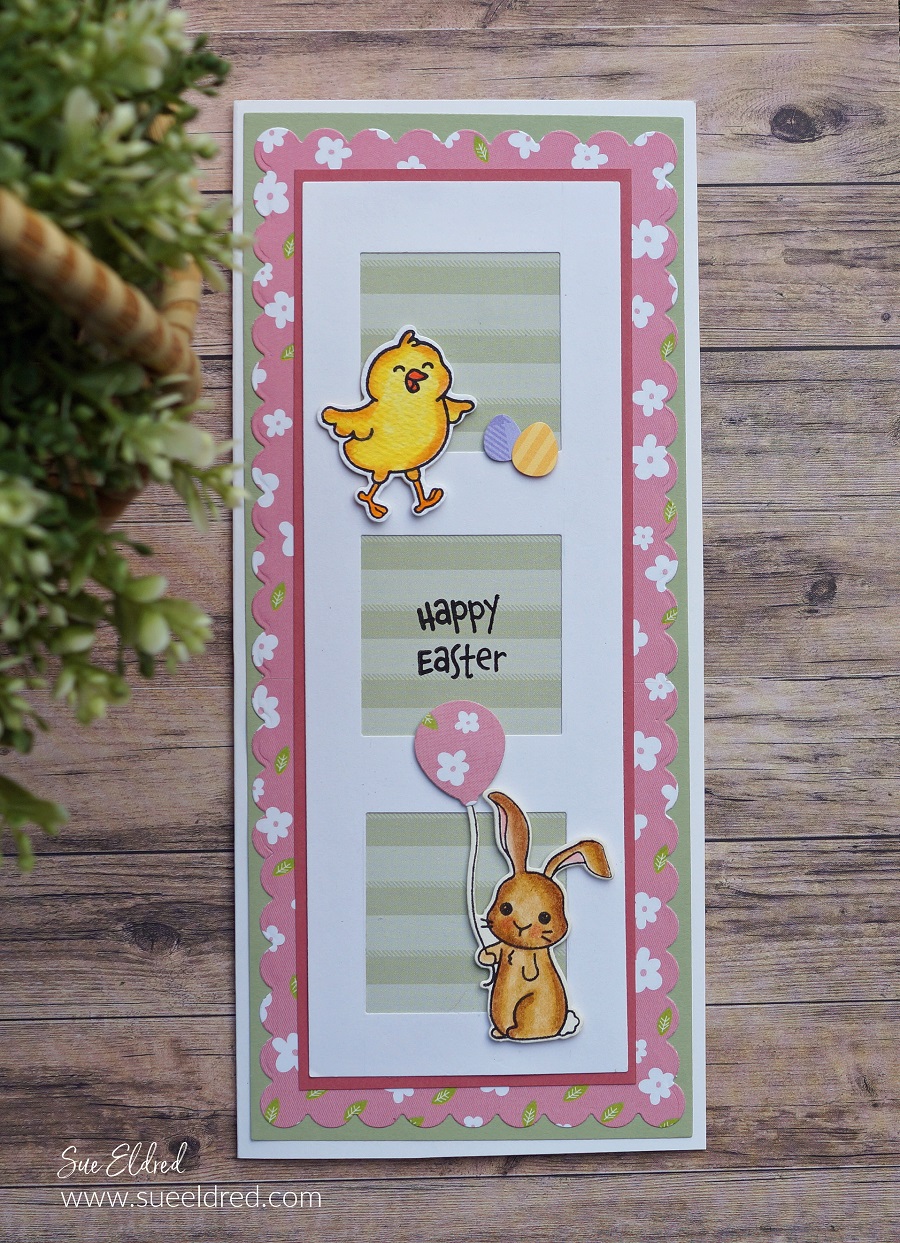
Simple Easter Slimline Card

A Sweet Little Easter Slimline Card.

My favorite time of the year is Spring.  I love celebrating Easter and the new flowers popping out

of the ground and sweet little bunnies and chicks that fill Easter Baskets.

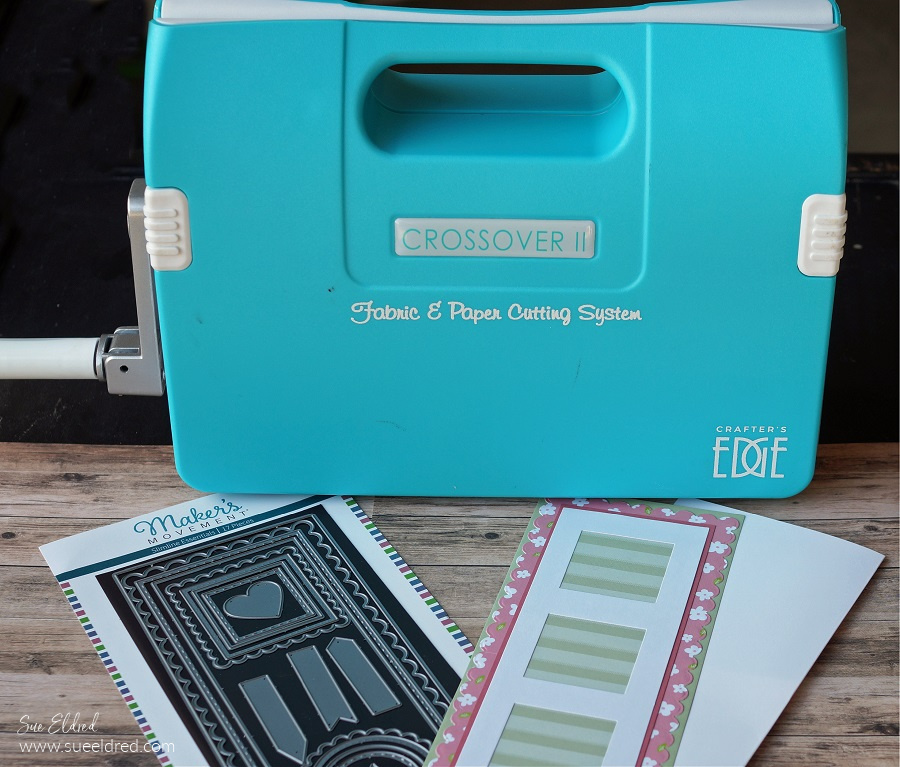
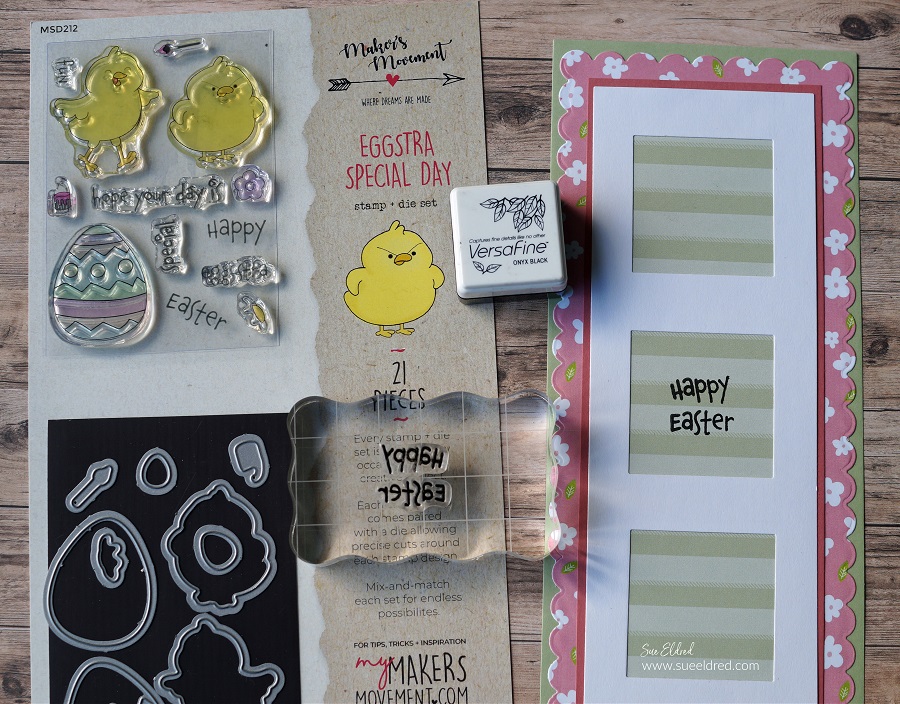
My Simple Easter Slimline Card was made using dies and stamps from The Maker’s Movement.
 

Disclosure:  This is a sponsored post for the Maker’s Movement.  I have been provided product and compensation in exchange for my creative ideas.  The view and opinions are my own.

Here’s what I used to make the card:       (*affiliate link)

Shop Tombow

*Disclosure:  This blog uses affiliate links.  If you choose to make a purchase using one of the links, I receive a small commission (at no additional cost to you) that helps offset the costs of maintaining this blog.  Thanks for your support!

  • Making Slimline Cards are so easy with the Slimline Essentials Die Set from The Maker’s Movement.  Perfect for layering and adding windows.

Just enough space for a simple stamped greeting in the center of the card.

Add a couple stamped and colored images to your slimline layers and you have a simple and quick card.