Trick or Treat Halloween Shaker Card

Trick or Treat Halloween Shaker Card

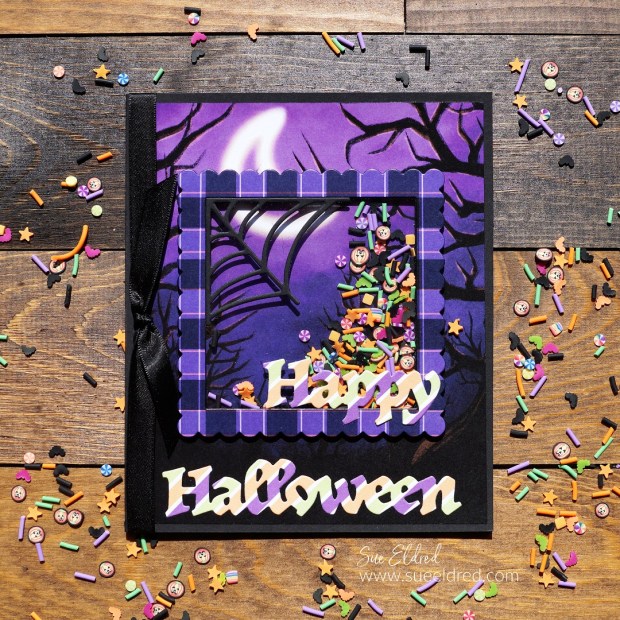
How to Make a Not So Spooky Halloween Shaker Card.

When it comes to anything Halloween, I like it more “cute” than scary. (big chicken here)

This Not So Spooky Halloween Shaker card uses Dies and Shaker Sprinkles from

The Maker’s Movement’s New Halloween Collection.

Maker's Movement

Disclosure:  This is a sponsored post  for The Maker’s Movement.  I have been provided product and compensation in exchange for my creative ideas.  The view and opinions are my own. 

Trick or Treat Halloween Shaker Card

Materials Used:           (*affiliate link)

*Disclosure:  This blog uses ads and affiliate links.  If you choose to make a purchase using one of the links, I receive a small commission (at no additional cost to you) that helps offset the costs of maintaining this blog.  Thanks for your support!

Trick or Treat Halloween Shaker Card

Directions:

  • I used the Halloween Scene from the Tricks and Treats paper pad for the base of my card. I cut off a 1/2″ off both sides of the paper, making it 5″ x 6″. (The finished card measures 5 1/4″ x 6 1/4″.)
  • Die-cut a large scalloped square frame out of the purple plaid paper from the paper pad.
  • Die-cut a large foam square using the foam cutter die. The foam square will fit under the scalloped square frame.
  • Because I didn’t want the white sides of the foam showing in my shaker element, I used black calligraphy (chisel point) paint marker to color the outside and inside of the foam square. Place the foam square onto the card base. (as shown above)
  • Add “Tricks and Treats” shaker sprinkles into the center of the foam square.
  • Cut a 3 1/4″ x 3 1/4″ piece of clear acetate. Remove the blue protective covering from both sides of the acetate.
  • Remove the top protective coating from the foam square and place the acetate onto the foam.
  • Add adhesive under the purple plaid scalloped square and place it over the acetate lined up with the foam square.
Trick or Treat Halloween Shaker Card

Die-Cutting Tip…

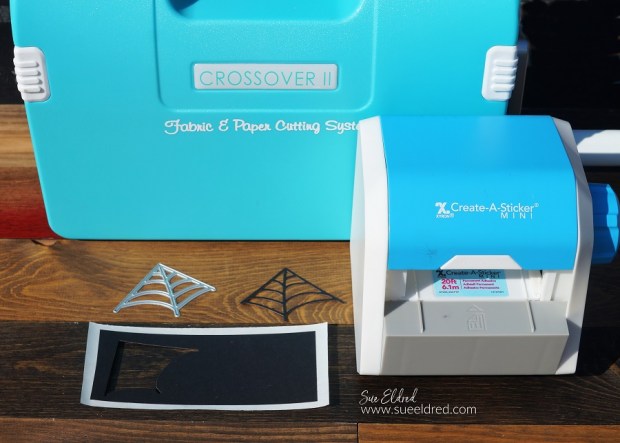
  • When cutting small die-cut pieces, I like to run the paper through the Xyron Create a Sticker Mini*.  After die-cutting, they become little stickers. That makes applying the die-cuts a whole lot easier.

Trick or Treat Halloween Shaker Card

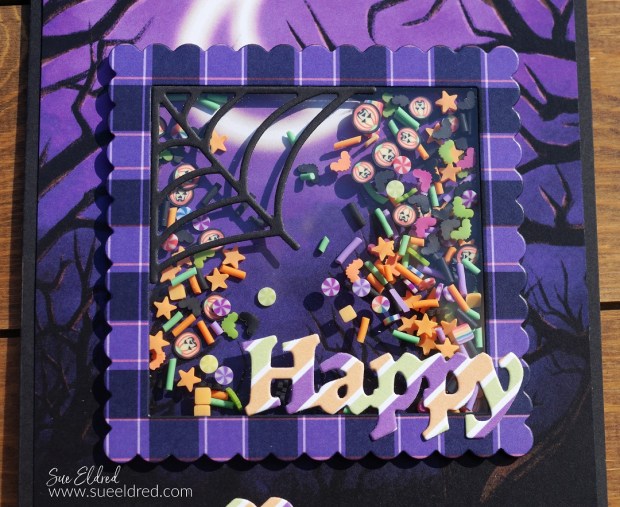
  • Apply the Spider Web die-cut onto the inside corner of the shaker element.
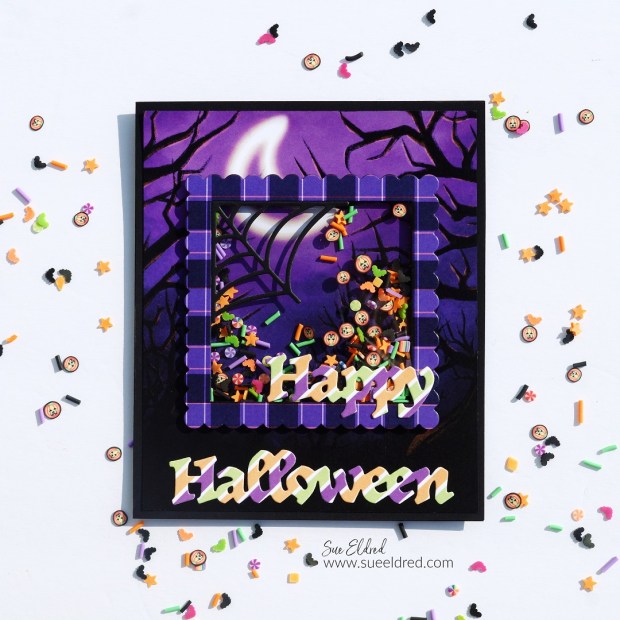
  • Add the words “Happy Halloween” onto the front of the card.
Trick or Treat Halloween Shaker Card

I enjoy making cards with dimension and movement.

I think this is one of the simplest shaker cards I’ve made so far.

If you love making shaker cards, make sure to check out all the dies and cute shaker sprinkles

that are available from The Maker’s Movement.
Toil and Trouble Halloween Shaker Card

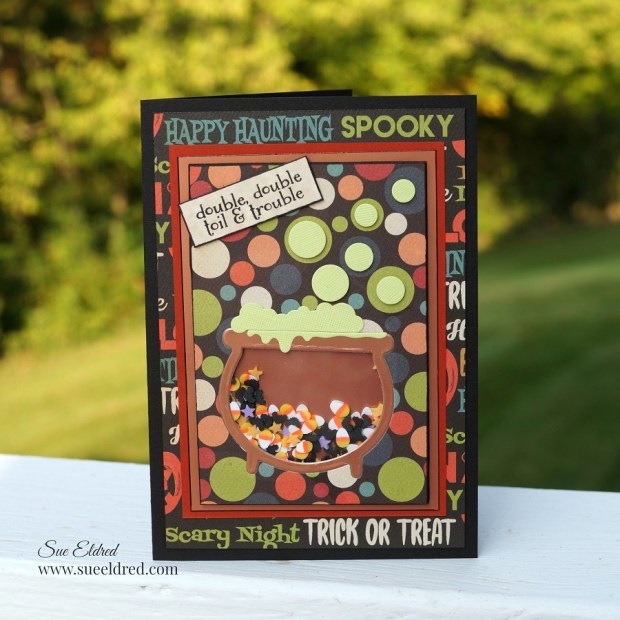
Toil & Trouble Halloween Shaker Card.

This is the Halloween Shaker Card I made last year.  You can see how it was made here.

Playing with i-crafter Dies and Embossing Plates

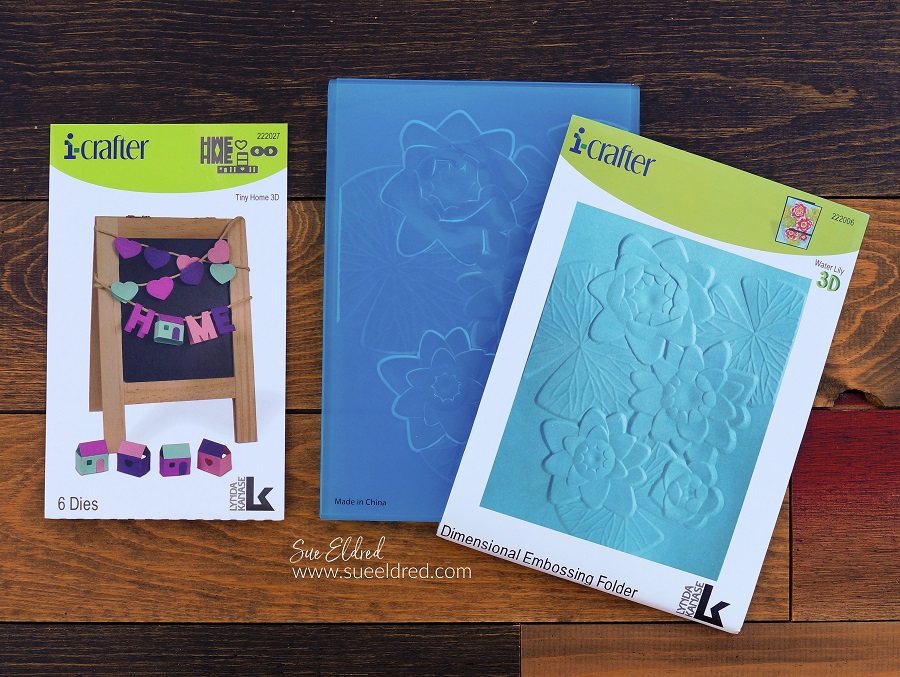
i-crafter tiny home die and water lily embossing plate

I always love getting the chance to play with something new.

For this month’s Designer Craft Connection Blog Hop, I created a couple of projects using

the I-CRAFTER Tiny Home 3D Die Set* and the I-CRAFTER Water Lily Emboss Folder*.  

i-crafter logo

Disclosure:  This is a sponsored post  for i-crafter.  I have been provided product in exchange for my creative ideas.  The view and opinions are my own. 

i-crafter tiny home die

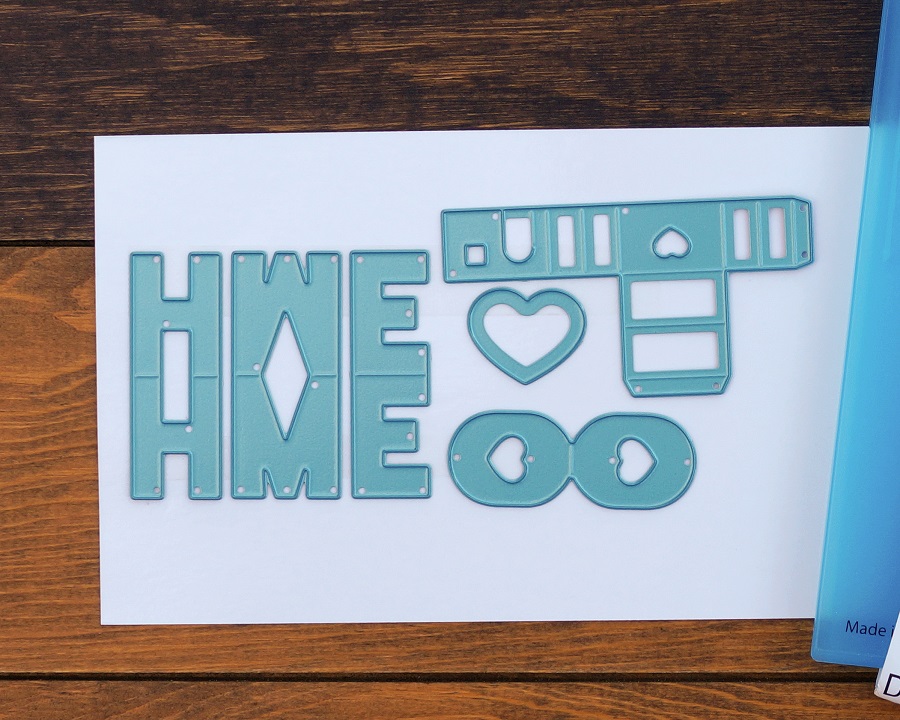
The Tiny Home Die Set* cuts out the cutest little house.

*Disclosure:  This blog uses ads and affiliate links.  If you choose to make a purchase using one of the links, I receive a small commission (at no additional cost to you) that helps offset the costs of maintaining this blog.  Thanks for your support!

Tiny Home Banner

I used the I-CRAFTER Tiny Home 3D Die Set* to create a little fall banner to hang

on the corner of my favorite family picture.

Water Lily Cards

I used the I-CRAFTER Water Lily Emboss Folder* to create two cards with two different looks.

The first card was embossed using Watercolor Paper*

I used a Waterbrush* and inks to watercolor directly onto the embossed paper.

The second card I embossed onto blue textured cardstock.

I used DecoArt Metallic Champagne Ice Lustre Wax* and rubbed it

over the embossed areas using my fingertip.

Two simple cards using the same embossing folder!

Designer Craft Connections Pic

To see all the i-crafter projects the other designers have made, click here.
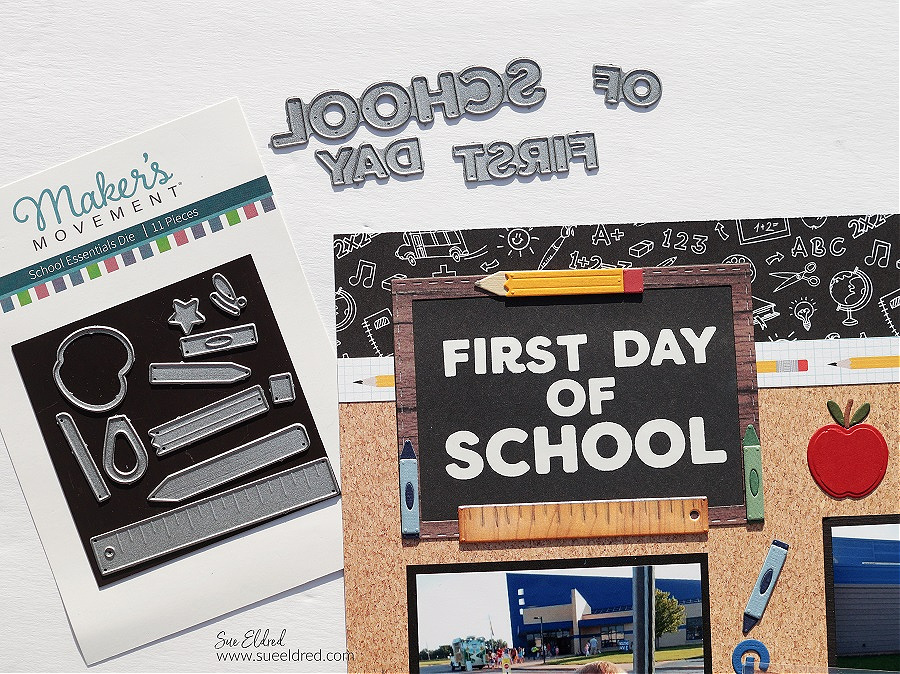
First Day of School Scrapbook Layout

First Day of School Scrapbook Layout

Capturing the First Day of School Smiles…

As a kid, I always looked forward to going back to school.

New clothes, new supplies, and the new fall lineup on TV.

As a mom, I was a little sad sending them.

It always felt like summer was over as soon as the kids went back to school.

I was never that mom that couldn’t wait for them to go back.

But once we got back into the routine, everything was good again.

(The layout is of my older two Grandsons First Day of School.)

First Day of School Scrapbook Layout

Die-Cutting Tips…

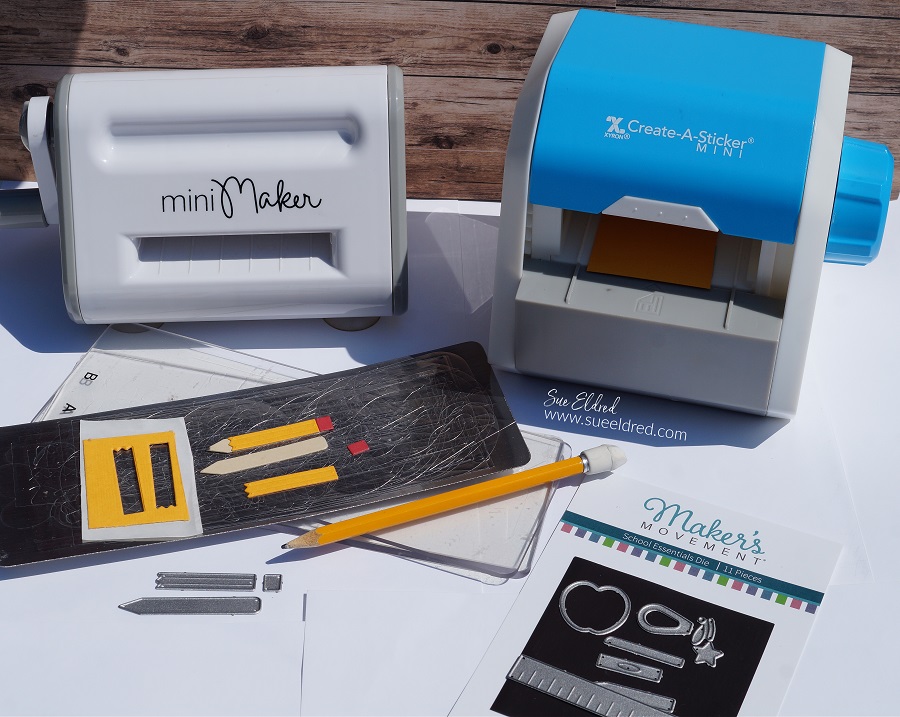
  • For better results with dies that have grooves, use thick or double-layered cardstock.
  • I adhered two pieces of cardstock together using the Xyron Create-A-Sticker Mini*.
  • I also added a second layer of adhesive to the cardstock before cutting the pieces out using the Mini Maker Die Cutting Machine.
  • You will want to run it through and then back again to make sure that all layers have been cut.
  • Each little die-cut piece becomes a sticker which makes it easy to put all the parts together.

Maker's Movement

Disclosure:  This is a sponsored post  for The Maker’s Movement.  I have been provided product and compensation in exchange for my creative ideas.  The view and opinions are my own. 

School Essentials Die Set from The Maker's Movement First Day Die Set from The Maker's Movement

Materials Used:    (*affiliate links)


*Disclosure:  This blog uses ads and affiliate links.  If you choose to make a purchase using one of the links, I receive a small commission (at no additional cost to you) that helps offset the costs of maintaining this blog.  Thanks for your support!

Back to School Mini Essentials Card

Back to School Mini Essentials Card

Start their year off right with a card made with Back to School Mini Essentials.

Perfect for both Students and Teachers.

The mini essentials would make great embellishments for a scrapbook page.

The small ruler frame would look great with this year’s back to school picture.

Maker's Movement

Disclosure:  This is a sponsored post for The Maker’s Movement.  I have been provided product and compensation in exchange for my creative ideas.  The view and opinions are my own. 

Back to School with Mini Essentials Card

Die-Cutting Tips…

  • For better results with dies that have grooves, use thick or double-layered cardstock.
  • I adhered two pieces of cardstock together using the Xyron Create-A-Sticker Mini*.
  • I also added a second layer of adhesive to the cardstock before cutting the pieces out using the Mini Maker Die Cutting Machine.
  • You will want to run it through and then back again to make sure that all layers have been cut.
  • Each little die-cut piece becomes a sticker which makes it easy to put all the parts together.

Back to School Mini Essentials Card

This is a great way to use up small scraps of cardstock.

Products Used:    (*affiliate link)

*Disclosure:  This blog uses ads and affiliate links.  If you choose to make a purchase using one of the links, I receive a small commission (at no additional cost to you) that helps offset the costs of maintaining this blog.  Thanks for your support!

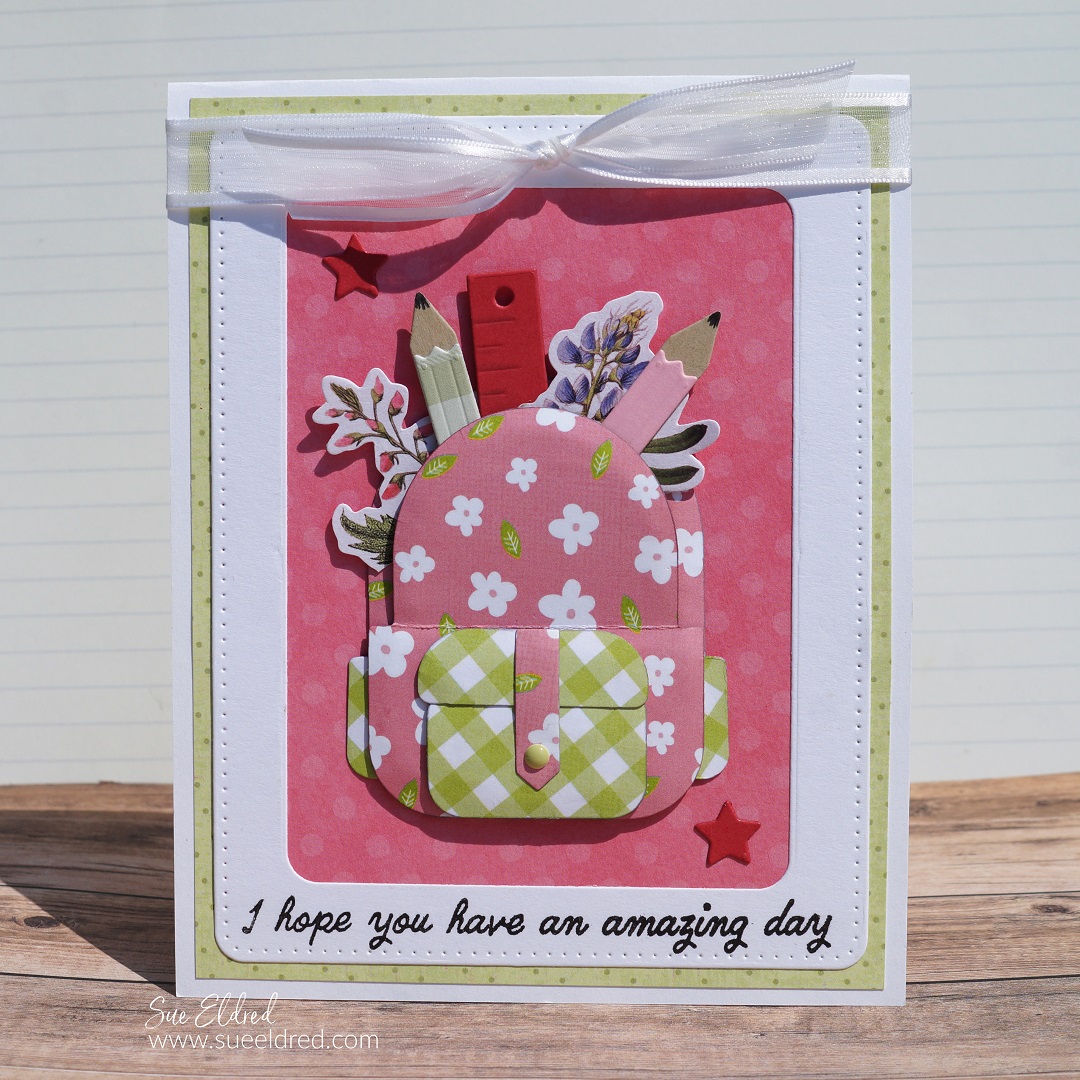
Back Pack to School Card

This was a fun card to make.

I combined the “Backpack to School Die Set” with the “School Essentials Die Set”

to make this sweet pink “girly” back to school card.

The greeting “I hope you have an amazing day” from the Food Truck Stamp Set says it all.

Back Pack to School Card

How to Make the Backpack Card:

  • Die-cut the backpack pieces out of the floral/green plaid paper using the Mini Maker Die Cutting Machine.
  • To shape the die-cut pieces, place the shape on the molding mat* and press down with the large-ball stylus*. Move the stylus around in small circular motions to soften the paper. The die-cut shape will begin to curl, giving it dimension.
  • Use the light gray marker on the edges of the paper to cover the white paper core and give the pieces a shadowing.
  • Assemble the backpack using small thin foam squares.
  • Die-cut and assemble pencils and the ruler using pencils from the School Essentials Die Set.
  • Die-Cut a white cardstock frame using the Round Rectangle Die Set.
  • Tuck the small floral bits into the backpack along with a ruler and pencils and adhere them in place.
  • Assemble the card using coordinating paper layers.

Shop Tombow

Back Pack to School Card

Tuck the card in her backpack and help make her day amazing.

Products Used:     (*affiliate links)

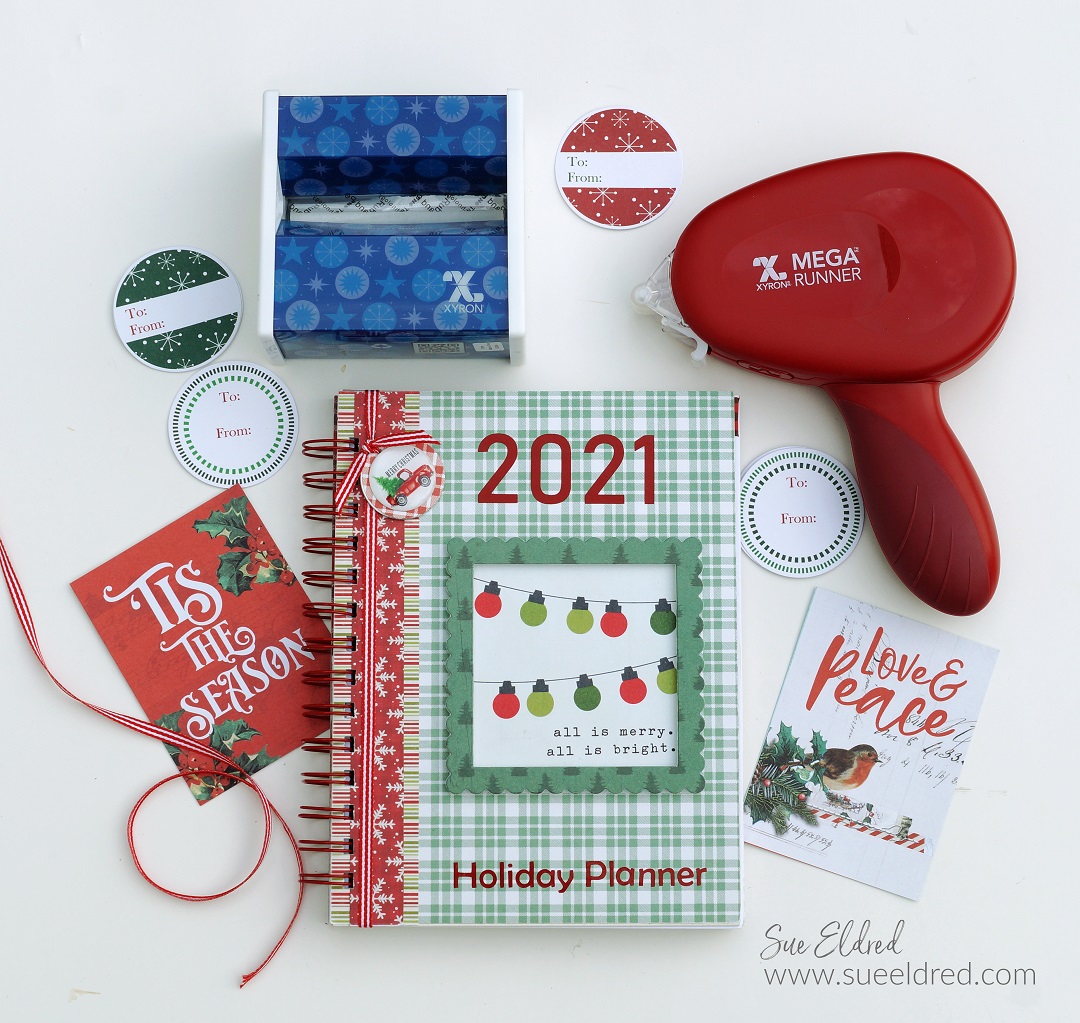
DIY Holiday Planner

DIY Holiday Planner

Creating a Holiday Planner…

It’s never too early to start thinking about the Holidays.

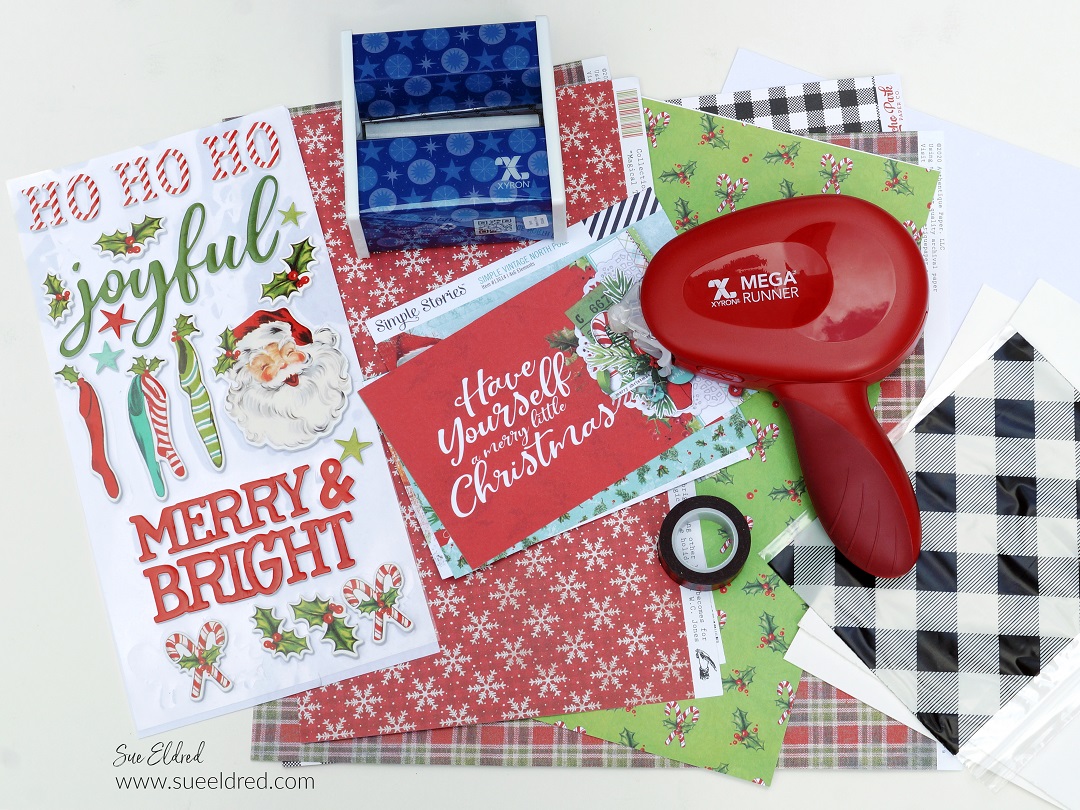
So…when Xyron asked me to do a Christmas in July project using the Xyron Holiday Bundle,

of course, I said YES!

To be honest, my first thought was to run over to my local scrapbook store

and buy something new to use in my project.

Christmas is my weakness, and I have so much leftover from previous years.

I decided to “Scrap my Stash” instead. In the end, I used paper from 3-4 different collections.

(I’m so proud of my self-control.)

My Holiday Planner measures 6″ x 8″. 

It is big enough to write in but small enough to grab and go.
Xyron® is your official site for all your crafting needs
“This post is sponsored for Xyron.  I have been provided product and compensation in exchange for my creative ideas.  The views and opinions are my own.

Creating a Holiday Planner

Materials Used:

*Disclosure:  This blog uses ads and affiliate links.  If you choose to make a purchase using one of the links, I receive a small commission (at no additional cost to you) that helps offset the costs of maintaining this blog.  Thanks for your support!

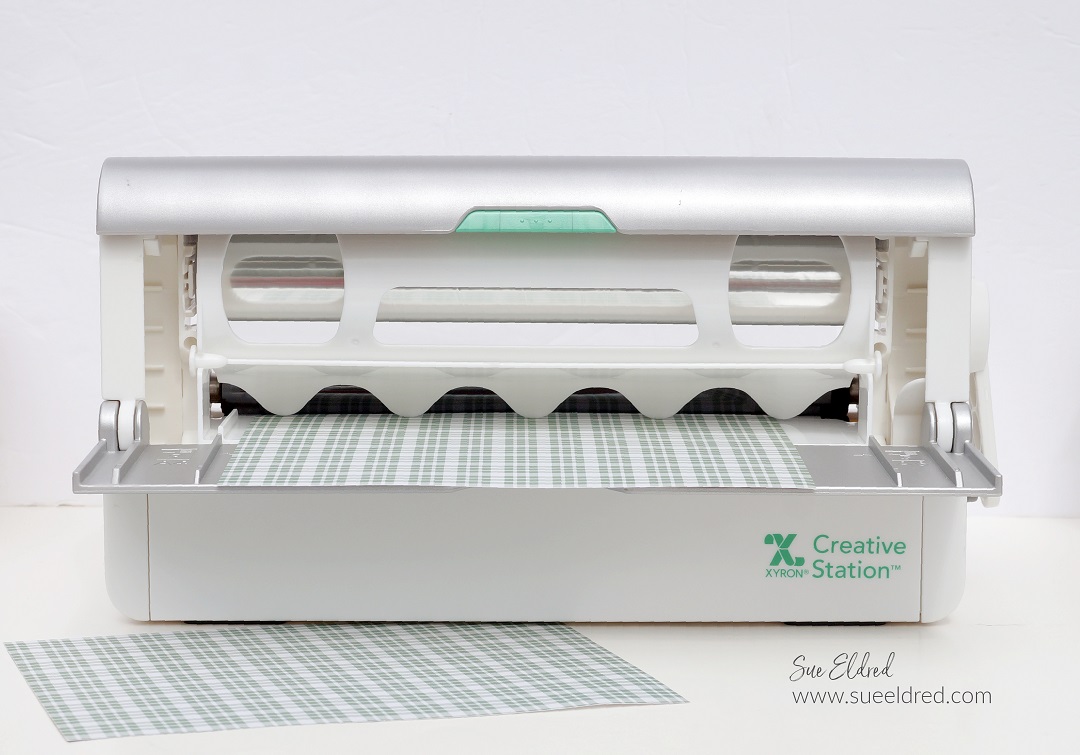
Xyron Creative Station

DIY Planner Details:

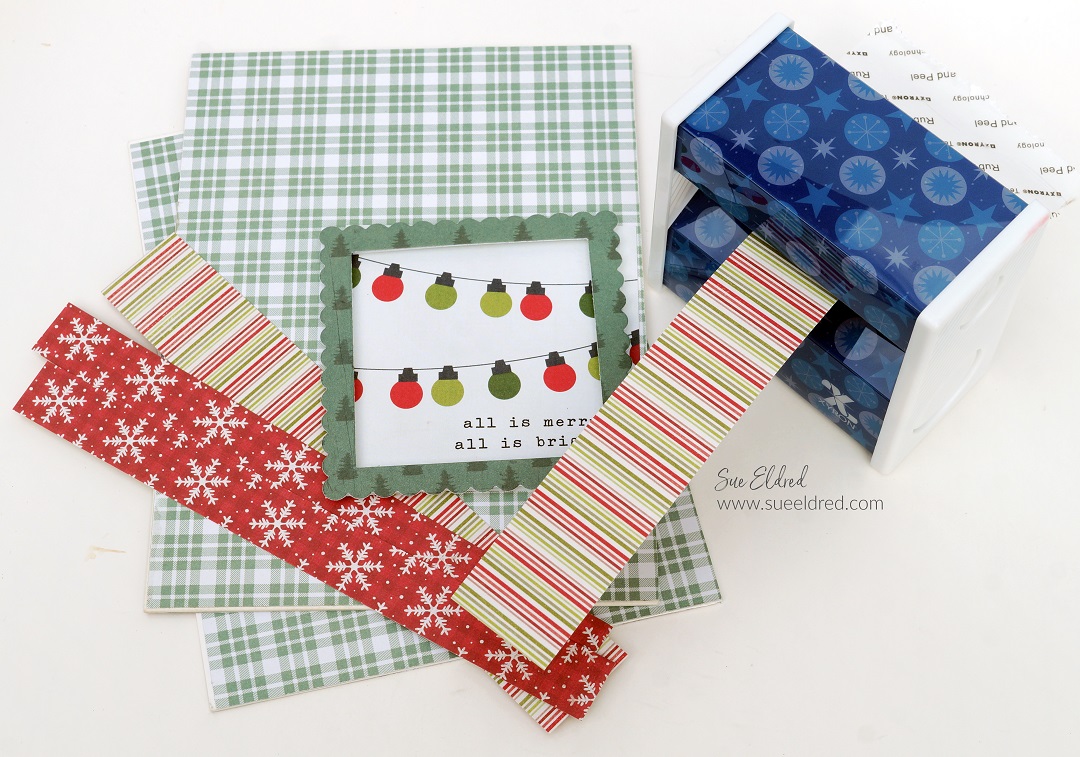
  • Cut two 6″ x 8″ pieces of decorative paper for the front cover and two 6″ x 8″ pieces for the inside front and back covers.
  • Lay the paper into the Xyron 9″ Creative Station* design side up. Crank the handle of the Creative Station* to run it through the machine. As it goes through the machine it adds a complete layer of adhesive to the back of the paper. No electricity needed, easy to use.
  • Peel the decorative paper from the protective liner and place it onto a 6″ x 8″ piece of chipboard. Cover the front and back sides of the chipboard.
  • I love using the Xyron 9″ Creative Station* when I make albums.  I get complete coverage and everything lays smooth, no wrinkles.
  • I like to use a craft mat and craft knife to trim away any excess paper.
  • A sanding block is great for smoothing out the edges of the covered chipboard.

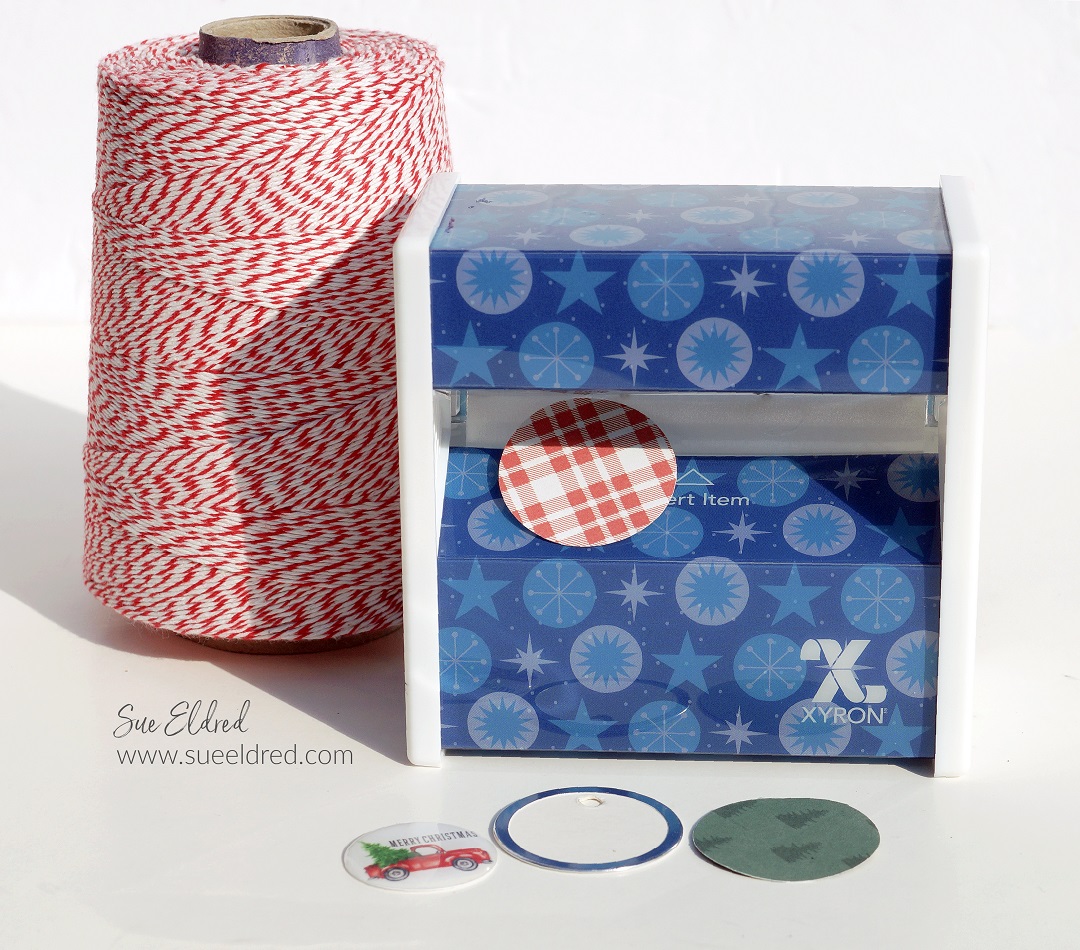
Xyron Disposable Sticker Maker

  • Cut decorative strips to add the front and back of the planner.  If you’ve never made a planner/album like this, you’ll want to give particular thought to the placement of the strips on the back cover to make sure they line up with the front of the planner.
  • I used coordinating decorative scrapbook paper to create a frame for the front of my planner using the frame die from The Maker’s Movement.

DIY Holiday Planner-Xyron Disposable Sticker Maker-Sue's Creative Workshop www.sueeldred.com 1081DIY Holiday Planner-Xyron Disposable Sticker Maker-Sue's Creative Workshop www.sueeldred.com 1101

DIY Holiday Planner Pages

  • I created several different types of pages using a word program for the inside of the planner.
  • As you can see, it doesn’t have to be anything fancy.
  • Once you get your cover finished and your inside pages created, you’ll want to bind it all together using a binding machine.  I used an old Bind it All Machine.  You can also use The Cinch Book Binding Machine*.

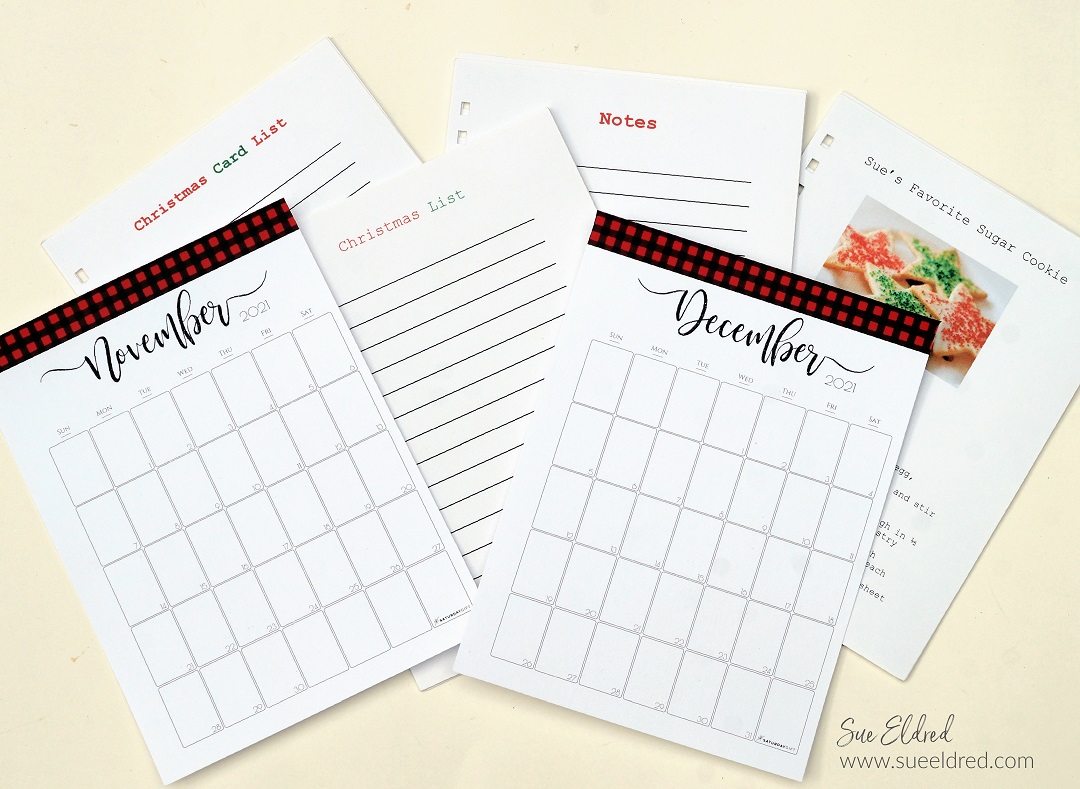
Holiday Planner-Calendar Pages

November and December are the crucial days when planning the Holidays. 

I printed out two calendar pages from SaturdayGift.com and sized them to fit in my planner.

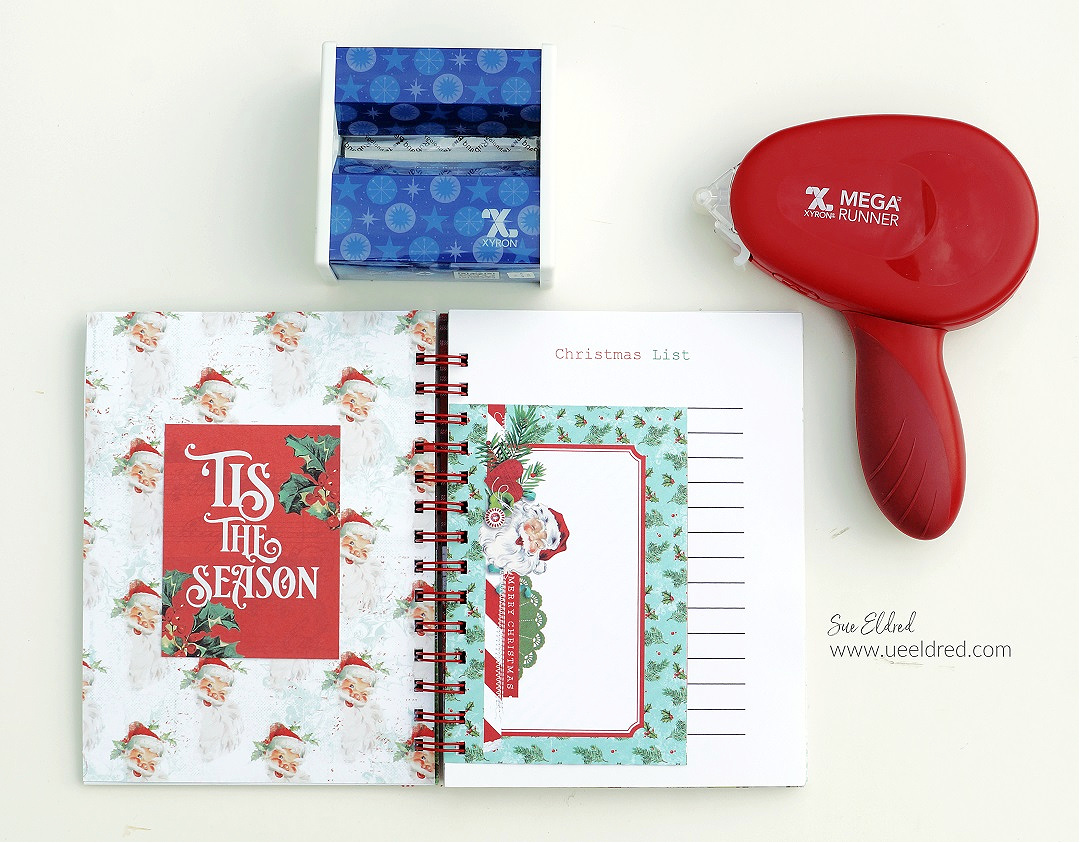
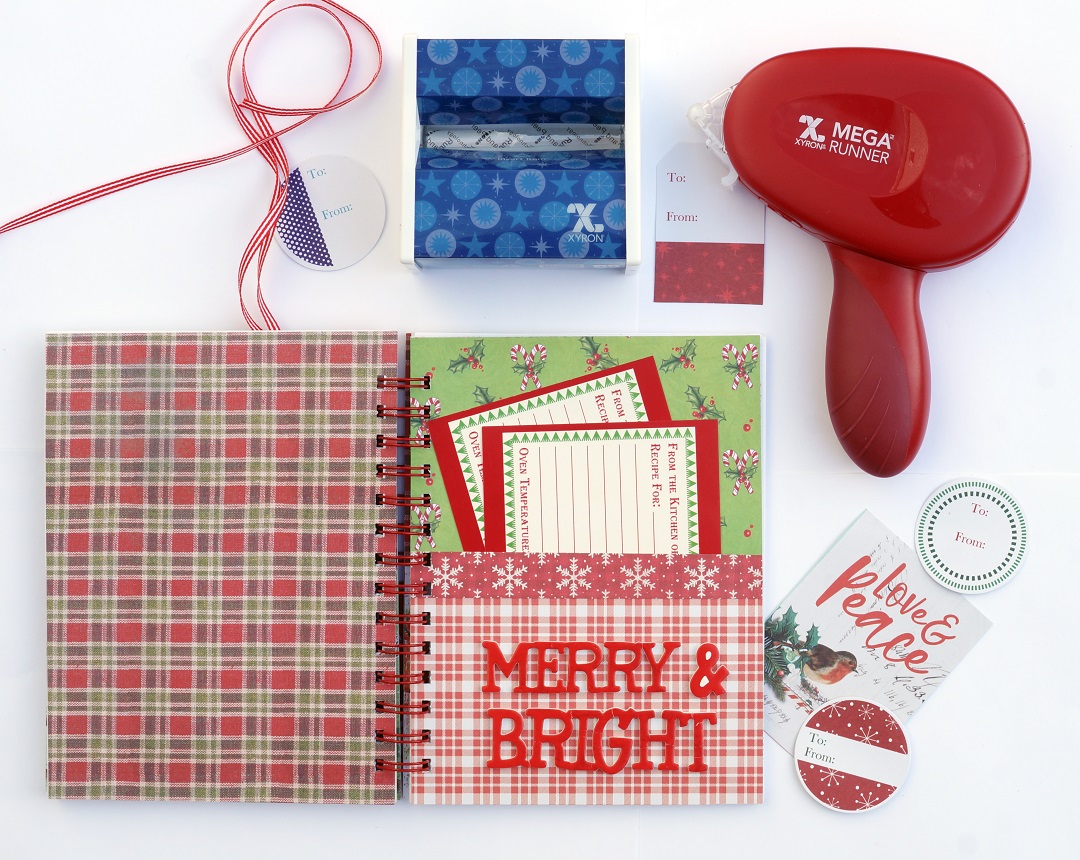
On the inside of the front cover, I created a pocket for lists and coupons.

DIY Holiday Planner

Christmas Gift List

I am that person.  I write down everything I buy for Christmas.

If you want to know what I bought you five years ago for Christmas, ask me.

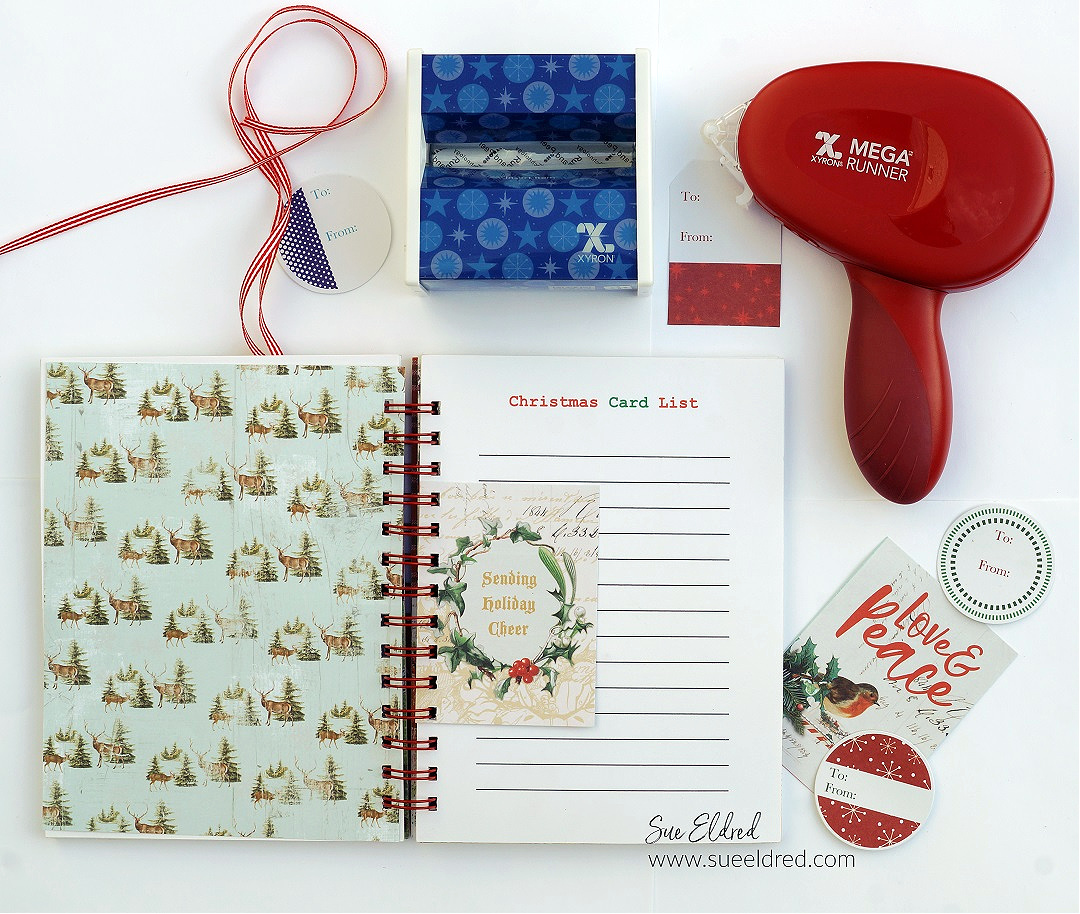
DIY Holiday Planner

Christmas Card List

Do you still send Christmas Cards?

I love getting and sending Christmas Cards over the Holidays.  (sometimes I even make them)

I don’t get as many or send as many as I used to, but I love hanging them on display.

DIY Holiday Planner-Merry & Bright-Sue's Creative Workshop www.sueeldred.com 1515-2

A great way to be prepared for the Holiday Cookie Exchange. 

Creating pockets are a great way to keep organized and the perfect place for

blank Holiday recipe cards.

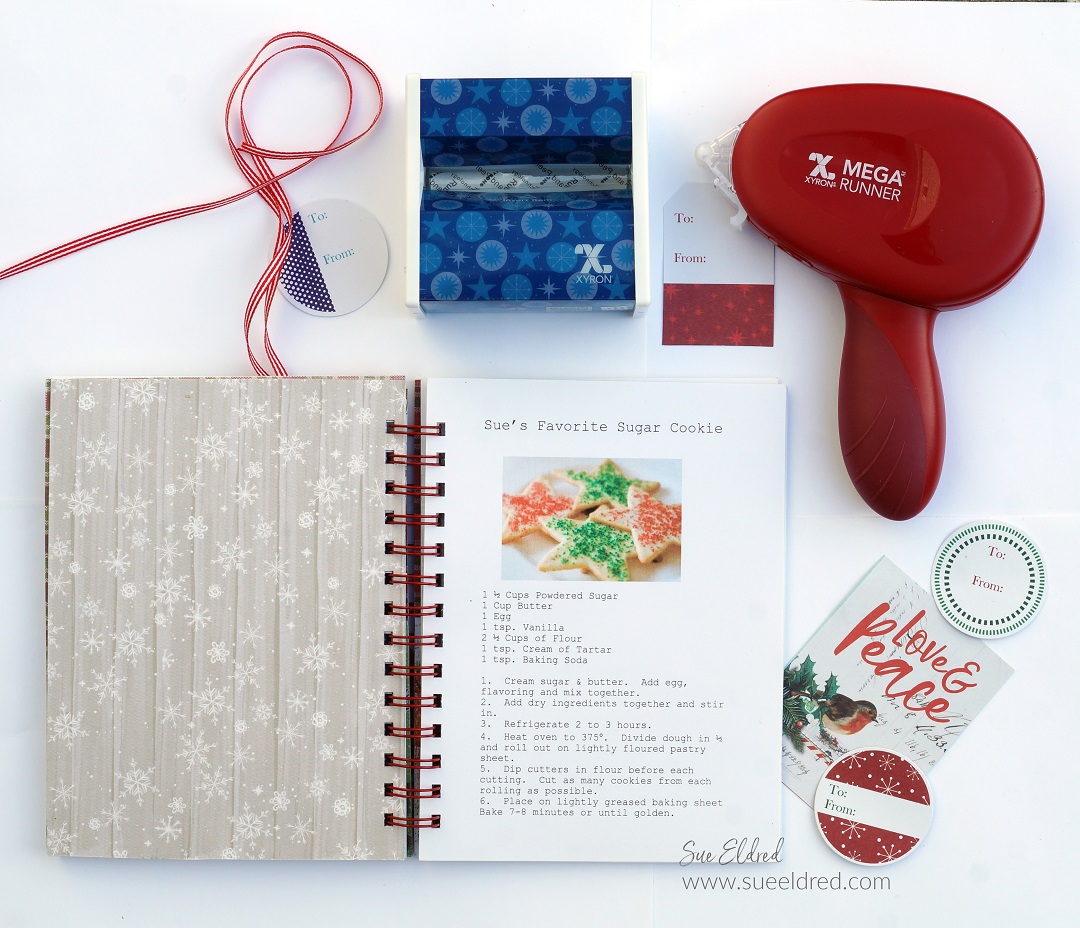
DIY Holiday Planner

Favorite Family Recipes…

I have several family favorite recipes that I make every year.

Several years ago, I typed them all up and saved them on my computer.

It was easy to reprint them and add them to this year’s Holiday Planner.

DIY Holiday Planner-Notes & Receipt Holder-Sue's Creative Workshop www.sueeldred.com 1549

Notes and Stuff…

These pages are for writing down special memories, tips of things that worked that’ll you’ll want

to remember for the next holiday get-together, or the other room mom’s phone number.

There’s so much that we need to remember during the holidays.

And don’t forget to save those receipts for easy returns.

I added a thick buffalo plaid zipper bag in my planner to hold those receipts.

DIY Holiday Planner

Jingle All The Way… 

Create another pocket in the back to tuck in pictures and invitations.

I can never have too many pockets to help keep me organized.

The nice thing about Christmas in July is that by the time the Holidays do arrive,

I’ll be almost ready.

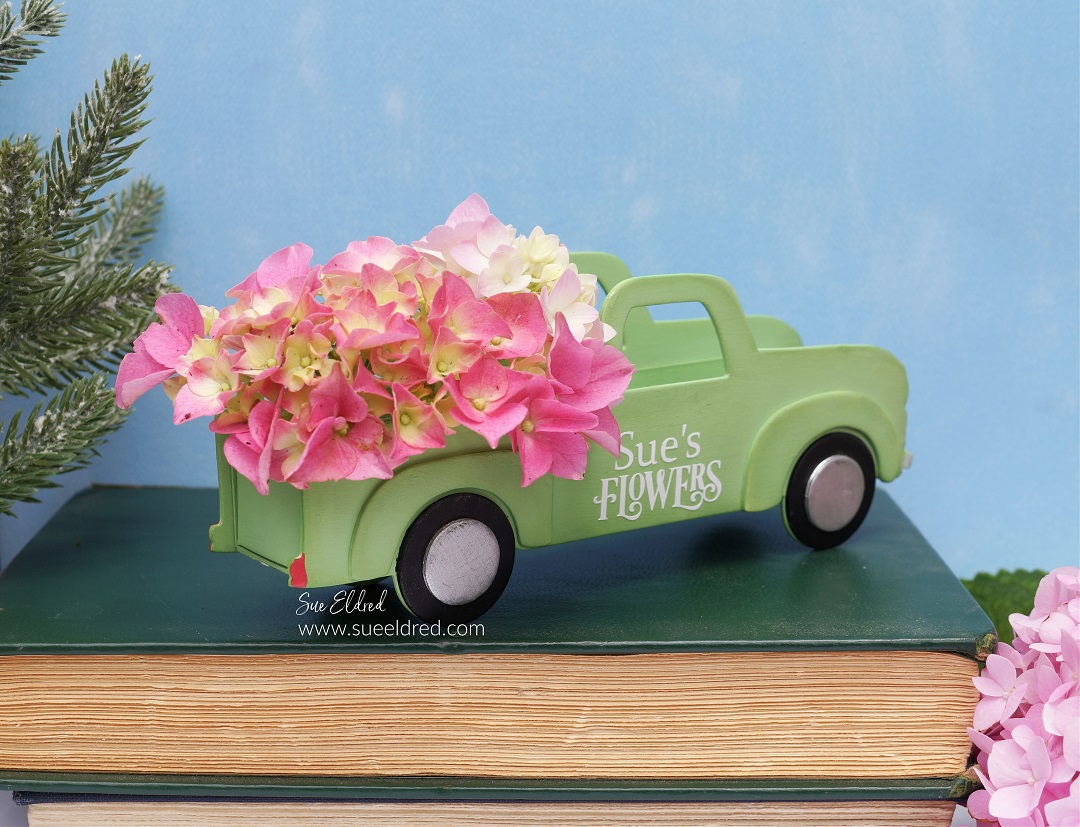
Eileen Hull’s New Vintage Truck Die

Vintage Flower Truck

I’m excited to share with you Eileen Hull’s New Vintage Truck Die*

that is part of the New Chapter 3 Release Dies from Sizzix.

It is one of the cutest dies for so many different Holidays.

Can you imagine it as an old rusty pickup filled with miniature pumpkins? 

And of course, think of all the cute things you can do for Christmas.

Vintage Flower Truck-Sue's Creative Workshop www.sueeldred.com 491

Here’s What I used:    (*affiliate link)

Tips:

*Disclosure:  This blog uses ads and affiliate links.  If you choose to make a purchase using one of the links, I receive a small commission (at no additional cost to you) that helps offset the costs of maintaining this blog.  Thanks for your support!

Cardinal on Wreath Ornament

Another project made using the New Chapter 3 Dies is this Simple Holiday Ornament

using the New Ornament Box Die*  and the Wreath and Snowflake Thinlets Die Set*.

There’s a limited supply of these dies currently, so make sure to get yours today.

Eileen Hull/ Sizzix Chapter 3 Dies

Eileen’s Teams have joined together to give you even more ideas on these creative New Dies.

LET’S GET GOING ON OUR RELEASE PARTY BLOG HOP…

Click on the next link below to continue on your way. Comment on each designer’s blog post to be eligible to win a prize!  (see Eileen’s Blog for details)

Eileen Hull Designs
Julia Aston
Madeline Arendt
Jennie Atkinson
Sue Eldred
Maggi Harding
Lisa Hoel
Elizabeth Robinson
Tonya Trantham
Pam Bray
Jenny Marples

Simple Masking and Background Techniques for Stamping

Simple Masking and Background Techniques for Stamping-Sue's Creative Workshop www.sueeldred.com 9974

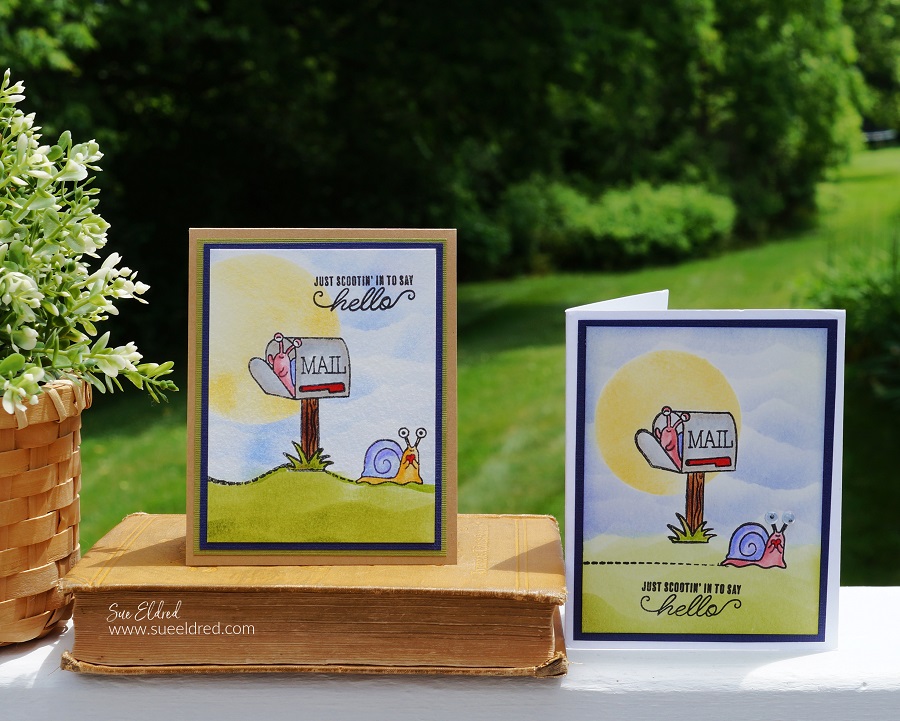
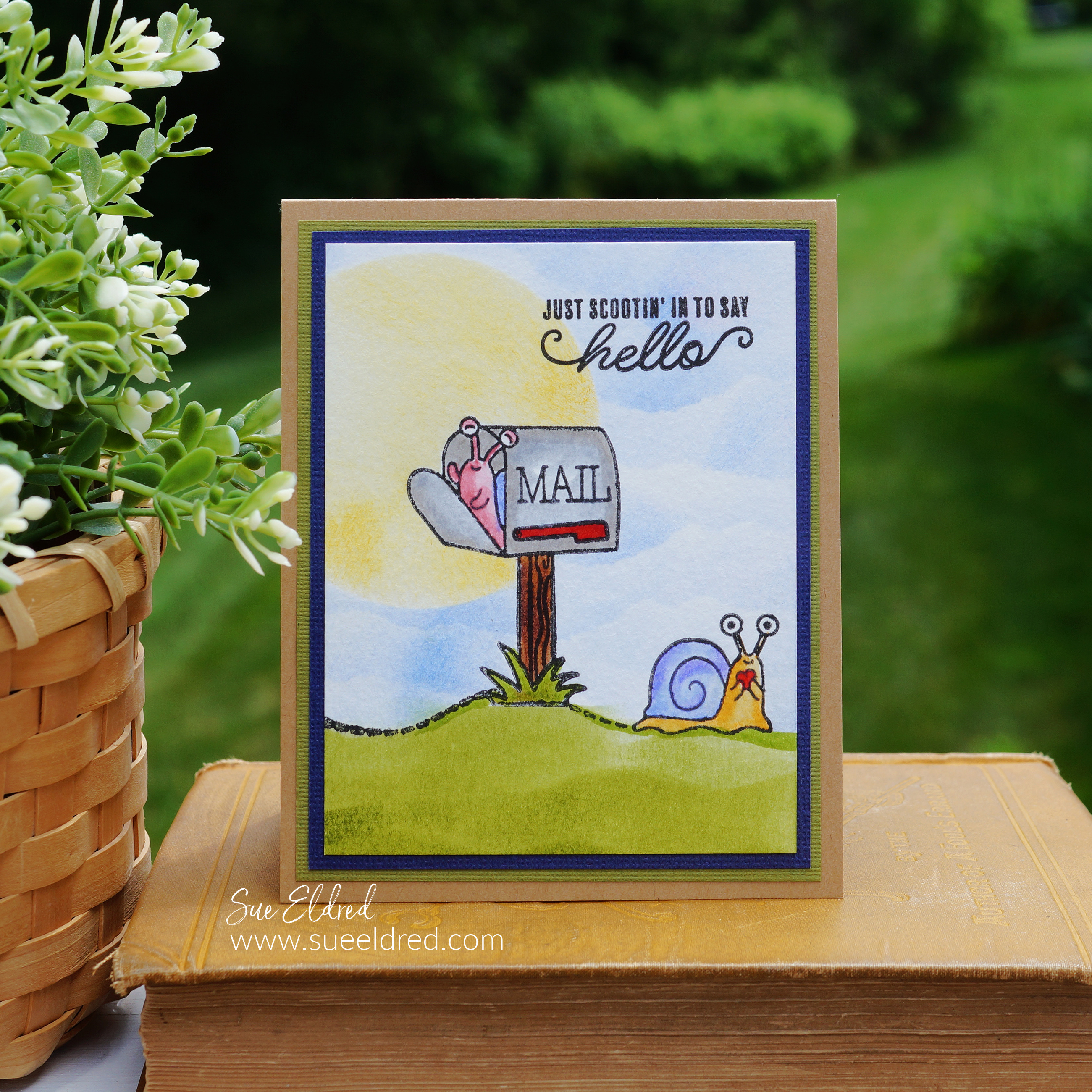
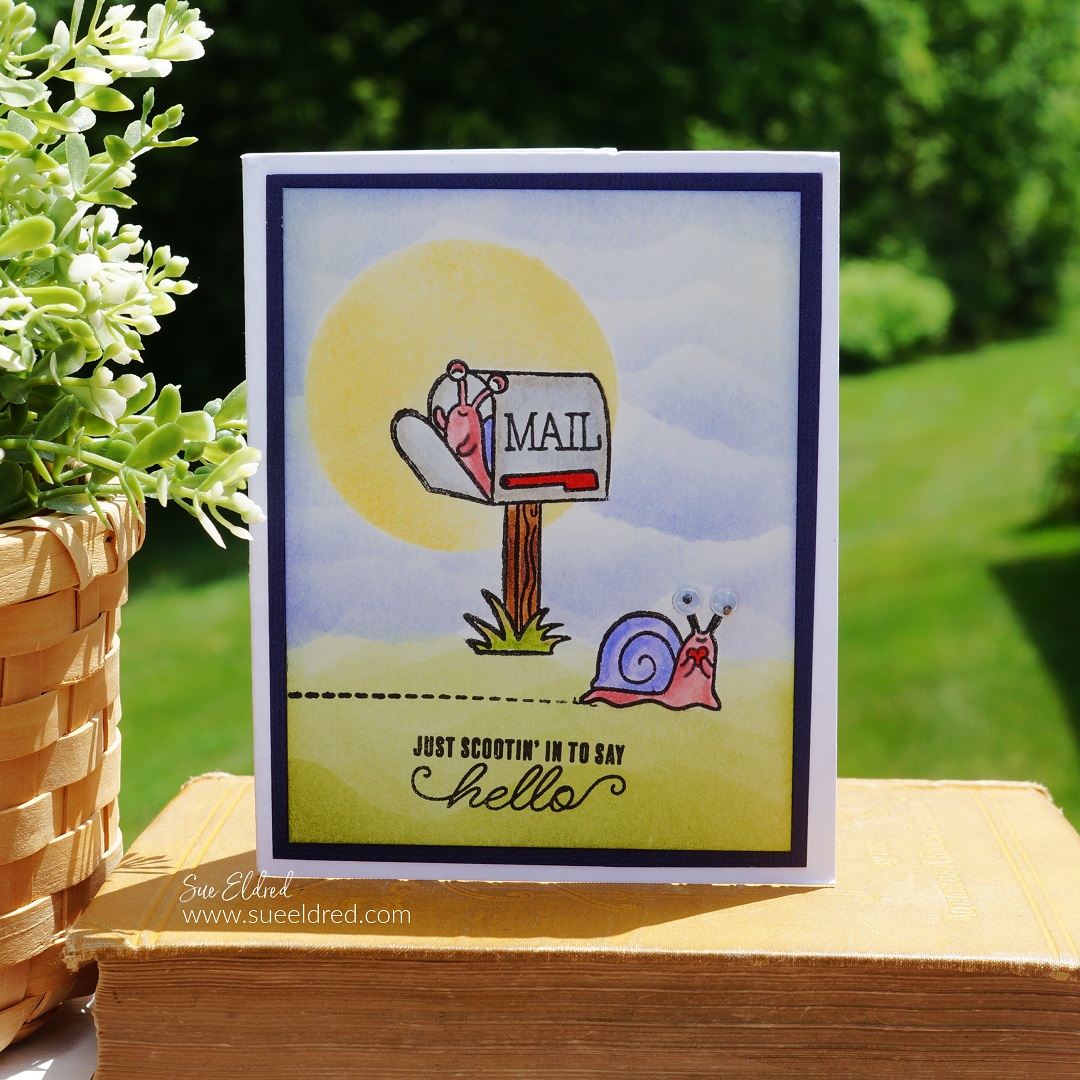
Just Scootin’ in to say Hello…

Don’t you just love getting “snail mail”?

It’s so nice when I open my mailbox and see something other than a bill or advertisement.

Snail Mail Stamped Card

The Snail Mail card was made using the Snail Mail Stamp Set from The Maker’s Movement. 

I used simple masking and background techniques that anyone can do to make the card a little more fun.

(see below for complete instructions)

Maker's Movement

Disclosure:  This is a sponsored post for The Maker’s Movement.  I have been provided product and compensation in exchange for my creative ideas.  The view and opinions are my own.   

Simple Masking and Background Techniques for Stamping

Directions:

*Disclosure:  This blog uses ads and affiliate links.  If you choose to make a purchase using one of the links, I receive a small commission (at no additional cost to you) that helps offset the costs of maintaining this blog.  Thanks for your support!

Xyron Create a Sticker Machine Mini

Creating a Mask for your stamped images…

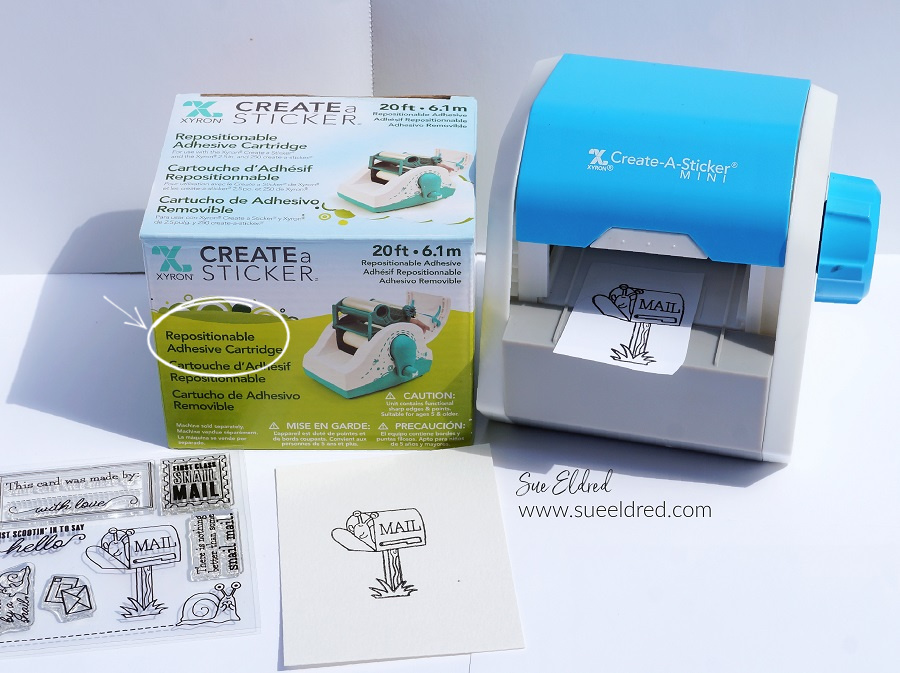
To keep your image crisp and clean while creating your background you’ll want to create a mask.

  • Without re-inking, the “mailbox” stamp, stamp the image onto a piece of scrap paper. This lighter impression keeps the ink to a minimum and prevents it from getting onto your fingers when working with the mask.
  • Place the stamped copy into the Xyron Create-A-Sticker Mini* with a Repositionable Cartridge* design side up.
  • Turn the knob of the machine to run the paper through it.  As it goes through the machine it adds a layer of repositionable adhesive to the paper.

Creating Masks for Stamping Cards

  • Cut nice and tight around the stamped image – this cut-out now becomes your “mask”.
  • Remove the protective backing and place the mask directly over the stamped image.

Simple Masking and Background Techniques for Stamping

Masking the Sun…

  • Punch or cut a circle from scrap paper.  (set aside the punched circle to use as a mask)
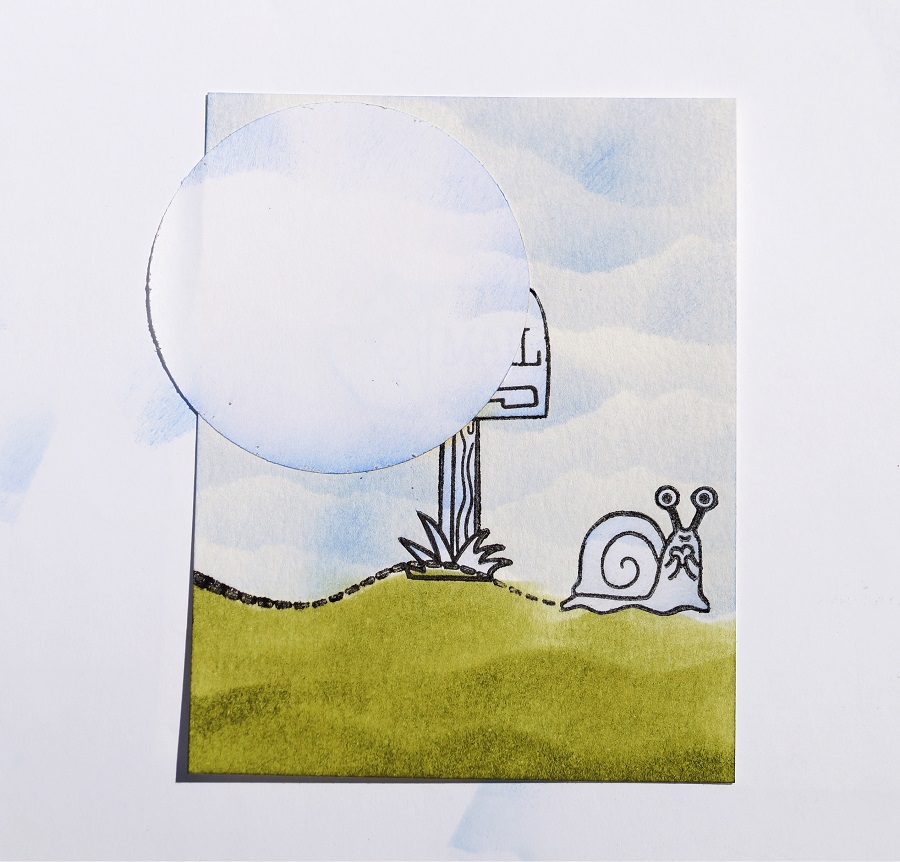
  • Use the open circle cutout as a template to create the sun.  Place the circle cutout over the masked/stamped mailbox.   Using a yellowish/golden inkpad and an Ink Blending Tool*, gently rub the ink onto the paper.  Be careful not to let the paper slip.
  • Take the punched circle and place it in the Xyron Create-A-Sticker Mini* (with repositionable cartridge) to make a mask that will fit over your “inked sun”.
  • Place mask over the Sun.

Simple Masking and Background Techniques for Stamping and Cardmaking.

Creating the Grass Background…

  • Stamp the “snail with dotted lines” in black ink over the base of the mailbox image.  You can leave the dotted line straight, or you can easily position the dotted line of the stamp to make it curvy.
  • Stamp a second snail to create a mask.  (You will only need to cut out the snail, not the dotted lines.)
  • Place the snail mask over the stamped snail image.
  • Use scissors to cut a wavy line on a piece of scrap paper to create your “grass background template”.
  • Starting at the top of the “curvy line”, use an Ink Blending Tool* and green ink and rub the ink down on the paper.  Continue moving the template down the paper and adding more grass lines.

Simple Masking and Background Techniques for Stamping and Cardmaking

Creating the cloudy sky background…

  • As a reminder…you should have masks on the Sun, Mailbox, and Snail.
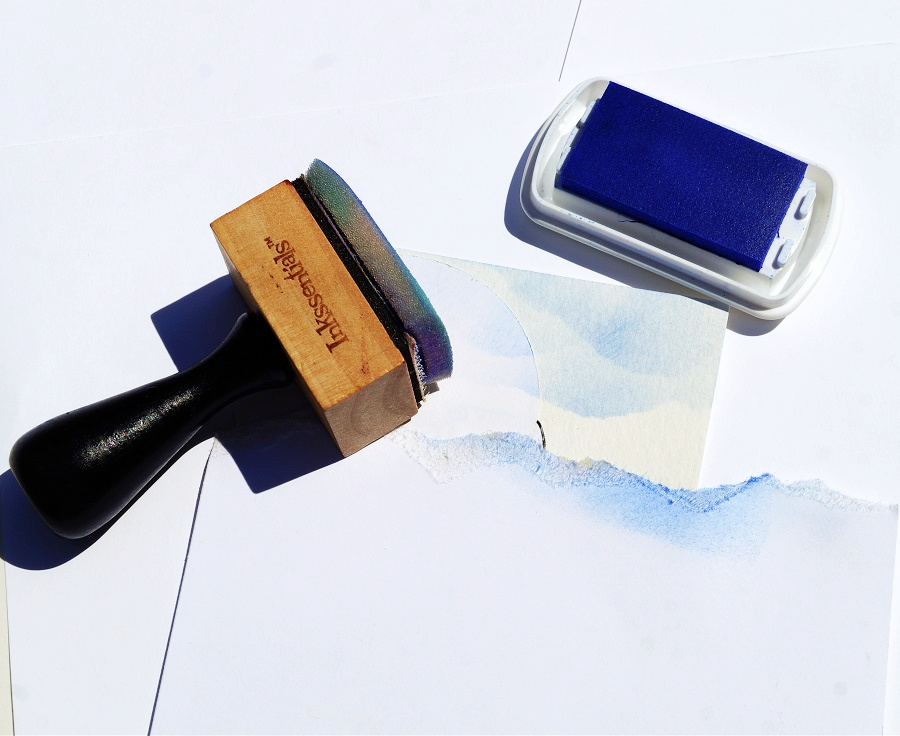
  • To make light and fluffy clouds, you’ll need a piece of scrap paper with a torn edge.
  • Place the torn edge at the top of the stamped watercolor paper.  Gently rub blue ink onto the paper with the Ink Blending Tool*.
  • Adjust the torn paper slightly and move down the paper and ink to create more clouds.  Continue inking clouds until you reach the grass line.

Simple Masking and Background Techniques for Stamping

  • Remove the masks from the sun, mailbox, and snail.

Simple Masking and Background Techniques for Stamping

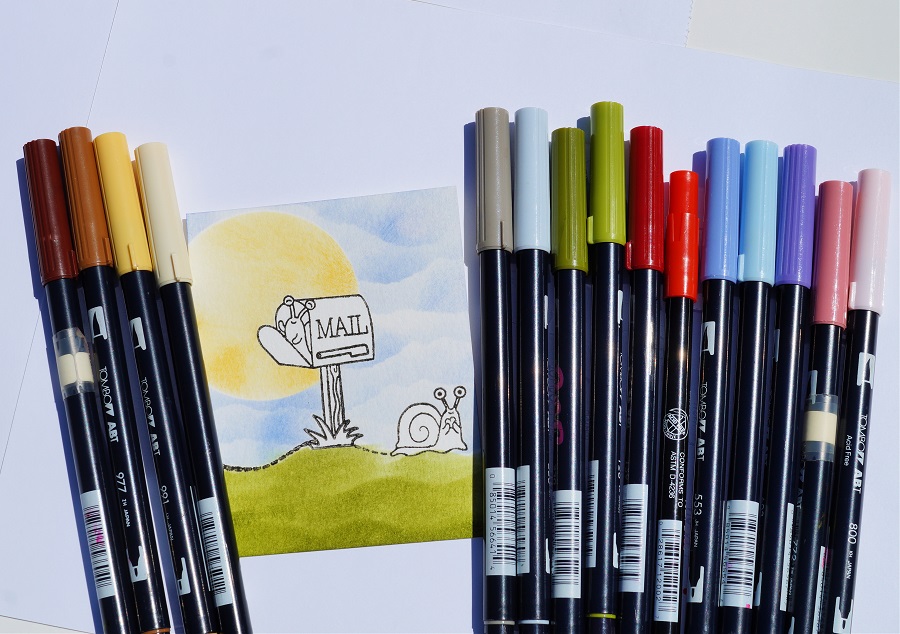
  • I used a variety of light and dark Tombow Dual Brush Art Markers to color in my image.
  • Because I use Watercolor Paper* and stamped the image with the Versa Fine Black Inkpad* I can easily blend the markers without the outline ink bleeding.

Shop Tombow

Simple Masking and Background Techniques for Stamping Cards and Envelopes

Decorated Envelopes for the Win!

I rarely decorate my envelopes.

I thought this card called for a little extra fun on the outside.

Simple Masking and Background Techniques for Stamping

And for a little extra fun, I added googly eyes to the snail on this card.

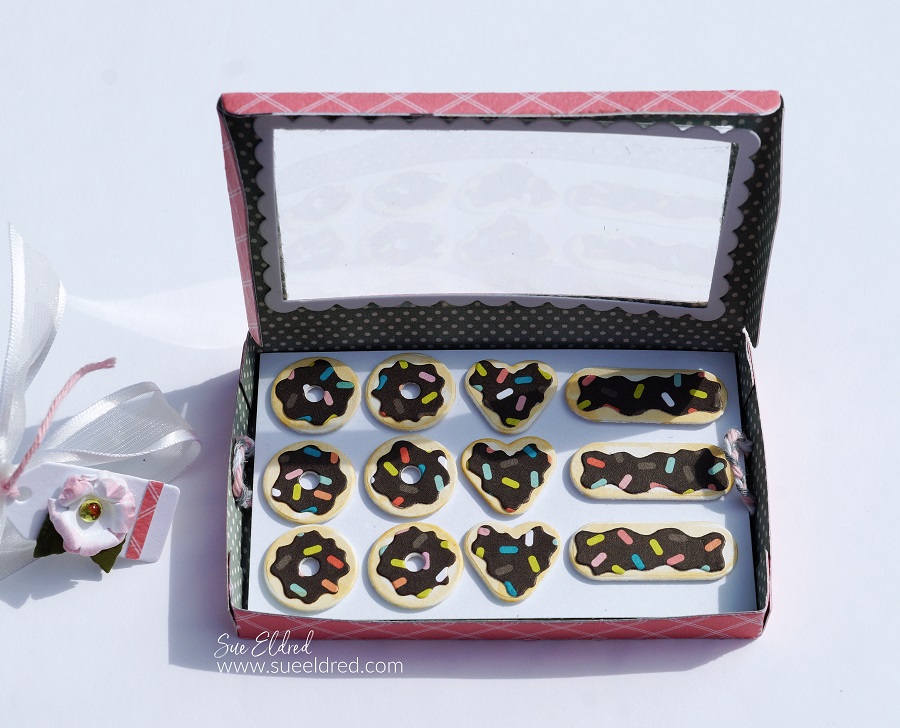
Mini Donut Box Gift Card Holder

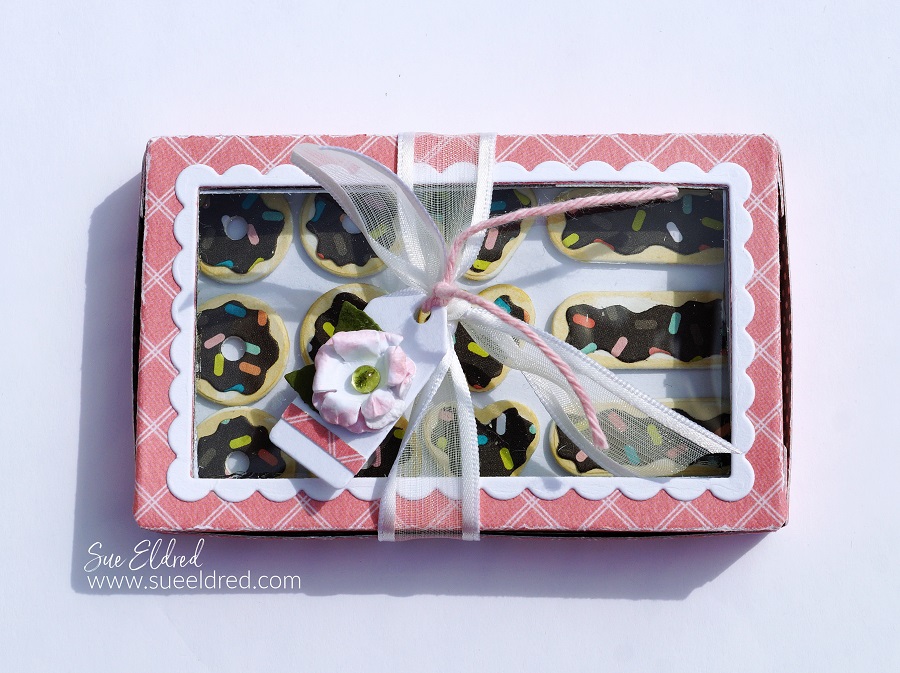
How to Make a Mini Donut Box Gift Card Holder.

How to Make a Sweet Mini Donut Box Gift Card Holder

using the Donut Box Die Set from The Maker’s Movement.

The perfect gift card/money holder for that special someone with a sweet tooth.

Maker's Movement

Disclosure:  This is a sponsored post  for the Maker’s Movement.  I have been provided product and compensation in exchange for my creative ideas.  The view and opinions are my own.   

How to Make a Mini Donut Box Gift Card Holder.

Materials Used:             (*affiliate links)

Shop Tombow

*Disclosure:  This blog uses ads and affiliate links.  If you choose to make a purchase using one of the links, I receive a small commission (at no additional cost to you) that helps offset the costs of maintaining this blog.  Thanks for your support!
Mini Donut Box Gift Box Holder

Directions:

  • Cut the Donut Box using the Crossover II Die-Cut Machine and the Donut Box Die Set.
  • Cut two scalloped rectangles using the Donut Box Die Set.  I like to run the paper through the Xyron Create-A Sticker Mini to add adhesive to the back of it before die-cutting.  It makes the scalloped rectangle a sticker which makes it so much easier to adhere to the box.
  • Remove the protective coating off of the acetate and adhere to the backside of the box opening.
  • Remove the backing off the “rectangle sticker” and place one on the front of the opening and the second onto the back of the opening.
  • Cut a small piece of acetate slightly larger than the opening on the Donut Box.
  • Gently fold Donut Box on the score lines.  Glue the side tabs together to form the box.

How to Make a Mini Donut Box Gift Card Holder

  • Cut the donuts out of cardstock.
  • Use the light tan Tombow Maker* around the edges of the Donuts to give them a “baked” look.

How to Make a Mini Donut Box Gift Card Holder

  • Place the “sprinkles” paper into the Xyron Create-A-Sticker Mini* design side up.
  • Turn the knob of the machine to run the paper through it.  As it goes through the machine it adds a layer of adhesive to the paper.

How to Make a Mini Donut Box Gift Card Holder

  • Cut the “icing for the donuts” out of the “sprinkles” paper and place it onto the cardstock donuts.
  • Cut a small 2 1/4″ x 3 1/2″ rectangle tray to fit inside the donut box.
  • Add thin 3D foam squares to the back of the donuts and stick them onto the tray.
  • I added two braided loops and taped them under the tray with regular tape.  I cut a second 2 1/4″ x 3 1/2″ piece of decorative scrapbook paper and adhered it under the donut box tray with the thin 3D foam squares.

How to Make a Mini Donut Box Gift Card Holder.

  • Cut a small tag using the tag die that comes with the Donut Box Die Set.
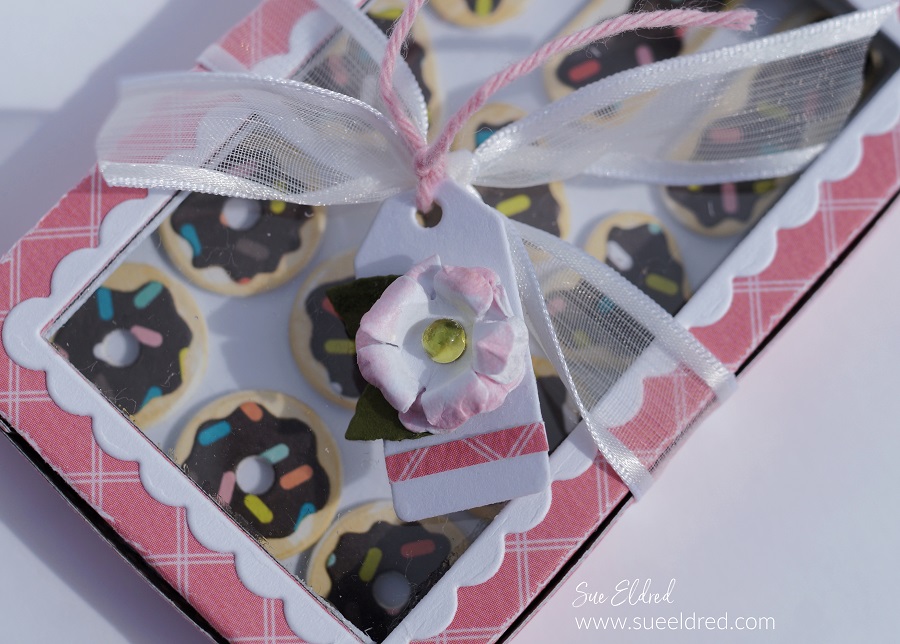
  • Cut two small flowers and two leaves using the Petite Flowers Die Set.  Add pink to the edges of the flowers using the #800 Pink Tombow Marker.
  • Carefully scrunch the flower with your fingers to give the flower shape.
  • Glue the flowers and leaves together onto the tag.

How to Make a Mini Donut Box

The Donuts look good enough to eat.

How to Make a Mini Donut Box Gift Card Holder.

Hide a gift card to your favorite donut shop or money under the donut tray for a sweet little surprise.

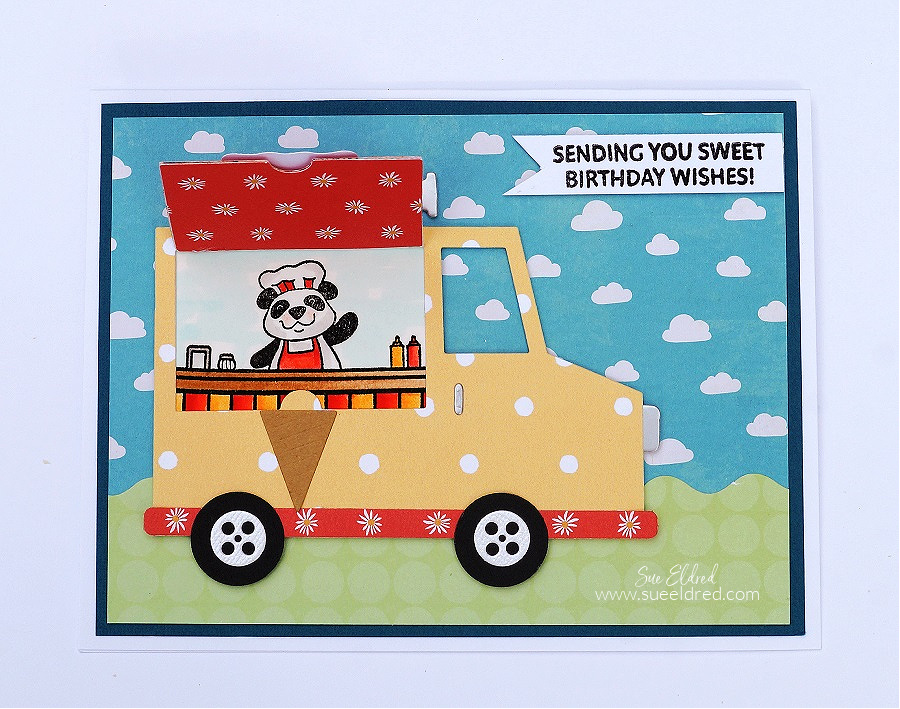
Ice Cream Truck Birthday Card

Ice Cream Truck Birthday Card

Ice Cream Truck Birthday Card

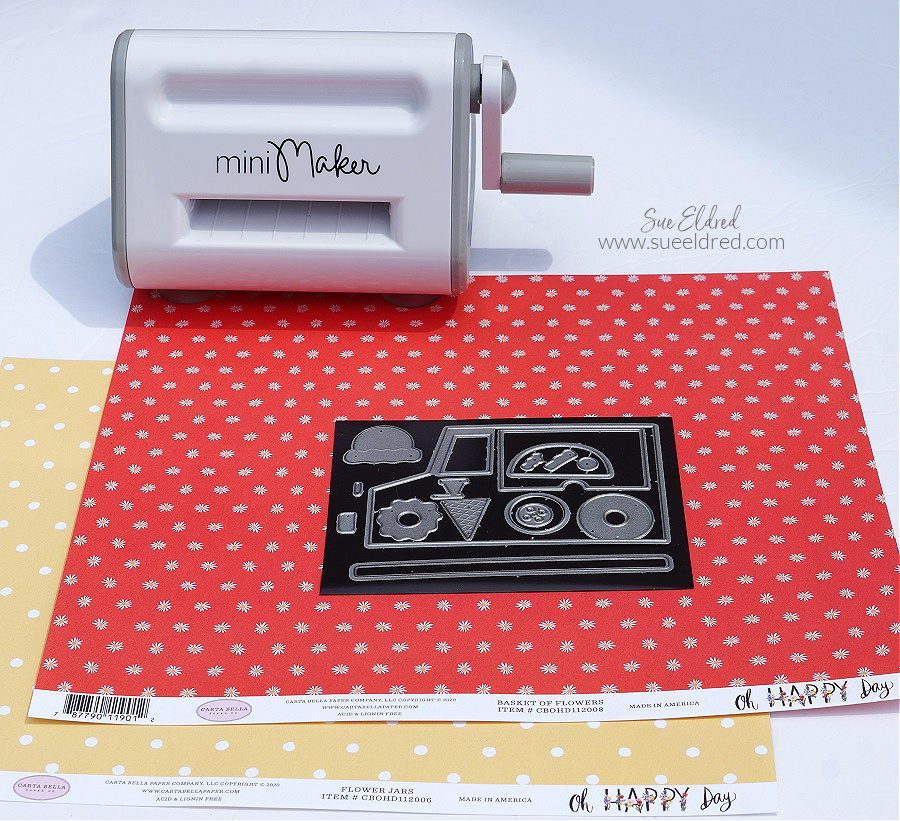
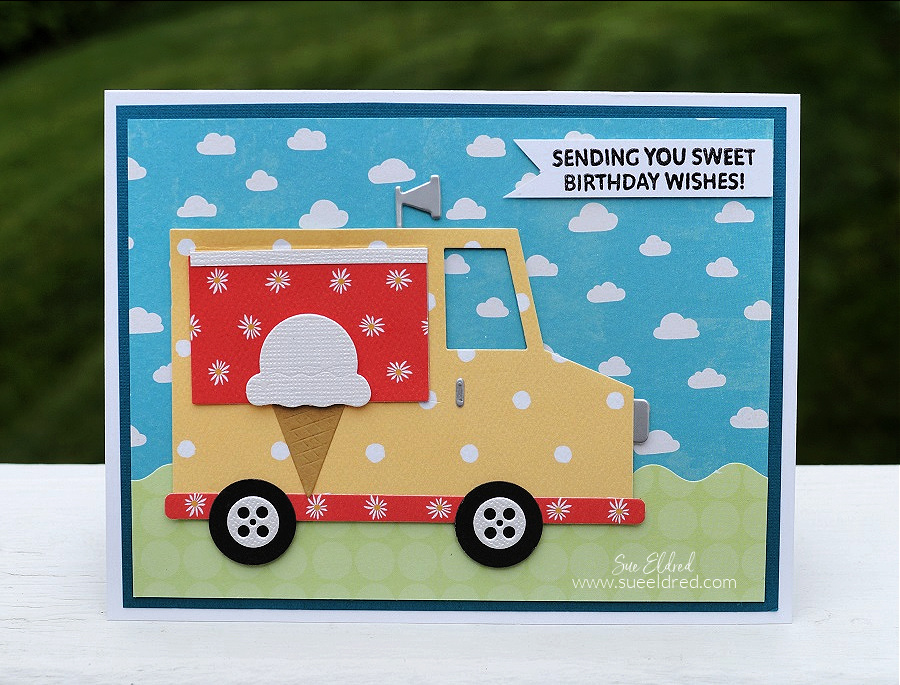
“Sending you Sweet Birthday Wishes” using the Food Truck Stamp and Die Sets from

The Maker’s Movement. This versatile set can be an Ice Cream Truck, Taco Truck,

and even a Donut Truck.

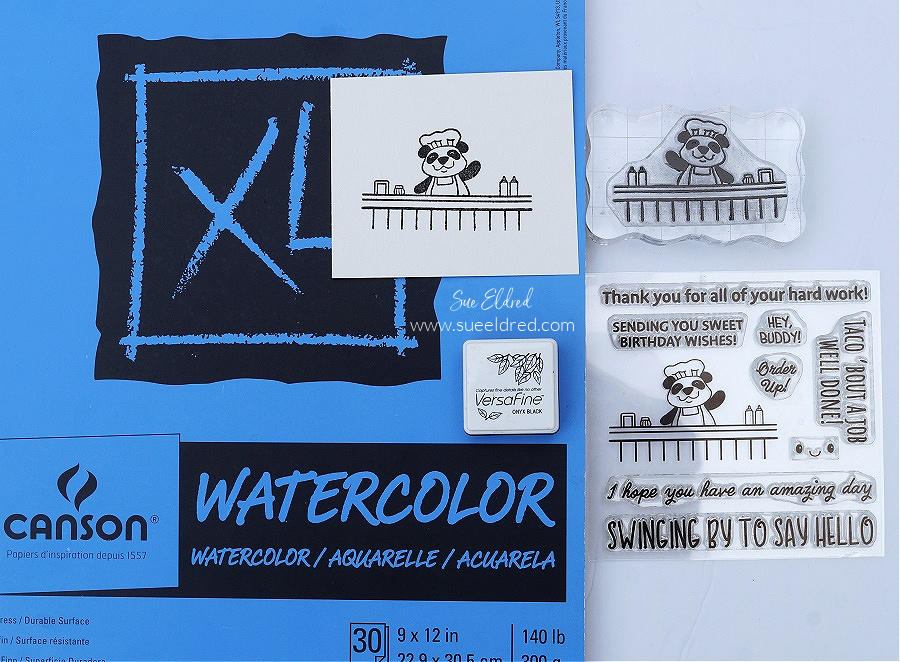
Food Truck Stamp Set from The Maker's Movement

  • Stamp the “panda stamp” on white watercolor paper using a black permanent ink pad.

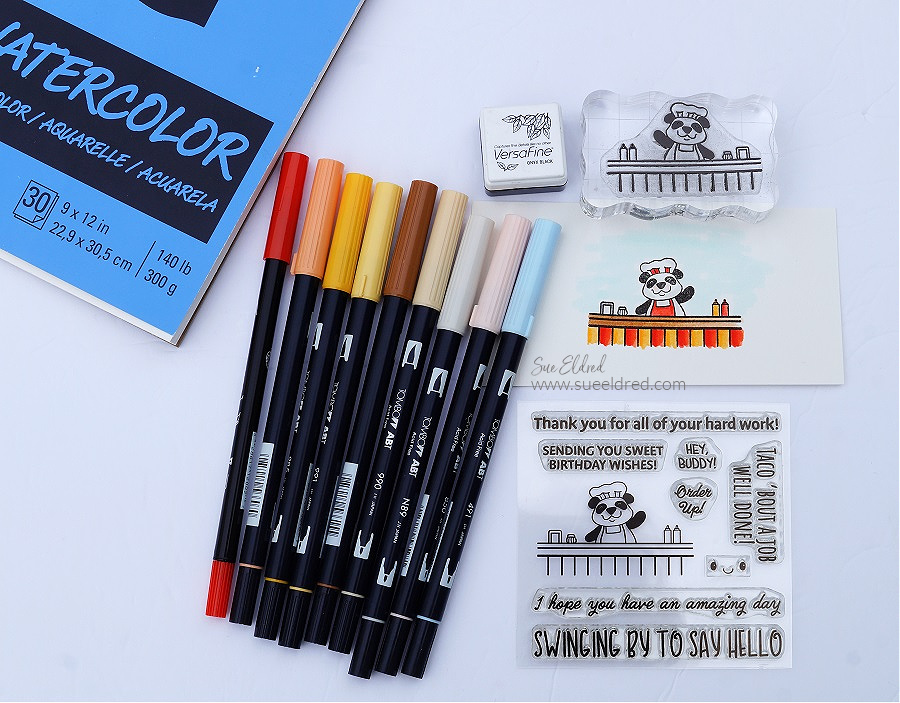
Materials Used:    (*affiliate link)

Shop Tombow

*Disclosure:  This blog uses ads and affiliate links.  If you choose to make a purchase using one of the links, I receive a small commission (at no additional cost to you) that helps offset the costs of maintaining this blog.  Thanks for your support!

Food Truck Stamp Set from The Maker's Movement

  • I used a variety of light and dark Tombow Dual Brush Art Markers to color in my image.  Because I use watercolor paper and stamped the image with permanent black ink I can easily blend the markers without the outline ink bleeding.

Mini Maker Die Cutting Machine

Die Cut the pieces of the “Food Truck” using the Mini Maker Die Cutting Machine

and decorative scrapbook paper.  The Mini Maker is great for die-cutting small pieces

and takes up less space on your table than those bigger machines.

Ice Cream Truck Birthday Card

The Food Truck Die Set comes with so many little details that make putting this card together

a lot of fun.  The “window die” cuts out a flap on the food truck that lifts to reveal the panda

ready to take your order.

Maker's Movement

Disclosure:  This is a sponsored post  for the Maker’s Movement.  I have been provided product and compensation in exchange for my creative ideas.  The view and opinions are my own.   

A Coffee Gift Card Holder for Mom

a Coffee Card for Mom

How to make a “coffee-themed” gift card holder for Mom for Mother’s Day.

Do you have a Mom who’s a coffee lover?

Make her a cute “coffee-themed” card perfect for adding a gift card to her favorite store

or coffee place.

A Coffee Themed Gift Card Holder for Mom.

Materials Used:     (*affiliate link)


*Disclosure:  This blog uses affiliate links.  If you choose to make a purchase using one of the links, I receive a small commission (at no additional cost to you) that helps offset the costs of maintaining this blog.  Thanks for your support!

A Coffee Themed Card for Mom

Directions:

  • Die-cut the pieces from the Coffee Die Set out of scrapbook paper using the Crossover II Die-Cutting Machine.
  • Assemble the die-cut pieces on a layered card front.
  • For the base of the gift card holder, I cut a piece of cardstock 5 1/4″ x 9 3/4″.  Score lengthwise every 3 1/4″.
  • Adhere a 3″ x 5″ piece of green polka dot paper onto the middle panel.
  • On the third panel, cut down the side approx. 2 1/2″.  Cutaway the remaining section of the panel on a diagonal to create a flap.
  • Adhere the bottom and the short side of the flap to the middle panel to create a pocket.
  • Decorate the pocket with a flower that was “fussy cut” from the floral paper.  Add a small strip to edge the pocket.

Die-Cutting letters using the Crossover II.

Directions Continued:

  • For the letters on the front of the card, I used gold foiled paper.  To make the letters stickers, I ran the gold foiled paper through the Xyron Creative Station*.  As you run the paper through the machine it adds a complete layer of adhesive to the back of the paper.
  • Die-Cut the letters to spell “MOM” using the Alphabet Die Set and the
  • Die-cut the gold foiled paper (with adhesive added to the back) using the alphabet die and the Crossover II Die-Cutting System*.
  • Remove the backing off the back of the letters and stick them onto the front of the card.
  • Tie gold thread around the front of the card and tie it with a knot.

LETTER ALIGNING TIP…If you’re a perfectionist like I am and want to align the letters as straight as possible. Use Gridded Transfer Paper* to help you line up the letters. Place the front of the foiled letters on the adhesive side of the transfer paper, remove the backing off of the foiled paper and transfer the letters onto the front of the card.

A coffee themed card for Mom

Now all you need to do is add a gift card for her favorite store or coffee place along with a sweet note.

Maker's Movement

Disclosure:  This is a sponsored post for the Maker’s Movement.  I have been provided product and compensation in exchange for my creative ideas.  The view and opinions are my own.